
1. Introduction
This manual provides essential information for the safe and efficient operation of your TCL H25D44W 25 Pint Smart Dehumidifier. Please read all instructions carefully before use and retain this manual for future reference.
The TCL H25D44W is an Energy Star Most Efficient 2024 certified dehumidifier designed to remove up to 25 pints of moisture per day from spaces up to 2,000 sq. ft. It features an ultra-compact design, smart control capabilities via the TCL Home app, Alexa, and Google Assistant, and is suitable for various living spaces including basements and rooms.
2. Safety Information
- Ensure the dehumidifier is placed on a level, stable surface to prevent tipping and water spillage.
- Do not operate the unit with a damaged power cord or plug. If damaged, contact customer support.
- Keep the unit at least 8 inches (20 cm) away from walls or furniture to ensure proper airflow.
- Do not block the air intake or exhaust vents.
- Unplug the dehumidifier before cleaning, performing maintenance, or when not in use for extended periods.
- Do not use the dehumidifier in areas where flammable gases or liquids are stored.
- This appliance is not intended for use by persons (including children) with reduced physical, sensory or mental capabilities, or lack of experience and knowledge, unless they have been given supervision or instruction concerning use of the appliance by a person responsible for their safety.
- Children should be supervised to ensure that they do not play with the appliance.
3. Product Overview
3.1 Components
Familiarize yourself with the main components of your dehumidifier:
- Control Panel: Located on the top of the unit for manual operation and settings adjustment.
- Air Outlet: Top-mounted vent where dry air is expelled.
- Air Intake: Rear-mounted vent where humid air is drawn in.
- Washable Filter: Located behind the air intake, designed to capture large airborne particles.
- Water Bucket: Removable reservoir at the bottom front for collecting condensed water.
- Continuous Drain Port: Located at the rear for connecting a hose for continuous drainage.
- Power Cord: For connecting the unit to an electrical outlet.
- Casters (Wheels): For easy mobility of the unit.
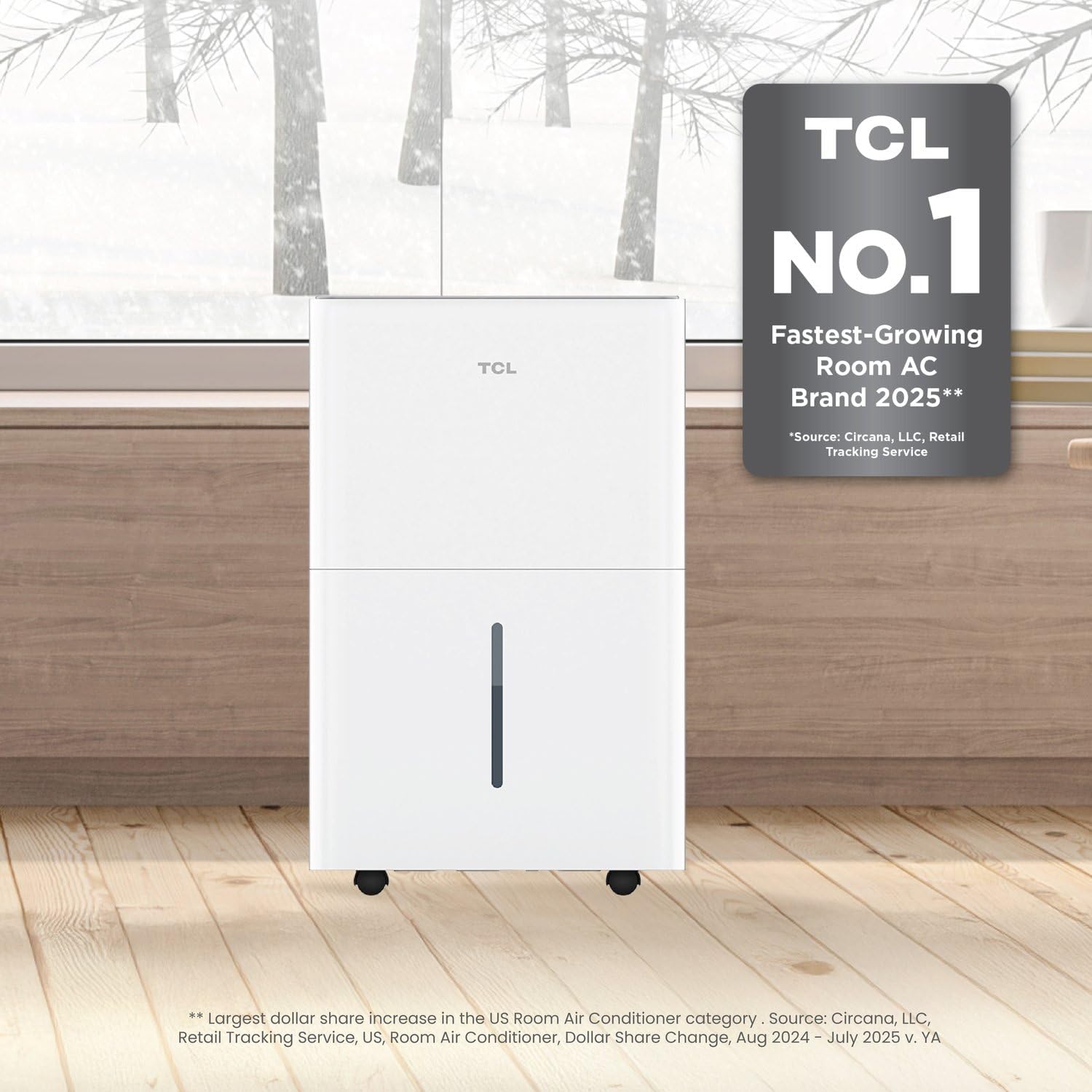
Figure 1: Front view of the TCL H25D44W 25 Pint Smart Dehumidifier.

Figure 2: Close-up view of the intuitive control panel on the top of the dehumidifier.
4. Setup
- Unpacking: Carefully remove the dehumidifier from its packaging. Retain packaging materials for future storage or transport.
- Placement: Place the unit upright on a firm, level surface in the desired location. Ensure there is at least 8 inches (20 cm) of clear space around all sides for proper air circulation.
- Power Connection: Plug the power cord into a grounded electrical outlet.
- Initial Operation: For optimal performance, it is recommended to operate the dehumidifier in continuous mode for the first 24 hours.

Figure 3: The dehumidifier positioned in a room, demonstrating its compact design and placement flexibility.
5. Operating Instructions
5.1 Control Panel Functions
The control panel allows you to manage all settings. The digital display shows the current humidity level or timer settings.
- Power Button: Turns the unit On or Off.
- Mode Button: Cycles through different operating modes (e.g., Auto, Continuous, Sleep).
- Fan Speed Button: Adjusts the fan speed (High, Medium, Low).
- Humidity Setting Buttons (+/-): Adjusts the desired humidity level in 5% increments (typically 35% to 85%).
- Timer Button: Sets the 24-hour On/Off timer.
- Filter Reset Light: Illuminates when the filter needs cleaning. Press and hold the Filter button to reset.
- Bucket Full Indicator: Illuminates when the water bucket is full and needs to be emptied. The unit will automatically shut off.
5.2 Smart Control (TCL Home App, Alexa, Google Assistant)
Your TCL dehumidifier can be controlled remotely using the TCL Home app or voice commands via Alexa and Google Assistant-enabled devices.
- Download App: Download the TCL Home app from your smartphone's app store.
- Pair Device: Follow the in-app instructions to pair your dehumidifier with your smartphone.
- Voice Control: Once paired, enable the TCL skill in your Alexa or Google Assistant app and link your TCL Home account. You can then use voice commands to control the unit.

Figure 4: Remote control of the dehumidifier via the TCL Home app on a smartphone.
6. Draining Options
Your dehumidifier offers two methods for water removal:
6.1 Manual Draining (Water Bucket)
- When the water bucket is full, the Bucket Full Indicator will light up, and the unit will automatically stop operating.
- Carefully pull out the water bucket from the front of the unit.
- Empty the collected water into a sink or drain.
- Slide the empty bucket back into the unit until it clicks into place. The unit will resume operation automatically.

Figure 5: The removable water bucket, designed for easy emptying when full.
6.2 Continuous Draining
For continuous operation without needing to empty the bucket, you can connect a standard garden hose (not included) to the continuous drain port.
- Locate the continuous drain port at the rear of the dehumidifier.
- Remove the cap from the drain port.
- Attach a standard garden hose to the drain port, ensuring a secure connection.
- Direct the other end of the hose to a suitable drain (e.g., floor drain, sump pump). Ensure the hose is sloped downwards to allow gravity drainage and is free of kinks.
7. Maintenance
7.1 Cleaning the Air Filter
The washable filter should be cleaned regularly (approximately every 250 hours of operation or when the Filter Reset Light illuminates) to maintain efficiency.
- Unplug the dehumidifier from the power outlet.
- Remove the air filter from the rear of the unit.
- Wash the filter with warm, soapy water. Rinse thoroughly and allow it to air dry completely before reinserting.
- Reinsert the dry filter into the unit.
- Plug the dehumidifier back in and press and hold the Filter button to reset the filter timer.
7.2 General Cleaning
- Wipe the exterior of the unit with a soft, damp cloth. Do not use harsh chemicals or abrasive cleaners.
- Clean the water bucket regularly to prevent mold and mildew growth.
8. Troubleshooting
If your dehumidifier is not operating correctly, refer to the following common issues and solutions:
| Problem | Possible Cause | Solution |
|---|---|---|
| Dehumidifier does not turn on. | No power; Water bucket full or incorrectly installed. | Check power connection; Empty and re-install water bucket correctly. |
| No water collected. | Room temperature too low; Humidity level already low; Continuous drain hose is connected. | Ensure room temperature is above 41°F (5°C); Adjust desired humidity setting lower; Disconnect continuous drain hose if manual collection is desired. |
| Unit runs continuously. | Desired humidity setting is too low; Room is too large or too humid. | Increase desired humidity setting; Consider using multiple units for larger spaces. |
| Unit is noisy. | Unit not on a level surface; Air filter clogged. | Place unit on a level surface; Clean the air filter. |
| Display shows fluctuating numbers. | Normal operation. | This is the unit adjusting to show the current humidity in the room. No action required. |
Video 1: A brief overview of the TCL Smart Dehumidifier, demonstrating its features and ease of use.
Video 2: Frequently Asked Questions video, applicable to various dehumidifier models, offering general troubleshooting tips.
9. Specifications
| Feature | Specification |
|---|---|
| Brand | TCL |
| Model Name | H25D44W |
| Dehumidification Capacity | 25 Pints per Day |
| Coverage Area | Up to 2000 Square Feet |
| Tank Volume | 25 Pints |
| Product Dimensions | 8.3"D x 12.2"W x 19.7"H |
| Item Weight | 32.6 Pounds |
| Energy Efficiency | Energy Star Most Efficient 2024 |
| Special Features | Adjustable Humidity Control, Automatic Defrost, Continuous Draining, Removable Tank, Water Level Indicator, Smart Control (Alexa/Google Assistant/TCL Home App) |
| Number of Speeds | 3 |
| Material | Plastic |
| Color | White |
10. Warranty and Support
For any product quality issues or concerns, please refer to the following:
- Shipping Damage: Upon receiving your dehumidifier, inspect the packaging for any signs of shipping damage. If there are issues, you may return it through Amazon.
- Other Issues: For any other issues or questions, contact the dedicated support team directly. The best way to get quick help is by contacting the support team through the email listed in the manual.
TCL offers various protection plans for your product. Please refer to your purchase documentation or the Amazon product page for details on available 3-Year, 4-Year, or Complete Protect plans.


