
Introduction
Thank you for choosing the Bonsaii SF005 Electronic Keypad Safe Box. This manual provides essential information for the proper setup, operation, and maintenance of your new safe. Please read it thoroughly before use and keep it for future reference.
Key Features
- High-Strength Steel Construction: Made of durable SPHC steel with two 0.71-inch steel reinforcement bolts, hidden hinges, and pry-resistant doors for enhanced security.
- Compact Design: External dimensions of 9.06" W x 6.69" D x 6.69" H, with an internal capacity of 0.23 cubic feet, ideal for discreet placement in closets, shelves, or drawers.
- Dual Access System: Can be accessed via a personal electronic password or an emergency key.
- USB-C Interface: Supports external power banks for functionality during battery depletion (power bank not included).
- Easy Installation: Pre-drilled holes on the back and bottom allow for secure mounting to a wall, floor, or cabinet.
What's in the Package
Your Bonsaii SF005 safe box package includes the following items:
- 1 x Bonsaii Safe Box (batteries not included)
- 2 x Emergency Keys
- 2 x Expansion Bolts
- 1 x Floor Mat
- 1 x User Manual
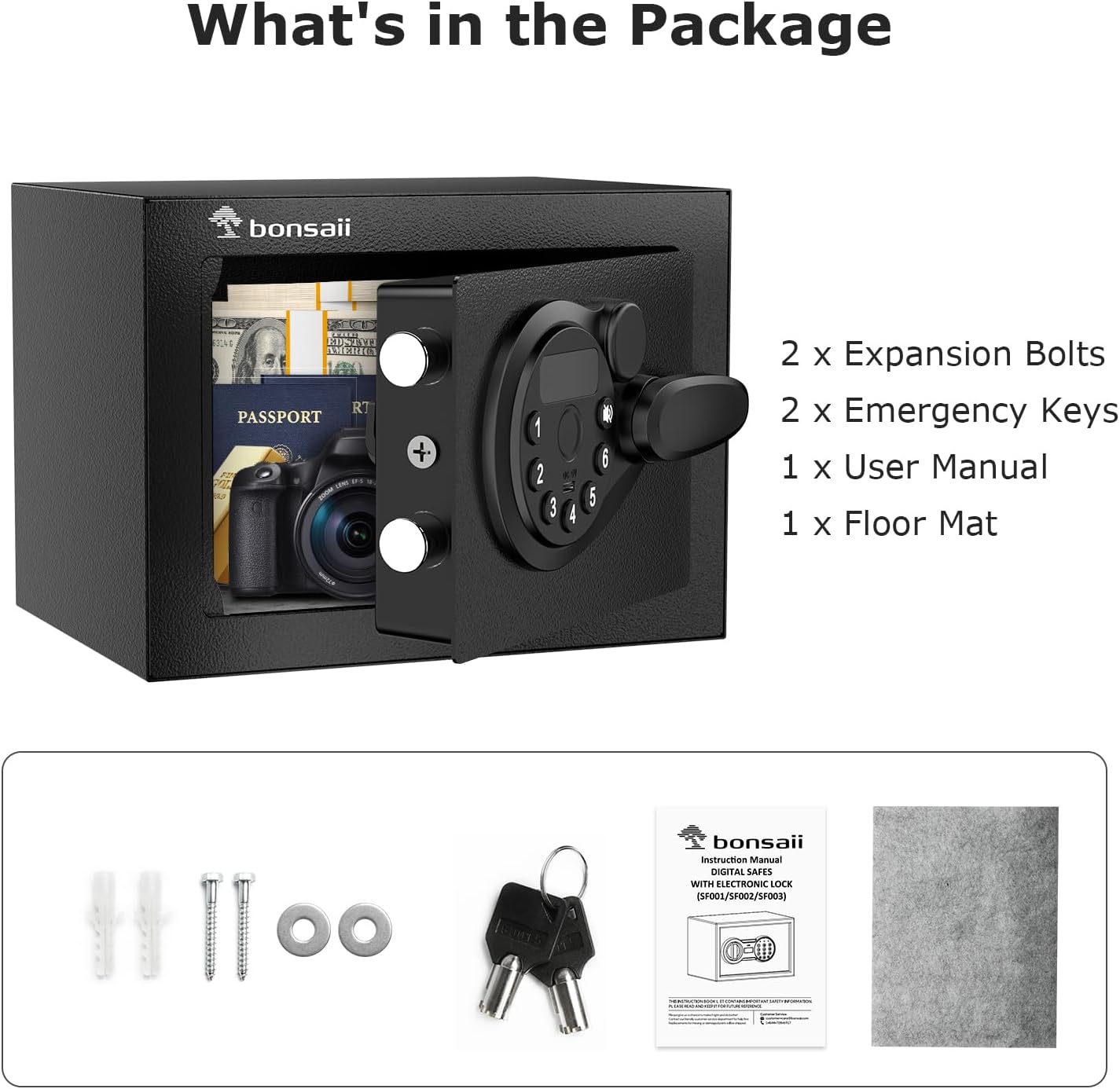
Image: The package contents include the Bonsaii safe box, two emergency keys, two expansion bolts, a floor mat, and the user manual.
Setup
1. Battery Installation
- Locate the battery compartment on the inside of the safe door. It is typically covered by a small panel.
- Remove the battery cover.
- Insert 4 AA batteries (not included) into the compartment, ensuring correct polarity (+/-).
- Replace the battery cover.
- The safe will emit a beep, indicating successful battery installation.
2. Initial Passcode Setup
For first-time use, the default passcode is usually 1-5-9. You will need to open the safe using the emergency key first to access the reset button.
- Open the safe door using one of the emergency keys (see 'Opening with Emergency Key' below).
- Locate the reset button (usually a small red button) on the inside of the safe door, near the battery compartment.
- Press the reset button. The yellow light on the keypad will illuminate.
- Within 5 seconds, enter your desired 3-8 digit passcode on the keypad.
- Press the '#' button to confirm. The yellow light will turn off, indicating your new passcode has been successfully set.
- Test your new passcode with the door open to ensure it works correctly before closing the safe.
3. Mounting the Safe
The safe is equipped with pre-drilled holes on the back and bottom for secure mounting. This helps prevent unauthorized removal of the safe.

Image: Illustrations demonstrate how to fix the safe to a wall or a wardrobe using the provided expansion bolts.
- Choose a suitable location for your safe, such as a closet, drawer, or wall.
- Mark the drilling points through the pre-drilled holes on the safe's back or bottom onto your chosen surface.
- Drill holes at the marked points using an appropriate drill bit.
- Align the safe with the drilled holes and secure it using the provided expansion bolts. Ensure the safe is firmly attached.
Operating the Safe
The Bonsaii SF005 offers multiple ways to access your valuables:

Image: Visual guide showing the three methods to open the safe: using the emergency key, entering a digital password, or using a Type-C power source with a password.
1. Opening with Electronic Keypad (Password + Knob)
- Enter your 3-8 digit passcode on the keypad.
- Press the '#' button. The green light will illuminate.
- Within 5 seconds, turn the knob clockwise to open the safe door.
2. Opening with Emergency Key (Key + Knob)
Important: Always keep the emergency keys outside the safe.
- Locate the emergency keyhole cover on the keypad panel (usually a small removable cover).
- Remove the cover to expose the keyhole.
- Insert one of the emergency keys and turn it counter-clockwise.
- While holding the key turned, turn the knob clockwise to open the safe door.
- Once open, remove the key and replace the keyhole cover.
3. Using USB-C for Emergency Power (Type-C + Password + Knob)
If the batteries are completely depleted and you cannot locate your emergency keys, you can use a Type-C power bank (not included) to temporarily power the safe.
- Connect a Type-C cable from a power bank to the USB-C port on the keypad panel.
- The keypad will activate.
- Enter your passcode and press '#'.
- Turn the knob clockwise to open the safe door.
- Once open, replace the internal batteries immediately.
4. Changing the Passcode
You can change your passcode at any time:
- With the safe door open, locate and press the reset button on the inside of the door. The yellow light will illuminate.
- Enter your new 3-8 digit passcode on the keypad.
- Press the '#' button to confirm. The yellow light will turn off.
- Test the new passcode with the door open before closing.
Maintenance
1. Battery Replacement
When the batteries are low, the red light on the keypad may flash or the safe may emit a warning sound. Replace all 4 AA batteries promptly to ensure continuous operation.
- Open the safe door.
- Remove the battery cover from the inside of the door.
- Remove the old batteries and insert 4 new AA batteries, observing correct polarity.
- Replace the battery cover.
- Test the safe's operation with the new batteries.
2. General Care
- Clean the safe's exterior with a soft, damp cloth. Avoid abrasive cleaners or solvents.
- Do not expose the safe to extreme temperatures or humidity.
- Regularly check the battery level and replace batteries as needed to prevent power loss.
- Ensure the emergency keys are stored in a secure location away from the safe.
Troubleshooting
| Problem | Possible Cause | Solution |
|---|---|---|
| Keypad not responding / No power | Dead batteries. | Replace batteries. If unable to open, use emergency key or connect a Type-C power bank. |
| Incorrect passcode entered | Wrong code entered. | Re-enter the correct passcode. If forgotten, use the emergency key to open and reset the code. |
| Door does not open after entering correct code | Knob not turned within 5 seconds. | Enter code again and turn the knob clockwise immediately after the green light appears. |
| Emergency key not working | Key not fully inserted or turned correctly. | Ensure the key is fully inserted and turned counter-clockwise before turning the knob clockwise. |
Specifications
| Feature | Detail |
|---|---|
| Brand | bonsaii |
| Model Number | SF005 |
| Product Dimensions (External) | 9.06" W x 6.69" D x 6.69" H |
| Internal Capacity | 0.23 Cubic Feet |
| Lock Type | Electronic Keypad, Key |
| Material | Alloy Steel |
| Mounting Type | Floor Mount, Wall Mount |
| Item Weight | 5.18 pounds (2350 Grams) |
| Batteries Required | 4 x AA (not included) |
| USB Interface | Type-C for emergency power |
Warranty and Support
Bonsaii provides long-term technical support for its products. We offer one year of protection for your safe box. If you encounter any issues or have questions, please contact our customer service team for assistance.
For customer service inquiries, please refer to the contact information provided in your product packaging or visit the official Bonsaii website.
Product Overview Video
Video: A brief overview demonstrating the secure and easy-to-use features of the Bonsaii safe box. This video highlights the product's design and functionality.