
EARGO 99-0173-001
EARGO Link FDA-Registered OTC Adult Hearing Aids User Manual
Model: 99-0173-001
Introduction
The EARGO Link is an FDA-registered Over-The-Counter (OTC) adult hearing aid designed to provide advanced hearing support in a discreet, earbud-style form factor. These devices combine hearing aid functionality with Bluetooth 5.3 technology for streaming audio and phone calls. This manual provides essential information for the proper setup, operation, maintenance, and troubleshooting of your EARGO Link hearing aids.

Image: The EARGO Link hearing aids and their portable charging case.
What's in the Box
Your EARGO Link package includes the following components:

Image: All items included in the EARGO Link product box.
- Portable Recharging Case
- Left & Right EARGO Link Devices (hearing aids)
- Cleaning Tools
- USB Charging Cable
- Open & Closed-style Eartips (various sizes)
- User Guides (Technical & Regulatory Information, Use and Care)
Setup
1. Charging the Devices and Case
Before first use, fully charge your EARGO Link devices and the portable charging case. Place the hearing aids into their respective slots in the charging case. Connect the USB charging cable to the case and a power source. The indicator lights on the case will show charging status.

Image: The EARGO Link devices charging within their portable case. The case provides up to 4 full charge cycles.
- A full charge provides up to 9 hours of runtime, depending on usage mode.
- The charging case holds 4 full charge cycles for on-the-go power.
2. Choosing and Attaching Eartips
Select the eartip size and style (open or closed) that provides the most comfortable and secure fit in your ear canal. A proper fit is crucial for optimal sound quality and to prevent feedback. Gently attach the chosen eartips to the EARGO Link devices.
3. Initial Pairing with the Mobile App
Download the "LINK by Eargo" mobile app from your device's app store (iOS and Android compatible). Follow the in-app instructions to pair your EARGO Link devices via Bluetooth. The app allows for personalized settings and mode selection.
Operating Instructions
1. Wearing the Devices
Gently insert each EARGO Link device into your ear canal. Ensure a snug and comfortable fit. The discreet design allows them to sit low-profile within the ear.
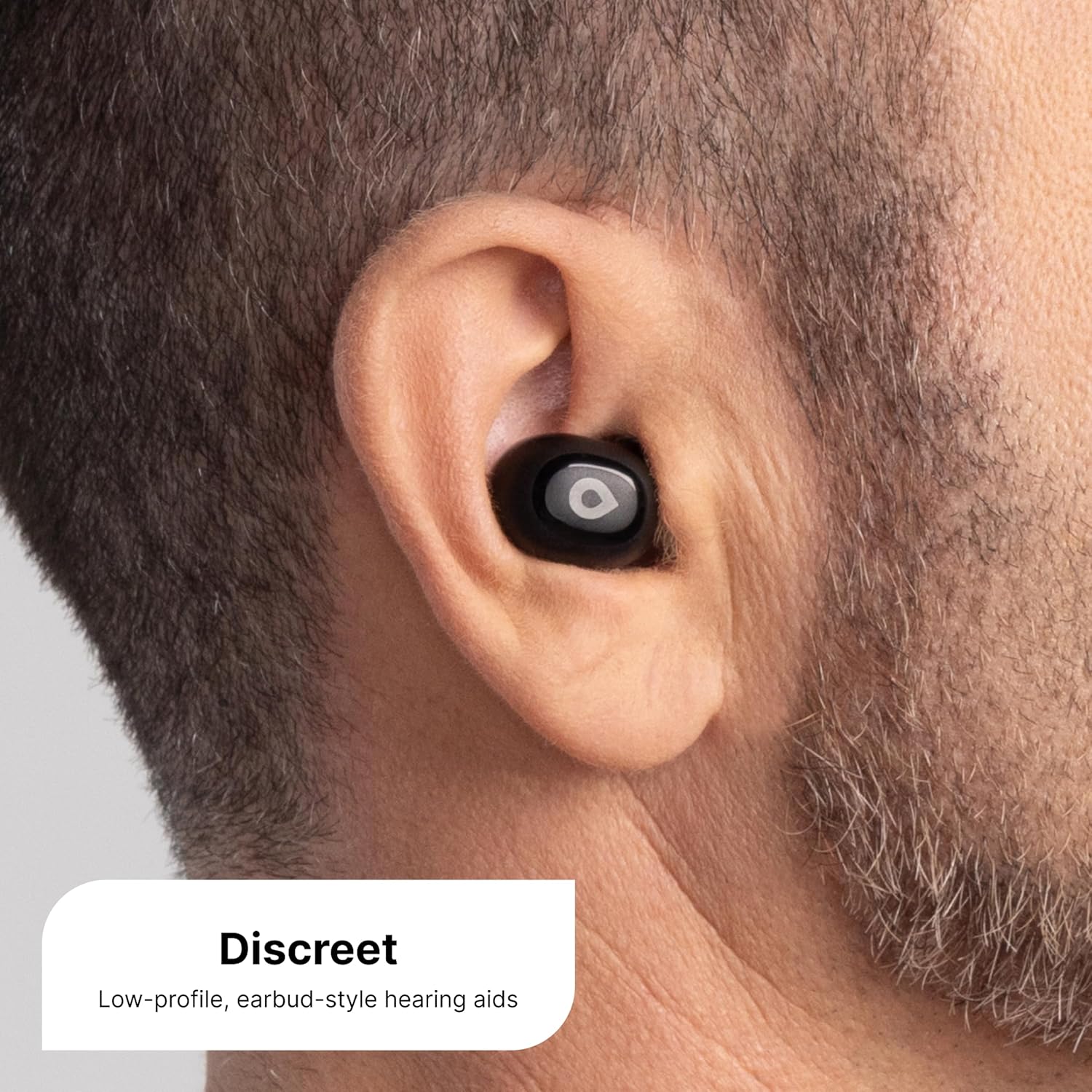
Image: A person wearing an EARGO Link device, demonstrating its discreet fit.
2. Switching Modes and Controls
The EARGO Link offers versatile functionality. You can seamlessly transition between different modes with a simple tap on the device or through the mobile app:
- Hearing Aid Mode: Provides amplification based on your selected preset. Choose from 4 presets via the app to match your hearing profile.
- Streaming Mode: Stream music, podcasts, and other audio directly from your Bluetooth-connected device.
- Phone Call Mode: Make and receive phone calls with clear audio.

Image: A user tapping the EARGO Link device to switch modes or control functions.
3. Bluetooth 5.3 Connectivity
Leverage Bluetooth 5.3 for stable and high-quality audio streaming and phone calls. Ensure your connected device is within range for optimal performance.

Image: A user enjoying audio streaming or a call via Bluetooth 5.3 with their EARGO Link devices.
4. Mobile App Features
The "LINK by Eargo" app provides advanced control over your devices, including:
- Remotely changing hearing aid programs/modes.
- Configuring multiple settings to personalize your listening experience.
- Monitoring battery status.
Maintenance
Regular cleaning and proper care will ensure the longevity and optimal performance of your EARGO Link hearing aids.
Cleaning Instructions
- Use the provided cleaning tools to gently remove earwax and debris from the eartips and sound ports.
- Wipe the devices with a soft, dry cloth. Avoid using liquids or harsh chemicals.
- Ensure the charging contacts on both the devices and the case are clean and dry.
- Store the devices in their charging case when not in use to protect them from dust and damage.
Troubleshooting
If you encounter issues with your EARGO Link devices, refer to the common problems and solutions below. For persistent issues, contact customer support.
| Problem | Possible Cause | Solution |
|---|---|---|
| No sound or weak sound | Low battery, blocked eartip/sound port, incorrect mode. | Charge devices, clean eartips/sound ports, check mode in app. |
| Whistling or feedback | Improper fit, earwax buildup, device too close to hand/object. | Adjust device fit, clean ear canal, ensure eartip is sealed. |
| Difficulty pairing with app | Bluetooth off, devices not in pairing mode, app issue. | Ensure Bluetooth is on, restart devices/app, try re-pairing. |
| Devices not charging | Dirty charging contacts, faulty cable/power source, case uncharged. | Clean contacts, try different cable/source, charge case. |
| Uncomfortable fit | Incorrect eartip size/style. | Experiment with different eartip sizes and styles for optimal comfort. |
Specifications
| Feature | Detail |
|---|---|
| Model Number | 99-0173-001 |
| Product Dimensions | 1.04 x 0.59 x 0.81 inches (per device) |
| Item Weight | 0.17 ounces (per device) |
| Battery Type | Lithium Ion (3 required, included) |
| Battery Life | Up to 9 hours per charge (depending on mode) |
| Charging Case Capacity | Provides 4 full charge cycles |
| Bluetooth Version | 5.3 |
| Ear Placement | In Ear |
| Form Factor | In Ear |
| Noise Control | None |
| Color | Black |
| Manufacturer | EARGO |
Warranty & Support
Warranty Information
The EARGO Link devices come with a 1-year warranty. This warranty includes unlimited repairs. For complete details regarding warranty coverage, please visit eargo.com/warranty.
Customer Support
EARGO provides lifetime remote support from US-based Eargo Hearing Experts. If you require assistance with setup, operation, troubleshooting, or any other aspect of your EARGO Link devices, please contact our support team.

Image: A visual representation of contacting EARGO customer support via phone.
Access to Eargo hearing experts is available to guide you through your hearing journey.
Ask a question about this manual
Ask about setup, troubleshooting, compatibility, parts, safety, or missing instructions. Manuals+ will review the question and use this page’s manual context to help answer it.