
Introduction
The Cat Mate C500 Automatic Pet Feeder with digital timer provides flexible feeding for your pets. It allows you to schedule up to five meals, served at pre-programmed times. Each food compartment holds up to 330g of food. The C500 is suitable for both wet and dry food. It includes two cooling ice packs and a tightly fitting lid to help keep food fresh. This feeder ensures your pets receive their meals on time, even when you are away, offering a reliable and stress-free feeding solution.
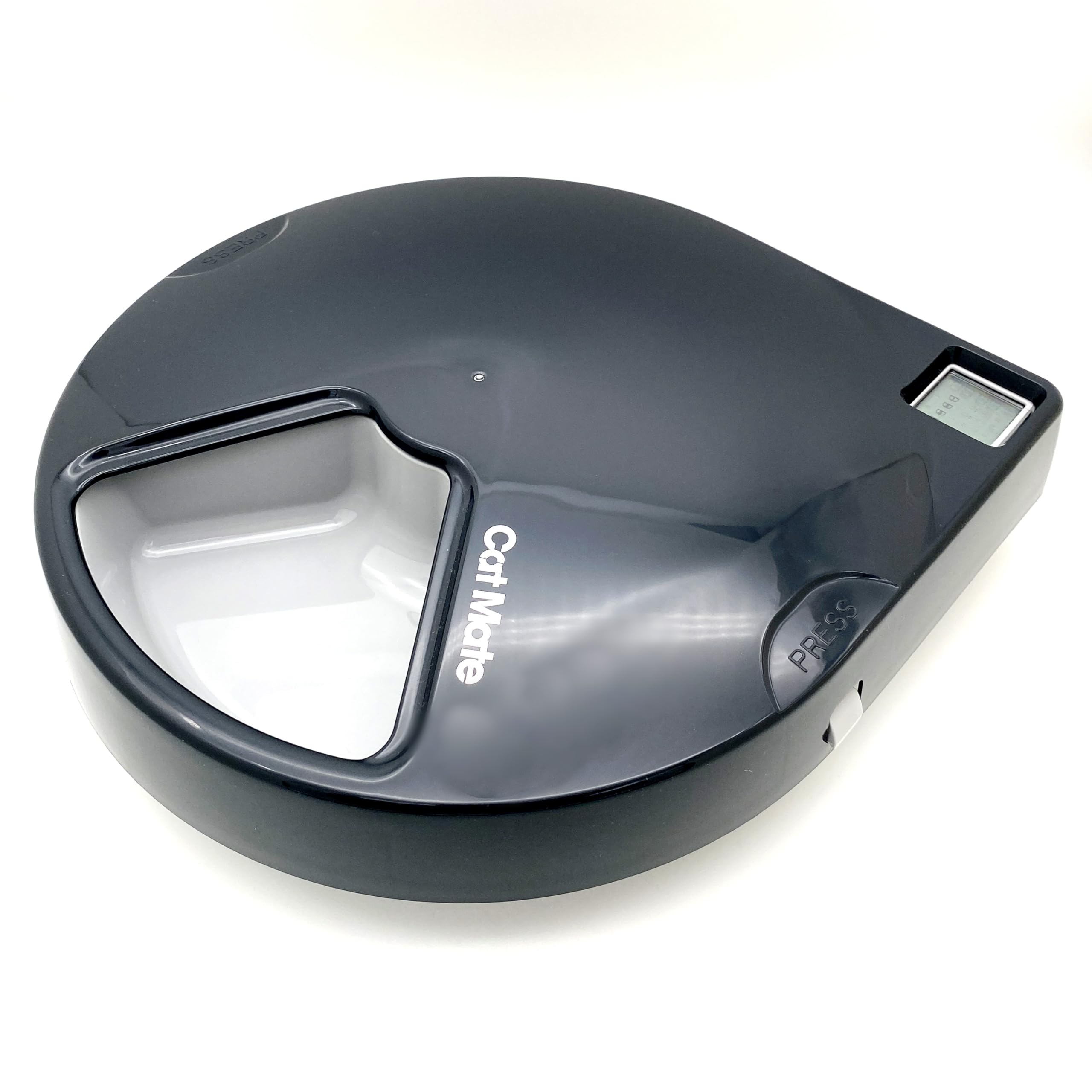
Image: The Cat Mate C500 Automatic Pet Feeder shown with its lid closed, displaying its sleek, grey design.
Safety Information
- Read all instructions before use and retain for future reference.
- This appliance is intended for domestic use only.
- Do not immerse the main unit in water. Only the bowl and lid are dishwasher safe.
- Ensure the feeder is placed on a stable, level surface to prevent tipping.
- Keep out of reach of young children and pets when not in use or during assembly.
- Use only the specified type and number of batteries. Do not mix old and new batteries, or different types of batteries.
- Remove batteries if the feeder will not be used for an extended period.
Package Contents
Please check that all components are present:
- Cat Mate C500 Automatic Pet Feeder Unit
- Removable Food Bowl (5 compartments)
- Lid
- 2 x Cooling Ice Packs
- Instruction Manual
Setup
1. Battery Installation
- Turn the feeder upside down.
- Locate the battery compartment cover.
- Open the cover and insert 3 x AA batteries (not included), ensuring correct polarity (+/-).
- Close the battery compartment cover securely.
2. Cooling Pack Placement
For wet food or to keep dry food fresh longer, place the two cooling ice packs into the designated slots beneath the food bowl before filling.
3. Assembling the Feeder
- Ensure the main unit is clean and dry.
- Place the removable food bowl onto the main unit, aligning it correctly.
- Secure the lid onto the feeder. The pet-proof design ensures curious paws cannot access meals prematurely.
Operating Instructions
1. Setting the Clock
- Press the 'SET' button to enter time setting mode.
- Use the '+' and '-' buttons to adjust the hour. Press 'SET' to confirm.
- Use the '+' and '-' buttons to adjust the minute. Press 'SET' to confirm.
- The clock is now set.
2. Programming Meal Times
The feeder allows you to program up to five meal times. The first meal is immediately available in the exposed compartment. The feeder will rotate to expose the next compartment at each programmed time.
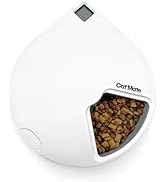
Image: The Cat Mate C500 Feeder showing its digital display and an open compartment filled with dry kibble, ready for programming.
- Press the 'FEED' button repeatedly to cycle through the meal settings (F1, F2, F3, F4, F5).
- When the desired meal setting (e.g., F1) is displayed, press 'SET'.
- Use the '+' and '-' buttons to set the hour for this meal. Press 'SET' to confirm.
- Use the '+' and '-' buttons to set the minute for this meal. Press 'SET' to confirm.
- Repeat for all desired meal times (F1-F5). To disable a meal, set its time to '--:--'.
3. Filling the Food Compartments

Image: The Cat Mate C500 Automatic Pet Feeder with its lid partially open, revealing one compartment filled with dry pet food.
- Remove the lid.
- Fill each of the five compartments with up to 330g of wet or dry food.
- Ensure the food does not overfill the compartments, which could obstruct the rotation mechanism.
- Replace the lid securely.
4. Manual Feed Function
To dispense a meal immediately, press and hold the 'FEED' button for a few seconds. The feeder will rotate to the next available compartment.
Maintenance
Cleaning Instructions
- The food bowl and lid are dishwasher safe for easy cleaning.
- The main unit, containing the electronic components, should be wiped clean with a damp cloth only. Do not immerse it in water.
- Ensure all parts are completely dry before reassembly.
- Regular cleaning helps maintain hygiene and prevents food residue buildup.
Battery Replacement
When the battery indicator appears on the digital display, replace all three AA batteries promptly to ensure continuous operation.
Troubleshooting
| Problem | Possible Cause | Solution |
|---|---|---|
| Feeder does not turn on or display is blank. | Batteries are dead or incorrectly installed. | Check battery polarity. Replace with new AA batteries. |
| Feeder does not rotate at programmed time. | Incorrect meal time programming; low batteries; obstruction. | Verify meal times are set correctly. Replace batteries. Check for food or debris blocking rotation. |
| Food is not fresh. | Cooling packs not used or not frozen; lid not sealed properly. | Ensure cooling packs are frozen and placed correctly. Check that the lid is securely fitted. |
| Pet accesses food prematurely. | Lid not properly secured. | Ensure the lid is firmly pressed down and locked into place. The feeder has a pet-proof design when correctly assembled. |
Specifications
| Feature | Detail |
|---|---|
| Model Number | 365G (C500) |
| Material | Plastic |
| Target Species | Cat, Small Dog |
| Recommended Use | Indoor |
| Special Features | Automatic feeding schedule, moisture control, battery powered |
| Color | White (Product images show grey, but specifications list white. User should refer to product packaging for exact color.) |
| Power Source | Battery powered (3 x AA batteries required, not included) |
| Care Instructions | Dishwasher safe (bowl and lid) |
| Item Dimensions (L x W x H) | 21.3 cm x 21.5 cm x 35.5 cm |
| Item Weight | 1.2 Kilograms |
| GTIN / UPC | 035368902567 |
Warranty and Support
Warranty
This product comes with a 1-year warranty from the date of purchase. Please retain your proof of purchase for any warranty claims.
Support
For further assistance, troubleshooting, or to download the latest user instructions, please visit the official Closer Pets website or contact their customer support.
You can find more information and support at www.closerpets.com.


