
NAPCAT N2808
Contents
NAPCAT PoE Security Camera System User Manual
Model: N2808
1. Introduction
This user manual provides comprehensive instructions for the installation, operation, and maintenance of your NAPCAT PoE Security Camera System (Model N2808). This system is designed to enhance your security with advanced features such as 4MP Super HD resolution, F1.0 color night vision, AI detection, and remote access capabilities.
1.1 What's in the Box
Verify that all components listed below are included in your package:
- PoE NVR
- PoE Security Cameras (8 Pcs)
- Waterproof Lid
- USB Mouse
- Power Adapter
- Power Cable
- HDMI Cable
- 1m Network Cable
- 18m Network Cable (8 Pcs)
- Quick Start Guide
- Screw Positioning Stickers
- Surveillance Poster
- Reset Needle Pin
- Pack of Screws

This image displays the complete contents of the product box, including the NVR, eight cameras, various cables, power accessories, and installation tools.
2. System Features
The NAPCAT PoE Security Camera System offers a robust set of features designed for comprehensive home and business surveillance.
2.1 4MP Super HD Resolution
Experience clear and detailed surveillance with 4MP Super HD resolution (2560x1440). The F1.0 super aperture ensures vibrant color night vision, providing excellent image quality even in low-light conditions.

This image illustrates the clarity of night vision footage captured by the F1.0 Super Aperture lens, making nighttime surveillance appear almost like daytime.

This comparison shows the superior low-light performance of the F1.0 Super Aperture lens compared to a standard mobile phone camera, highlighting its ability to capture more light and detail.
2.2 Accurate AI Detection
The system utilizes advanced AI detection to accurately identify people and vehicles, significantly reducing false alarms. It also supports behavior detection, such as intrusion and line crossing, allowing for customized alert settings.

This image demonstrates the system's AI detection capabilities, accurately outlining people and vehicles in a busy outdoor setting, minimizing irrelevant alerts.
2.3 Smart Deterrence & Two-Way Audio
Enhance security with dynamic strobe lights and a siren for smart deterrence. The built-in microphone and speaker enable two-way audio communication, allowing you to interact with visitors or deter intruders remotely.

This image shows the system's active deterrence feature, where a strobe light and siren are activated to ward off potential threats.

This image illustrates the two-way audio functionality, allowing a user to communicate with someone at their doorstep via the camera.
2.4 IP67 Weatherproof Design
The cameras are IP67-rated, ensuring robust protection against dust and water. This makes them suitable for both indoor and outdoor installation, capable of withstanding various weather conditions.
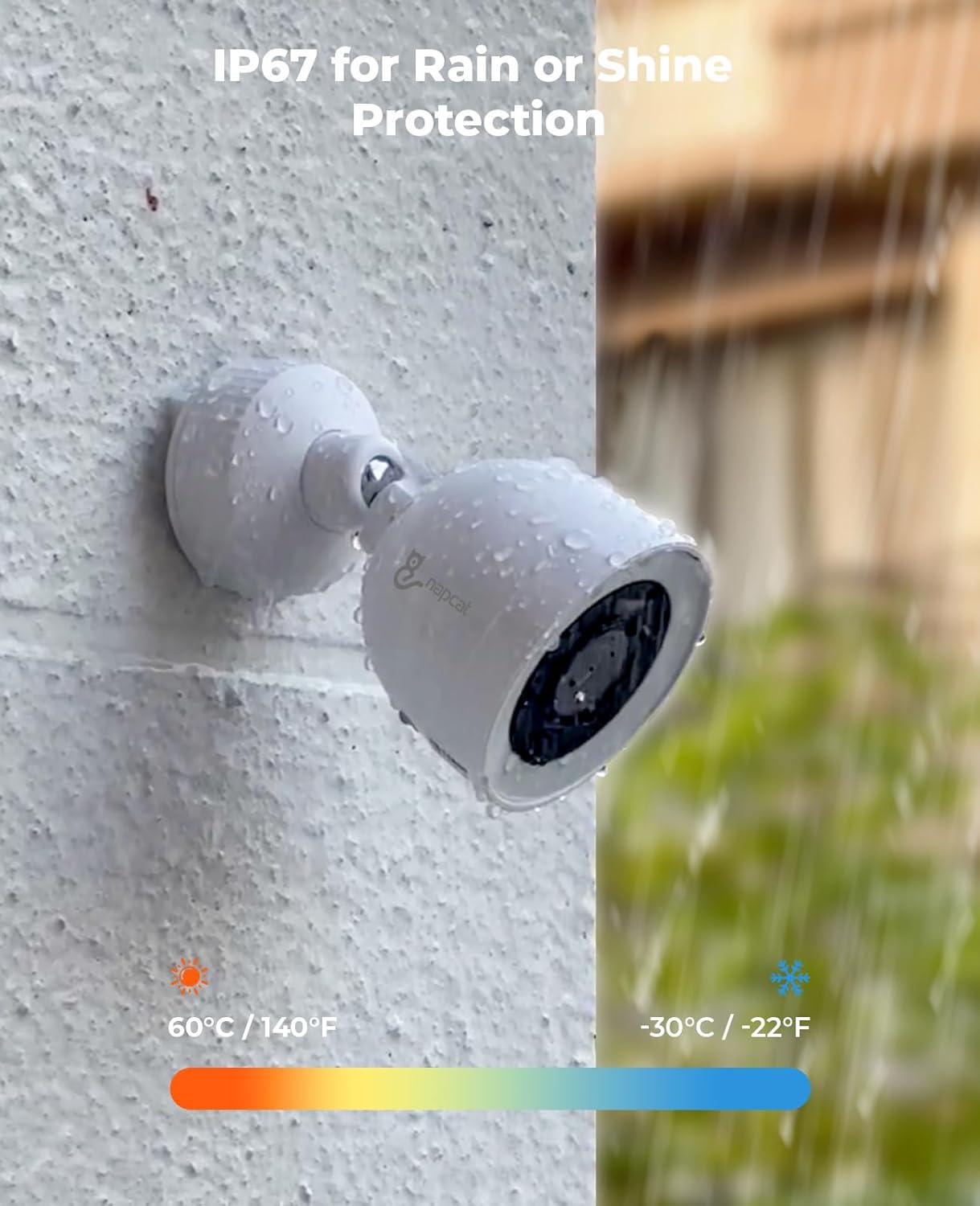
This image shows a NAPCAT camera enduring rain, highlighting its IP67 weatherproof design suitable for all outdoor conditions.
3. Setup Guide
Follow these steps to set up your NAPCAT PoE Security Camera System.
3.1 PoE Installation
The Power over Ethernet (PoE) system simplifies installation by using a single network cable for both data transmission and power supply to each camera. Connect the cameras directly to the NVR's PoE ports using the provided Ethernet cables.

This image demonstrates the simplicity of PoE installation, showing a single Ethernet cable connecting the NVR to a camera for both power and data.
3.2 Hard Drive Installation/Replacement
The NVR comes with a pre-installed 2TB HDD. If you need to replace or upgrade the hard drive, follow the instructions in the video below. The system supports 2.5-inch SATA hard drives.
This video provides a step-by-step guide on how to safely remove and replace the hard disk drive (HDD) in your NAPCAT NVR unit. It demonstrates the process of opening the NVR, detaching the old HDD, connecting a new 2.5-inch SATA HDD, and reassembling the unit.
4. Operating the System
Once installed, your NAPCAT system offers flexible viewing and recording options.
4.1 Remote and Local Access
Access your footage remotely using the dedicated smartphone app (available for Android and iOS) or PC software. For local viewing, connect a monitor directly to the NVR. The system can operate even without an internet connection for local access.

This image shows the full NAPCAT PoE Security Camera System, including the NVR and eight cameras, ready for deployment.
4.2 Recording Modes
The system supports various recording modes, including continuous recording for constant surveillance, motion-activated recording to save storage space, and scheduled recording based on your preferences.
5. Maintenance
Regular maintenance ensures optimal performance and longevity of your security system.
5.1 Camera Care
Despite their IP67 rating, it is recommended to periodically clean the camera lenses with a soft, damp cloth to ensure clear image capture. Avoid using harsh chemicals.
5.2 NVR Maintenance
Ensure the NVR is placed in a well-ventilated area to prevent overheating. Refer to Section 3.2 for instructions on hard drive maintenance or replacement.
6. Troubleshooting
If you encounter issues with your NAPCAT PoE Security Camera System, refer to the following common troubleshooting tips. For more detailed solutions, please consult the official User Guide PDF.
- No Video Feed: Check all cable connections (PoE, HDMI) to ensure they are secure. Verify that the NVR and cameras are powered on.
- No Recording: Ensure the hard drive is properly installed and formatted. Check recording schedules and motion detection settings.
- Poor Image Quality: Clean camera lenses. Ensure cameras are not facing direct strong light sources.
- No Remote Access: Verify your NVR is connected to the internet and network settings are correctly configured. Check your smartphone/PC app's network connection.
For further assistance, please download the full user guide: NAPCAT User Guide (PDF)
7. Specifications
Detailed technical specifications for the NAPCAT PoE Security Camera System (Model N2808).
| Feature | Detail |
|---|---|
| Brand | NAPCAT |
| Connectivity Technology | Wired, Powered over Ethernet (PoE) |
| Video Capture Resolution | 4MP Super HD (2560x1440) |
| Special Features | F1.0 Color Night Vision, PoE Connection, Smart AI Detection, Behavior Detection, 2-Way Audio, IP67 Waterproof, Smart Deterrence, Spotlight & Strobe Lights |
| Number of Channels | 8 |
| Memory Storage Capacity | 2 TB |
| Power Source | Wired, Powered over Ethernet (PoE) |
| Item Dimensions L x W x H | 21.26 x 10.83 x 7.48 inches |
| Operating System | Android, iOS |
| Recommended Uses | F1.0 Color Night Vision, PoE Connection, Smart AI Detection, Behavior Detection, 2-Way Audio, IP67 Waterproof, Smart Deterrence, Spotlight & Strobe Lights |
| Compatible Devices | Cameras, Monitors, Smartphones, Tablets |
| Signal Format | Digital |
| Other Camera Features | 4MP PoE Camera with F1.0 Super Aperture for Full Color Night Vision |
| Low Light Technology | F1.0 Full Color Night Vision |
| Focal Length Description | F=1.0, f=2.8mm |
| Night Vision Range | 100 Feet |
| Recording Mode | Motion/Continuous Recording, Schedule |
| Optical Sensor Technology | CMOS |
| Total USB Ports | 2 |
| Hardware Interface | Ethernet, HDMI, USB |
| Lens Type | Fixed |
| Video Input | RJ45 |
| Viewing Angle | 113 Degrees |
| Manufacturer | NAPCAT |
| Item Weight | 14.5 pounds |
| Date First Available | January 3, 2024 |
8. Warranty and Support
NAPCAT provides a 2-year manufacturer service coverage for this security camera system. Additionally, lifetime customer support is available to assist you with any inquiries or issues you may encounter.
For further assistance or to access the complete user guide, please visit the official NAPCAT support page or refer to the PDF document provided:
Ask a question about this manual
Ask about setup, troubleshooting, compatibility, parts, safety, or missing instructions. Manuals+ will review the question and use this page’s manual context to help answer it.