
GOTOTO 34b1b1b3-a991-4cfc-9d9a-04aa68b53ad6
Baby Stroller Fan Instruction Manual
Model: 34b1b1b3-a991-4cfc-9d9a-04aa68b53ad6 | Brand: GOTOTO
1. Introduction
Thank you for choosing the GOTOTO Baby Stroller Fan. This portable and versatile fan is designed to provide a refreshing breeze for your baby and yourself, whether you're on the go or at home. With its flexible tripod, multiple speed settings, and quiet operation, it's an ideal companion for various situations.
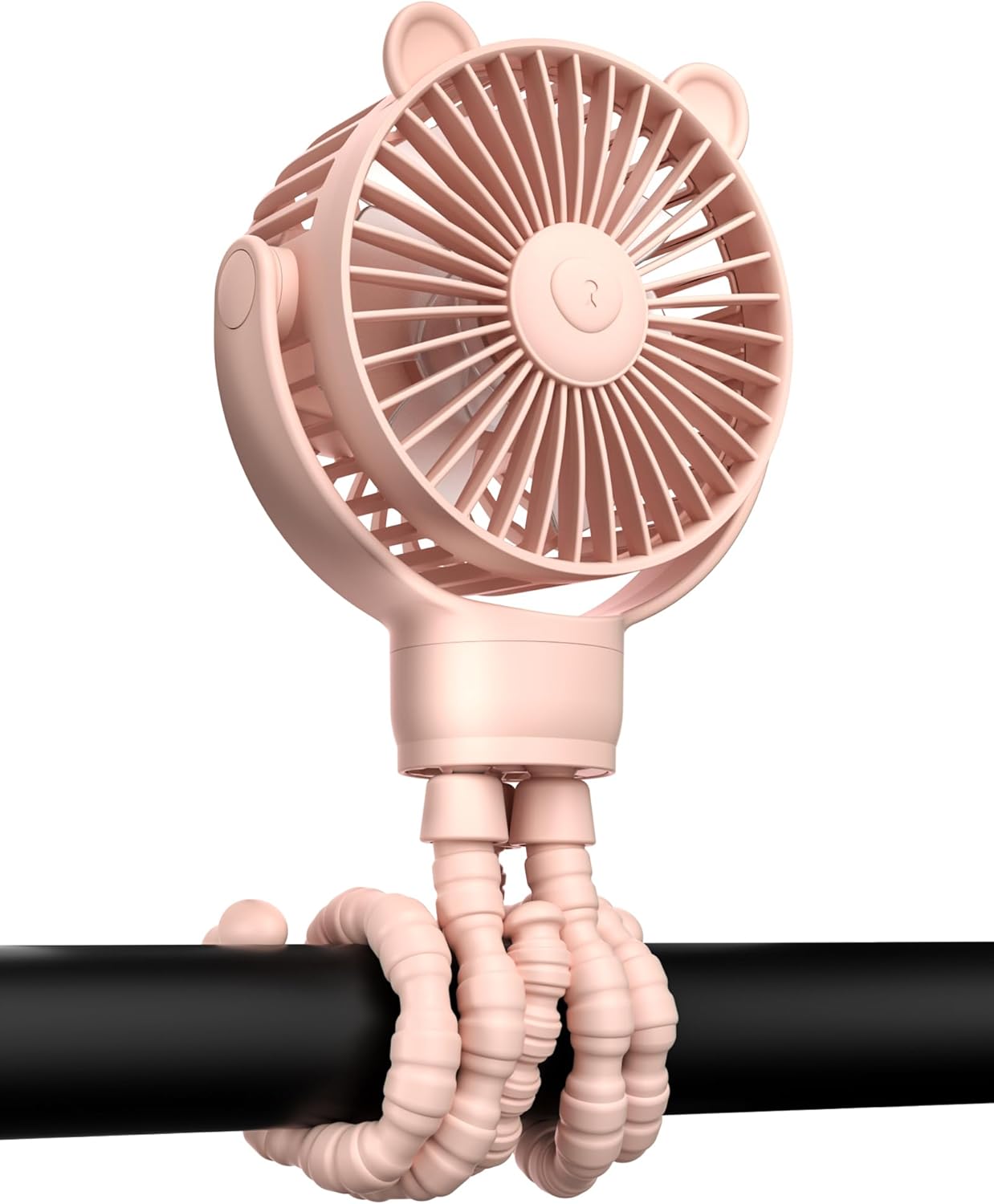
The GOTOTO Baby Stroller Fan in pink, demonstrating its flexible legs for secure attachment.
2. Key Features
- 88% Noise Reduction: Engineered for a serene environment, perfect for peaceful baby sleep.
- Extended 2000mAh Battery Life: Provides hours of cooling relief for long-lasting performance.
- Vertical & Horizontal 360° Rotation: Delivers all-encompassing airflow from every angle.
- 3 Wind Speeds: Easily switch between soft, high, and strong wind modes with a single click.
- Five-in-One Functionality: Can be handheld, stand-alone, wall-mounted, or entwined for versatile use.
- Food-Grade Silicone Legs: Durable and safe for various attachment points.

Overview of the fan's multi-use capabilities, highlighting its rechargeable nature, speed adjustments, quiet operation, 360-degree rotation, and versatile applications.

The fan's ultra-low noise level (as low as 34 dB) ensures a serene environment, ideal for a baby's sleep.
3. Setup
3.1 Charging the Fan
Before first use, fully charge the fan. The fan is equipped with a 2000mAh battery and can be fully charged within 3 hours.
- Connect the provided USB charging cable to the fan's charging port.
- Plug the other end into a compatible USB power source (e.g., power bank, laptop, car charger, power strip).
- The indicator light will show charging status and turn off when fully charged.

The fan features a 2000mAh high-capacity battery, providing up to 7 hours of use. It is easy to disassemble for charging or cleaning.

The fan can be fully charged within 3 hours, ensuring quick readiness for use.
3.2 Attaching the Fan
The flexible tripod legs allow for versatile attachment:
- Stroller/Car Seat: Wrap the flexible legs securely around the handle or frame.
- Desk/Table: Position the legs to form a stable stand.
- Crib/Bed: Entwine the legs around crib rails or headboards.
- Handheld: Keep the legs together for a comfortable grip.

The fan's flexible design makes it an ideal companion for every situation, adapting to various surfaces and uses.
4. Operating Instructions
4.1 Power On/Off and Speed Adjustment
The fan features a single button for control:
- Press the power button once to turn on the fan at the first speed (soft wind).
- Press again for the second speed (high wind).
- Press a third time for the third speed (strong wind).
- Press a fourth time to turn off the fan.

The fan offers 3 air volume adjustments, from soft wind (3.1m/s) to strong wind (4.7m/s), with varying noise levels.
4.2 Adjusting Fan Direction
The fan head can be manually rotated 360 degrees both vertically and horizontally to direct airflow precisely where needed.

The fan supports vertical and horizontal 360° rotation, allowing for optimal airflow direction.
5. Maintenance
5.1 Cleaning the Fan
To ensure optimal performance and hygiene, regularly clean your fan:
- Ensure the fan is turned off and unplugged before cleaning.
- The fan head can be easily disassembled from the tripod legs for thorough cleaning.
- Wipe the fan blades and cover with a soft, damp cloth. Do not use harsh chemicals or abrasive materials.
- Ensure all parts are completely dry before reassembling and using the fan.

The fan is designed for easy disassembly, allowing for convenient cleaning of the blades and cover.
5.2 Storage
When not in use, store the fan in a cool, dry place away from direct sunlight and extreme temperatures.
6. Troubleshooting
- Fan not turning on: Ensure the battery is charged. Connect to a power source and try again.
- Weak airflow: Check if the fan blades are obstructed. Clean the blades if necessary. Ensure the fan is on a higher speed setting.
- Unusual noise: Turn off the fan and check for any foreign objects caught in the blades or motor. If the noise persists, contact customer support.
- Battery not charging: Ensure the charging cable is properly connected and the power source is functional. Try a different cable or power adapter.
7. Specifications
| Brand | GOTOTO |
| Model Number | 34b1b1b3-a991-4cfc-9d9a-04aa68b53ad6 |
| Color | PINK |
| Power Source | DC (Rechargeable Battery) |
| Battery Capacity | 2000 mAh |
| Product Dimensions | 4.2"D x 2.4"W x 5.3"H |
| Item Weight | 9.9 ounces |
| Noise Level | 34 dB |
| Number of Wind Speeds | 3 |
| Control Method | Touch Button |
| Blade Material | Plastic |
8. Warranty and Support
This product comes with a standard manufacturer's warranty. For detailed warranty information, product support, or to report any issues, please contact GOTOTO customer service through the retailer's platform or the official brand website. Please retain your proof of purchase for warranty claims.
Related documents34b1b1b3-a991-4cfc-9d9a-04aa68b53ad6

Ask a question about this manual
Ask about setup, troubleshooting, compatibility, parts, safety, or missing instructions. Manuals+ will review the question and use this page’s manual context to help answer it.