
1. Introduction
This manual provides detailed instructions for the installation, operation, and maintenance of your Weiser Powerbolt 3 Keyless Entry Deadbolt and Belmont Keyed Entry Door Lever. This combination offers both convenient keyless access and traditional keyed entry, enhancing the security and functionality of your door.
The Powerbolt 3 deadbolt features a 10-button keypad for keyless entry, one-touch motorized locking, and an optional auto-lock function. The Belmont lever provides a keyed entry option and can be locked or unlocked from the inside with a turn piece. Both components are finished in Satin Nickel, offering a modern aesthetic.

Image 1.1: The Weiser Powerbolt 3 Keyless Entry Deadbolt and Belmont Keyed Entry Door Lever in Satin Nickel finish.
2. Setup and Installation
Installation of the Weiser Powerbolt 3 and Belmont lever is designed to be straightforward, requiring only a screwdriver and no hard wiring. For comprehensive guidance, the BILT app offers 3D video and voice-guided installation support for the Powerbolt 3.
2.1 Door Preparation
Ensure your door meets the following specifications:
- Powerbolt 3 Deadbolt: Fits door thickness 1-3/8" to 1-3/4" with a 1-1/2" or 2-1/8" cross bore hole.
- Belmont Lever: Fits door thickness 1-3/8" to 1-3/4" with a 2-3/8" to 2-3/4" latch backset and a 2-1/8" cross bore hole.

Image 2.1: Visual representation of easy installation, highlighting the use of a screwdriver.
2.2 Battery Installation
The Powerbolt 3 requires 4 AA batteries (not supplied). Install these according to the instructions provided in the full manual. It is recommended to use high-quality alkaline batteries for optimal performance.
2.3 SmartKey Technology
Both the Powerbolt 3 and Belmont lever incorporate SmartKey technology. This feature allows you to re-key your locks yourself in seconds, providing enhanced security against advanced break-in techniques and making lost or unreturned keys obsolete. Refer to the detailed instructions for re-keying procedures.
3. Operating Instructions
3.1 Keyless Entry (Powerbolt 3)
The Powerbolt 3 allows entry using a personalized code. It supports up to 25 user codes and 5 one-time user codes for temporary access.
- Unlocking: Enter your programmed user code on the keypad. The deadbolt will retract.
- Locking: Press the 'Lock' button on the keypad for one-touch motorized locking.

Image 3.1: The Powerbolt 3 keypad illustrating the capacity for 25 user codes and 5 one-time user codes.
3.2 Auto-Lock Feature (Powerbolt 3)
The Powerbolt 3 includes an optional Auto-Lock feature for added convenience and peace of mind. Once enabled, the deadbolt will automatically re-lock after a set period. Available auto-lock timings are 30 seconds, 1 minute, 3 minutes, 5 minutes, and 10 minutes. Consult the full manual for instructions on enabling and configuring this feature.
3.3 Keyed Entry (Belmont Lever)
The Belmont lever provides traditional keyed entry. It can be locked or unlocked using a key from the outside or a turn piece from the inside.

Image 3.2: The Weiser Belmont Keyed Entry Door Lever, featuring a traditional keyhole.
3.4 Reversible Lever
The Belmont lever is reversible, allowing it to be installed on both left-handed and right-handed doors. Follow the instructions in the full manual for proper orientation during installation.
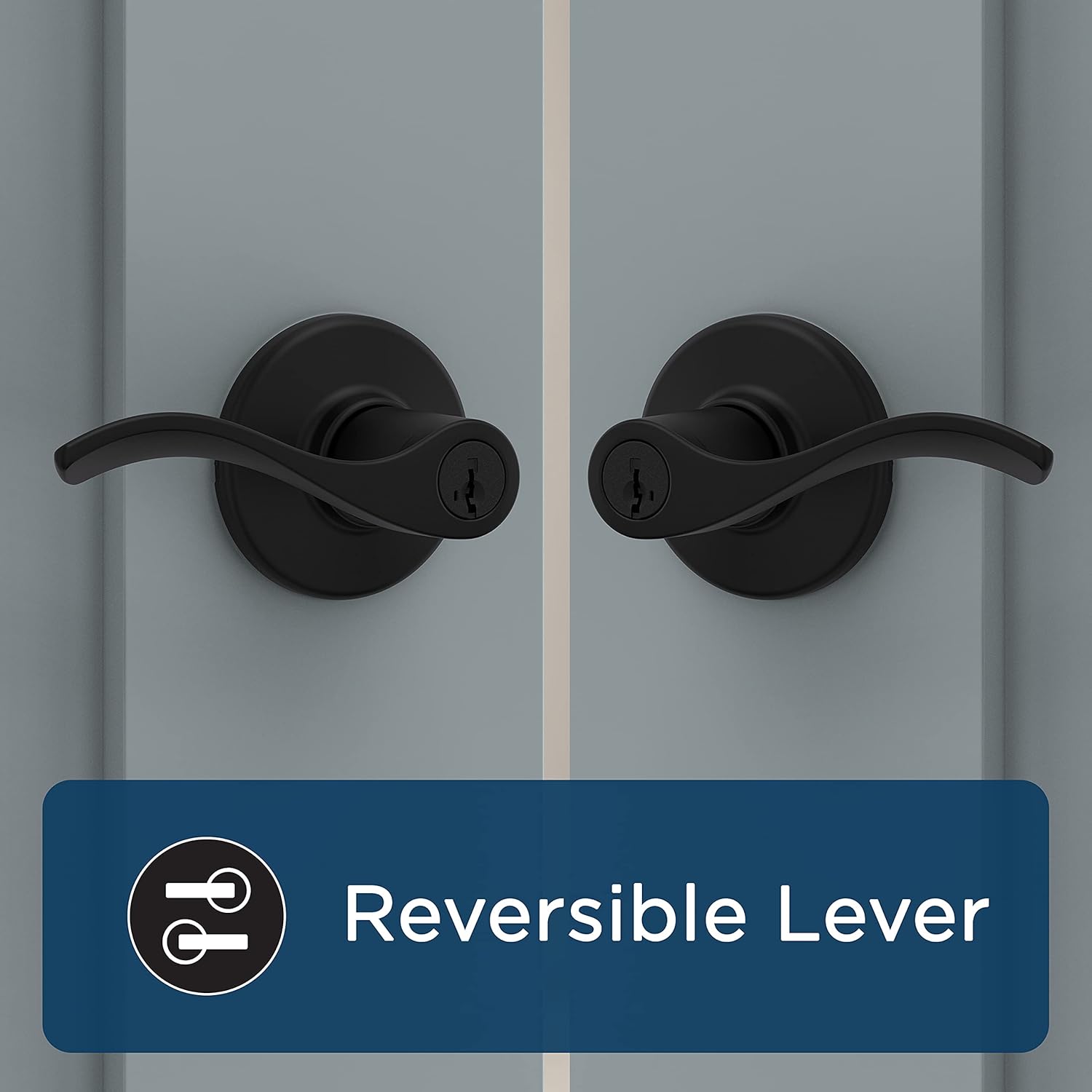
Image 3.3: Illustration demonstrating the reversible design of the door lever, suitable for either left or right-hand door configurations.
4. Maintenance
4.1 Battery Replacement
The Powerbolt 3 will beep and flash to indicate low battery. Replace all four AA batteries promptly when this occurs. It is recommended to replace batteries every 6 to 12 months, depending on usage, to ensure consistent performance.
4.2 Cleaning
Clean the lock and lever with a soft, damp cloth. Avoid abrasive cleaners or solvents, as these can damage the finish.
5. Troubleshooting
5.1 Lock Not Engaging Fully
If the Powerbolt 3 deadbolt does not engage fully or cancels during locking, ensure the door is properly aligned and closes seamlessly. Resistance from weather stripping or a misaligned strike plate can prevent the motorized bolt from extending completely. Adjust the strike plate or door alignment as necessary.
5.2 Key Compatibility
The Weiser SmartKey system is designed for specific keyways. Ensure you are using a compatible Weiser key for re-keying or manual operation. Weiser keys are not compatible with Kwikset keyways, and vice-versa, despite some Kwikset keys potentially fitting into Weiser locks.
6. Specifications
| Feature | Detail |
|---|---|
| Model Number | 9GLC5350-034 |
| Brand | Weiser |
| Colour | Satin Nickel |
| Style | Powerbolt 3+ Hardware Handle, 9GLC5350-034 |
| Finish | Polished |
| Material | Zinc |
| Number of Pieces | 2 (Deadbolt and Lever) |
| Special Features | Auto-Lock, Keyless Entry, Keyed Entry, SmartKey Re-keying |
| Included Components | Key |
| Recommended Uses | Home, Front Door |
| Power Source | 4 AA Batteries (not included) |
7. Warranty and Support
For warranty information and customer support, please refer to the documentation included with your product or visit the official Weiser website. Contacting Weiser customer service directly will provide the most accurate and up-to-date support for your specific product model.


