
1. Introduction
The AZIJYV G19 Digital GPS Speedometer is designed to enhance driving safety by providing essential vehicle data directly in the driver's line of sight. This device operates using GPS signals, ensuring compatibility with all vehicle types regardless of make or model year. It displays critical information such as speed, time, driving duration, distance, altitude, and compass direction, along with safety alerts for overspeeding and fatigue driving.
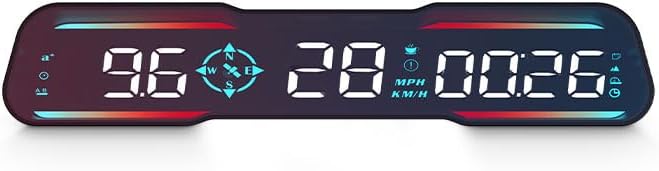
Figure 1: AZIJYV G19 Digital GPS Speedometer.
2. Setup and Installation
The G19 GPS Speedometer features a plug-and-play design for easy installation without complex wiring or vehicle modifications. It is compatible with all vehicle models.
2.1 Package Contents

Figure 2: Product accessories. Includes G19 Host, USB cable, Non-slip mat, and User Manual.
2.2 Installation Steps
- Placement: Place the G19 unit on your dashboard in a position that allows for clear viewing without obstructing your view of the road. The included non-slip mat helps secure the device.
- Power Connection:
- Connect one end of the provided USB cable to the USB interface on the G19 unit.
- Plug the other end of the USB cable into your vehicle's cigarette lighter port using a suitable USB car adapter (not always included, but standard).
- Cable Management: Route the USB cable neatly to avoid interference with driving controls. The cable can be tucked into the A-pillar seal for a cleaner installation.

Figure 3: Lossless installation process for the G19 Speedometer.
Video 1: Live view of the G19 car speedometer in operation, demonstrating its display and functionality while driving.
3. Operating Instructions
The G19 unit automatically powers on when connected to a power source and receives GPS signals. It will begin displaying driving data shortly after startup.
3.1 Displayed Functions
The G19 displays a variety of information to assist the driver:

Figure 4: Major functions and display areas of the G19.
- Car Speed: Displays current vehicle speed.
- Clock: Shows the current time, synchronized via satellite.
- Driving Time: Tracks the duration of the current trip.
- Date: Displays the current date.
- Driving Distance: Shows the distance traveled during the current trip.
- Altitude: Indicates the current altitude based on GPS data.
- Compass: Provides directional information (N, S, E, W).
- Acceleration Time: Measures the time taken to accelerate from 0 to 100 km/h.
- Atmosphere Decoration Lamp: Ambient lighting feature.
3.2 Controls and Settings
The G19 unit features control buttons for adjusting settings. These are typically located on the back or side of the unit.
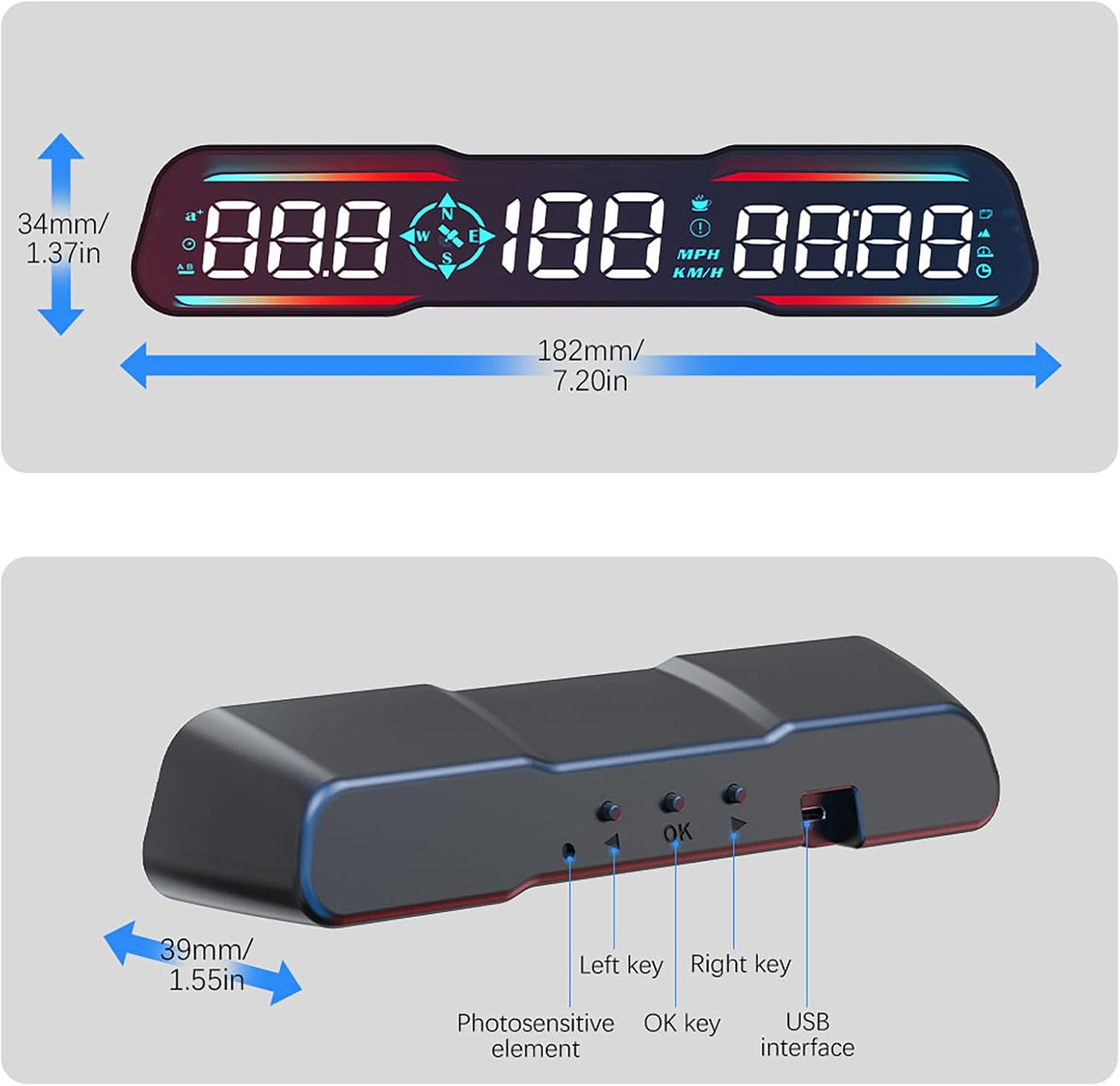
Figure 5: G19 unit controls and ports. Dimensions: 182mm (7.20in) length, 34mm (1.37in) height, 39mm (1.55in) depth.
- Left Key (<): Used for navigation or decreasing values in settings.
- OK Key: Used to confirm selections or enter settings menus.
- Right Key (>): Used for navigation or increasing values in settings.
- Photosensitive Element: Automatically adjusts screen brightness based on ambient light.
- USB Interface: For power connection.
3.3 Key Features
- Automatic Brightness Adjustment: The device automatically adjusts its display brightness according to the surrounding light conditions for optimal visibility day and night. Manual adjustment is also available if preferred.
- Unit Switching (MPH/KM/H): Users can switch between Miles Per Hour (MPH) and Kilometers Per Hour (KM/H) display modes to suit regional requirements. Refer to the device's settings menu for this option.
- Overspeed Reminder: The G19 can be configured to alert the driver when a preset speed limit is exceeded.
- Fatigue Driving Reminder: This feature prompts the driver to take a break after a prolonged period of driving, enhancing safety.
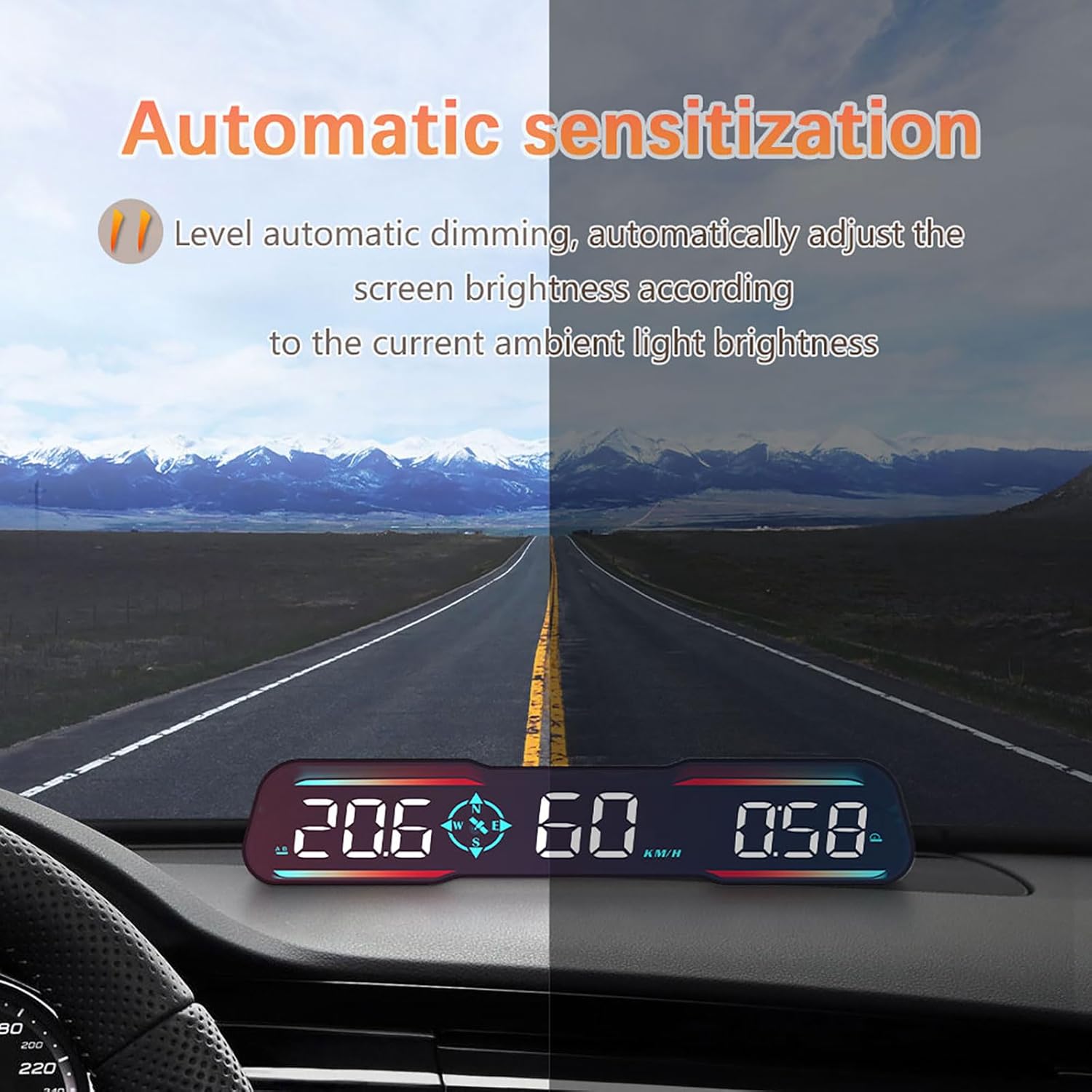
Figure 6: Automatic brightness adjustment in action.
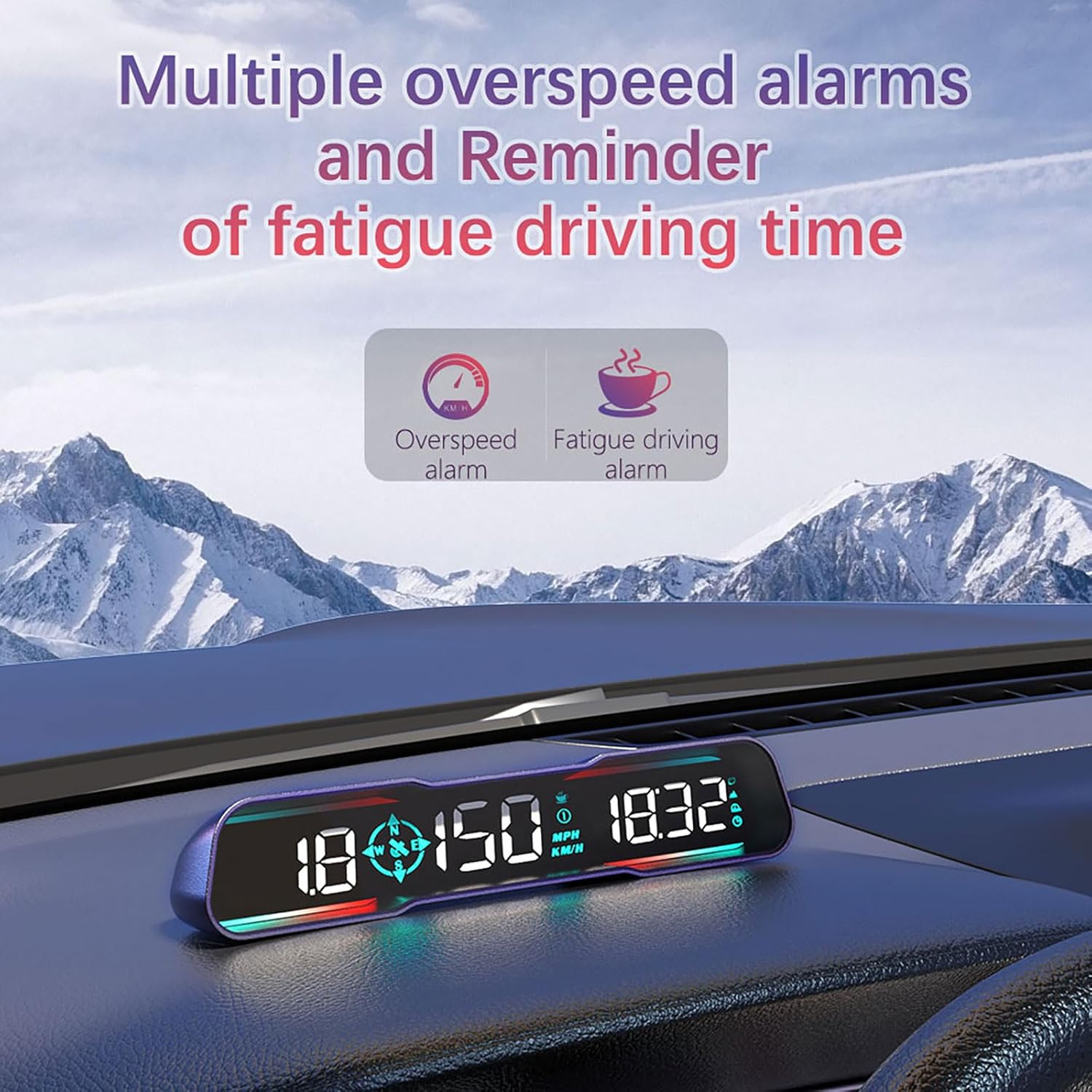
Figure 7: Overspeed and fatigue driving reminders.
4. Maintenance and Care
To ensure the longevity and optimal performance of your AZIJYV G19 GPS Speedometer, follow these maintenance guidelines:
- Cleaning: Use a soft, dry cloth to clean the display and exterior of the unit. Avoid using abrasive cleaners, solvents, or harsh chemicals, as these can damage the device.
- Storage: When not in use for extended periods, store the device in a cool, dry place away from direct sunlight and extreme temperatures.
- Handling: Handle the unit with care to prevent physical damage. Avoid dropping the device or exposing it to excessive vibrations.
- Cable Integrity: Regularly check the USB cable for any signs of wear or damage. Replace damaged cables immediately to prevent electrical issues.
5. Troubleshooting
If you encounter issues with your G19 GPS Speedometer, refer to the following common solutions:
- No Power/Display Off:
- Ensure the USB cable is securely connected to both the G19 unit and the vehicle's power source (cigarette lighter adapter).
- Check if the vehicle's power outlet is functioning correctly. Try plugging in another device.
- Verify that the USB cable is not damaged.
- No GPS Signal/Incorrect Speed:
- Ensure the device has a clear view of the sky. Obstructions like tunnels, tall buildings, or dense foliage can interfere with GPS reception.
- Allow a few minutes for the device to acquire a stable GPS signal after startup, especially in new locations.
- If the speed displayed is consistently inaccurate, ensure the correct unit (MPH/KM/H) is selected in the settings.
- Display Too Dim/Bright:
- The device has automatic brightness adjustment. Ensure the photosensitive element is not obstructed.
- If manual adjustment is preferred, use the control buttons to adjust brightness settings.
- Device Not Responding:
- Disconnect the power cable, wait a few seconds, and then reconnect it to perform a soft reset.
If problems persist, please contact customer support.
6. Specifications
| Feature | Detail |
|---|---|
| Model Number | G19 |
| Brand | AZIJYV |
| Product Dimensions | 4.8 x 1.37 x 1.1 inches (12.19 x 3.48 x 2.79 cm) |
| Item Weight | 5.9 ounces (167.26 grams) |
| Material | Polycarbonate (PC) |
| Power Source | USB (via vehicle's power outlet) |
| Display Type | Digital LED |
| Speed Units | MPH / KM/H (Switchable) |
| Compatibility | Universal for all vehicle types (GPS-based) |
| UPC | 743430908064 |
7. Warranty and Support
For information regarding the product warranty, please refer to the documentation included with your purchase or contact the retailer. AZIJYV is committed to providing quality products and customer satisfaction.
7.1 Customer Support
If you have any questions, require technical assistance, or need to report an issue, please contact AZIJYV customer support through the retailer's platform or the official AZIJYV website. Please have your product model number (G19) and purchase details ready when contacting support.


