
Quorum International 55606
Quorum Kimbo 60-inch Damp-Rated Ceiling Fan with Lights
Model: 55606-59
Introduction
This manual provides detailed instructions for the safe installation, operation, and maintenance of your Quorum Kimbo 60-inch Damp-Rated Ceiling Fan with Lights, Model 55606-59. Please read all instructions carefully before beginning installation and retain this manual for future reference.
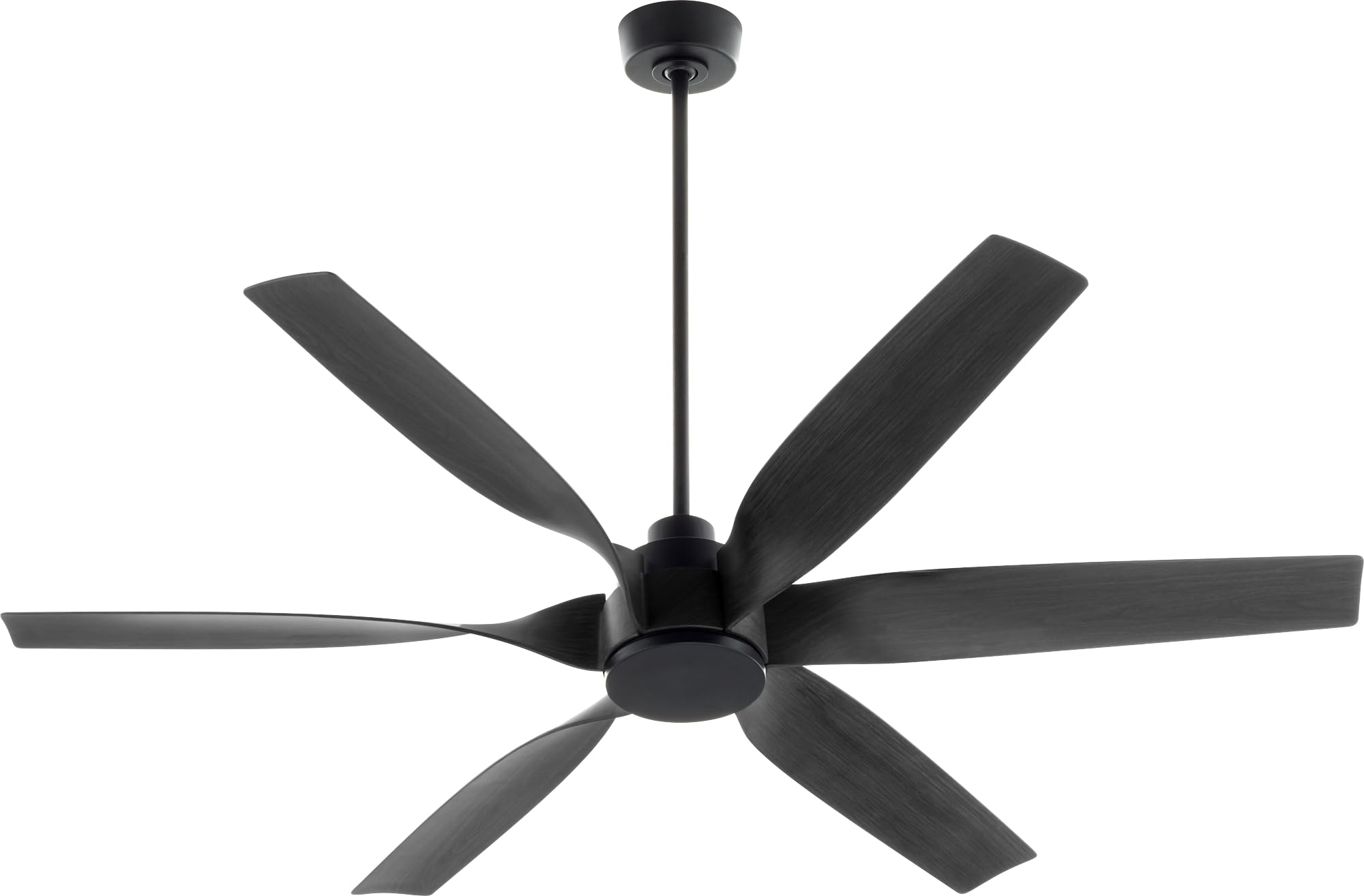
Image: The Quorum Kimbo 60-inch Damp-Rated Ceiling Fan with Lights in Matte Black. This image displays the fan's motor housing, five blades, and integrated light kit, providing a general overview of the product.
Safety Information
WARNING: To reduce the risk of fire, electric shock, or personal injury, always turn off power at the main circuit breaker or fuse box before installation or servicing.
- All electrical connections must be in accordance with local codes, ordinances, or the National Electric Code (NEC). Consult a qualified electrician if you are unfamiliar with electrical wiring.
- Ensure the installation site is suitable for a damp-rated appliance.
- The mounting structure must be capable of supporting a minimum of 35 lbs (15.9 kg).
- Do not operate the fan with damaged blades. Replace all blades if any are damaged.
- Avoid placing objects in the path of the fan blades.
- This fan is designed for indoor use in damp locations. Do not expose to direct water spray.
Package Contents
Carefully unpack your fan and check to ensure all contents are present. If any parts are missing or damaged, contact Quorum International customer service.
- Fan Motor Assembly
- Fan Blades (5)
- Blade Brackets
- Light Kit Assembly
- LED Bulb
- Remote Control with Wall Mount
- Downrod Assembly
- Mounting Bracket
- Hardware Pack (screws, washers, wire nuts)
- Canopy and Canopy Ring
Installation and Setup
1. Pre-Installation
- Turn off power at the circuit breaker.
- Ensure the outlet box is securely attached to the building structure and can support the fan's weight.
- Determine the desired downrod length.
2. Mounting the Fan
- Attach the mounting bracket to the outlet box using the provided screws and washers.
- Feed the electrical wires from the outlet box through the center hole of the mounting bracket.
- Assemble the downrod to the fan motor, ensuring the set screw is tightened.
- Carefully lift the fan assembly and hang it from the mounting bracket using the ball joint.
3. Electrical Wiring
Make the following electrical connections using the provided wire nuts:
- Connect the green or bare copper ground wire from the fan to the ground wire from the outlet box.
- Connect the white (neutral) wire from the fan to the white (neutral) wire from the outlet box.
- Connect the black (hot) wire from the fan to the black (hot) wire from the outlet box.
- If your fan has a separate wire for the light kit, connect it to the appropriate hot wire from the outlet box (often blue or black with a white stripe).
- Ensure all connections are secure and tucked neatly into the outlet box.
4. Final Assembly
- Slide the canopy up and secure it to the mounting bracket.
- Attach the fan blades to the blade brackets, then attach the blade assemblies to the motor housing.
- Install the light kit assembly to the bottom of the fan motor housing.
- Screw in the LED bulb.
- Attach the light kit glass or diffuser.
Operating Instructions
Remote Control Operation
Your Quorum Kimbo ceiling fan is operated by a remote control. Ensure the remote has fresh batteries installed.
- Fan ON/OFF: Press the fan button to turn the fan on or off.
- Fan Speed: Use the speed buttons (typically 1-3 or 1-6) to adjust the fan speed from low to high.
- Light ON/OFF/Dimming: Press the light button to turn the light on or off. Hold the light button to dim or brighten the light.
- Reverse Function: Press the reverse button (often indicated by a fan icon with arrows) to change the direction of the fan blades. This function is typically used to circulate warm air in winter (clockwise) or cool air in summer (counter-clockwise).
Remote Control Pairing (if necessary)
If the remote control does not operate the fan, it may need to be paired. Refer to the specific instructions included with your remote control for pairing procedures. Typically, this involves turning off the fan's power at the circuit breaker, restoring power, and then pressing and holding a specific button on the remote within a short timeframe (e.g., 30 seconds).
Maintenance
Regular maintenance ensures optimal performance and extends the life of your ceiling fan.
- Cleaning: Periodically clean the fan blades and motor housing with a soft, damp cloth. Do not use abrasive cleaners or solvents. Ensure power is off before cleaning.
- Blade Balance: If the fan wobbles, check that all blade screws are tight. A balancing kit (often sold separately) can be used to correct persistent wobbling.
- Light Bulb Replacement: Ensure power is off before replacing the LED bulb. Use only the specified bulb type (E26 base, LED).
- Tighten Fasteners: Annually, check all screws and fasteners on the fan and mounting hardware to ensure they are secure.
Troubleshooting
| Problem | Possible Cause | Solution |
|---|---|---|
| Fan does not start | No power to the fan Loose wire connections Remote control not paired or faulty | Check circuit breaker/fuses Verify all wire connections are secure (power off first) Pair remote control; replace remote batteries |
| Light does not work | Loose wire connections Faulty bulb Remote control issue | Check light kit wiring (power off first) Replace bulb Check remote batteries; re-pair remote |
| Fan wobbles excessively | Loose blade screws Unbalanced blades Loose mounting bracket | Tighten all blade screws Use a blade balancing kit Ensure mounting bracket is securely fastened |
| Noisy operation | Loose screws Motor hum Blades hitting an obstruction | Check and tighten all screws Ensure proper wiring; some motor hum is normal Check for obstructions and ensure proper clearance |
Specifications
- Brand: Quorum International
- Model Name: Kimbo
- Model Number: 55606-59
- Size: 60 inches
- Color: Matte Black
- Material: Metal
- Indoor/Outdoor Usage: Indoor (Damp-Rated)
- Power Source: Hardwired
- Control Method: Remote Control
- Light Source: LED
- Voltage: 120 Volts
- Wattage: 20 watts (for light)
- Bulb Base: E26
- Item Weight: 21 Pounds
- Installation Type: Semi Flush Mount
- Required Assembly: No (refers to pre-assembled major components, but installation is required)
- Included Components: Bulb, Remote Control
Warranty and Support
This Quorum Kimbo ceiling fan comes with a Limited Lifetime Manufacturer Warranty. For specific details regarding warranty coverage, please refer to the warranty card included with your product or contact Quorum International directly.
For technical support, replacement parts, or warranty claims, please contact Quorum International customer service. Contact information can typically be found on their official website or on the product packaging.
Ask a question about this manual
Ask about setup, troubleshooting, compatibility, parts, safety, or missing instructions. Manuals+ will review the question and use this page’s manual context to help answer it.