
Blütezeit ME-GO-600-R1
Contents
Blütezeit 1400lb Sliding Gate Opener Instruction Manual
Model: ME-GO-600-R1
1. Introduction
This manual provides detailed instructions for the installation, operation, and maintenance of your Blütezeit 1400lb Sliding Gate Opener. Please read this manual thoroughly before installation and operation to ensure proper function and safety. This gate opener is designed for residential and commercial sliding gates, offering robust performance with options for AC/DC and solar power, along with convenient WiFi and remote control capabilities.
2. Safety Information
Always prioritize safety during installation, operation, and maintenance. Failure to follow these instructions may result in serious injury or property damage.
- Ensure all electrical connections are made by a qualified professional and comply with local codes.
- Keep children and pets away from the gate area, especially during operation.
- Do not attempt to repair the gate opener yourself. Contact qualified service personnel.
- Install the infrared sensor to prevent the gate from closing on obstacles.
- Always use the manual release key during power outages or for maintenance.
3. Package Contents
Verify that all components listed below are included in your package:
- 1 x Gate Opener Unit
- 2 x Remote Controls (with batteries)
- 2 x Manual Release Keys
- 1 x Infrared Sensor Set
- 8 x 1.64ft Steel Racks (total 13.12ft)
- 1 x Installation Kits (bolts, nuts, brackets, etc.)
- User Manual

Image: Blütezeit 1400lb Sliding Gate Opener with all included accessories, such as the main motor unit, remote controls, manual keys, infrared sensor, and steel racks.
4. Setup and Installation
4.1 Mounting the Opener
Choose a stable, level surface near your gate for mounting the opener. Ensure it is positioned correctly for the gate's movement and that the gear aligns with the rack.
4.2 Installing the Racks
Attach the steel racks securely to your gate, ensuring they are level and parallel to the ground. The racks should mesh smoothly with the opener's drive gear.

Image: A detailed view of the gate opener's rack drive system, highlighting the robust steel gear and the quiet operation.
4.3 Power Connection (AC/DC & Solar)
The gate opener supports both AC110V and 24~35V DC power sources, including solar panels (sold separately). Connect the appropriate power source to the designated terminals. The unit features a powerful DC24V 6.0Ah built-in lithium-ion battery for backup operation during power outages.
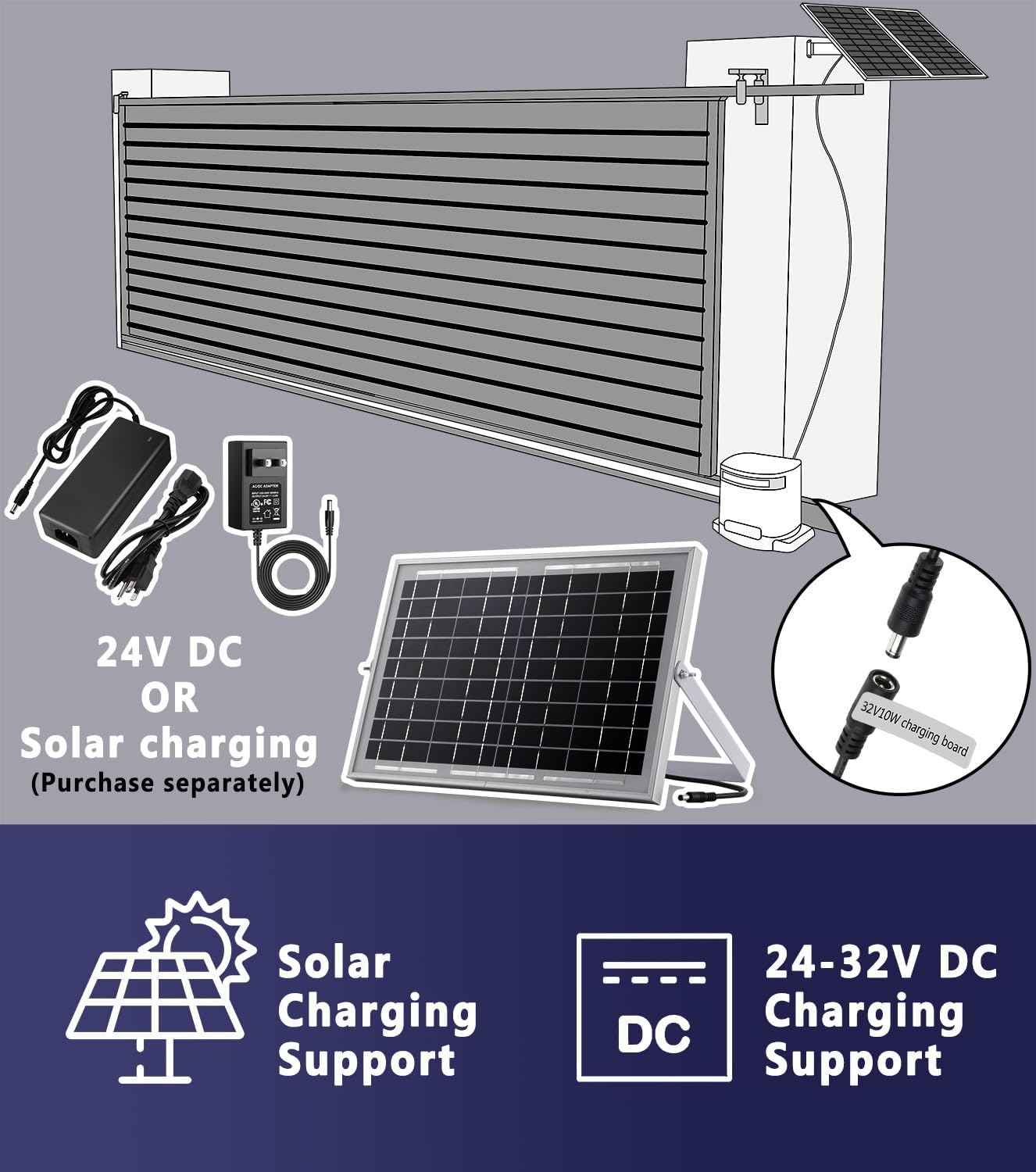
Image: A visual representation of the flexible power options, including AC/DC input and solar charging capabilities, demonstrating how to connect a solar panel (not included).

Image: An illustration detailing the upgraded lithium-ion battery, emphasizing its long-lasting and real power capabilities compared to traditional lead-acid batteries.
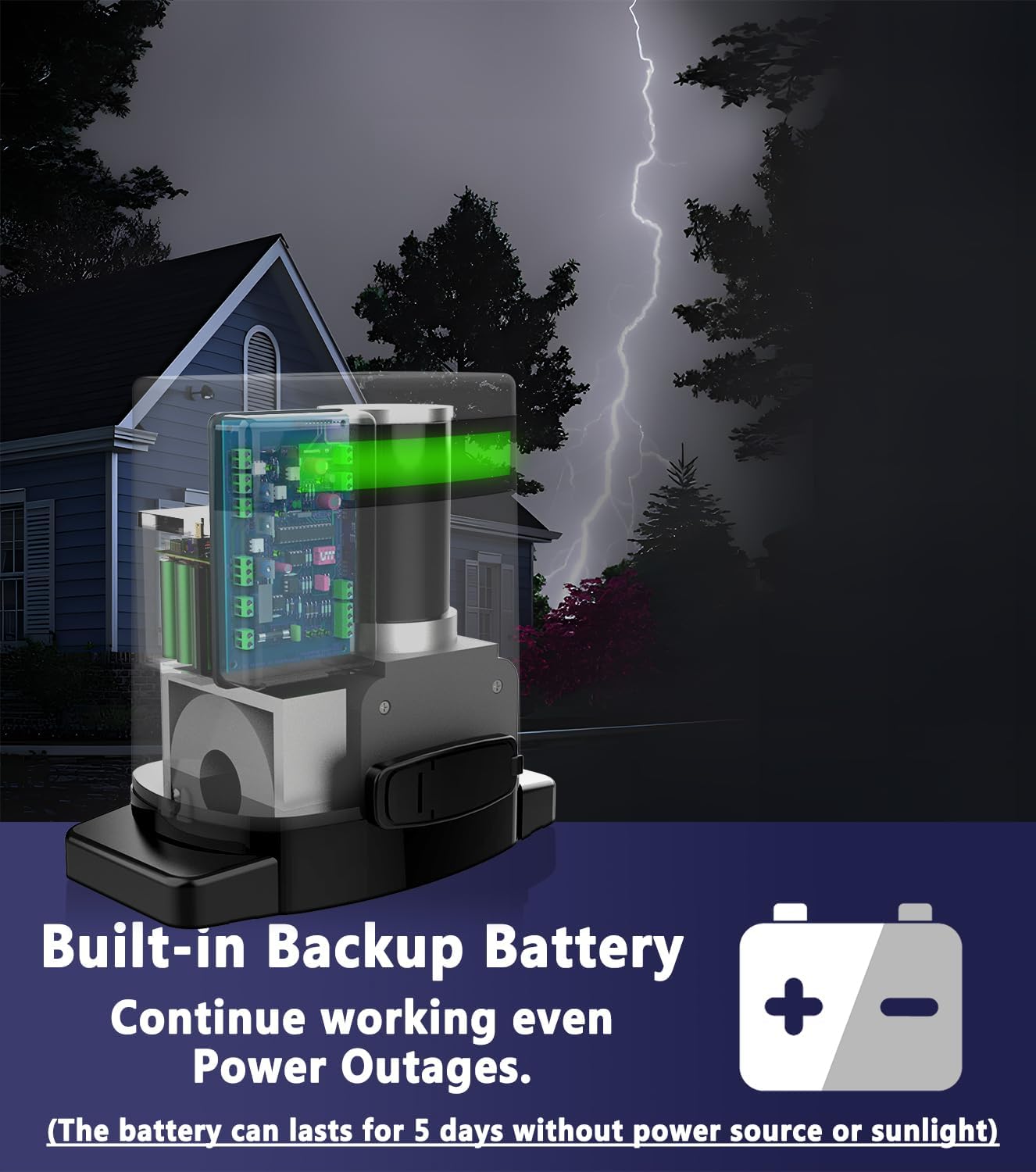
Image: The gate opener unit with an internal view of its built-in backup battery, illustrating its ability to continue functioning during power outages, even in adverse weather conditions like a thunderstorm.
4.4 Infrared Sensor Installation
Install the infrared sensor across the gate's path. This sensor detects obstacles and automatically reverses the gate to prevent accidents. Ensure the sensor's line of sight is clear.
5. Operating Instructions
5.1 Remote Control Pairing
Follow the instructions in the quick start guide to pair the included remote controls with your gate opener. The remotes offer a range of up to 165ft.
5.2 WiFi Control (eWeLink App)
Download the "eWeLink" app on your smartphone. Follow the in-app instructions to connect your gate opener to your home WiFi network. This allows you to control the gate from anywhere, integrate with smart home systems like Alexa, Siri, and Google Assistant.

Image: A user operating the gate opener via the eWeLink app on a smartphone, demonstrating the convenience of WiFi connectivity and compatibility with voice assistants like Alexa, Siri, and Google Assistant.
5.3 Auto-Close Feature
The gate opener can be programmed to automatically close after a set period (1 to 60 seconds). Refer to the detailed programming section in the full manual for setting this feature.

Image: A gate in the process of automatically closing, illustrating the auto-closing feature that can be set to ensure the gate secures itself after a specified time.
5.4 LED Status Indicator
The built-in LED indicator provides clear status updates:
- Green Light: Gate is open or opening.
- Red Light: Gate is closed or closing.
5.5 Manual Operation
In case of power failure or maintenance, insert the manual release key into the lock and turn it to disengage the motor, allowing you to open or close the gate manually.
6. Maintenance
Regular maintenance ensures the longevity and optimal performance of your gate opener.
- Cleaning: Keep the gate opener unit and racks free from dirt, debris, and ice.
- Lubrication: Periodically lubricate the gate's moving parts and the opener's drive gear with appropriate grease.
- Battery Check: For solar-powered setups, ensure the solar panel is clean and free from obstructions. The internal battery is designed for extended life but should be monitored.
- Sensor Check: Regularly test the infrared sensor to ensure it functions correctly.
7. Troubleshooting
If you encounter issues with your Blütezeit Sliding Gate Opener, refer to the common problems and solutions below:
| Problem | Possible Cause | Solution |
|---|---|---|
| Gate does not move. | No power; remote battery dead; manual release engaged. | Check power supply; replace remote batteries; disengage manual release. |
| Gate reverses unexpectedly. | Obstruction detected by infrared sensor; excessive force setting. | Clear path; adjust force sensitivity (refer to full manual). |
| Remote control not working. | Out of range; battery dead; not paired. | Move closer; replace battery; re-pair remote. |
| WiFi control issues. | Poor WiFi signal; incorrect app setup. | Check WiFi signal strength; reconfigure app connection. |
For more detailed troubleshooting, please refer to the comprehensive user guide available online or contact customer support.
8. Specifications
- Model Number: ME-GO-600-R1
- Max Gate Weight: 1400 lb
- Motor Power: 280W (0.38 hp)
- Power Source: AC110V / 24~35V DC (Solar Power compatible)
- Backup Battery: DC24V 6.0Ah Lithium-ion (up to 3 days operation)
- Noise Level: <45dB
- Remote Control Range: 165 ft
- Auto-Close Timer: 1-60 seconds
- Product Dimensions: 11.81 x 8.27 x 10.63 inches
- Item Weight: 38.6 pounds
9. Warranty and Support
Blütezeit products come with a standard manufacturer's warranty. For warranty details, technical support, or service inquiries, please refer to the contact information provided on the product packaging or visit the official Blütezeit website. Please retain your proof of purchase for warranty claims.
Online User Guide: Download PDF
Documents and downloads
Ask a question about this manual
Ask about setup, troubleshooting, compatibility, parts, safety, or missing instructions. Manuals+ will review the question and use this page’s manual context to help answer it.