
Introduction
Thank you for choosing the KIKIDO Professional Cordless Hair Clipper & Trimmer Kit. This versatile grooming set is designed for precision and ease of use, offering a complete solution for hair, beard, and nose/ear hair trimming. Please read this manual carefully before first use to ensure safe and effective operation.
Safety Information
- Water Exposure: Keep the device away from water. The nose trimmer is waterproof for cleaning, but the main clipper and T-blade trimmer should not be submerged.
- Children: Keep out of reach of infants and children.
- Battery Handling: Use caution when handling batteries and charging the trimmer. Do not expose to extreme temperatures.
- Blade Care: Blades are sharp. Handle with care to prevent injury.
- Charging: Use only the provided charging cables.
Package Contents
Your KIKIDO grooming kit includes the following items:
- 1 x Cordless Hair Clipper
- 1 x T-Blade Hair Trimmer
- 1 x Nose Hair Trimmer (with shaver replacement head)
- 8 x Hair Clipper Guide Combs (1.5mm, 3mm, 4.5mm, 6mm, 9mm, 12mm, 16mm, 19mm)
- 3 x T-Blade Trimmer Guide Combs (1mm, 2mm, 3mm)
- 2 x USB Charging Cables (one for clipper, one for trimmer)
- 1 x Cleaning Brush
- 1 x Lubricating Oil
- 1 x Haircut Cape
- 1 x Hair Comb
- 1 x Scissors
- 1 x Storage Bag

Setup
1. Initial Charging
Before first use, fully charge both the hair clipper and T-blade trimmer. The LCD display will show the charging status and remaining power.
- Hair Clipper: Approximately 3 hours for 180 minutes of working time.
- T-Blade Trimmer: Approximately 3 hours for 120 minutes of working time.
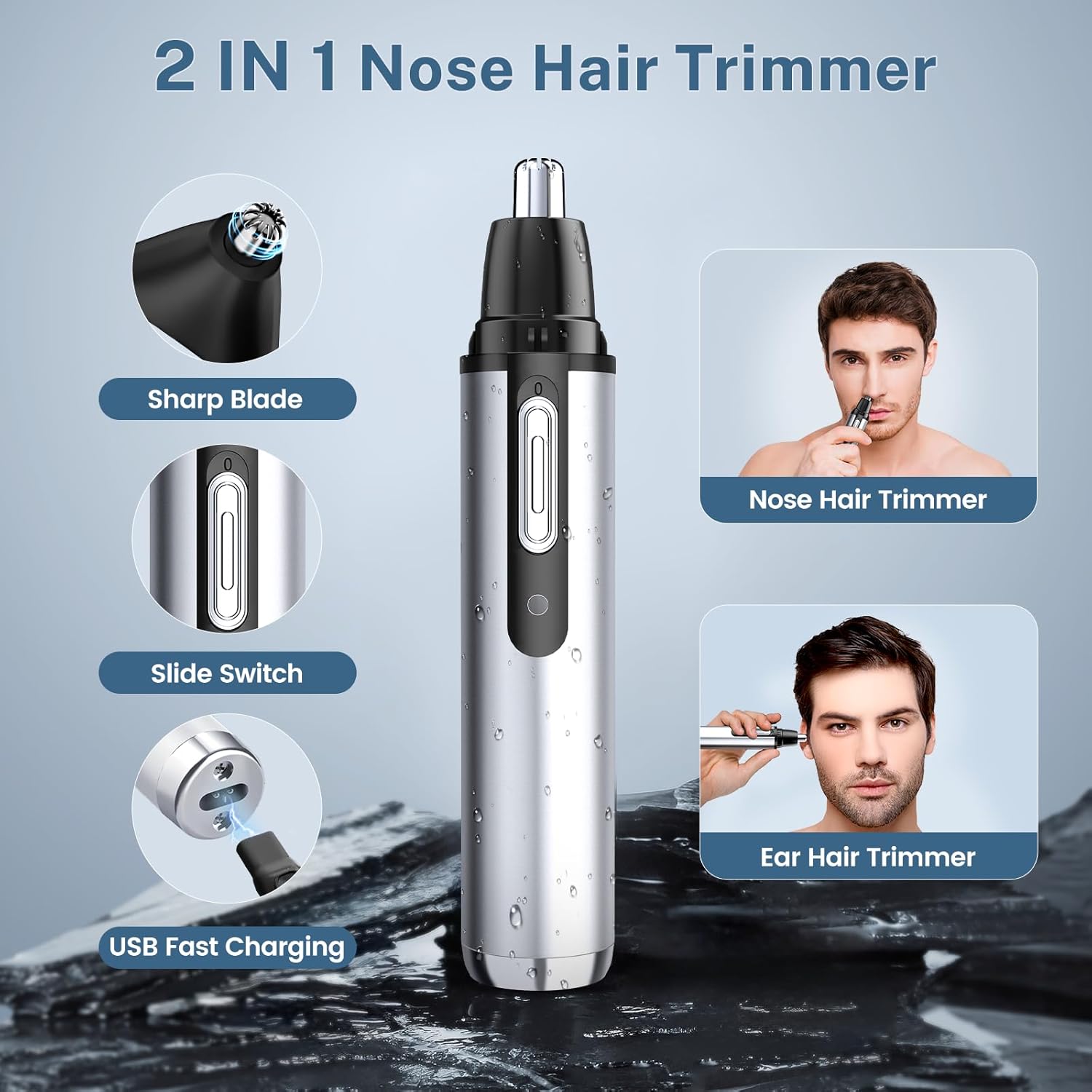
- Nose Hair Trimmer: Approximately 1.5 hours for 40 minutes of working time.

2. Attaching Guide Combs
Select the desired guide comb for your preferred hair length. Align the comb with the clipper/trimmer blade and push firmly until it clicks into place. Ensure it is securely attached before use.

3. Swapping Nose Trimmer Heads
The nose hair trimmer comes with interchangeable heads. To swap, gently twist and pull off the current head, then align and push the desired head (e.g., shaver replacement head) until it locks.

Operating Instructions
1. Hair Clipper
- Power On/Off: Press the power button to turn the clipper on or off. The smart LCD screen will display working time, rotational speed, and oil reminders.
- Adjustable Taper Bar: Use the adjustable taper bar on the side of the clipper to fine-tune cutting lengths between guide combs for seamless blending.
- Cutting: Move the clipper against the direction of hair growth for an even cut. The powerful rotary motor (6500 RPM) ensures smooth cutting without tugging.
- Quiet Operation: Operates at less than 60dB, suitable for all ages.

2. T-Blade Hair Trimmer
- Precision Trimming: The zero-gap precision T-blade is ideal for detailing, outlining, and creating sharp lines for hair, beard, face, and sideburns.
- Usage: Use without a comb for closest trim or with the provided trimmer guide combs for desired length.

3. Nose Hair Trimmer
- Operation: Slide the switch to turn on. Gently insert the trimmer tip into your nostril or ear canal to trim unwanted hair.
- Shaver Head: Attach the shaver replacement head for a smooth shave.
- Waterproof: The nose trimmer is 100% waterproof for easy cleaning.

Video: Using Accessories and Hair Clipper Capabilities
Maintenance
1. Cleaning Blades
After each use, turn off the device and remove any attached guide combs. Use the provided cleaning brush to remove loose hair from the blades. For the nose trimmer, you can rinse the head under running water.
2. Oiling Blades
Regularly apply a few drops of the lubricating oil to the blades of the hair clipper and T-blade trimmer. This helps maintain blade sharpness and ensures smooth operation.
Troubleshooting
- Device Not Turning On: Ensure the device is fully charged. Check the charging cable connection.
- Hair Pulling/Tugging: Ensure blades are clean and oiled. Check if the correct guide comb is securely attached. The battery might be low, affecting motor speed.
- Reduced Performance: Clean and oil blades. Recharge the device.
Specifications
| Feature | Detail |
|---|---|
| Brand | KIKIDO |
| Model Number | SH2575-T |
| Power Source | Battery Powered |
| Item Weight | 0.9 Kilograms |
| Recommended Uses | Body, Head, Nose |
| Battery Type | Lithium Battery (built-in) |
| Motor Speed | Up to 6500 RPM |
| Noise Level | Less than 60dB |
| Nose Trimmer Waterproof | Yes |
Warranty and Support
For warranty information or technical support, please refer to the contact details provided with your purchase or visit the official KIKIDO website. Keep your proof of purchase for any warranty claims.