
Introduction
This manual provides comprehensive instructions for the iHandy CRC2301V Replacement Remote Control. Designed for compatibility with all Roku Smart LED QLED TVs, this remote offers a straightforward replacement solution with 12 dedicated shortcut buttons for enhanced user experience. It is an infrared remote and does not support voice or mouse functions.

Image: Front view of the iHandy CRC2301V Replacement Remote Control, showcasing its button layout including navigation, playback, and 12 shortcut buttons for streaming services.
Setup
Setting up your iHandy CRC2301V remote control is designed to be quick and straightforward, requiring no complex programming steps.
- Insert Batteries: Open the battery compartment on the back of the remote control. Insert two AAA batteries (not included), ensuring correct polarity (+/-).
- Point and Use: The iHandy CRC2301V is an infrared remote control. Simply point the remote towards your Roku Smart LED QLED TV. It is pre-programmed to work with compatible Roku TVs directly out of the box.
- No Programming Required: Unlike some universal remotes, this replacement remote does not require manual code entry or pairing for basic functionality with compatible Roku TVs.

Image: The iHandy CRC2301V remote control, emphasizing its ease of setup with no programming required. Simply insert batteries and it's ready for use with compatible Roku TVs.
Operating Instructions
The iHandy CRC2301V remote control features an intuitive design with well-placed buttons and a comfortable grip, making it easy to navigate through menus and control various devices.
- Power Button (⏻): Located at the top, press to turn your TV on or off.
- Navigation Pad (Up, Down, Left, Right, OK): Use the directional arrows to move through menus and select options. The "OK" button confirms your selection.
- Home Button (⌂): Returns you to the main Roku home screen.
- Back Button (←): Navigates back to the previous screen or menu.
- Playback Controls (Rewind, Play/Pause, Fast Forward): Control media playback within apps and content.
- Shortcut Buttons: The remote includes 12 dedicated shortcut buttons for popular streaming services (e.g., Netflix, Hulu, Prime Video). Pressing these buttons will directly launch the corresponding application on your Roku TV.
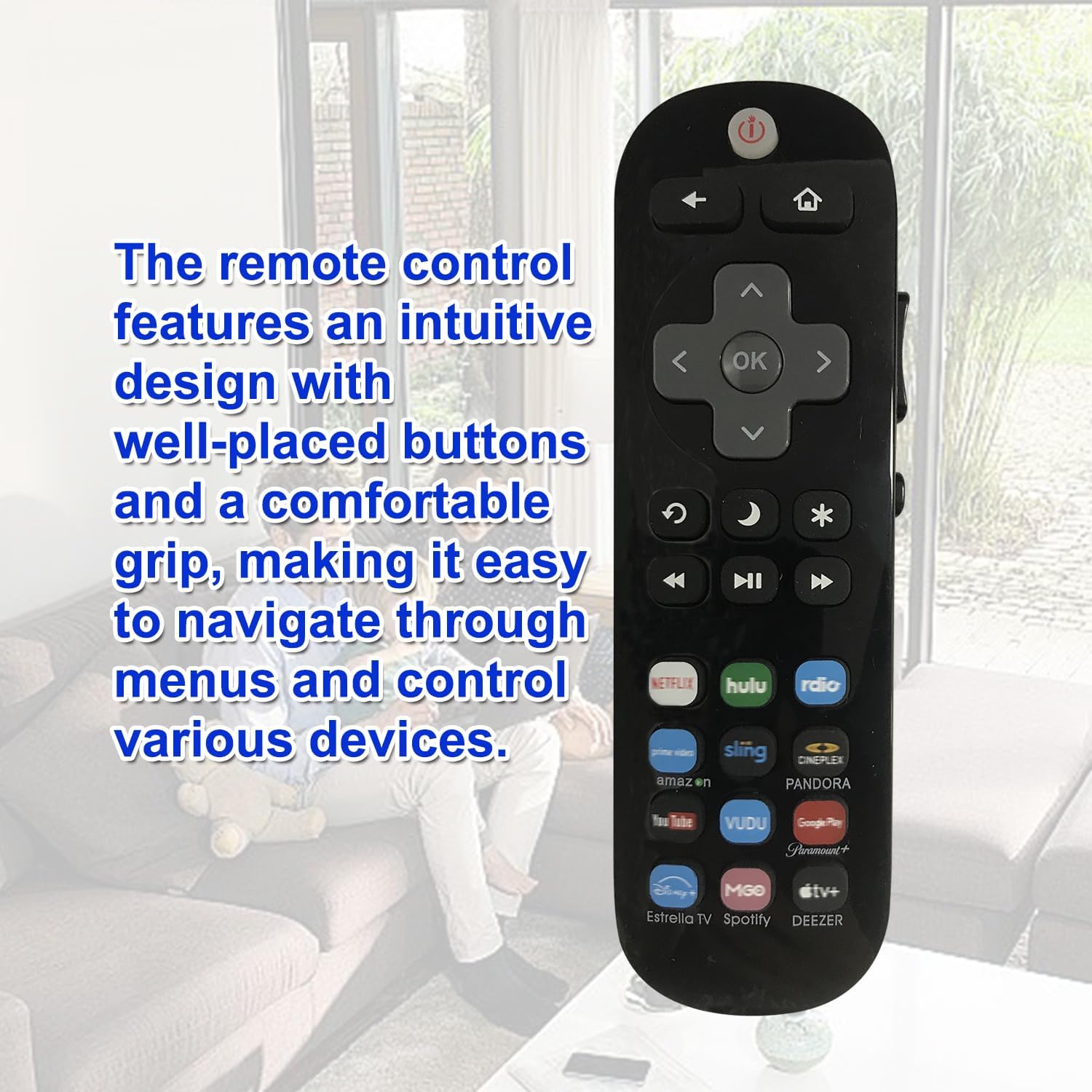
Image: The iHandy CRC2301V remote control highlighting its intuitive design, comfortable grip, and well-placed buttons for easy navigation and control of various devices.
Important Note: This remote is an infrared (IR) remote control. It does not support voice commands, headphone jacks, or mouse pointer functions. Ensure a clear line of sight between the remote and your TV's IR receiver for optimal performance.

Image: The iHandy CRC2301V remote control, clarifying that it operates via infrared technology and does not include voice control or mouse pointer capabilities.
Maintenance
- Cleaning: Use a soft, dry cloth to clean the remote control. Do not use liquid cleaners or abrasive materials.
- Battery Replacement: Replace batteries when the remote's responsiveness decreases. Always replace both batteries at the same time with new ones of the same type (AAA).
- Storage: Store the remote in a cool, dry place away from direct sunlight and extreme temperatures.
- Avoid Drops: Protect the remote from physical impact, as drops can damage internal components.
Troubleshooting
| Problem | Solution |
|---|---|
| Remote not responding. |
|
| Certain buttons not working. |
|
| Remote works intermittently. |
|
Specifications
- Model: CRC2301V
- Brand: iHandy
- Compatible Devices: Roku LCD LED HDTV Smart TVs
- Connectivity Technology: Infrared (IR)
- Special Features: Universal replacement, 12 shortcut buttons
- Color: Black
- Power Source: 2 x AAA Batteries (not included)
- Item Weight: 3.2 ounces
- Package Dimensions: 6 x 2 x 1 inches
- Manufacturer: SYSTO
Warranty and Support
iHandy strives to provide high-quality products and customer satisfaction. If you encounter any issues or have questions regarding your CRC2301V Replacement Remote Control, please do not hesitate to contact us.
For support, please refer to the contact information provided with your purchase or visit the official iHandy store page on Amazon:
Visit the iHandy Store on Amazon
We are committed to ensuring your satisfaction and will do our best to assist you.