
1. Introduction
This manual provides instructions for the Maxitoc RC813 Replacement Remote Control, designed for use with various TCL Google Smart TV models. This remote offers a direct replacement experience without complex setup procedures.

Image: Front, side, and back views of the Maxitoc RC813 Replacement Remote Control.
2. Setup
2.1 Battery Installation
- Locate the battery compartment on the back of the remote control.
- Slide the battery cover downwards to open.
- Insert two (2) AAA batteries, ensuring correct polarity (+ and -) as indicated inside the compartment.
- Slide the battery cover back into place until it clicks securely.

Image: Proper insertion of AAA batteries into the remote control.
2.2 Initial Use
The Maxitoc RC813 remote control requires no programming or pairing. Once batteries are installed, it is ready for immediate use with compatible TCL Google Smart TVs.
3. Operating Instructions
The RC813 remote control features a user-friendly layout for intuitive navigation of your TCL Google Smart TV.

Image: Layout of the RC813 remote control buttons with corresponding functions.
3.1 Button Functions
- INPUT: Select input source and display the quick panel.
- POWER: Turn TV on and off.
- PROFILE SELECTOR: Switch user profiles.
- QUICK PANEL: Display the quick panel.
- SETTINGS: Display the dashboard menu.
- CIRCULAR D-PAD: Navigation direction buttons (Up / Down / Left / Right).
- OK BUTTON: Confirm an entry or selection.
- BACK: Return to the previous screen.
- HOME: Access the TV homepage.
- LIVE GUIDE: Open the TV EPG (Electronic Program Guide).
- VOLUME (+/-): Raise and lower volume.
- CHANNEL (^/v): Change channels.
- QUICK SETTINGS: Open the quick menu.
- MUTE: Press to mute the sound.
- TV PLUS: Access to network Live Channel.
- 123 (Virtual Keyboard): Open virtual keyboard on screen.
- INFORMATION: In TV source, press to view program information.
3.2 Shortcut Keys
The remote includes dedicated shortcut buttons for quick access to popular streaming services:
- Netflix
- Prime Video
- YouTube
- TCL Channel
- Disney+
- Apple TV

Image: Remote control highlighting the six popular streaming service shortcut buttons.
4. Features
- Infrared Technology: Provides a strong signal for multi-angle induction, allowing precise control from up to 12 meters (40 feet).
- Rapid Response: Achieves a response time of less than 0.2 seconds to your TV.
- Durability: Engineered for longevity, supporting over 120,000 clicks.
- Material: Constructed from premium ABS material for high resilience and a comfortable grip.

Image: Key features of the Maxitoc RC813 remote control.
5. Compatible Models
The Maxitoc RC813 remote control is compatible with a wide range of TCL Google Smart TV models, including but not limited to:
- QM8 Series: 65QM850G, 75QM850G, 85QM850G, 98QM850G, 98QM851G, 85QM851G, 75QM851G, 65QM851G, 115QM891G
- QM7 Series: 98QM751G, 85QM751G, 75QM751G, 65QM751G, 55QM751G
- S5 Series: 98S550G, 43S551G, 50S551G, 55S551G, 65S551G, 75S551G, 85S551G, 75S571G, 65S571G, 55S571G, 43S571G
- S4 Series: 55S470G, 43S470G, 50S470G, 58S470G, 65S470G, 70S470G, 75S470G, 85S470G, 43S450G, 50S450G, 55S450G, 58S450G, 65S450G, 75S450G, 85S450G, 50S45G
- S3 Series: 32S370G, 40S370G, 43S370G, 32S250G
- Q7 Series: 55Q750G, 65Q750G, 75Q750G, 85Q750G
- Q6 Series: 55Q670G, 65Q670G, 75Q670G, 85Q670G, 85Q650G, 75Q650G, 65Q650G, 55Q650G, 43Q651G, 50Q651G, 55Q651G, 65Q651G, 75Q651G, 85Q651G, 98Q651G, 85Q681G, 75Q681G, 65Q681G, 55Q681G
- Q5 Series: 55Q550G, 50Q550G, 65Q550G, 50Q570G, 55Q570G, 65Q570G, 75Q570G
This remote is specifically designed for TCL Google Smart TVs and is not compatible with Fi TV or Roku TV models. It also does not support voice control functions.
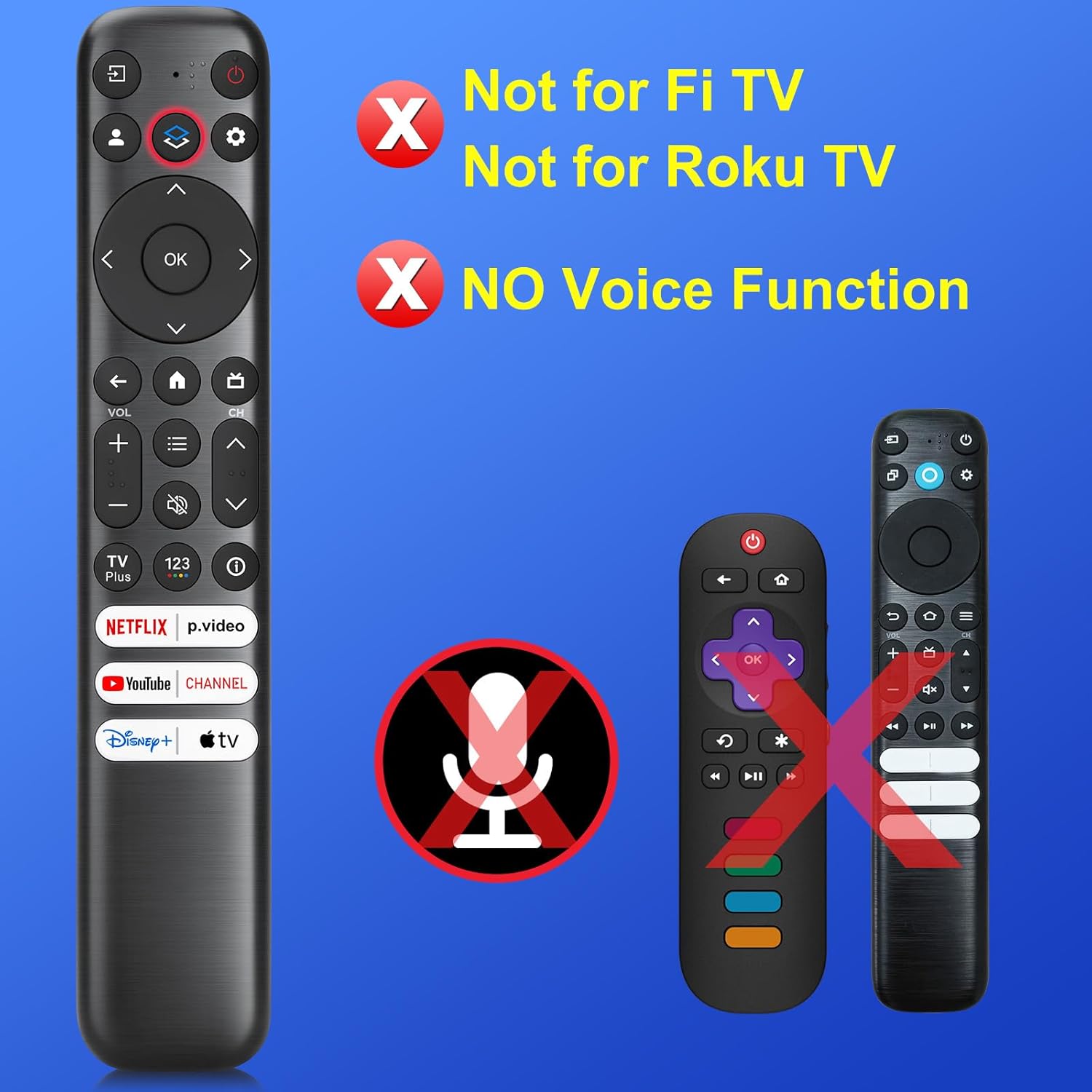
Image: Compatibility notes for the Maxitoc RC813 remote control.
6. Specifications
| Specification | Detail |
|---|---|
| Model Number | RC813 |
| Brand | Maxitoc |
| Product Dimensions | 8.18 x 1.45 x 0.59 inches |
| Item Weight | 2.35 ounces |
| Batteries Required | 2 AAA batteries (not included) |
| Color | Black |
| Max Number of Supported Devices | 1 |
| Special Feature | Durable & Rapid Response, out-of-the-box functionality |
| Compatible Devices | Only for TCL Google Smart TVs |
7. Troubleshooting
- Remote not responding: Ensure batteries are correctly inserted and are not depleted. Replace batteries if necessary. Check for any obstructions between the remote and the TV's infrared receiver.
- Buttons not working: Verify that the remote is pointed directly at the TV. If specific buttons are unresponsive, try replacing the batteries.
- Limited functionality: Confirm your TV is a compatible TCL Google Smart TV model. This remote does not support voice functions or non-TCL Google TV models.
8. Warranty and Support
Maxitoc ensures product quality through pre-delivery testing. Should you encounter any issues or require assistance with your RC813 remote control, please contact Maxitoc customer support. We are committed to providing prompt and satisfactory solutions.