
Introduction
Thank you for choosing the TOSY Bundle of 2, featuring the innovative Green LED Flying Disc and Blue LED Flying Ring. These products are designed to provide an enhanced flying experience with their vibrant LED lights, smart features, and durable construction. This manual provides essential information for the proper setup, operation, and maintenance of your new flying disc and ring.
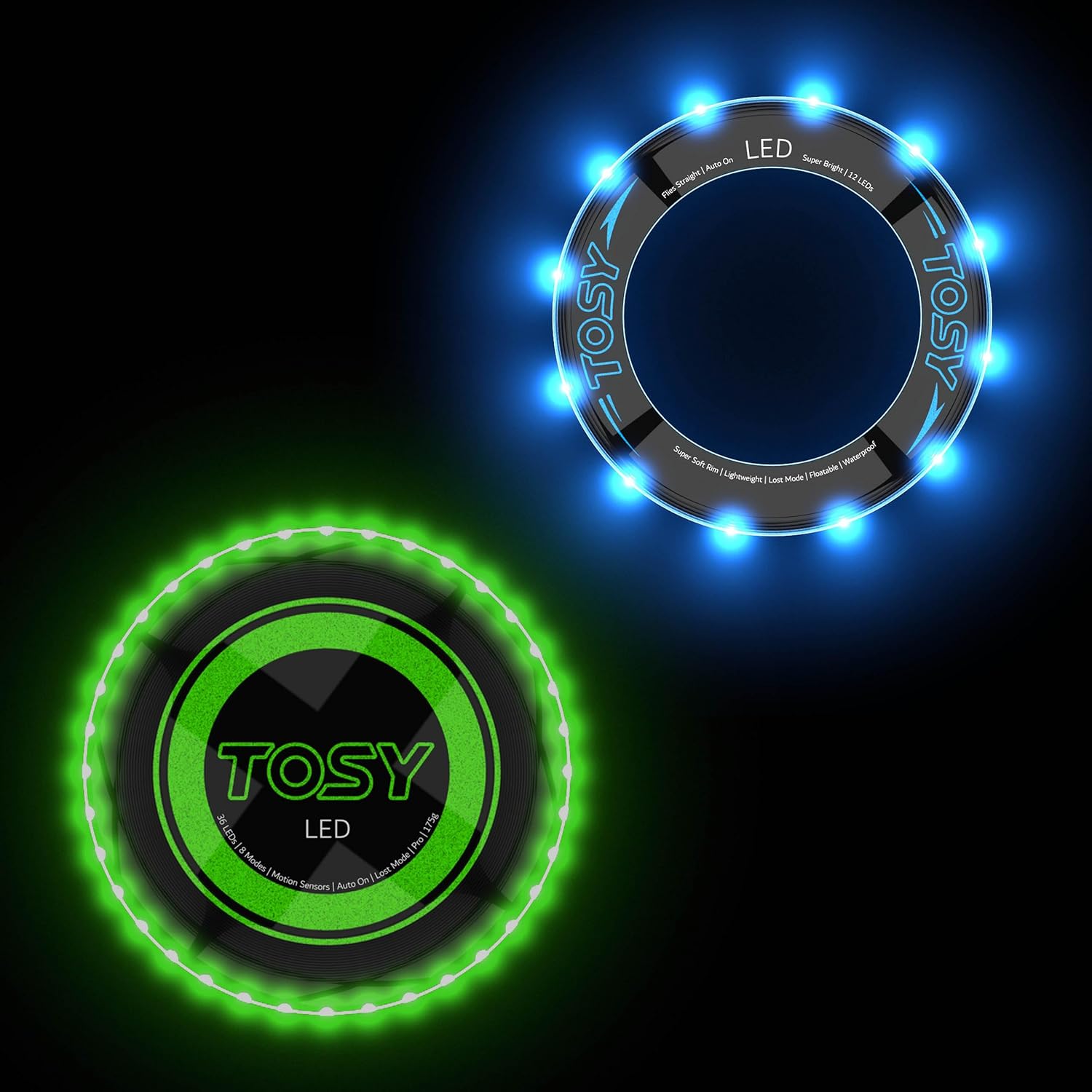
Image: The TOSY Green LED Flying Disc and Blue LED Flying Ring, showcasing their illuminated designs.
Safety Information
- Always inspect the disc and ring for any damage before each use. Do not use if damaged.
- Avoid throwing directly at people, animals, or fragile objects.
- Do not disassemble or attempt to repair the internal electronic components. This may void the warranty and cause damage.
- Keep away from extreme temperatures and direct sunlight for prolonged periods.
- While the products are waterproof, avoid prolonged submersion or exposure to saltwater.
- For the Flying Disc, use only the provided USB Type-C cable for charging. Do not use damaged cables or chargers.
- Ensure children are supervised during play, especially when handling the rechargeable disc.
Setup
TOSY Green LED Flying Disc
- Initial Charge: Before first use, fully charge the Flying Disc. Connect the included USB Type-C to C cable to the disc's charging port and a compatible USB charger (not included). A 30-minute charge can provide power for up to a thousand throws (at B1&T0 modes) or a full 90-minute Ultimate match.
- Power On: The disc features motion sensors. LEDs will turn on automatically when motion is detected.

Image: Detailed view of the TOSY Green LED Flying Disc, showing its LED array and key features.

Image: An X-ray view of the TOSY Green LED Flying Disc's internal electronics, including the USB-C port and battery.
TOSY Blue LED Flying Ring
- Battery: The Flying Ring comes with an included battery that lasts up to 4000 throws. The battery can be replaced easily by following instructions provided on the product packaging or TOSY's official website.
- Power On: Similar to the disc, the ring's LEDs turn on automatically when motion is detected.

Image: Detailed view of the TOSY Blue LED Flying Ring, highlighting its super bright LEDs and soft rim.
Operating Instructions
TOSY Green LED Flying Disc
- Automatic Activation: The LEDs will light up automatically when the disc is in motion and turn off when stationary to conserve battery.
- Brightness Levels: Easily select your desired brightness level using the dedicated button on the disc. Refer to the disc's surface for button location and indicators.
- Timer Modes: The disc offers various timer modes. Use the timer button to cycle through options, allowing for customized play sessions.
- Lost Mode: A special "Lost Mode" feature is available to help locate the disc if it lands in a hard-to-find spot. Consult the disc's markings or TOSY's website for activation details.
- Throwing: The disc is designed to meet Professional Ultimate standards, ensuring long, straight flights and a comfortable grip. Practice different throwing techniques for optimal performance.
TOSY Blue LED Flying Ring
- Automatic Activation: The ring's LEDs activate automatically with motion and deactivate when still, preserving battery life.
- Soft Rim: The super soft rim makes throwing and catching effortless and comfortable for players of all ages (5 years and up), even for indoor play.
- Throwing and Catching: The ring is designed for straight flights. Experiment with different throwing styles to achieve desired trajectories.
General Play
Both the TOSY Flying Disc and Flying Ring are perfect for day and night play, indoors and outdoors. Their bright LEDs enhance visibility and add an exciting visual element to your games.

Image: People enjoying night play with various TOSY LED flying products, demonstrating their bright illumination.

Image: A family playing indoors with the TOSY Flying Rings, showcasing their suitability for indoor use.
Video: An official TOSY video demonstrating the vibrant 16 million color LEDs of the Flying Disc and its use in various settings, including night play and as a gift.
Maintenance
- Cleaning: Wipe the disc and ring with a damp cloth to remove dirt and debris. Do not use harsh chemicals or abrasive cleaners.
- Storage: Store the products in a cool, dry place away from direct sunlight when not in use.
- Battery Care (Flying Disc): To prolong battery life, avoid fully discharging the disc frequently. Recharge it regularly, even if not in constant use.
- Battery Replacement (Flying Ring): Follow the instructions provided on the product packaging or TOSY's official website for safe battery replacement.
Troubleshooting
| Problem | Possible Cause | Solution |
|---|---|---|
| LEDs not lighting up. | Battery low or depleted (Disc). No motion detected. | Charge the Flying Disc. Ensure the product is in motion to activate LEDs. Check Flying Ring battery. |
| Flying Disc not charging. | Damaged charging cable or port. Incompatible charger. | Try a different USB Type-C cable and a compatible charger. Ensure the port is clean and free of debris. |
| Product not responding to button presses (Disc). | Low battery. Software glitch. | Charge the disc fully. If issues persist, contact TOSY Customer Care. |
Specifications
| Feature | TOSY Green LED Flying Disc | TOSY Blue LED Flying Ring |
|---|---|---|
| LEDs | 36 Super Bright LEDs | 12 Super Bright LEDs |
| Power Source | Rechargeable (USB Type-C) | Replaceable Battery (included) |
| Battery Life | Up to 1000 throws / 90 mins play (B1&T0 modes) | Up to 4000 throws |
| Weight | 175 grams (Professional Ultimate standard) | Not specified, but lightweight |
| Features | Smart Modes, Motion Sensors, Brightness & Timer Modes, Lost Mode, Waterproof | Smart Modes, Motion Sensors, Super Soft Rim, Lightweight, Floatable, Waterproof |
Warranty and Support
TOSY products are built with quality and durability in mind. For any questions, assistance, or details regarding warranty coverage, please contact TOSY Customer Care. The email address for customer support is engraved on the product itself. You can also visit the official TOSY website for more information and support resources.
Contact Information: Refer to the product for the engraved email address.
