
1. Introduction
This manual provides essential information for the safe and efficient operation of your Creality Ender 3 V3 KE 3D Printer and SainSmart GT-3 High Speed Matte PLA. Please read this manual thoroughly before using the product to ensure proper setup, operation, and maintenance.
The Creality Ender 3 V3 KE is a high-performance 3D printer designed for speed and precision, featuring advanced motion systems and a robust hotend. Paired with SainSmart GT-3 High Speed Matte PLA, you can achieve rapid and high-quality prints with an elegant matte finish.

Image 1.1: The Creality Ender 3 V3 KE 3D Printer bundled with SainSmart GT-3 High Speed Matte PLA.
2. Setup Guide
Follow these steps to set up your Creality Ender 3 V3 KE 3D Printer:
- Unboxing: Carefully remove all components from the packaging. Check the packing list to ensure all parts are present and undamaged.
- Assembly: Assemble the printer according to the included quick start guide or assembly instructions. This typically involves attaching the gantry, print bed, and filament holder.
- Power Connection: Connect the power cable to the printer and a suitable power outlet. Ensure the voltage switch (if present) is set correctly for your region.
- Initial Power On: Turn on the printer. The Smart Creality OS interface should load on the touch screen.
- Bed Leveling: Perform the automatic bed leveling procedure as prompted by the printer's interface. This is crucial for successful first layer adhesion.
3. Operating Instructions
3.1. Smart Creality OS
The Ender 3 V3 KE features an intuitive touch control interface powered by Smart Creality OS. This system provides easy navigation, real-time monitoring, and quick access to printer settings.

Image 3.1: The intuitive touch control interface of the Smart Creality OS.
3.2. Loading Filament
To load the SainSmart GT-3 High Speed Matte PLA:
- Preheat the nozzle to the recommended temperature for PLA (typically 190-220°C).
- Insert the end of the filament into the extruder's filament sensor and then into the hotend assembly.
- Push the filament until it is gripped by the extruder gears.
- Initiate the filament loading function from the printer's menu. The printer will automatically feed the filament through the hotend until it extrudes from the nozzle.
3.3. Starting a Print
To begin a print job:
- Prepare your 3D model using a slicing software (e.g., Creality Print, Cura) and save it as a G-code file on a USB drive.
- Insert the USB drive into the printer's USB port.
- Navigate to the 'Print' or 'Files' menu on the touch screen.
- Select your desired G-code file from the list.
- Confirm the print settings and start the print. The printer will automatically preheat and begin printing.
3.4. Printing Performance
The Ender 3 V3 KE is engineered for fast and steady printing, achieving a maximum printing speed of 500mm/s and a maximum acceleration of 8000mm/s². This is supported by an X-axis linear rail and Y-axis dual linear shafts, ensuring precise and stable movement.

Image 3.2: Illustration of fast and steady printing capabilities, including the X-axis linear rail and Y-axis dual linear shafts.
3.5. Superior Hotend Design
The printer features a superior hotend designed for high flow rates and smooth feeding. It incorporates a bi-metal heatbreak to prevent heat creep and a 60W ceramic heater for rapid and consistent heating.

Image 3.3: Detailed view of the hotend assembly, highlighting the bi-metal heatbreak and 60W ceramic heater.
3.6. Enhanced Model Quality
To ensure high-quality prints, the Ender 3 V3 KE is equipped with two model cooling fans. It also utilizes preset input shaping and motion advance technologies to minimize vibrations and optimize print paths, resulting in smoother and more accurate models.

Image 3.4: Illustration of the dual model cooling fans and a comparison showing improved print quality.
3.7. SainSmart GT-3 High Speed Matte PLA
The SainSmart GT-3 High Speed Matte PLA is engineered for optimal performance with high-speed 3D printers. It features a consistent diameter of 1.75mm with a tolerance of ±0.02mm, ensuring reliable extrusion.

Image 3.5: The SainSmart GT-3 PLA spool, demonstrating its consistent 1.75mm diameter.
This filament is designed for higher printing speeds, offering up to 5 times faster printing compared to standard PLA. Its formulation allows for better fluidity, rapid cooling, and quick melting, which helps prevent clogging.
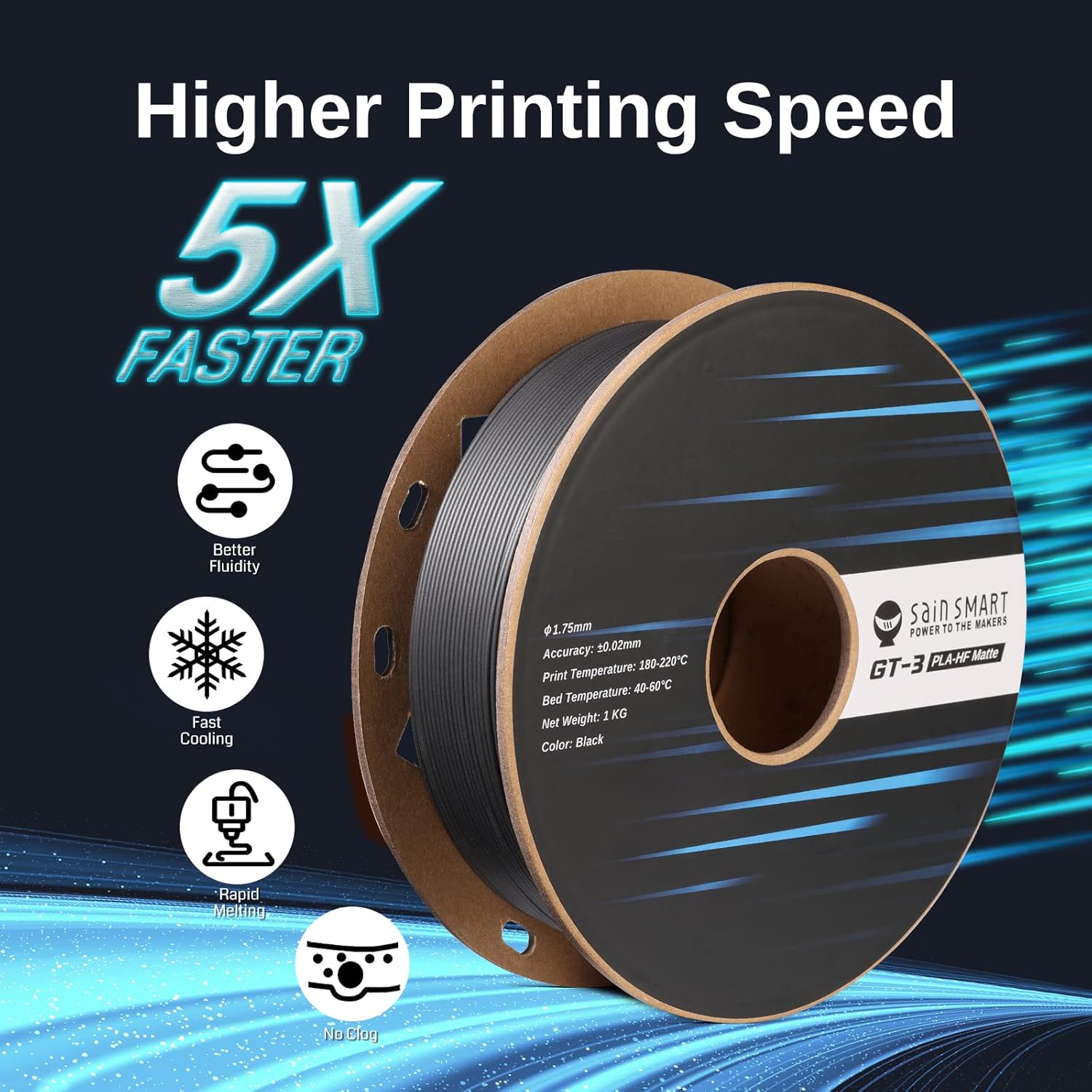
Image 3.6: Features of SainSmart GT-3 PLA, emphasizing its 5X faster printing capability.
The GT-3 PLA also provides an elegant matte surface finish, which can help visually hide layer lines, resulting in smoother-looking prints.

Image 3.7: Example of a print with an elegant matte surface, demonstrating how it can visually minimize layer lines.

Image 3.8: A speed test comparison illustrating the significant time reduction when printing with GT-3 PLA versus regular PLA.
4. Maintenance
Regular maintenance ensures the longevity and optimal performance of your 3D printer:
- Clean the Print Bed: After each print, clean the print bed with isopropyl alcohol to remove any residue and ensure good adhesion for future prints.
- Nozzle Inspection: Periodically inspect the nozzle for wear or clogs. Replace the nozzle if it shows signs of damage or consistent clogging.
- Lubricate Moving Parts: Apply a small amount of lithium grease or similar lubricant to the linear rails and lead screws every few months to ensure smooth movement.
- Tighten Belts and Screws: Check and tighten all belts and screws regularly to prevent loose components from affecting print quality.
- Firmware Updates: Check the official Creality website for any available firmware updates for your Ender 3 V3 KE to ensure you have the latest features and bug fixes.
5. Troubleshooting
Here are some common issues and their potential solutions:
- Poor First Layer Adhesion:
- Ensure the print bed is clean and free of grease.
- Re-level the print bed using the automatic leveling function.
- Adjust the Z-offset slightly closer to the bed during the first layer.
- Increase print bed temperature.
- Filament Clogging:
- Check if the nozzle temperature is appropriate for the filament.
- Clean or replace the nozzle.
- Ensure the filament path is clear and free of debris.
- Verify the filament is not tangled on the spool.
- Layer Shifting:
- Check and tighten the X and Y axis belts.
- Ensure the print speed is not excessively high.
- Verify that the stepper motor drivers are not overheating.
- Poor Print Quality (Stringing, Blobs):
- Adjust retraction settings in your slicing software.
- Ensure proper cooling of the printed layers.
- Calibrate E-steps for correct filament extrusion.
6. Specifications
| Feature | Description |
|---|---|
| Product Name | Official Creality Ender 3 V3 KE 3D Printer & SainSmart GT-3 High Speed Matte PLA |
| Brand | SainSmart (for bundle) / Creality (for printer) |
| Printer Model | Ender 3 V3 KE |
| Filament Type | SainSmart GT-3 High Speed Matte PLA |
| Filament Material | Polylactic Acid |
| Filament Color | Black |
| Filament Diameter | 1.75mm (±0.02mm) |
| Max Printing Speed | 500mm/s |
| Max Acceleration | 8000mm/s² |
| Hotend | Bi-metal Heatbreak, 60W Ceramic Heater |
| Operating System | Linux (for printer OS) |
| Compatible Devices | Laptop, Smartphone (for control apps) |
| ASIN | B0CR4B2CFS |
7. Warranty and Support
For warranty information and technical support, please refer to the official SainSmart and Creality websites. Typically, products come with a standard manufacturer's warranty covering defects in materials and workmanship.
For further assistance, you may visit the SainSmart Store on Amazon or contact their customer service directly.