
Important Safety Information
Please read all safety and usage information before using this product. Improper use can lead to injury or damage.
- This training collar is designed for dogs weighing 15-120 lbs. Do not use on dogs under 6 months old.
- Not intended for use with aggressive dogs. If your dog is aggressive, consult a professional trainer before using this device.
- Ensure the collar fits properly. It should be snug enough for the contact points to touch the dog's skin, but not so tight as to restrict breathing or cause discomfort.
- Avoid leaving the collar on the dog for more than 8-12 hours per day to prevent skin irritation. Reposition the receiver every 1-2 hours.
- Regularly check your dog's skin for any signs of irritation, redness, or sores. Discontinue use if irritation occurs and consult a veterinarian.
- Always supervise your dog during training sessions.
- Caution: Attaching a leash to the training collar for walking may cause neck injuries due to the contact prongs. Use a separate standard collar for leash attachment.

Image: Illustration of incorrect leash attachment to a training collar, highlighting the risk of neck injury.
Product Components
The Jugbow Shock Collar for Dogs package includes the following items:
- Remote Transmitter
- Receiver Collar
- Adjustable Eco-Durable Strap
- Short and Long Contact Points
- Silicone Conductive Caps
- Test Light Tool
- 2-in-1 USB Charging Cable
- User Manual
- Lanyard for Remote
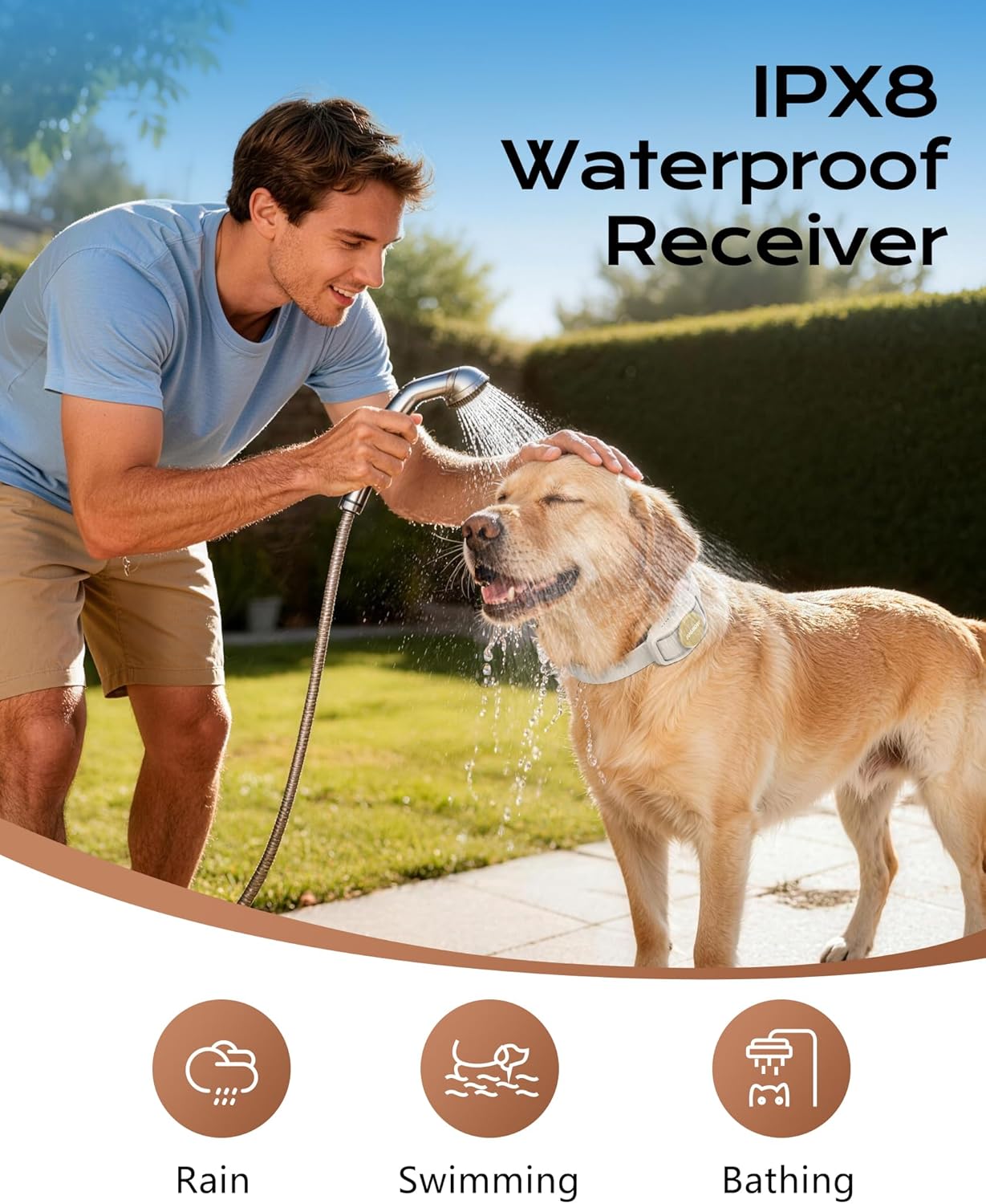
Image: Overview of all included components: remote, receiver, collar strap, charging cable, contact points, and user manual.
Video: A detailed unboxing and overview of the Jugbow Beige Dog Training Collar components.
Setup
Charging the Devices
Before first use, fully charge both the remote transmitter and the receiver collar. Use the provided 2-in-1 USB charging cable.
- Connect the charging cable to both the remote and receiver.
- Plug the USB end into a standard USB power adapter (not included).
- The battery indicator on both devices will show charging status.
- A full charge typically takes 2 hours and provides up to 35 days of standby for the receiver and 45 days for the remote.
Attaching the Collar Strap
The adjustable eco-durable strap can be easily attached to the receiver collar. Thread the strap through the loops on the receiver until secure.
Fitting the Receiver Collar
Proper fit is crucial for effective and humane training. The collar should be positioned high on your dog's neck, just below the ears.
- Ensure the contact points make direct contact with your dog's skin. You may need to part thick fur.
- The fit should allow two fingers to comfortably slide between the strap and your dog's neck.
- Reposition the receiver on the pet's neck every 1-2 hours to prevent pressure sores.
- Use the appropriate length contact points (short for short-haired dogs, long for long-haired dogs) and attach the silicone conductive caps for comfort.

Image: A person adjusting the collar on a dog, illustrating the adjustable strap and proper fit around the neck.

Image: Detail of the silicone prongs on the receiver, emphasizing safe and comfortable use and warning against removing the silicone cover.
Pairing the Remote and Receiver
The devices are typically pre-paired from the factory. If re-pairing is needed:
- Ensure both devices are fully charged and powered off.
- Press and hold the power button on the receiver until the indicator light flashes rapidly.
- Within 10 seconds, press any training mode button (Beep, Vibration, or Shock) on the remote.
- The receiver's indicator light will stop flashing and remain solid, indicating successful pairing.
Operating Instructions
Remote Control Overview
The ergonomic remote is designed for easy one-handed operation. It features a safety lock and a detachable lanyard.
- Display Screen: Shows battery level, selected training mode, and intensity level.
- Mode Selection/Intensity Adjustment Dial: Press to cycle through modes (Beep, Vibration, Shock). Rotate to adjust intensity levels within the selected mode.
- Beep Button: Delivers an audible tone. (F1-F3 levels)
- Vibration Button: Delivers a gentle vibration. (1-3 levels)
- Shock Button: Delivers a safe static stimulation. (0-16 levels)
- LED Light Button: Activates the built-in LED light on the receiver for visibility.
- On/Off Button (Side): Powers the remote on or off.

Image: The remote control displaying its screen and function buttons.

Image: The remote control with its lanyard and safety lock, designed for secure handling.
Video: Demonstrates the remote control's functions and how to operate the training modes.
Training Modes
The collar offers three distinct training modes:
- Beep Mode (F1-F3): Provides an audible warning. Press the beep button to activate. Adjust the frequency level using the dial.
- Vibration Mode (1-3 Levels): Delivers a gentle vibration. Press the vibration button to activate. Adjust the intensity level using the dial.
- Safe Shock Mode (0-16 Levels): Provides static stimulation. Press the shock button to activate. Adjust the intensity level using the dial. Start at the lowest level and increase gradually if necessary.

Image: Visual representation of the three training modes and their adjustable levels.
LED Light Function
The receiver collar includes a built-in LED light for enhanced visibility during evening walks or in low-light conditions.
- Press the LED light button on the remote to turn the light on.
- Press again to turn it off.

Image: A dog wearing the collar with its LED light on, demonstrating its use for night visibility.
2-Channel Control
The remote allows you to train up to two dogs simultaneously. Use the channel switch to select which dog you are controlling.
- Switch between Channel 1 and Channel 2 to control individual receiver collars.
- The remote's memory function will remember your last settings for each channel.

Image: A person using the remote control to manage two dogs in a yard, highlighting the 2-channel feature.
Remote Range
The Jugbow training collar offers an extended remote range of up to 4200 feet, providing confident control in various environments.

Image: Visual representation of the collar's 4200FT remote range, suitable for large outdoor spaces.
Maintenance
Proper maintenance ensures the longevity and effectiveness of your Jugbow training collar.
- Cleaning: Regularly clean the collar strap and receiver with a damp cloth. Avoid harsh chemicals.
- Contact Points: Periodically check the contact points for debris or damage. Ensure they are clean and securely attached.
- Battery Care: Charge the devices when the battery indicator is low. Avoid overcharging or completely draining the battery for extended periods.
- Storage: Store the collar and remote in a cool, dry place when not in use.

Image: The IPX8 waterproof receiver collar being tested with water, indicating its durability for various conditions.
Troubleshooting
If you encounter issues with your Jugbow training collar, refer to the following common solutions:
- Collar Not Responding: Ensure both the remote and receiver are powered on and fully charged. Check if they are properly paired.
- No Stimulation: Verify the contact points are making proper skin contact. Adjust the collar's tightness or use longer contact points if your dog has thick fur. Use the test light tool to confirm stimulation is working.
- Skin Irritation: Loosen the collar, reposition it, or remove it for a period. Ensure the silicone caps are used. Consult a veterinarian if irritation persists.
- Reduced Range: Ensure there are no large obstacles between the remote and receiver. Check battery levels.
- Battery Not Charging: Ensure the charging cable is securely connected to both devices and the power source. Try a different USB adapter.
Specifications
| Feature | Detail |
|---|---|
| Model Name | JW-BG |
| Item Model Number | JB-BG |
| Item Weight | 11.3 ounces |
| Item Package Dimensions | 7.09 x 4.96 x 2.32 inches |
| Batteries | 1 Nonstandard Battery required (included) |
| Material | Plastic |
| Color | Beige |
| Breed Recommendation | All Breeds (15-120 lbs) |
| Included Components | Dog Training Collar, Leash, Remote Control |
| Specific Uses for Product | Indoor, Outdoor |
| Waterproofing | IPX8 |
| Remote Range | 4200FT |
| Training Modes | Beep (F1-F3), Vibration (1-3 levels), Safe Shock (0-16 levels) |
Warranty and Support
Jugbow offers a 1-year replacement warranty for this product, ensuring peace of mind for your purchase.
- For warranty claims or technical support, please visit the official Jugbow website or contact customer service.
- Keep your purchase receipt as proof of purchase.

Image: A badge indicating a 1-year replacement promise, alongside the product and its packaging.


