
1. Product Overview
The LOKITHOR J400 is a portable jump starter designed to provide emergency power for vehicles with dead batteries. It features a high peak current, advanced safety protections, and additional functionalities like USB charging and an LED flashlight. This device is suitable for a range of vehicles and offers reliable performance.
- Instant Start: Delivers up to 2000A peak current to jump start vehicles with up to 8.0L gas or 6.0L diesel engines.
- ConnectMax Technology: Intelligent connection detection for efficient and reliable starts.
- Advanced Safety: Built-in Battery Management System (BMS) and smart clamps provide multiple layers of protection.
- Multi-functional: Functions as a jump starter, power bank for USB devices, and a 300-lumen LED flashlight with SOS mode.
- Smart Display: A 5.75-inch screen provides real-time status updates.
- High-Rate Lithium Cells: Utilizes 80C lithium cells for powerful energy delivery.
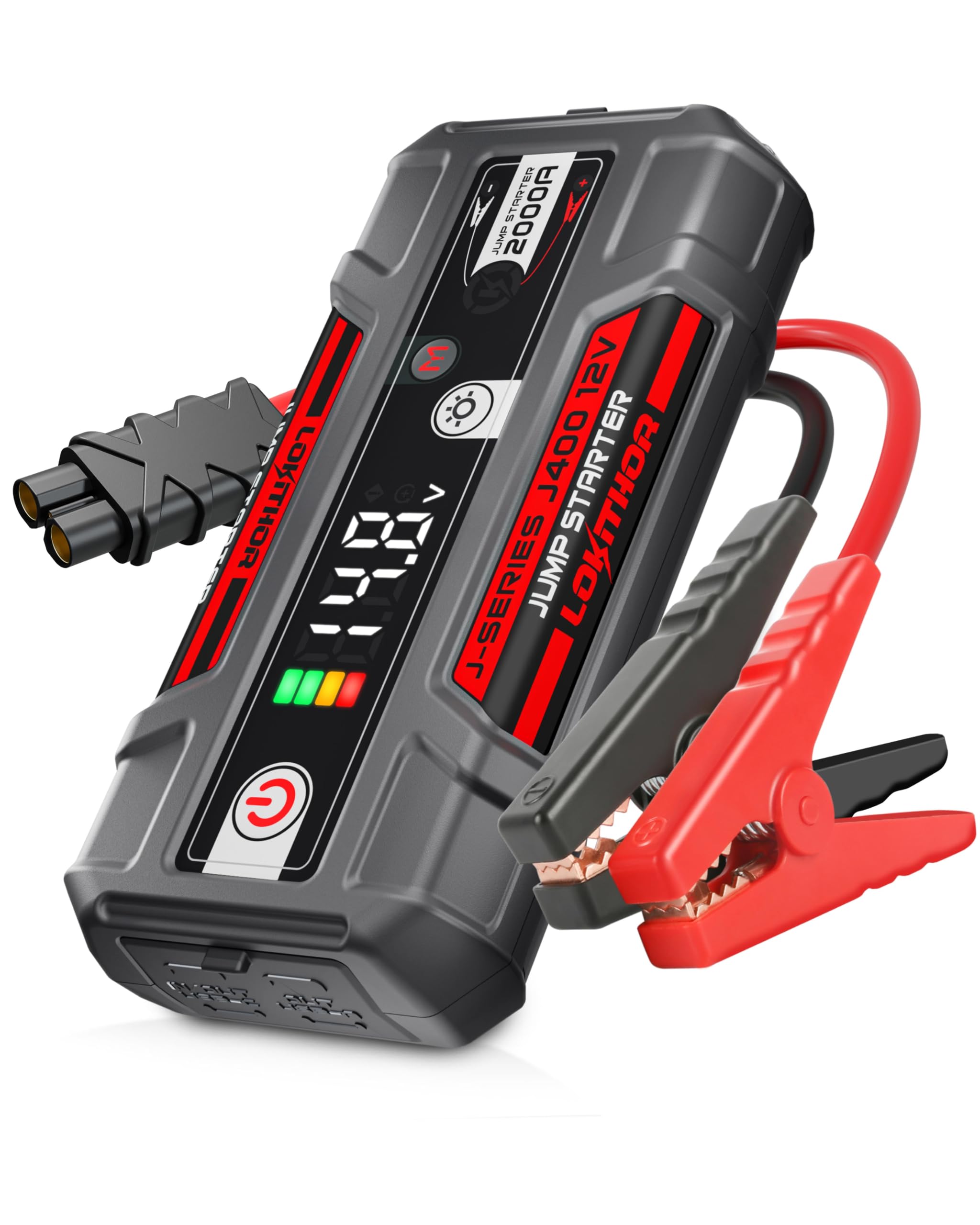
Figure 1: LOKITHOR J400 Portable Jump Starter.

Figure 2: The J400 is designed to be compact and powerful for various vehicle types.

Figure 3: The J400 can start flat batteries, providing 25 starts with 2000A peak for 8.0L gas / 6.0L diesel engines.
2. What's in the Box
Upon opening the package, ensure all the following components are present:
- J400 Jump Start Battery Pack
- Jump Starter Clamps (Red and Black)
- USB-A to USB-C Charging Cable
- User Manual (this document)

Figure 4: Included components: J400 unit, user manual, USB-C cable, and heavy-duty booster clamps.
3. Safety Information
Please read and understand all safety instructions before using the LOKITHOR J400. Improper use can result in injury or damage to the device or vehicle. A detailed Safety Information PDF is available for download.
- Operate in strict accordance with the instructions provided.
- The starting power supply is only for 12V starting. Do not attempt to start vehicles exceeding this voltage.
- Do not use the J400 if it has been excessively shocked, dropped, or otherwise damaged.
- Do not attempt to jump start a vehicle while the product is charging.
- Do not disassemble the starting power supply without authorization.
- Ensure correct polarity when connecting clamps to the battery terminals.

Figure 5: The J400 features extreme safety with spark-proof and mistake-proof design.

Figure 6: The J400 incorporates 10 safety protection technologies for secure operation.
4. Setup and Charging
4.1 Initial Charging
Before first use, fully charge the LOKITHOR J400. Connect the provided USB-A to USB-C cable to the unit's USB-C input port and a suitable USB power adapter (not included). The display will indicate charging status. A full charge typically takes approximately 1.5 hours.
4.2 Recharging Devices
The J400 can also serve as a power bank. Use the USB-A or USB-C output ports to charge your electronic devices. The unit provides 3.0A output for both USB-A and USB-C.

Figure 7: The J400 supports fast charging for both itself and external devices.
5. Operating Instructions
5.1 Jump Starting a Vehicle
- Attach Clamps: Connect the red (positive) clamp to the positive (+) terminal of the vehicle battery and the black (negative) clamp to the negative (-) terminal. Ensure a secure connection.
- Power On: Press the power button on the J400 unit. The smart display will activate.
- Start Vehicle: Once the display indicates 'Ready to Start' (green K-shaped LED), start your vehicle.
- Power Off & Detach: After the vehicle starts, immediately power off the J400 and detach the clamps from the battery terminals.

Figure 8: Easy 4-step process for jump starting your vehicle.
5.2 ConnectMax Technology
The J400 features ConnectMax Technology, which intelligently detects the impedance of the clamp connection to the car battery. This system automatically adjusts the output for maximum efficiency, reducing the risk of failed starts. It is particularly beneficial for older batteries with accumulated contaminants or for new users who might experience poor connection.

Figure 9: ConnectMax Technology ensures a reliable jump start every time.
5.3 Smart Display and Indicators
The 5.75-inch large control center provides clear, real-time updates on battery status, connection, and alerts. This allows you to monitor the operation with confidence.

Figure 10: The large display provides essential information at a glance.

Figure 11: Explanation of LED indicators and digital display messages.
5.4 Flashlight Function
The J400 includes a 300-lumen LED flashlight with multiple modes for roadside emergencies or general use in low-light conditions.
- Normal Light: Provides steady illumination.
- SOS Mode: Emits an SOS signal for emergencies.
- Strobe Mode: Flashing light for signaling or warning.

Figure 12: The integrated 300 lumen LED flashlight.

Figure 13: The flashlight offers Emergency, SOS, and Strobe modes.
6. Maintenance and Storage
Proper maintenance ensures the longevity and reliability of your LOKITHOR J400.
- Charging: Charge the unit after receiving it and every few months to ensure it remains in good condition for next use.
- Cleaning: Wipe the unit with a dry, soft cloth. Do not use harsh chemicals or abrasive materials.
- Storage: Store the J400 in a cool, dry place away from direct sunlight and extreme temperatures. The unit has an ultra-long standby time of up to 24 months on a single charge.
- Durability: The shell is made of high-density, harmless polymer material, designed to withstand drops and extreme temperatures.

Figure 14: The J400 offers an ultra-long standby time of 24 months.

Figure 15: The J400's durable polymer shell is designed for resilience.
7. Troubleshooting
Refer to the table below for common error codes and their solutions.
| Display | Explanation | Reason / Solution |
|---|---|---|
| 150 | Over-temperature protection | Wait for the product to cool down. |
| 160 | Under-temperature protection | Keep the product at the appropriate temperature. |
| 200 | Product abnormality | Restart the product. |
| 430 | External over voltage | If the displayed voltage is lower than 15V, please charge the product before using it again. |
| 450 | Startup failed | After confirming the correct connection, please refer to the manual to use boost start mode. |
| Exception Icon: ⚠ | Reverse connection protection | Correctly connect the car battery. |
| Exception Icon: ⚠ | Abnormal status | Release the corresponding error status. |
Table 1: Troubleshooting Error Codes and Solutions.
