
DOSS SoundBox XL
Contents
DOSS SoundBox XL Bluetooth Speaker User Manual
Model: SoundBox XL
Introduction
Thank you for purchasing the DOSS SoundBox XL Bluetooth Speaker. This manual provides essential information for setting up, operating, and maintaining your speaker to ensure optimal performance and longevity. Please read this manual thoroughly before using the product.
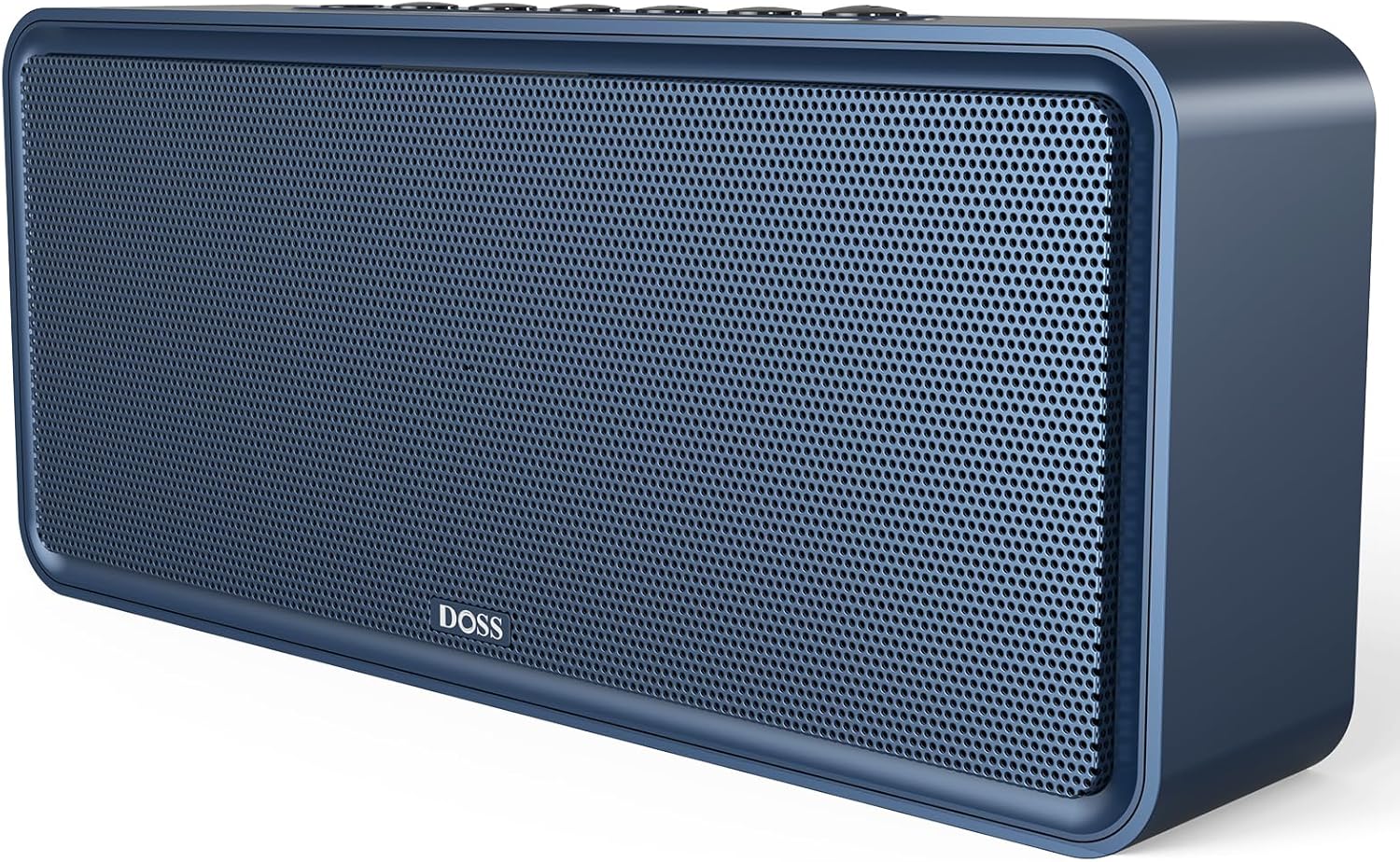
Image: The DOSS SoundBox XL Bluetooth Speaker in blue, showcasing its sleek, rectangular design with a perforated metal grille and control buttons on top.
Package Contents
- DOSS SoundBox XL Bluetooth Speaker
- USB-C Charging Cable
- User Manual (this document)
Product Overview
Familiarize yourself with the various components and controls of your DOSS SoundBox XL speaker.
Control Panel

Image: Close-up of the top control panel of the DOSS SoundBox XL, showing buttons for power, mode, volume down, volume up, previous track, play/pause, and next track.
- Power Button: Press and hold to turn on/off.
- Mode Button (M): Short press to switch between Bluetooth, AUX, and TF Card modes.
- Volume Down (-): Short press to decrease volume.
- Volume Up (+): Short press to increase volume.
- Previous Track: Short press to go to the previous song.
- Play/Pause: Short press to play or pause music.
- Next Track: Short press to go to the next song.
Rear Ports

Image: Close-up of the rear panel of the DOSS SoundBox XL, showing the Type-C 5V 2A charging port, AUX IN port, and TF CARD slot.
- Type-C 5V 2A: Charging port for the speaker.
- AUX IN: 3.5mm audio input for wired connection.
- TF CARD: Slot for playing music directly from a TF (MicroSD) card.
Setup
Charging the Speaker
Before first use, fully charge the speaker. Connect the provided USB-C cable to the Type-C port on the speaker and the other end to a 5V/2A USB power adapter (not included). The LED indicator will show charging status.
Powering On/Off
Press and hold the Power button (ⓘ) on the top panel for 2-3 seconds to turn the speaker on or off.
Operating Instructions
Bluetooth Pairing
- Turn on the DOSS SoundBox XL. It will automatically enter Bluetooth pairing mode, indicated by a blinking blue LED light.
- Enable Bluetooth on your device (smartphone, tablet, computer).
- Search for "DOSS SoundBox XL" in your device's Bluetooth list and select it to connect.
- Once connected, the blue LED light will remain solid. You can now play audio through the speaker.
AUX-In Mode
Connect your audio device to the AUX IN port on the speaker using a 3.5mm audio cable (not included). The speaker will automatically switch to AUX mode. If not, press the Mode button (M) to select AUX mode.
TF Card Mode
Insert a TF (MicroSD) card with MP3 audio files into the TF CARD slot. The speaker will automatically switch to TF Card mode and begin playing. If not, press the Mode button (M) to select TF Card mode.
True Wireless Stereo (TWS) Pairing
The DOSS SoundBox XL supports TWS functionality, allowing you to pair two SoundBox XL speakers for a true stereo sound experience.

Image: Two DOSS SoundBox XL speakers positioned in a bedroom setting, illustrating their ability to be paired for a wireless stereo sound experience.
- Ensure both DOSS SoundBox XL speakers are powered on and not connected to any Bluetooth device.
- On one speaker (this will be the primary speaker), press and hold the Play/Pause button for 3 seconds until you hear a prompt indicating TWS pairing mode.
- The two speakers will automatically connect to each other. Once connected, you will hear a confirmation sound.
- Now, connect your device to the primary speaker via Bluetooth as described in the "Bluetooth Pairing" section. Audio will play in stereo through both speakers.
Sound Quality and Features
The SoundBox XL features a 2.1 audio channel design with a 3-inch subwoofer, dual 2-inch full-range drivers, and dual passive radiators, delivering 32W of powerful sound with booming bass. Dual DSP technologies ensure precise acoustic tuning for natural vocals and enhanced low-end tones, providing an ultra-wide frequency range from 50 Hz to 20 kHz.

Image: An exploded view of the DOSS SoundBox XL, highlighting its internal 3-inch subwoofer, dual 2-inch full-range drivers, and dual passive radiators, which contribute to its powerful 32W sound output.

Image: A detailed view of the circuit board with DSP (Digital Signal Processor) chips, illustrating the advanced technology used for precise acoustic tuning in the DOSS SoundBox XL.

Image: The DOSS SoundBox XL speaker placed on a coffee table in a living room, with sound waves emanating from it, visually representing its ultra-wide soundstage capability.
Video Demonstration
Video: A demonstration of the DOSS SoundBox XL speaker, highlighting its features and sound quality. This video shows the speaker's design, control buttons, and various connectivity options, including Bluetooth, AUX-in, and TF card. It also briefly showcases the sound output, emphasizing its suitability for home entertainment.
Maintenance
- Keep the speaker away from water and liquids. While it has some water resistance, it is not waterproof.
- Clean the speaker with a soft, dry cloth. Do not use abrasive cleaners or solvents.
- Store the speaker in a cool, dry place when not in use for extended periods.
- Avoid exposing the speaker to extreme temperatures or direct sunlight.
Troubleshooting
| Problem | Possible Cause | Solution |
|---|---|---|
| Speaker does not turn on. | Low battery. | Charge the speaker fully using the USB-C cable. |
| No sound. | Volume too low; Incorrect mode; Device not connected. | Increase volume; Press 'M' button to switch modes; Re-pair Bluetooth or check AUX/TF card connection. |
| Bluetooth connection unstable. | Device too far; Obstacles; Interference. | Move device closer to speaker (within 66 feet); Remove obstacles; Avoid other wireless devices. |
| TWS pairing fails. | Speakers already connected to other devices; Too far apart. | Ensure both speakers are disconnected from other devices; Place speakers close to each other during pairing. |
Specifications
- Model Name: SoundBox XL
- Speaker Type: Subwoofer
- Material: Acrylonitrile Butadiene Styrene (ABS)
- Speaker Maximum Output Power: 32 Watts
- Audio Output Mode: Stereo
- Connectivity Technology: Wireless (Bluetooth), Wired (AUX, USB)
- Wireless Communication Technology: Bluetooth
- Bluetooth Range: 66 Feet
- Power Source: Battery Powered
- Battery Life: 10 Hours
- Charging Time: 3 Hours
- Product Dimensions: 11.8"D x 2.6"W x 5.2"H
- Item Weight: 3.5 pounds
- Water Resistance Level: Water Resistant (Not Waterproof)
- Included Components: Speaker, USB-C cable

Image: A diagram showing the dimensions of the DOSS SoundBox XL speaker: 11.8 inches in length, 2.6 inches in width, and 5.2 inches in height.
Warranty and Support
The DOSS SoundBox XL speaker comes with a Limited Warranty. For specific details regarding warranty coverage and terms, please refer to the warranty card included in your product packaging or visit the official DOSS website.
Customer Support
If you encounter any issues or have questions about your DOSS SoundBox XL, please contact our customer support team:
- Phone: 1-833-275-3677
- Email: support@dossav.com
Our support team is committed to providing 24-hour prompt assistance and support.

Image: A graphic displaying customer support contact details, including a phone number (1-833-275-3677) and email address (support@dossav.com), with a note about 24-hour prompt assistance.
Documents and downloads
Ask a question about this manual
Ask about setup, troubleshooting, compatibility, parts, safety, or missing instructions. Manuals+ will review the question and use this page’s manual context to help answer it.