1. Product Overview
This manual provides essential information for the installation, operation, and maintenance of BIVOL compatible toner cartridges. These cartridges are designed to deliver high-quality prints for compatible Toshiba E STUDIO printers.
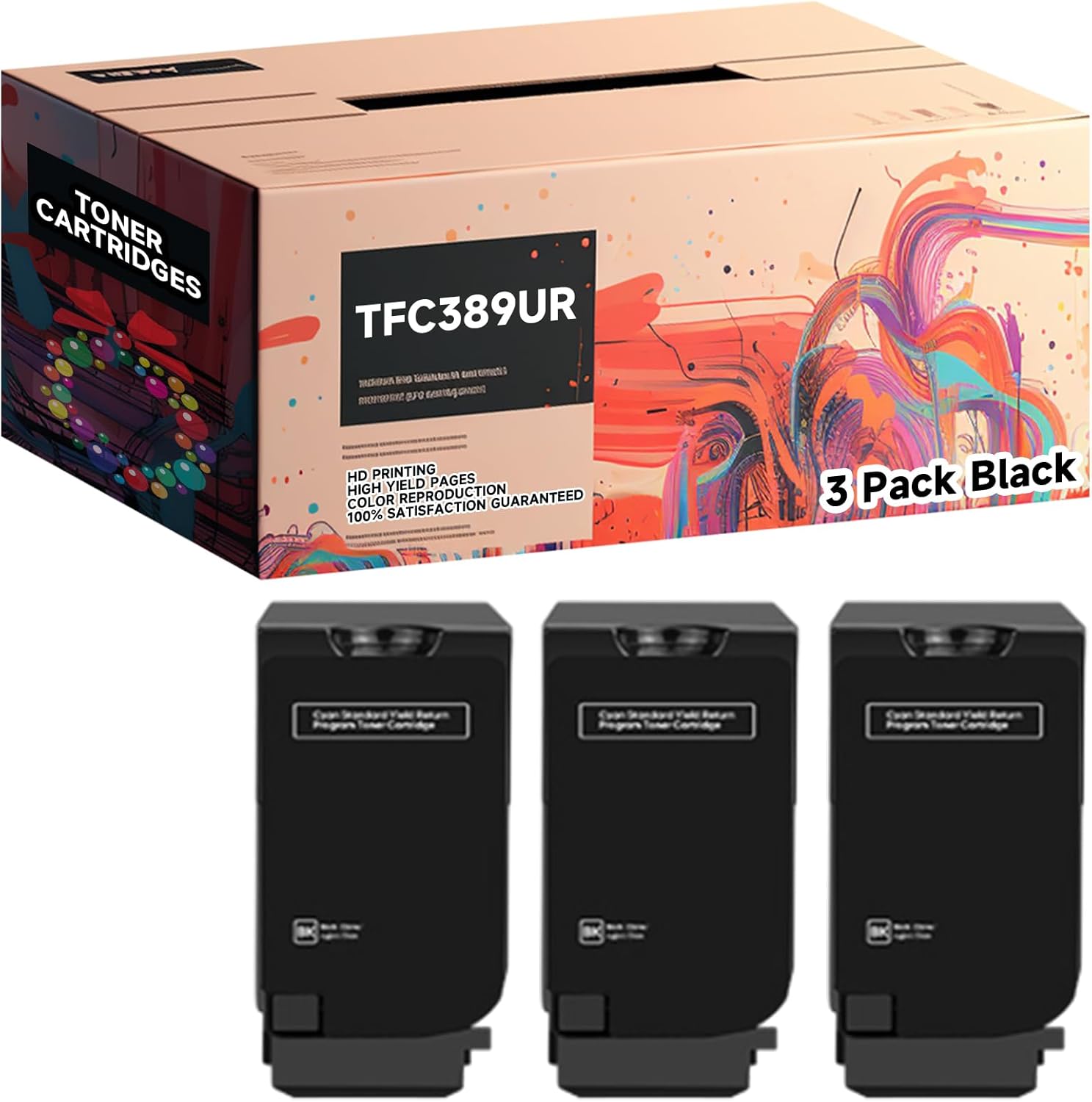
Image: A box labeled "TONER CARTRIDGES TFC389UR" and "3 Pack Black" is shown above three individual black toner cartridges. This illustrates the product packaging and the cartridges included in the 3-pack.
2. Compatibility
These BIVOL compatible toner cartridges are specifically engineered to work with the following Toshiba E STUDIO printer models:
- Toshiba E STUDIO 389CS
- Toshiba E STUDIO 479CS

Image: A graphic illustrating compatible printer models. On the left, a person is operating a large office printer. On the right, a stylized printer icon is shown with text indicating compatibility with "Toshiba E STUDIO 389CS" and "E STUDIO 479CS".
3. Key Features
- Exceptional Print Quality: These toner cartridges are designed to produce crisp, clear, and vibrant prints, suitable for professional documents and images.
- High Page Yield: Each black toner cartridge provides an estimated yield of 21,000 pages, ensuring extended use and reducing the frequency of replacements. Color cartridges (Cyan, Magenta, Yellow) yield approximately 14,000 pages each.

Image: A visual comparison of page yield. A stack of printed pages labeled "OUR" is significantly taller than a stack labeled "OTHERS", illustrating the higher page yield of these cartridges. Text indicates "Black (BK/K): 21000 pages" and "Color (C/M/Y): 14000 pages".
- Consistent Printing Effect: The cartridges are engineered to deliver consistent black and color printing results.

Image: Examples of black and white printing. Two images are shown: a cat yawning and a person kissing a cat, demonstrating the clarity of monochrome prints.

Image: Examples of color printing. Two images are shown: colorful parrots and a variety of fresh fruits and vegetables, demonstrating the vibrancy of color prints.
- Easy Installation: Designed for straightforward installation, matching OEM specifications for seamless integration with your printer.
- Environmentally Friendly: Manufactured using eco-friendly materials and adhering to recycling standards to help reduce environmental impact.

Image: A visual representing the quality of the toner. Colorful toner powders (cyan, magenta, yellow, black) are shown, some in test tubes, with text highlighting "Quality assurance", "High page yield", "Premium Product", "HD printing", "Bright colors", and "Easy installation".
4. Setup and Installation
Follow these general steps to install the toner cartridge. Always refer to your specific Toshiba E STUDIO printer's user manual for detailed, model-specific instructions.
- Unpack the Cartridge: Carefully remove the new toner cartridge from its packaging. Avoid touching the drum or electrical contacts.
- Shake Gently: Gently rock the cartridge horizontally several times to distribute the toner evenly inside.
- Remove Protective Seals: Remove any orange protective clips, tapes, or seals as indicated on the cartridge or in your printer's manual.
- Open Printer Access: Open the toner access door or cover on your Toshiba E STUDIO printer.
- Remove Old Cartridge: Carefully pull out the old, empty toner cartridge.
- Insert New Cartridge: Align the new cartridge with the slot and slide it firmly into place until it clicks.
- Close Printer Access: Close the toner access door or cover. The printer may perform a calibration cycle.
Note: Dispose of empty cartridges responsibly according to local regulations or recycling programs.
5. Operating Instructions
Once the toner cartridge is installed, your Toshiba E STUDIO printer is ready for operation. The printer will automatically detect the new cartridge and adjust settings as needed.
- Ensure your printer is connected to your computer or network.
- Load the appropriate paper type and size into the paper tray.
- Initiate print jobs from your computer or directly from the printer's control panel.
- Monitor the printer's display for any messages regarding toner levels or print status.
These cartridges are designed for consistent performance throughout their lifespan, providing reliable output for various applications.

Image: A hexagonal collage showing various environments where printing is utilized: Home, Store, School, Office, and Bank. This illustrates the wide range of applications for which these toner cartridges are suitable.
6. Maintenance
Proper handling and storage can extend the life and performance of your toner cartridges:
- Store unused cartridges in their original sealed packaging in a cool, dry place away from direct sunlight and extreme temperatures.
- Avoid exposing the toner cartridge to excessive light, especially the drum unit, as this can damage it.
- Do not attempt to refill the cartridges, as this can lead to print quality issues and potential damage to your printer.
- Regularly clean your printer according to its manufacturer's guidelines to prevent dust and toner buildup, which can affect print quality.
7. Troubleshooting
If you encounter issues with your toner cartridges, consider the following common troubleshooting steps:
| Problem | Possible Cause | Solution |
|---|---|---|
| Faded or Light Prints | Low toner level; uneven toner distribution. | Gently shake the cartridge to redistribute toner. If problem persists, replace the cartridge. |
| Streaks or Smudges | Damaged drum unit; dirty printer components. | Check the cartridge for visible damage. Clean the printer's internal components as per your printer manual. |
| "Toner Low" or "Replace Toner" Message After Installation | Cartridge not seated correctly; printer not reset. | Remove and reinsert the cartridge firmly. Restart the printer. Consult your printer manual for specific reset procedures. |
| Printer Not Recognizing Cartridge | Poor contact with printer; faulty chip. | Ensure the cartridge is fully seated. Clean the electrical contacts on the cartridge and in the printer with a lint-free cloth. |
For persistent issues, refer to your Toshiba E STUDIO printer's comprehensive troubleshooting guide or contact customer support.
8. Specifications
| Attribute | Detail |
|---|---|
| Brand | BIVOL |
| Model Numbers | TFC389UKR, TFC389UCR, TFC389UMR, TFC389UYR |
| Compatible Devices | Toshiba E STUDIO 389CS, 479CS |
| Page Yield (Black) | Up to 21,000 pages |
| Page Yield (Color) | Up to 14,000 pages (per color cartridge) |
| Special Feature | High Yield |
| Included Components | Toner Cartridge |
| Item Weight | 2.2 pounds (approx. per pack) |
| Product Dimensions | 10 x 5 x 5 inches (approx. per pack) |
| Country of Origin | China |
9. Warranty and Support
For any questions regarding product warranty, technical support, or assistance with installation and troubleshooting, please contact the seller directly through the platform where the purchase was made. They will be able to provide the most accurate and timely support for your BIVOL compatible toner cartridges.