
LUDOMIDE Y1095-WH02
Contents
LUDOMIDE 20" Modern White Flush Mount Ceiling Fan with Lights User Manual
Model: Y1095-WH02
Introduction
Thank you for choosing the LUDOMIDE 20" Modern White Flush Mount Ceiling Fan with Lights. This product combines modern design with advanced functionality, including smart app and voice control, to enhance your living space. This manual provides detailed instructions for safe installation, operation, maintenance, and troubleshooting to ensure optimal performance and longevity of your ceiling fan.

Image: LUDOMIDE 20" Modern White Flush Mount Ceiling Fan with Lights.
Important Safety Information
Please read all instructions carefully before beginning installation. Failure to follow these instructions may result in electric shock, fire, or serious personal injury.
- Always disconnect power at the circuit breaker or fuse box before installing, cleaning, or servicing the fan.
- Consult a qualified electrician if you are unsure about the wiring process.
- Ensure all electrical connections are made in accordance with local codes and ordinances.
- The fan must be properly grounded to prevent potential electrical shock.
- Do not use this fan in wet or damp locations. It is designed for indoor use only.
- Keep hands, hair, and clothing clear of the fan blades during operation.
- Do not attempt to repair or modify the fan yourself. Contact customer support for assistance.
Package Contents
Verify that all components are present and undamaged before proceeding with installation:
- Ceiling Fan Unit (pre-assembled)
- Remote Control
- Mounting Bracket
- Mounting Hardware (screws, wire nuts, S-hook)
- User Manual

Image: Key components of the ceiling fan.
Setup and Installation
The LUDOMIDE ceiling fan is designed for hassle-free installation, with most components pre-assembled. Follow these steps carefully:
Pre-Installation Checklist
- Turn off Power: Before starting, ensure the power supply to the ceiling fan location is turned off at the circuit breaker or fuse box.
- Mounting Location: Verify that the ceiling electrical box is securely mounted and capable of supporting the fan's weight (approximately 9.23 pounds).
- Tools Required: Gather necessary tools such as a screwdriver, wire strippers, and a sturdy ladder.
Installation Steps
- Attach Mounting Bracket: Secure the mounting bracket to the ceiling electrical box using the provided screws. Ensure it is firmly attached.
- Hang Fan Unit: Use the included S-hook to temporarily hang the fan unit from the mounting bracket. This will support the fan while you make electrical connections.
- Connect Wiring: Connect the electrical wires from the ceiling to the fan unit's wires. Typically, this involves connecting Live (black), Neutral (white), and Ground (green/bare copper) wires using wire nuts. Refer to local electrical codes for specific color conventions.
- Secure Fan Unit: Once wiring is complete, carefully lift the fan unit and align it with the mounting bracket. Secure the fan to the bracket using the remaining screws. Ensure all connections are tight and the fan is stable.
- Restore Power: Turn the power back on at the circuit breaker.
- Test Functionality: Test the fan and light functions using the remote control or smart app.
Operating Instructions
Your LUDOMIDE ceiling fan offers multiple convenient control options:
Control Methods
The fan can be controlled via the included remote control, the Tuya Smart App, or voice commands through Amazon Alexa or Google Assistant.

Image: Control options including remote, app, and voice control.
Light Control
- Stepless Dimming: Adjust the brightness of the LED lighting from 10% to 100% to suit your preference.
- Adjustable Light Temperatures: Choose from three distinct light temperatures:
Warm Yellow Light (3000K) for a cozy ambiance.
Natural White Light (4500K) for balanced illumination.
Bright Day Light (6000K) for clear, vibrant lighting. - Light Memory Function: The fan remembers your last chosen color temperature and brightness setting when turned off and on via the remote or app.

Image: LED light temperature and brightness adjustment.
Fan Control
- 6 Wind Speeds: Select from six different wind speeds to achieve your desired airflow.
- Natural Wind Function: Mimics natural breezes by varying fan speed.
- Reverse Function: Change the direction of the fan blades for year-round comfort. In summer, blades rotate counter-clockwise to create a cooling downdraft. In winter, they rotate clockwise to circulate warm air.
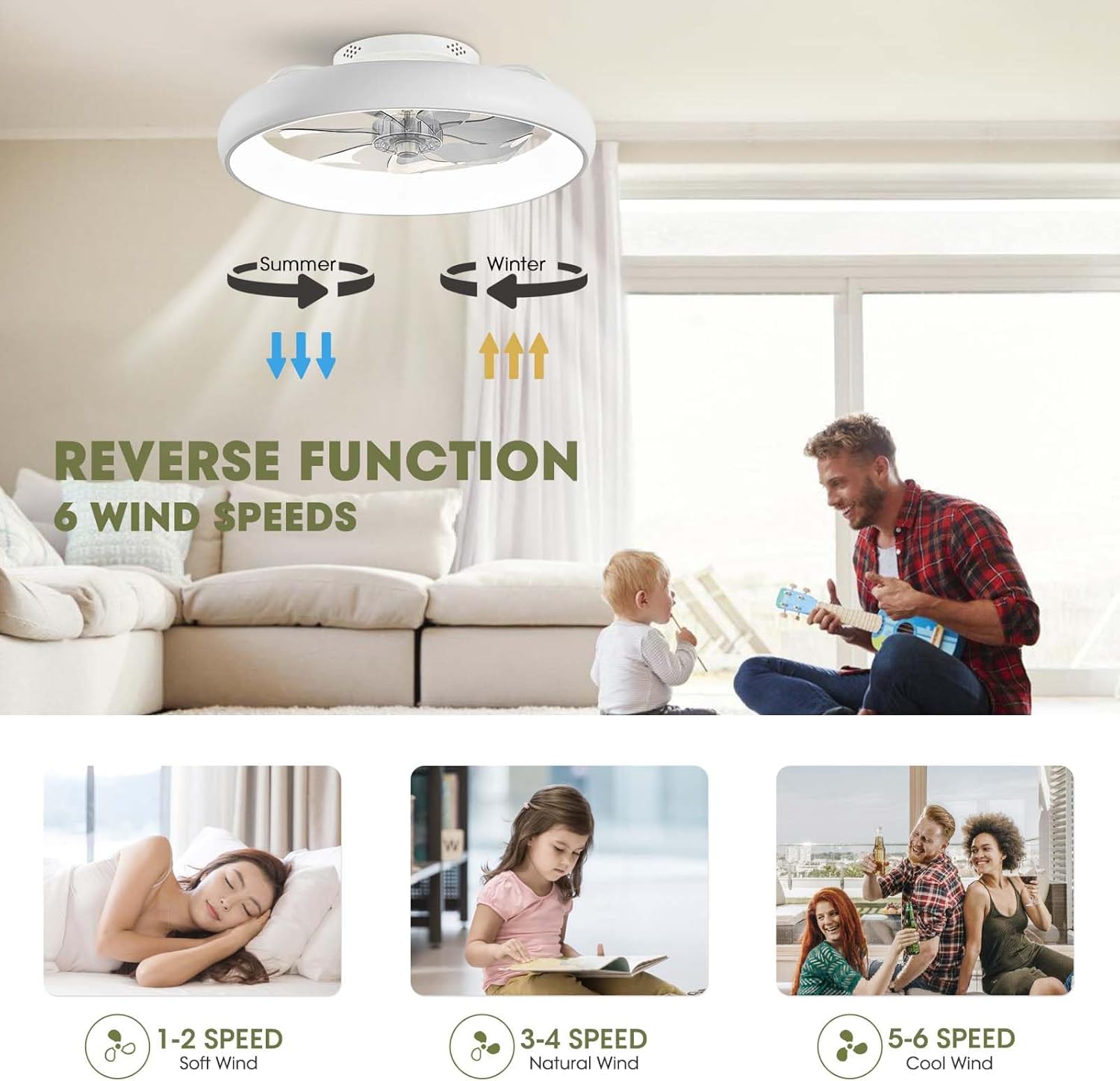
Image: Fan reverse function and wind speed settings.
Timer Function
Set a timer for the fan to automatically turn off after a specified period, such as 2 hours, for energy saving and convenience.
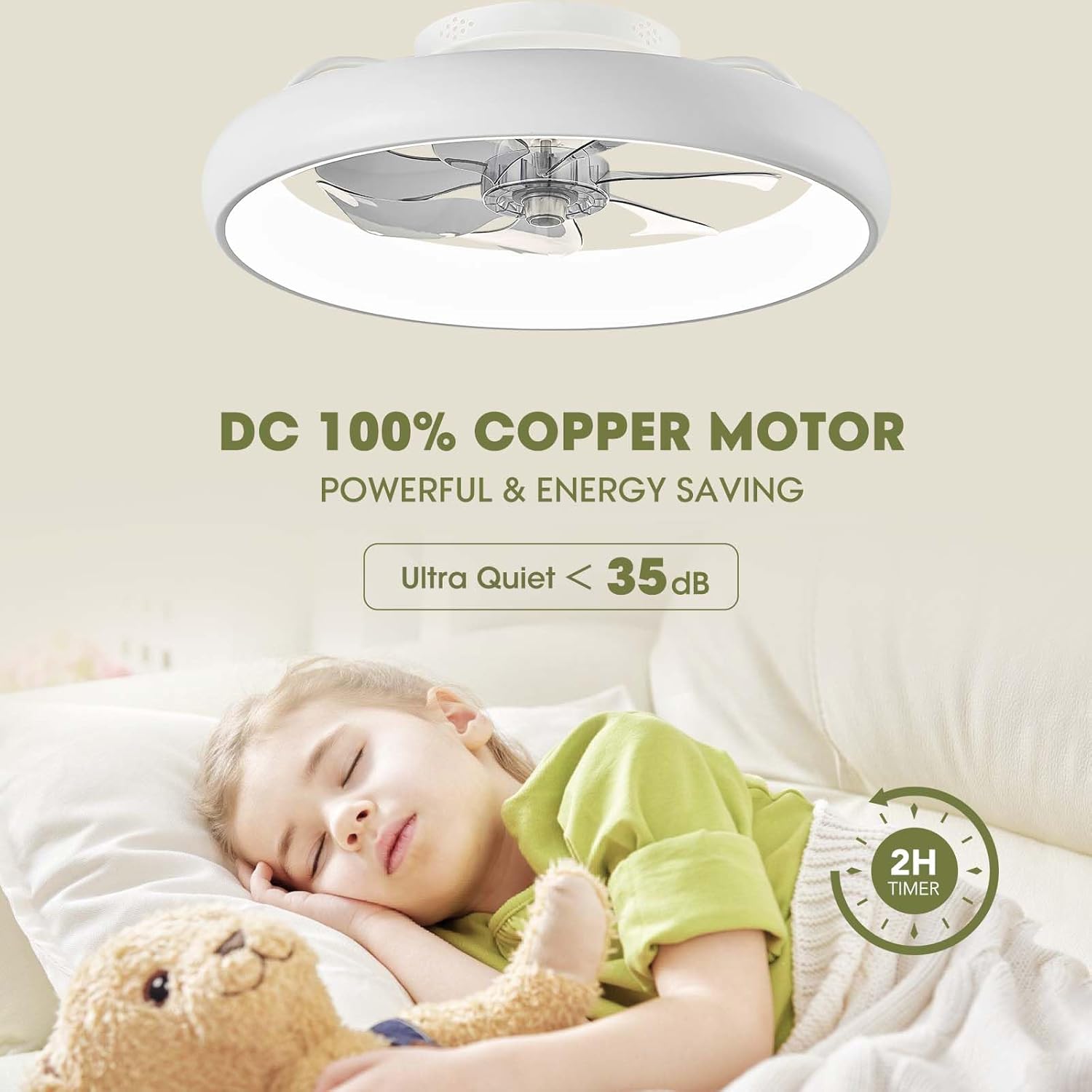
Image: Fan features including quiet operation and timer.
Maintenance
Regular maintenance ensures the longevity and optimal performance of your LUDOMIDE ceiling fan:
- Cleaning: To clean the fan, wipe the exterior surfaces with a soft, damp cloth. Do not use abrasive cleaners, solvents, or harsh chemicals, as these may damage the finish or electrical components.
- Blade Cleaning: Gently wipe the fan blades to remove dust and debris. Ensure the fan is completely off and stationary before cleaning the blades.
- Periodic Checks: Periodically check all screws and connections to ensure they are secure. Loose connections can cause noise or malfunction.
- No Lubrication Needed: The fan's motor is permanently lubricated and does not require additional oiling.
Troubleshooting
If you encounter any issues with your ceiling fan, refer to the following common problems and their solutions:
| Problem | Possible Cause | Solution |
|---|---|---|
| Fan does not operate | No power supply; Remote control battery low; App not connected. | Check circuit breaker; Replace remote battery; Re-pair with Tuya Smart App. |
| Lights do not turn on | No power supply; Light settings incorrect; App not connected. | Check circuit breaker; Adjust light brightness/temperature settings; Re-pair with Tuya Smart App. |
| Fan is noisy or wobbles | Loose mounting; Obstruction in fan blades. | Ensure mounting bracket and fan unit are securely installed; Check for any objects obstructing blade movement. The fan is designed for quiet operation (<30dB). |
| Voice control/App connectivity issues | Incorrect pairing; Wi-Fi interference; Outdated app version. | Ensure correct pairing procedure; Check Wi-Fi signal strength; Update Tuya Smart App; Re-link with Alexa/Google Assistant. |
Specifications
| Feature | Detail |
|---|---|
| Brand | LUDOMIDE |
| Model Name | Y1095-WH02 |
| Color | White |
| Size | 20 inches |
| Product Dimensions | 20 x 20 x 5.9 inches |
| Item Weight | 9.23 pounds |
| Material | Iron, ABS, Acrylic |
| Light Source Type | Integrated LED |
| Brightness | 1500 lumen |
| Wattage | 58 watts |
| Voltage | 120 Volts |
| Control Method | App, Remote, Voice (Amazon Alexa, Google Assistant) |
| Wind Speeds | 6 |
| Noise Level | Less than 30dB |
| Recommended Room Size | Up to 95 sq ft |
| Installation Type | Flush Mount |
| Special Features | Stepless dimming, 3 light temperatures, light memory, natural wind function, reverse function, timing function. |

Image: Product dimensions and key parameters.
Warranty and Support
LUDOMIDE stands behind the quality of its products. Your 20" Modern White Flush Mount Ceiling Fan with Lights comes with the following:
- 60-Day Refund and Return Policy: If you are not satisfied with your purchase, you may return it within 60 days for a refund.
- Lifetime Warranty: The product is covered by a lifetime warranty, ensuring long-term peace of mind.
For technical support, warranty claims, or any questions regarding your LUDOMIDE ceiling fan, please refer to the contact information provided on your purchase receipt or visit the official LUDOMIDE website.
Ask a question about this manual
Ask about setup, troubleshooting, compatibility, parts, safety, or missing instructions. Manuals+ will review the question and use this page’s manual context to help answer it.