
1. Introduction
Thank you for choosing MAXROCK P-103-2C USB-C Wired Sleep Headphones. These earbuds are designed for comfort during extended wear, especially for sleeping, while providing clear audio and convenient control. This manual will guide you through the setup, operation, and maintenance of your new headphones.
2. Package Contents
Your MAXROCK P-103-2C package includes the following items:
- 2 x MAXROCK USB-C Wired Sleep Headphones
- 1 x Portable Carrying Case
Please inspect the contents to ensure all items are present and undamaged.
3. Product Overview and Features
The MAXROCK P-103-2C headphones are engineered for comfort and functionality. Key features include:
- Slim Design for All-Night Comfort: Super soft silicone earpieces reduce pressure points, allowing comfortable wear even for side sleepers. The low-profile design minimizes discomfort.
- Clear Sound: 5mm balanced armature drivers deliver clear, crisp audio suitable for audiobooks, podcasts, and white noise.
- Passive Noise Isolation: The in-ear earplug design effectively blocks background sounds, snoring, and ambient noise, helping to maintain quality sleep.
- Built-in Headset & 3-Button Remote: An integrated microphone and remote allow you to adjust volume, control media playback (play/pause, skip tracks), take calls, and communicate with your voice assistant without needing to access your phone or tablet.
- USB Type-C Compatibility: Designed with a USB-C connector for direct plug-and-play use with compatible devices, including iPhone 15, iPads, Kindle Fire, Samsung, and other Android smartphones/tablets, Macbooks, and laptops.
- Durable Construction: Features bulletproof fiber and high-quality TPE jacket for long-lasting performance.

Image: MAXROCK P-103-2C headphones with their portable carrying case, showcasing the compact design and included accessories.
Video: An official overview of the MAXROCK Wired USB-C Sleep Earphones, highlighting their design and features.
4. Setup
Setting up your MAXROCK P-103-2C headphones is straightforward:
- Identify Left and Right Earbuds: The earbuds are marked for proper fit and comfort. Ensure you place the correct earbud in each ear.
- Connect to Device: Insert the USB-C plug into the USB-C port of your compatible device (e.g., smartphone, tablet, laptop). No additional adapters are required.
- Adjust Fit: Gently insert the silicone earpieces into your ears until they fit snugly and comfortably. The low-profile design is intended to minimize pressure.

Image: A diagram illustrating the durable construction of the USB-C plug and cable, emphasizing its robust design for longevity.
5. Operating Instructions
Your MAXROCK P-103-2C headphones feature an in-line remote for easy control of your audio and calls:
- Volume Control: Use the + and - buttons on the remote to increase or decrease the volume.
- Play/Pause Music: Press the center button once to play or pause audio playback.
- Skip Tracks: Double-press the center button to skip to the next track. Triple-press to go back to the previous track.
- Answer/End Calls: Press the center button once to answer an incoming call or end an ongoing call.
- Reject Call: Press and hold the center button to reject an incoming call.
- Activate Voice Assistant: Press and hold the center button (when not on a call) to activate your device's voice assistant.

Image: A detailed view of the in-line remote control, showing the volume up, volume down, and multi-function center buttons for easy access to audio and call controls.
6. Comfort and Fit
The MAXROCK P-103-2C headphones are specifically designed for maximum comfort, especially during sleep:
- Ergonomic Design: The earbuds are shaped to conform to the ear's contour, ensuring a secure fit that is not easy to fall off.
- Featherlight Construction: Weighing only 10.5g (0.37oz) per pair, you will barely feel them when wearing them for extended periods or while sleeping.
- Soft Silicone Material: The ultra-soft silicone construction reduces pressure points, making them ideal for side sleepers.
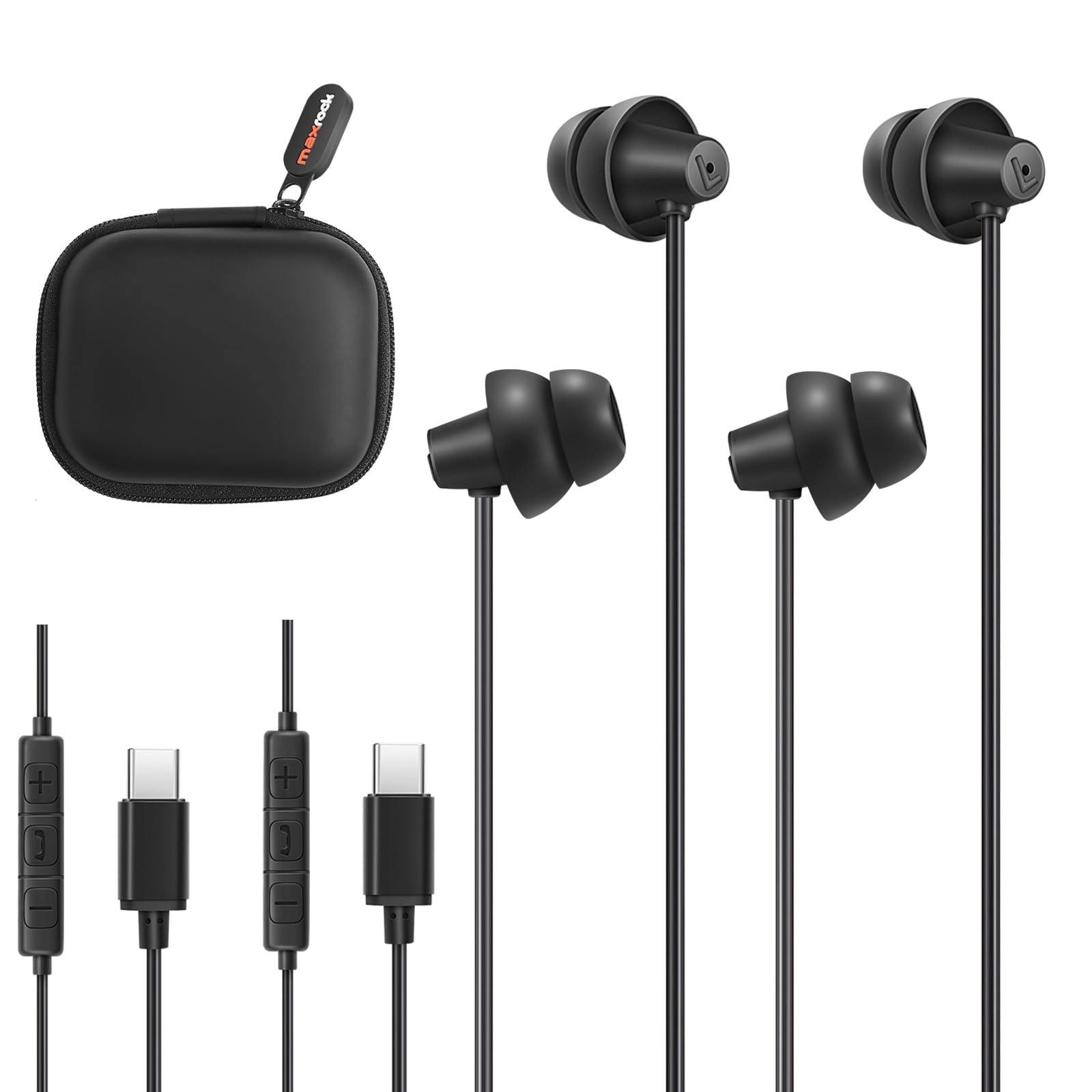
Image: A woman sleeping peacefully while wearing the MAXROCK earbuds, illustrating their featherlight and comfortable design for sleep.

Image: A visual representation of the ergonomic design of the earbuds, showing how they comfortably fit into the ear's contour, designed specifically for sleeping.
7. Maintenance
To ensure the longevity and optimal performance of your MAXROCK P-103-2C headphones, follow these maintenance guidelines:
- Cleaning: Gently wipe the silicone earpieces with a soft, damp cloth. Avoid using harsh chemicals or abrasive materials. Ensure the earbuds are completely dry before use.
- Storage: When not in use, store your headphones in the provided portable carrying case. This protects them from dust, dirt, and tangling.
- Avoid Extreme Conditions: Do not expose the headphones to extreme temperatures, direct sunlight for prolonged periods, or excessive moisture. While moisture resistant, they are not waterproof.
- Handle with Care: Avoid pulling on the cable forcefully or bending the USB-C connector at sharp angles to prevent damage.

Image: A collage demonstrating the versatility of MAXROCK earbuds in different settings, such as sleeping, studying, relaxing, and traveling, highlighting their adaptability for various daily activities.
8. Troubleshooting
If you encounter any issues with your MAXROCK P-103-2C headphones, please refer to the following common troubleshooting steps:
- No Sound:
- Ensure the USB-C plug is fully inserted into your device's port.
- Check your device's volume settings and ensure it is not muted.
- Test the headphones with another compatible device to rule out a device-specific issue.
- Inspect the cable and plug for any visible damage.
- Poor Sound Quality (Crackling, Muffled Audio):
- Ensure the earbuds are clean and free from debris.
- Verify the USB-C connection is secure.
- Try adjusting the audio settings on your device.
- Remote Control Not Responding:
- Ensure the headphones are properly connected to your device.
- Some older devices or specific apps may have limited remote control functionality.
- Restart your device and try again.
- Earbuds Falling Out:
- Ensure the earbuds are inserted correctly, with the marked left/right sides in the appropriate ears.
- Adjust the position until a snug and comfortable fit is achieved.
If these steps do not resolve the issue, please contact customer support.
9. Specifications
Detailed technical specifications for the MAXROCK P-103-2C USB-C Wired Sleep Headphones:
| Feature | Specification |
|---|---|
| Model Name | Wired USB C earphones |
| Item Model Number | P-103-2C |
| Brand | MAXROCK |
| Connectivity Technology | Wired (USB Type C) |
| Ear Placement | In Ear |
| Form Factor | In Ear (Bud) |
| Noise Control | Sound Isolation, Wind Noise Reduction |
| Sensitivity | 93 dB |
| Impedance | 16 Ohms |
| Audio Driver Size | 6 Millimeters |
| Control Type | Call Control, Push Button (Integrated Remote) |
| Material | Silicone (Earpieces), Microfiber (Carrying Case) |
| Color | Black |
| Item Weight | 2.11 ounces |
| Package Dimensions | 3.62 x 2.83 x 1.69 inches |
| Included Components | Protective Case |
| Water Resistance Level | Moisture Resistant |
10. Warranty and Support
MAXROCK products are manufactured with quality and reliability in mind. For information regarding warranty coverage, returns, or technical assistance, please refer to the product's listing page on Amazon.com or contact MAXROCK customer support directly through the retailer's platform. Please retain your proof of purchase for any warranty claims.