
1. Introduction and Overview
The BUGANI B10 Open Ear Headphones offer a unique audio experience designed for comfort, safety, and high-quality sound. Featuring an open-ear design, these headphones rest gently on your ears without entering the ear canal, reducing discomfort and potential hearing loss from extended wear. Equipped with advanced Bluetooth 5.2 and powerful dynamic drivers, they provide immersive stereo sound and clear communication. The integrated AI translation function further enhances their versatility, allowing for real-time language translation.
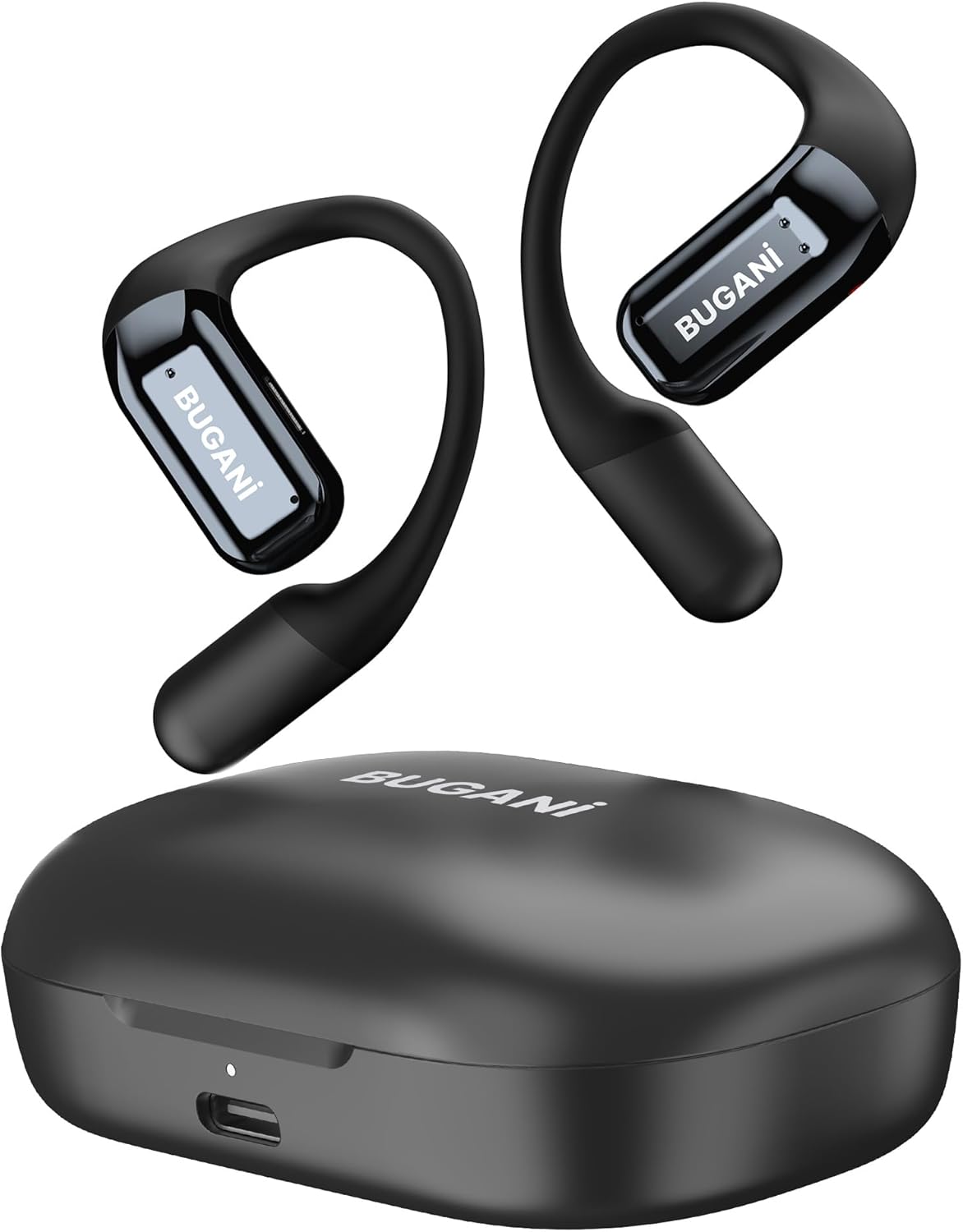
Image: BUGANI B10 Open Ear Headphones and their charging case.
2. Key Features
- True Open Ear Design: Ergonomic design with ultra-soft silicone cushion for comfortable and secure fit without entering the ear canal, reducing stress and hearing loss.
- Powerful Clear Stereo Sound: Dual 18mm dynamic drivers and bio-diaphragm technology deliver an incredible audio experience. MEMS true dual mic ENC noise reduction ensures crystal-clear conversations.
- Advanced Bluetooth 5.2 & Instant Pairing: Ensures no signal loss or music interruption. Headphones automatically pair upon opening the charging case lid. Compatible with smartphones, computers, and TVs.
- Ultra-Long Playtime & Quick Charge: Up to 6 hours of play on a single charge, extended to 32 hours with the charging case. A 5-minute charge provides 2 hours of listening. Features a universal Type-C charging port.
- Safety & Surroundings Awareness: The open-ear design allows users to enjoy audio while remaining aware of their environment, crucial for activities like cycling, running, or driving.
- Directional Precision Transmission: Unique technology directs sound directly to the ear, minimizing sound leakage and allowing for focused listening without disturbing others.

Image: Illustration of the ergonomic open-ear design and multi-angle fit for enhanced comfort.

Image: Exploded view of the earbud highlighting the 18mm customized driver and ENC noise reduction for clear stereo sound.

Image: Visual representation of the 32-hour total playtime, including the charging case.
3. What's in the Box
- BUGANI B10 Open Ear Headphones (Left & Right)
- Wireless Charging Case
- USB-C Charging Cable
- Quick Start Guide
- Warranty Letter
4. Setup
4.1 Initial Charge
Your BUGANI B10 headphones may come with a partial charge. For optimal performance, it is recommended to fully charge the case and headphones before first use. Connect the provided USB-C cable to the charging case and a power source. The charging case indicator will show the charging status.
4.2 App Installation (Ear Dance)
To unlock the full potential of your headphones, especially the AI translation features, download the 'Ear Dance' app. Scan the QR code provided in the Quick Start Guide or search for 'Ear Dance' in your device's app store. Follow the in-app instructions for setup.
4.3 Pairing
The headphones are designed for instant pairing. Simply open the lid of the charging case, and the headphones will automatically turn on and enter pairing mode. On your device (smartphone, tablet, etc.), go to Bluetooth settings and search for 'BUGANI B10'. Select it to connect. A voice prompt will confirm successful pairing.

Image: The headphones automatically pairing with a smartphone upon opening the case.

Image: Diagram illustrating the stable Bluetooth 5.2 connection between the headphones and a smartphone.
5. Operating Instructions
5.1 Power On/Off
- Power On: Open the charging case cover. The earphones will automatically turn on.
- Power Off: Place the earphones back into the charging case and close the lid. They will automatically turn off and begin charging.
5.2 Wearing the Headphones
Take out the earphones. Sit the BUGANI B10 behind your earphone and gently rotate it into a comfortable position to ensure the best wearing and sound experience. The flexible ear hook design provides a secure fit for various activities.

Image: Step-by-step guide demonstrating the correct way to wear the headphones for optimal comfort and fit.
5.3 Controls (Touch-Enabled Multifunction Button)
| Function | Action | Earphone |
|---|---|---|
| Volume Down | Press touch button | Left |
| Volume Up | Press touch button | Right |
| Answer/End Call | 2 Taps | Both Left and Right |
| Reject Incoming Call | Press and Hold for 2 seconds | Both Left and Right |
| Play/Pause Music | Double-tap | Both Left and Right |
| Previous Song | Tap 3 times | Left |
| Next Song | Tap 3 times | Right |
| Voice Assistant | Press and Hold for 2 seconds | Both Left and Right |
5.4 AI Translation Function
The BUGANI B10 headphones support over 100 languages for real-time translation via the 'Ear Dance' app. This feature allows for seamless communication across language barriers.
- AI Chat Mode: Engage in dialogue with the AI for information queries and personalized suggestions.
- Free Talk Mode: The headphones automatically detect and translate languages without needing to tap your phone or headphones, allowing for continuous conversation.
- Translation Machine Mode: Functions like a traditional translator. Press the language button to translate, and the phone's speaker will play the translated audio.
- Headphones + Phone Mode: One person wears the headphones, and the other uses the phone. Simply tap the headphones or the translation button on the phone to recognize and translate speech, enabling smooth, real-time conversations.
- Switch Language: Easily switch between your language and the other person's language using the language button at the top of the app. Supports 134 languages.
6. Maintenance
6.1 Cleaning
Wipe the headphones and charging case regularly with a soft, dry cloth. Avoid using harsh chemicals or abrasive materials. Ensure charging contacts are clean and dry.
6.2 Storage
When not in use, always store the headphones in their charging case to protect them and ensure they remain charged. Store in a cool, dry place away from extreme temperatures.
6.3 Water Resistance
The headphones are water resistant, making them suitable for sports and outdoor activities. However, they are not designed for submersion in water. Avoid prolonged exposure to heavy rain or direct water jets.

Image: The headphones demonstrating their water-resistant capabilities.
7. Troubleshooting
- Headphones not pairing: Ensure Bluetooth is enabled on your device. Make sure the headphones are fully charged. Try placing them back in the case, closing the lid, and reopening it. If issues persist, perform a factory reset by opening the lid of the charging compartment (when the earphones are not taken out), pressing and holding the MFB button of the charging compartment for 3 seconds. The pairing record will be cleared, and the white light of the charging compartment flashes 5 times.
- No sound or low volume: Check the volume levels on both your device and the headphones. Ensure the headphones are properly connected to your device.
- Charging issues: Verify the USB-C cable is securely connected to both the case and the power source. Ensure the headphones are correctly seated in the charging case with contacts aligned.
- AI Translation not working: Ensure the 'Ear Dance' app is installed and updated. Check your internet connection for real-time translation features. Verify language settings within the app.
8. Specifications
| Specification | Detail |
|---|---|
| Model Name | BUGANI B10 |
| Connectivity Technology | Wireless |
| Wireless Communication Technology | Bluetooth 5.2 |
| Ear Placement | Open Ear |
| Audio Driver Size | 18 Millimeters |
| Battery Life (Single Charge) | 6 Hours |
| Total Playtime (with Charging Case) | 32 Hours |
| Charging Time (Quick Charge) | 5 minutes for 2 hours play |
| Water Resistance Level | Water Resistant |
| Control Type | Media Control, App |
| Compatible Devices | Bluetooth-enabled devices (smartphones, computers, TVs) |
| Item Weight | 6.7 ounces |
| UPC | 810079700790 |
9. Warranty and Support
BUGANI is committed to providing excellent customer experience. Your product includes a warranty letter for details on coverage. For any issues or questions regarding the use of your BUGANI B10 Open Ear Headphones, please contact BUGANI customer service. We will provide solutions promptly.
Refer to the contact information provided in your product packaging or on the official BUGANI website for direct support.


