
1. Introduction
Thank you for choosing the BAOFENG UV-21R Handheld Two-Way Radio. This manual provides essential information for the safe and efficient operation of your device. Please read this manual thoroughly before using the radio to ensure proper functionality and to prevent damage. Keep this manual for future reference.
2. Safety Information
- Battery Safety: Use only BAOFENG approved batteries and chargers. Do not disassemble, crush, or expose the battery to extreme temperatures or fire. Dispose of batteries properly.
- Antenna Care: Do not touch the antenna during transmission. Avoid using the radio with a damaged antenna, as it may cause minor burns.
- Hearing Protection: Do not hold the radio too close to your ear when the volume is set high. Prolonged exposure to loud sounds may cause hearing damage.
- Interference: Turn off the radio in areas where two-way radios are prohibited, such as hospitals, aircraft, or near blasting sites.
- Water Resistance: The device has an IP54 rating, meaning it is protected from limited dust ingress and water spray from any direction. It is not fully waterproof.
3. Package Contents

Image: BAOFENG UV-21R Handheld Two-Way Radio Full Kit, showing the radio, two batteries with Type-C ports, two antennas, a speaker microphone, a programming cable, and a charging base with USB cable.
The BAOFENG UV-21R Full Kit typically includes the following items:
- BAOFENG UV-21R Handheld Radio Unit
- Rechargeable Lithium-Ion Battery (x2)
- Antenna (x2)
- Charging Base
- USB Type-C Charging Cable
- Speaker Microphone
- Programming Cable
- Belt Clip
- User Manual (this document)
4. Product Overview
4.1 Components and Controls

Image: Detailed diagram of the BAOFENG UV-21R radio, labeling key components such as Antenna, Flashlight, Power/Volume Switch, PTT Key, MENU Key, FM/Monitor Key, Speaker, Emergency Alert Key, Headset Jack, NXIT Key, and Navigation Keys.
- Antenna: For transmitting and receiving signals.
- Power/Volume Switch: Rotates to turn the radio on/off and adjust volume.
- PTT (Push-to-Talk) Key: Press and hold to transmit, release to receive.
- MENU Key: Accesses the radio's menu system.
- FM/Monitor Key: Toggles FM radio mode or monitors the current channel.
- Emergency Alert Key: Activates emergency alarm function.
- Headset Jack: For connecting external audio accessories like headsets or programming cables.
- NXIT Key: Function not specified in detail, typically for specific menu navigation or quick access.
- Navigation Keys: Used to scroll through menus and adjust settings.
- Speaker: Outputs received audio.
- LED Flashlight: Provides illumination.
4.2 Display Information
The 1.77-inch large screen displays various information including current frequency, channel number, signal strength (RSSI), battery status, and active functions (e.g., VOX, FM, NOAA).

Image: BAOFENG UV-21R radio highlighting features such as High Power, UV Dual Band, 1.77" Large Screen, Emergency Alert, 999 Channels, Type-C Fast Charging, LED Flashlight, CTCSS/DCS, VOX Hand-Free, Wireless Copy Frequency, FM Radio, and NOAA Function.
5. Setup
5.1 Battery Installation
- Align the battery pack with the grooves on the back of the radio.
- Slide the battery upwards until it clicks into place.
- To remove, press the battery release latch (if present) and slide the battery downwards.
5.2 Antenna Attachment
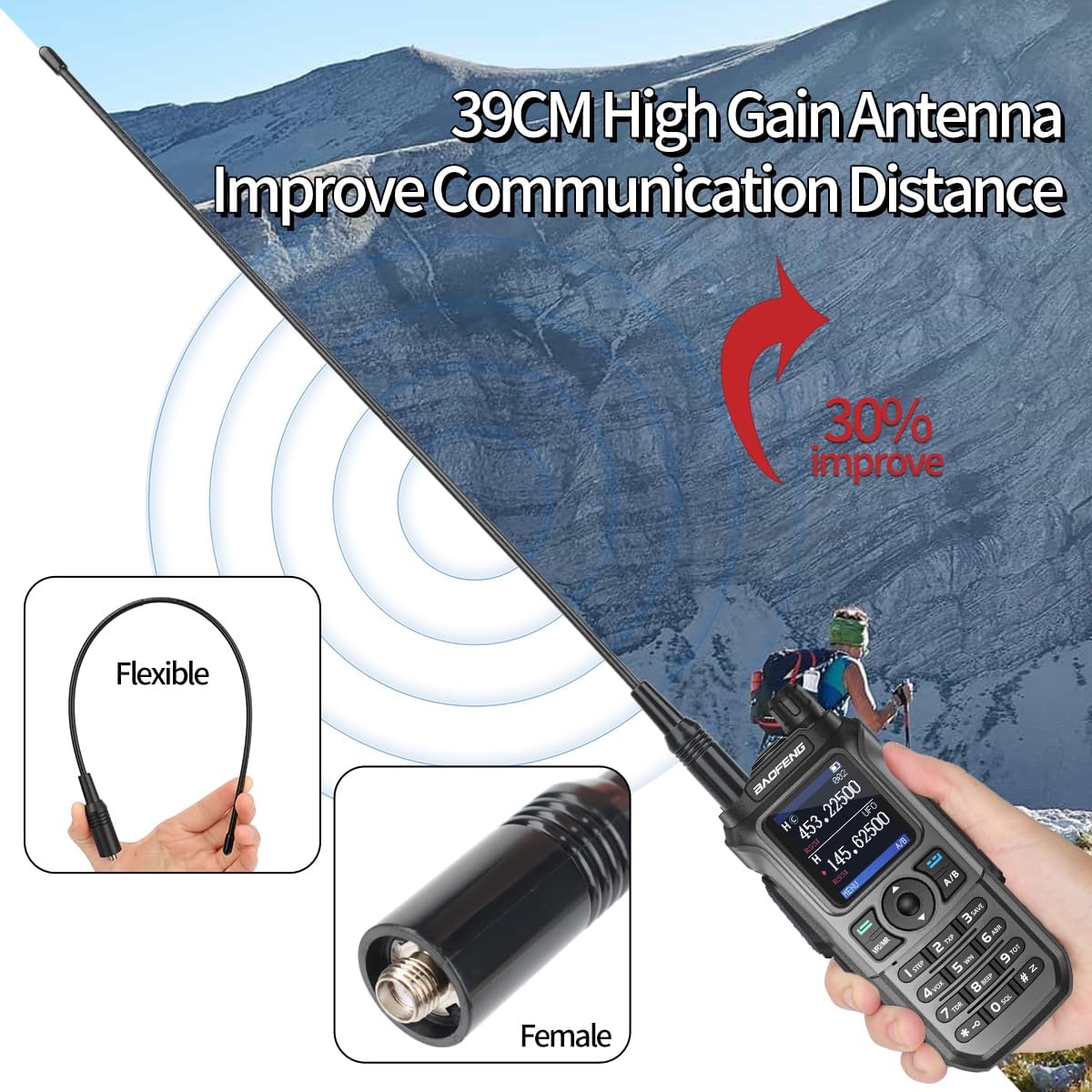
Image: BAOFENG UV-21R radio with a 39CM High Gain Antenna, illustrating how it improves communication distance. Also shows a flexible antenna and the female connector type.
Screw the antenna clockwise into the connector on the top of the radio until it is firmly seated. Do not overtighten.
5.3 Charging the Battery

Image: Two charging methods for the BAOFENG UV-21R: Type-C Fast Charging (radio connected via USB-C cable to a power bank) and Base Charging (radio placed in a charging cradle connected to a wall outlet). Both methods are available.
The BAOFENG UV-21R offers two convenient charging methods:
- Type-C Fast Charging: Connect a USB Type-C cable directly to the Type-C port on the battery pack or the radio itself. This allows for charging from various USB power sources like power banks or car chargers.
- Base Charging: Place the radio (with battery installed) into the charging base. Connect the charging base to a power outlet using the provided adapter. The indicator light on the base will show charging status.
Ensure the battery is fully charged before first use for optimal performance.
6. Operating
6.1 Basic Operation
- Power On/Off: Rotate the Power/Volume knob clockwise to turn on the radio. Rotate counter-clockwise until it clicks to turn off.
- Volume Adjustment: Rotate the Power/Volume knob to adjust the listening volume.
6.2 Channel/Frequency Selection
The radio supports both Channel Mode and Frequency Mode. Use the VFO/MR button to switch between modes. In Frequency Mode, you can directly input frequencies using the keypad. In Channel Mode, use the navigation keys to select pre-programmed channels.
6.3 Transmitting and Receiving
To transmit, press and hold the PTT (Push-to-Talk) button on the side of the radio. Speak clearly into the microphone. Release the PTT button to return to receive mode.
6.4 Frequency Copy Function

Image: Tutorial for the 2-second frequency copy feature. Step 1: Power on UV-21R and press 'key 2' to see 'SEEK'. Step 2: Press and hold the PTT on another walkie-talkie while the UV-21R searches for its frequency, then press 'MENU' to confirm. Step 3: Switch to channel mode to communicate.
The UV-21R features a quick frequency copy function:
- Power on the UV-21R and press the '2' key on the keypad. The display will show 'SEEK'.
- On the other walkie-talkie, press and hold its PTT button to transmit. The UV-21R will automatically search for and copy the transmitting frequency.
- Once the frequency is copied, press the 'MENU' key to confirm and save it.
- Switch to channel mode to begin communication on the newly copied frequency.
6.5 NOAA Weather Receiver

Image: BAOFENG UV-21R displaying a weather alert, indicating access to 10 NOAA Weather Stations for critical weather information.
The radio includes a NOAA Weather Receiver function, allowing you to receive alerts and broadcasts from 10 NOAA Weather Stations. This feature is crucial for staying informed about severe weather conditions.
6.6 VOX Function (Voice Operated Exchange)
The VOX function allows for hands-free operation. When activated, the radio will automatically transmit when it detects your voice, eliminating the need to press the PTT button. Adjust the VOX sensitivity in the menu to suit your environment.
6.7 FM Radio
Press the FM/Monitor key to switch to FM radio mode. You can scan for FM stations or manually tune to a specific frequency.
6.8 LED Flashlight
The built-in LED flashlight can be activated for illumination in low-light conditions. Refer to the product overview for the location of the flashlight key.
7. Programming
7.1 Programming with CHIRP Software
The BAOFENG UV-21R can be programmed using CHIRP software, a free, open-source tool for programming your radio. This allows for advanced customization of frequencies, channels, and other settings.
Video: Baofeng UV-21R Programming Guide. This video demonstrates how to connect the radio to a computer using the programming cable, download and install the CHIRP software from the official website, select the correct port and radio model (Baofeng UV-17PRO is shown as an example for software selection), and then read/write frequencies to the radio.
Steps for Programming:
- Connect the Radio: Turn on the radio. Connect the programming cable to the radio's headset jack and the USB end to your computer.
- Download CHIRP: Visit the official CHIRP website (chirpmyradio.com) to download the latest version of the software compatible with your operating system.
- Install CHIRP: Follow the on-screen instructions to install the software.
- Launch CHIRP and Configure: Open CHIRP. Go to 'Radio' > 'Download From Radio' or 'Upload To Radio'. Select the correct COM port for your programming cable and choose 'Baofeng' as the Vendor and 'UV-17PRO' (or the closest compatible model if UV-21R is not listed directly) as the Model.
- Read/Write Data: Follow the prompts to read the current configuration from your radio or upload a new configuration to it.
8. Maintenance
- Cleaning: Use a soft, damp cloth to clean the radio's surface. Do not use harsh chemicals or abrasive cleaners.
- Storage: Store the radio in a cool, dry place when not in use. Remove the battery if storing for extended periods.
- Battery Care: Avoid fully discharging the battery frequently. Recharge the battery regularly, even if not in use, to maintain its lifespan.
9. Troubleshooting
| Problem | Possible Cause | Solution |
|---|---|---|
| Radio does not power on. | Battery is dead or not installed correctly. | Charge the battery or re-install it properly. |
| Cannot transmit or receive. | Incorrect frequency/channel, low battery, or antenna issue. | Verify frequency/channel, charge battery, check antenna connection. |
| Poor audio quality. | Weak signal, incorrect squelch setting, or damaged speaker/mic. | Move closer to the other radio, adjust squelch, or check accessories. |
| Programming error with CHIRP. | Incorrect COM port, driver issue, or wrong radio model selected. | Ensure correct COM port and radio model are selected. Install/update USB drivers. |
10. Specifications
| Feature | Detail |
|---|---|
| Model Number | UV-21R |
| Brand | BAOFENG |
| Frequency Range | VHF/UHF (Dual Band) |
| Channels | 999 Channels |
| Power | High Power |
| Battery Type | Lithium Ion (7.2 Volts) |
| Charging Methods | USB Type-C & Base Charger |
| Screen Size | 1.77 inches |
| Talking Range Maximum | 5 Mile (approximate, varies by terrain) |
| International Protection Rating | IP54 |
| Item Weight | 1.83 pounds |
| Package Dimensions | 8.15 x 5.31 x 4.61 inches |
11. Warranty and Support
For warranty information and technical support, please refer to the documentation provided with your purchase or contact BAOFENG customer service directly. Details are typically available on the manufacturer's official website or through your point of purchase.