
1. Introduction
This manual provides detailed instructions for the setup, operation, and maintenance of your NearStream Wireless Lavalier Microphone System, model AWM20T. Please read this manual thoroughly before using the product to ensure optimal performance and longevity.
2. Package Contents
Verify that all items listed below are present in your package:
- 2 x Transmitters (TX)
- 1 x Receiver (RX)
- 1 x Charging Case
- 1 x Fabric Bag
- 2 x Furry Windshields
- 1 x Mobile Phone Adapter (Lightning)
- 1 x 2-in-1 Charging Cable
- 1 x USB-C to USB-C Cable
- 1 x Camera Audio Cable (3.5mm TRS)
- 1 x Audio Cable (3.5mm TRS to TRRS)
- 1 x User Manual
- 1 x Quick Start Guide

Image: All components included in the NearStream AWM20T Wireless Lavalier Microphone System package.
3. Product Overview
The NearStream AWM20T is a compact and versatile wireless microphone system designed for clear audio capture across various devices. It features advanced noise cancellation, long battery life, and broad compatibility.

Image: The NearStream AWM20T system, showing two transmitters and one receiver docked in the charging case.
Key Features:
- One-Click Noise Canceling: Professional ENC technology for clear sound.
- Wide Compatibility: Connects to smartphones, cameras, tablets, computers, and PCs.
- Extended Battery Life: Up to 20 hours with the charging case.
- LCD Display: For monitoring pairing status, battery, mute, and volume.
- Long Wireless Transmission: Up to 656ft (200m) in open environments.
- Real-Time Monitoring: 3.5mm audio port on the receiver for live sound checks.
- Lightweight Design: Each transmitter weighs approximately 0.5 oz (14.8g).

Image: A visual summary of the AWM20T's main features, including battery life, noise cancellation, weight, sound quality, compatibility, and transmission range.
4. Setup
4.1 Charging the System
Before initial use, fully charge the transmitters, receiver, and charging case. The charging case has a 1300mAh capacity, providing extended usage.
- Insert the transmitters and receiver into the charging case.
- Connect the charging case to a power source using the provided 2-in-1 charging cable or a standard USB-C cable.
- A full charge takes approximately 1.5 hours.
- Transmitters offer 7 hours of battery life, and the receiver lasts 6 hours on a single charge. The charging case extends total usage up to 20 hours.

Image: Illustration of the AWM20T's battery life, showing 1.5 hours charging time, 7 hours uninterrupted use, and 20 hours continuous use with the charging case.
4.2 Pairing
The AWM20T system is designed for plug-and-play simplicity with automatic pairing.
- Simply turn on the transmitter(s) and the receiver.
- They will automatically connect within seconds. The LCD display on the receiver will indicate the pairing status.
- No app or Bluetooth connection is required.
4.3 Connecting to Devices
The system offers broad compatibility with various recording devices.
- Smartphones (iPhone/Android): Use the appropriate USB-C or Lightning adapter (Lightning adapter included) to connect the receiver directly to your phone's charging port.
- DSLR Cameras: Use the 3.5mm TRS-to-TRS cable to connect the receiver's output to your camera's microphone input.
- Computers/PCs: Use the USB-C cable for digital audio connection or the 3.5mm TRS-to-TRRS cable for analog audio connection to your computer's microphone input.

Image: Visual guide demonstrating how to connect the AWM20T to iPhones (with Lightning adapter), Android phones, PCs (Mac and Windows), and DSLR cameras.
5. Operating Instructions
5.1 Noise Cancellation
The AWM20T features professional Environmental Noise Cancellation (ENC) technology to filter out background noise.
- To activate/deactivate noise cancellation, press the dedicated button on the transmitter.
- A light indicator on the transmitter will show the status (e.g., green for on, blue for off).
- The included furry windshields can further minimize wind noise in outdoor environments.

Image: Explanation of the one-click noise cancellation feature, showing the light indicator for activation and a waveform comparison of audio before and after noise cancellation.
5.2 Volume Control and Mute
Adjust audio levels and mute the microphone as needed.
- The receiver features 3 adjustable audio gain levels (Low, Mid, High) to match your recording environment and device input sensitivity.
- Each transmitter has a mute button. A red light indicates when the microphone is muted.
5.3 Real-Time Monitoring
Monitor your audio in real-time to ensure optimal sound quality.
- The receiver includes a 3.5mm audio port for connecting headphones.
- This allows for real-time audio monitoring with ultra-low latency, enabling immediate sound adjustments.
- Additionally, you can connect an external microphone or headset to the transmitter's audio port to capture a third audio track.
5.4 Transmission Range
The AWM20T utilizes advanced 2.4GHz digital transmission for stable connectivity.
- The system provides a stable transmission range of up to 656 feet (200 meters) in open, unobstructed environments.
- Note that the transmission range may be affected by obstacles such as metal structures and interference from other wireless devices.

Image: A camera with the AWM20T receiver mounted, capturing a subject at a long distance on a running track, illustrating the 200m (656ft) wireless transmission capability.
5.5 LCD Display
The receiver's LCD display provides essential information at a glance.
- Monitor pairing status, battery levels for both transmitters and receiver, mute status, and current volume settings.
6. Maintenance
6.1 Cleaning
- Wipe the devices with a soft, dry cloth.
- Do not use harsh chemicals or abrasive cleaners.
- Ensure all ports are free of dust and debris.
6.2 Storage
- Store the system in the provided charging case and fabric bag when not in use to protect it from dust and physical damage.
- Keep the devices in a cool, dry place, away from direct sunlight and extreme temperatures.
7. Troubleshooting
| Problem | Possible Cause | Solution |
|---|---|---|
| No sound output | Microphone muted, low volume, incorrect connection, uncharged battery. | Check mute status on TX (red light indicates mute). Increase receiver gain. Ensure cables are securely connected. Charge all units. |
| Poor audio quality / Static | Interference, distance too far, noise cancellation off, furry windshield not used. | Move closer to the receiver. Avoid areas with strong wireless interference. Activate noise cancellation. Attach furry windshield in windy conditions. |
| Devices not pairing | Transmitters or receiver off, low battery. | Ensure all units are powered on. Charge all units. If issues persist, power cycle all devices. |
| Short transmission range | Obstacles, environmental interference. | Ensure a clear line of sight between transmitter and receiver. Avoid metal obstructions. Reduce distance if necessary. |
8. Specifications
| Feature | Detail |
|---|---|
| Model Name | AWM20T |
| Brand | NearStream |
| Microphone Form Factor | Lavalier |
| Polar Pattern | Omnidirectional |
| Connectivity Technology | 2.4GHz Wireless, 3.5mm Audio Jack, USB-C, Lightning |
| Compatible Devices | Camera, Laptop, Personal Computer, Smartphone |
| Audio Sensitivity | 30 Decibels |
| Signal-to-Noise Ratio | 60 dB (Top-Level 87dB SNR) |
| Max SPL | 112dB |
| Resolution | 48kHz 16bit |
| Power Source | Battery Powered |
| Transmitter Battery Life | 7 hours |
| Receiver Battery Life | 6 hours |
| Total Battery Life (with charging case) | Up to 20 hours |
| Charging Case Capacity | 1300mAh |
| Item Weight (Transmitter) | 0.5 oz (14.8g) |
| Wireless Transmission Range | 656ft / 200m (unobstructed) |
| Special Features | Clip, Mute Function, Noise Reduction (ENC), Volume Control, Wide Compatibility, LCD Display |
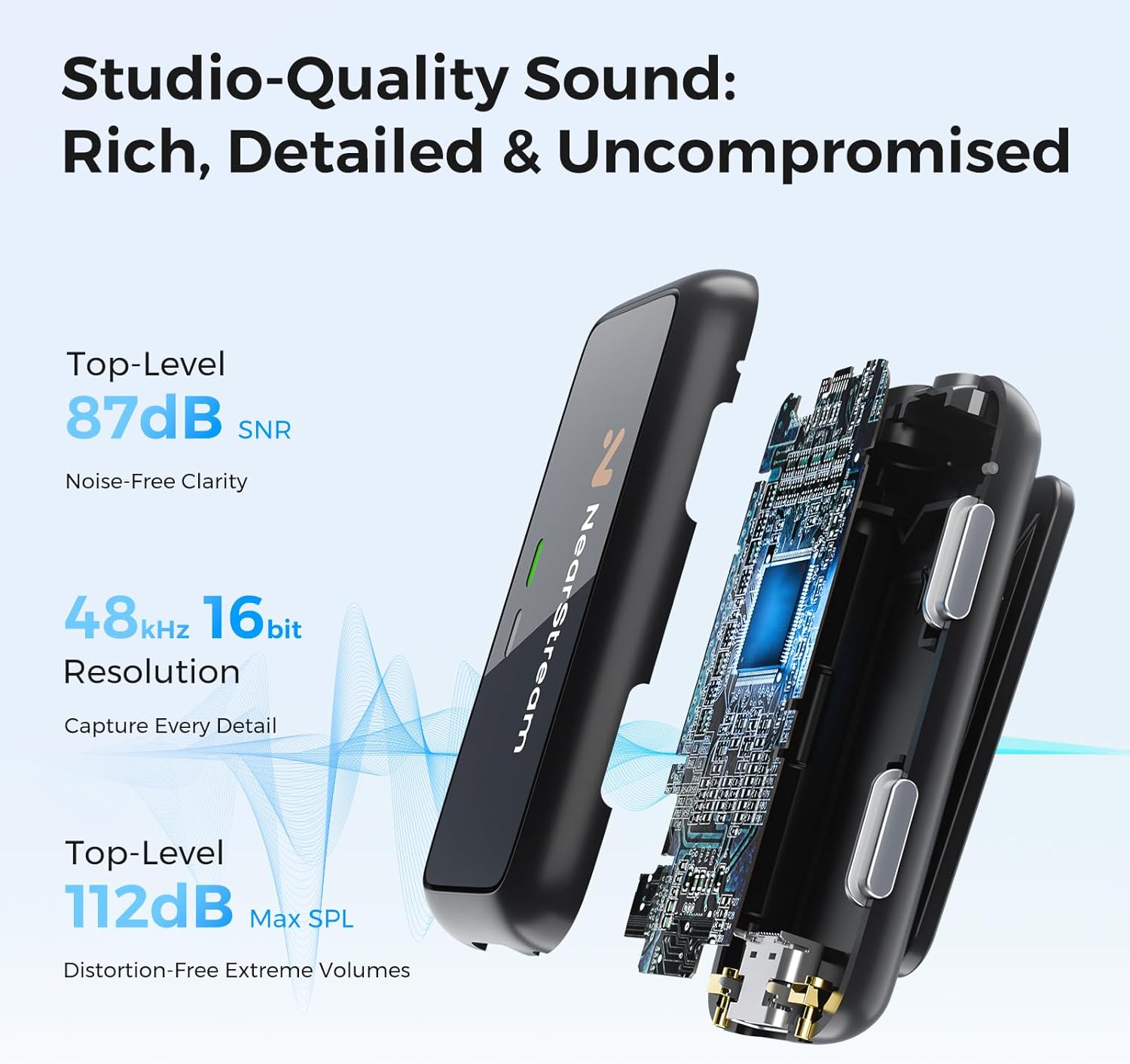
Image: Detailed specifications for audio quality, including 87dB SNR for noise-free clarity, 48kHz 16bit resolution, and 112dB Max SPL for distortion-free volumes.
9. Warranty and Support
NearStream products are designed for reliability and performance. For specific warranty information, please refer to the warranty card included in your product packaging or visit the official NearStream website.
For technical support, troubleshooting assistance, or any inquiries regarding your AWM20T system, please contact NearStream customer service through their official channels. Contact details are typically available on the product packaging or the official brand website.

