
WALI AVC001-P
WALI Mobile TV Stand AVC001-P User Manual
Model: AVC001-P
Product Overview
The WALI Mobile TV Stand AVC001-P is a versatile and portable solution designed to accommodate most flat-panel TVs ranging from 23 to 65 inches, with a maximum weight capacity of 88 lbs. This stand features a robust design with smooth-rolling wheels for easy mobility, a built-in power outlet for convenience, and adjustable height settings for optimal viewing.

Image: The WALI Mobile TV Stand AVC001-P, showcasing its design with a television mounted and a laptop placed on the adjustable media shelf.
Key Features
- Wide TV Compatibility: Supports TVs from 23 to 65 inches with VESA patterns from 100x100mm to 400x400mm.
- Built-in Power Hub: Features 3 AC outlets (125V/12A) and 2 USB ports (5V/2.1A) with a 5.9ft power cord for convenient device charging.
- Adjustable Height: The TV mounting bracket and media shelf can be adjusted to a maximum height of 63 inches for customized viewing.
- Mobile Design: Equipped with 360° rotating wheels for effortless movement and flexible TV placement.

Image: A visual representation of the TV stand's compatibility, indicating support for 23-65 inch TVs, a maximum weight capacity of 88 lbs, and various VESA mounting patterns.
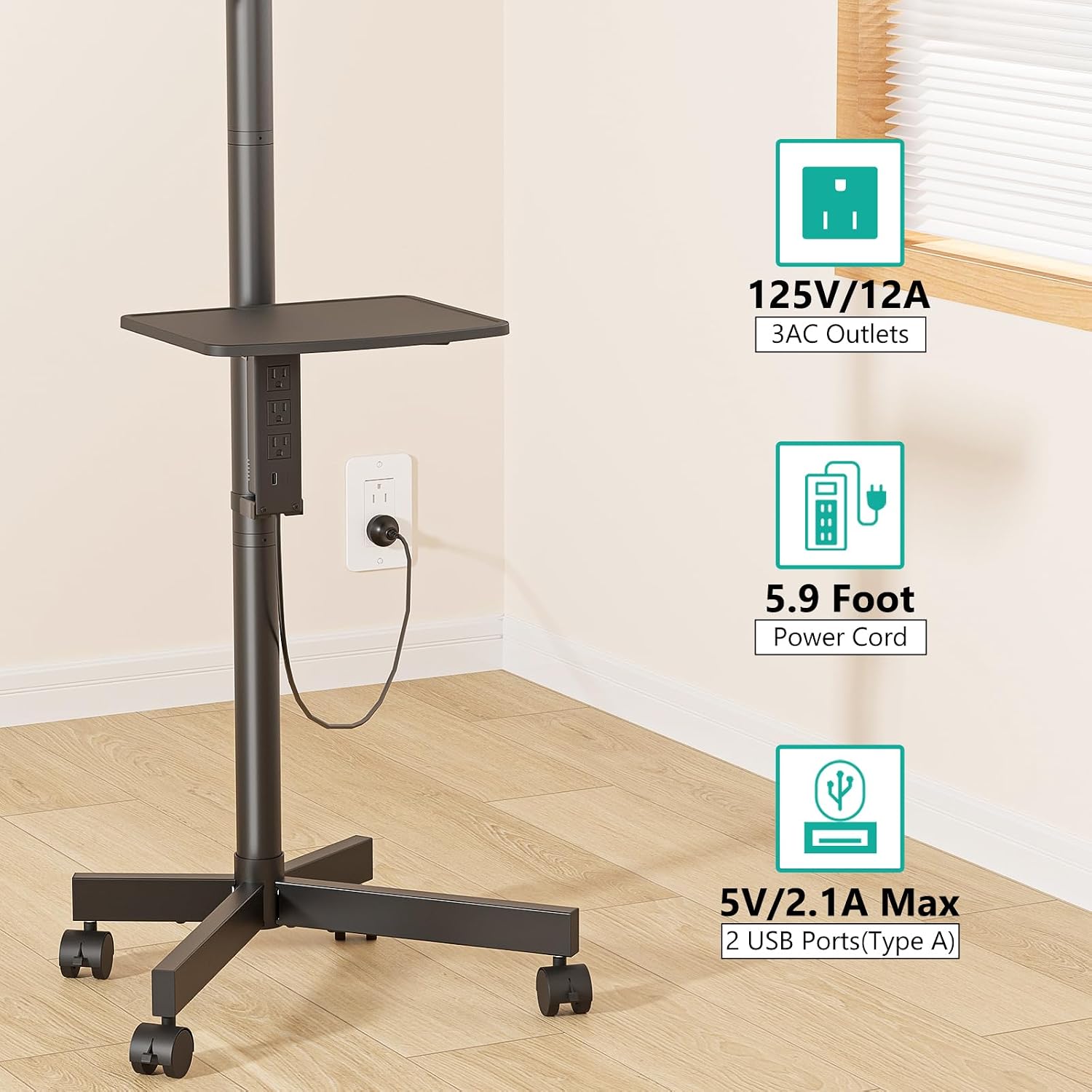
Image: A detailed view of the integrated power hub on the TV stand, highlighting the AC outlets and USB charging ports, along with the 5.9-foot power cord.
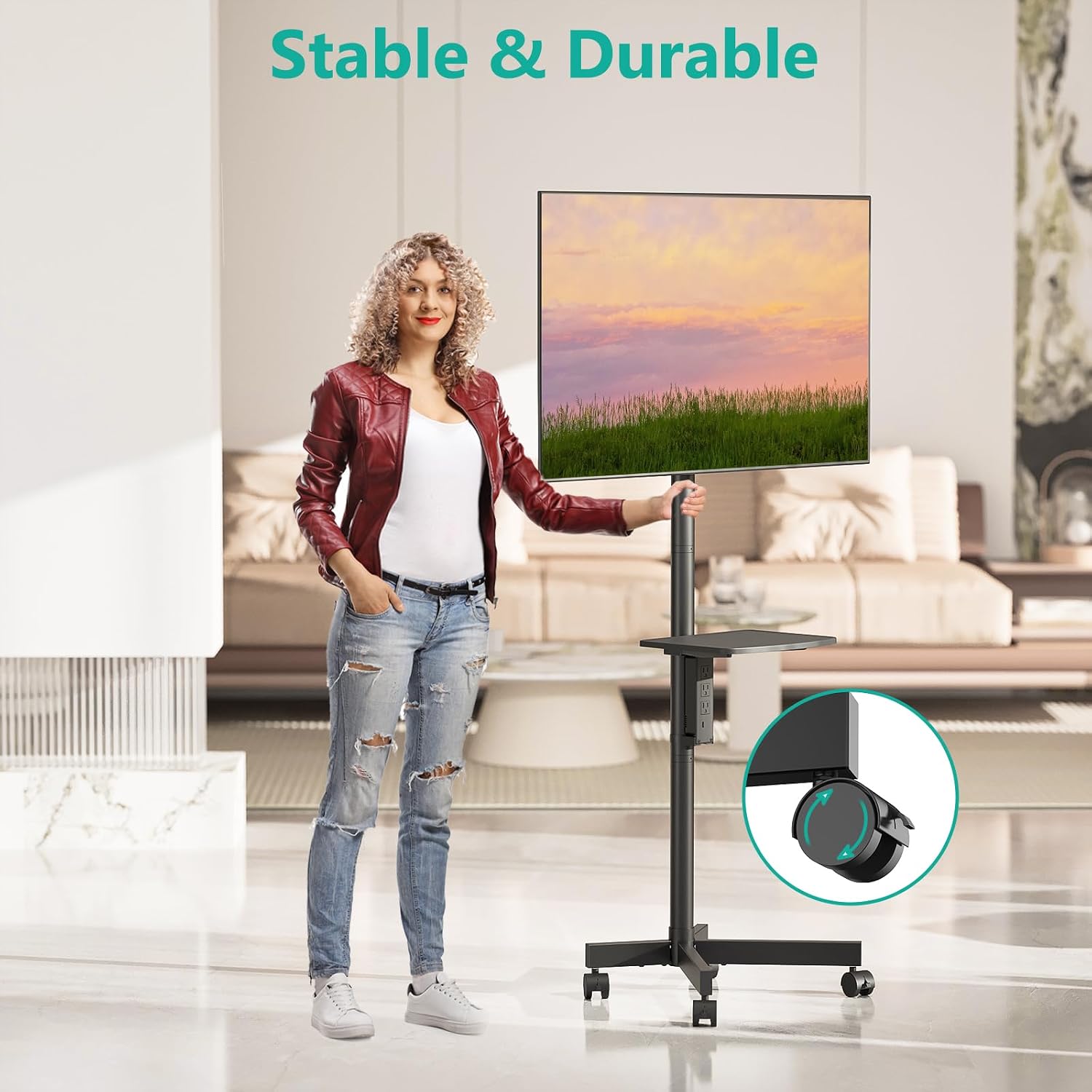
Image: A woman demonstrating the ease of mobility of the WALI Mobile TV Stand, highlighting its smooth-rolling wheels and stable design.
Setup Guide
Please follow these instructions carefully for safe and proper assembly of your WALI Mobile TV Stand. Ensure all parts are present before beginning assembly.
Package Contents:
Refer to the included parts list in your product packaging to verify all components are present. Common components include:
- Base with wheels
- Main support pole
- TV mounting bracket
- Adjustable media shelf
- Power hub assembly
- Various screws, washers, and tools
Assembly Steps:
- Attach Wheels to Base: Securely fasten the four wheels to the base of the stand. Ensure two of the wheels have locking mechanisms and are positioned correctly for easy access.
- Assemble Main Pole: Connect the main support pole sections as per the diagram in your physical manual. Ensure all connections are tight and stable.
- Mount TV Bracket: Attach the TV mounting bracket to the top of the main support pole. Ensure it is oriented correctly for your TV's VESA pattern.
- Install Media Shelf: Slide the adjustable media shelf onto the main support pole at your desired height. Secure it using the provided locking mechanism.
- Integrate Power Hub: Attach the power hub to the designated slot on the main support pole. Route the power cord neatly.
- Attach TV: Carefully lift your TV and attach it to the mounting bracket using the appropriate VESA screws and spacers for your TV model. Ensure the TV is securely fastened.
Note: For detailed visual instructions, please refer to the assembly diagrams provided in the physical instruction manual that came with your product.
Operating Instructions
Adjusting TV Height:
To adjust the height of your television, loosen the locking mechanism on the main support pole where the TV mounting bracket is attached. Carefully slide the TV up or down to the desired viewing height. Once positioned, securely tighten the locking mechanism to prevent movement.
Adjusting Media Shelf Height:
The media shelf can be adjusted independently. Loosen its locking mechanism, slide it to the preferred height for your devices (e.g., laptop, streaming box), and then re-tighten the lock.
Utilizing the Power Hub:
Plug the stand's main power cord into a wall outlet. You can then use the 3 AC outlets and 2 USB ports on the integrated power hub to power your TV, laptop, and other electronic devices directly from the stand.
Moving the Stand:
To move the TV stand, ensure the TV is securely mounted and any devices on the media shelf are stable. Unlock the wheels by pressing down on their locking levers. Gently push the stand to its new location. Once in position, engage the wheel locks to secure the stand and prevent accidental movement.

Image: The WALI Mobile TV Stand being used in a professional office environment for a presentation, demonstrating its utility in various settings.
Maintenance
- Cleaning: Use a soft, dry cloth to wipe down the metal and plastic surfaces of the stand. For stubborn marks, a slightly damp cloth with mild soap can be used, followed by drying thoroughly. Avoid abrasive cleaners or solvents.
- Inspecting Connections: Periodically check all screws and connections to ensure they remain tight and secure, especially after moving the stand or adjusting its height.
- Wheel Care: Keep the wheels free of dust and debris to ensure smooth rolling. If wheels become stiff, clean them and apply a small amount of silicone lubricant if necessary.
- Cable Management: Ensure power cords and TV cables are neatly managed and not pinched or strained, which can prevent damage and improve safety.
Troubleshooting
| Problem | Possible Cause | Solution |
|---|---|---|
| Stand is wobbly or unstable. | Loose connections; uneven floor; TV weight exceeds capacity. | Check and tighten all screws and bolts. Ensure the stand is on a flat, level surface. Verify TV weight is within the 88 lbs limit. |
| Wheels do not roll smoothly. | Debris in wheels; wheel locks engaged. | Clear any debris from the wheels. Ensure wheel locks are disengaged. |
| TV cannot be mounted. | Incorrect VESA pattern; wrong screws/spacers. | Verify your TV's VESA pattern matches the stand's compatibility (100x100mm to 400x400mm). Use the correct screws and spacers provided for your TV model. |
| Power outlets not working. | Stand not plugged in; circuit breaker tripped. | Ensure the stand's power cord is securely plugged into a working wall outlet. Check your home's circuit breaker. |
Specifications
| Feature | Detail |
|---|---|
| Model Number | AVC001-P |
| Brand | WALI |
| Compatible TV Sizes | 23 - 65 inches |
| Maximum Weight Capacity | 88 lbs (40 kg) |
| VESA Compatibility | 100x100mm, 200x100mm, 200x200mm, 300x200mm, 300x300mm, 400x200mm, 400x400mm |
| Height Adjustment | Up to 63 inches (from floor to center of TV) |
| Media Shelf Capacity | 11 lbs |
| Power Outlet | 3 AC Outlets (125V/12A), 2 USB Ports (5V/2.1A) |
| Power Cord Length | 5.9 ft |
| Material | Alloy Steel |
| Color | Black |
| Item Weight | 18.02 pounds |
| UPC | 811278026445 |

Image: A detailed diagram illustrating the key dimensions of the WALI Mobile TV Stand, including overall height, base dimensions, and TV mounting area measurements.
Warranty and Support
WALI products are designed for durability and performance. For specific warranty information regarding your AVC001-P Mobile TV Stand, please refer to the warranty card included in your product packaging or visit the official WALI website.
If you encounter any issues or require technical assistance, please contact WALI customer support. Contact details are typically available on the product packaging, the official WALI website, or through your point of purchase.
When contacting support, please have your model number (AVC001-P) and proof of purchase readily available to expedite the process.
Ask a question about this manual
Ask about setup, troubleshooting, compatibility, parts, safety, or missing instructions. Manuals+ will review the question and use this page’s manual context to help answer it.