
1. Introduction
This manual provides detailed instructions for the safe and effective use of your Awei Y887 Portable Speaker. Please read this manual thoroughly before operating the device and retain it for future reference. The Awei Y887 is a versatile portable speaker featuring Bluetooth 5.3 connectivity, TWS (True Wireless Stereo) functionality, balanced bass, AUX and MP3 player support, waterproof design, and multiple LED lighting modes, suitable for outdoor use.
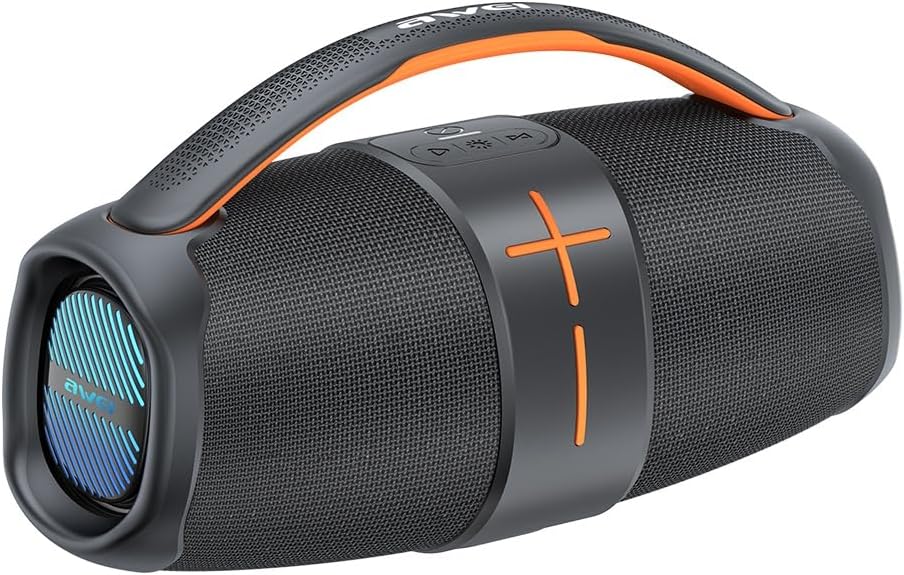
Figure 1.1: Awei Y887 Portable Speaker. This image displays the speaker's overall design, featuring a black body with orange accents, a carrying handle, and speaker grilles on both ends.
2. Product Overview
2.1 Key Features
- Bluetooth 5.3: For stable and efficient wireless audio streaming.
- True Wireless Stereo (TWS): Allows pairing two Y887 speakers for a stereo sound experience.
- Balanced Bass: Enhanced audio output with clear bass response.
- Multiple Playback Modes: Supports Bluetooth, AUX input, and MP3 playback via USB or Micro-SD card.
- Waterproof Design: Suitable for outdoor environments.
- Multiple LED Modes: Integrated lighting effects for visual ambiance.
2.2 Components and Controls
Familiarize yourself with the speaker's ports and controls as illustrated below:
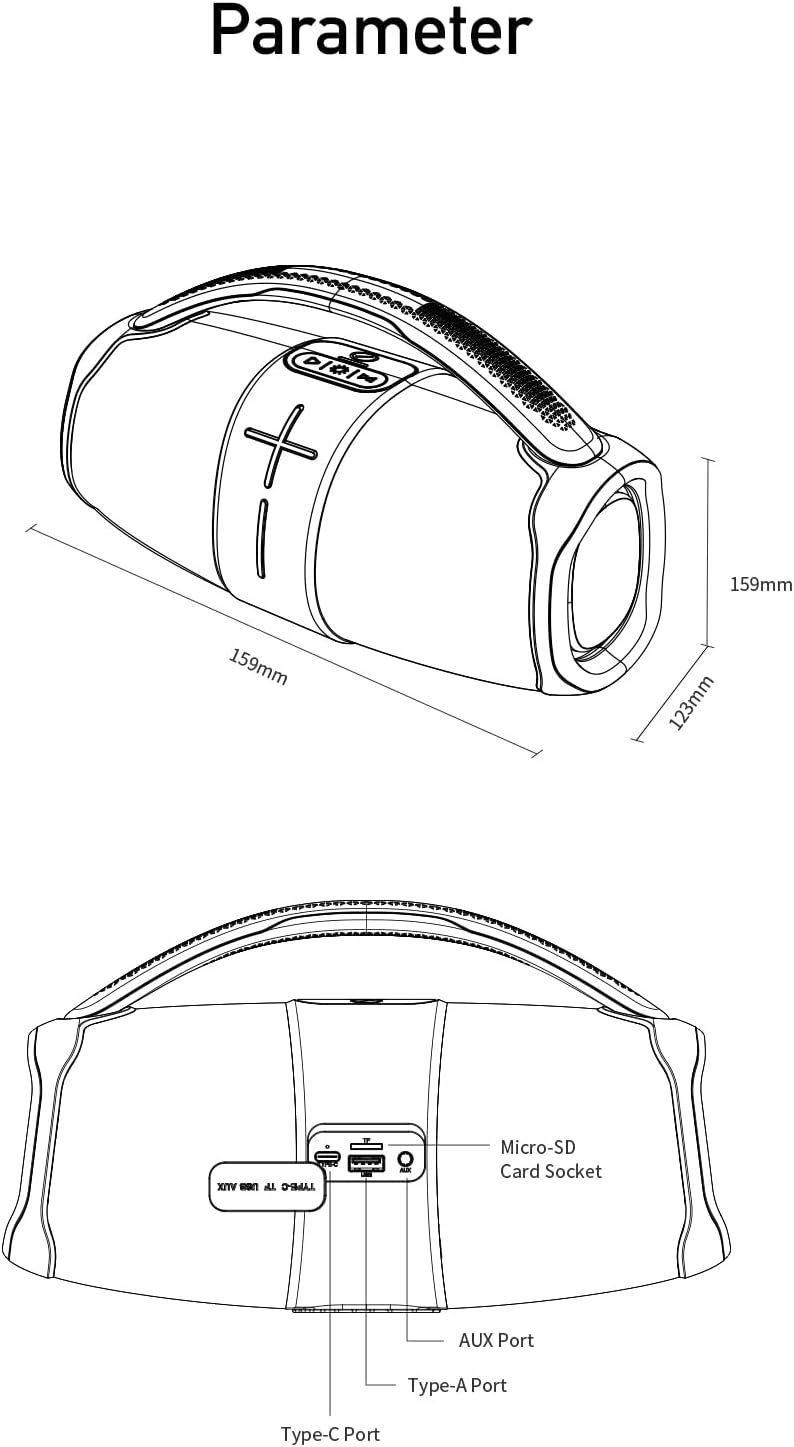
Figure 2.1: Rear view diagram of the Awei Y887 speaker, showing the port panel. From left to right, the ports are: Type-A Port (USB), Micro-SD Card Socket, AUX Port, and Type-C Port (Charging). The diagram also indicates the speaker's dimensions: 159mm length, 159mm height, and 123mm width.
- Power Button: Press and hold to power on/off. Short press for play/pause.
- Volume Up/Next Track Button: Short press for volume up, long press for next track.
- Volume Down/Previous Track Button: Short press for volume down, long press for previous track.
- Mode Button: Short press to switch between Bluetooth, AUX, and MP3 modes.
- LED Light Button: Short press to cycle through LED lighting modes.
- Type-C Port: For charging the speaker.
- AUX Port: For wired audio input from external devices.
- Micro-SD Card Socket: For MP3 playback from a Micro-SD card.
- Type-A Port (USB): For MP3 playback from a USB drive.
3. Setup
3.1 Charging the Speaker
- Connect the provided Type-C charging cable to the Type-C port on the speaker.
- Connect the other end of the cable to a USB power adapter (not included) or a computer's USB port.
- The charging indicator light will illuminate. It typically takes approximately 4 hours for a full charge.
- The indicator light will change or turn off once charging is complete.
3.2 Powering On/Off
- To Power On: Press and hold the Power button for approximately 3 seconds until you hear an audible prompt and the LED lights activate.
- To Power Off: Press and hold the Power button for approximately 3 seconds until you hear an audible prompt and the LED lights turn off.
3.3 Bluetooth Pairing
- Ensure the speaker is powered on and in Bluetooth mode (indicated by a flashing blue LED or audible prompt). If not, short press the Mode button to switch to Bluetooth mode.
- Enable Bluetooth on your mobile device (smartphone, tablet, computer).
- Search for available Bluetooth devices.
- Select "Awei Y887" from the list of devices.
- Once paired, you will hear a confirmation sound, and the Bluetooth indicator light will become solid.
3.4 TWS (True Wireless Stereo) Pairing
To achieve stereo sound, you can pair two Awei Y887 speakers together:
- Ensure both Awei Y887 speakers are powered on and not connected to any Bluetooth device.
- On one of the speakers (this will be the primary speaker), double-press the Power button. You will hear a prompt indicating TWS pairing mode.
- The two speakers will automatically search for and connect to each other. Once connected, you will hear a confirmation sound.
- Now, connect your mobile device to the primary speaker via Bluetooth as described in Section 3.3. Both speakers will play audio in stereo.
4. Operating Instructions
4.1 Basic Playback Controls
- Play/Pause: Short press the Power button.
- Volume Up: Short press the Volume Up button.
- Volume Down: Short press the Volume Down button.
- Next Track: Long press the Volume Up button.
- Previous Track: Long press the Volume Down button.
4.2 Switching Playback Modes
Short press the Mode button to cycle through available playback modes: Bluetooth > AUX > MP3 (USB/Micro-SD).
4.3 Using AUX Input
- Connect one end of a 3.5mm audio cable (not included) to the AUX port on the speaker.
- Connect the other end to the audio output jack of your external device.
- Short press the Mode button until you hear the "AUX mode" prompt.
- Control playback and volume from your external device.
4.4 Using MP3 Player (USB/Micro-SD)
- Insert a USB drive into the Type-A Port or a Micro-SD card into the Micro-SD Card Socket, pre-loaded with MP3 audio files.
- Short press the Mode button until you hear the "MP3 mode" prompt.
- The speaker will automatically begin playing the MP3 files. Use the playback controls (Section 4.1) to manage music.
4.5 LED Lighting Modes
Short press the LED Light button to cycle through various lighting effects. Press again to change the mode or turn off the lights.
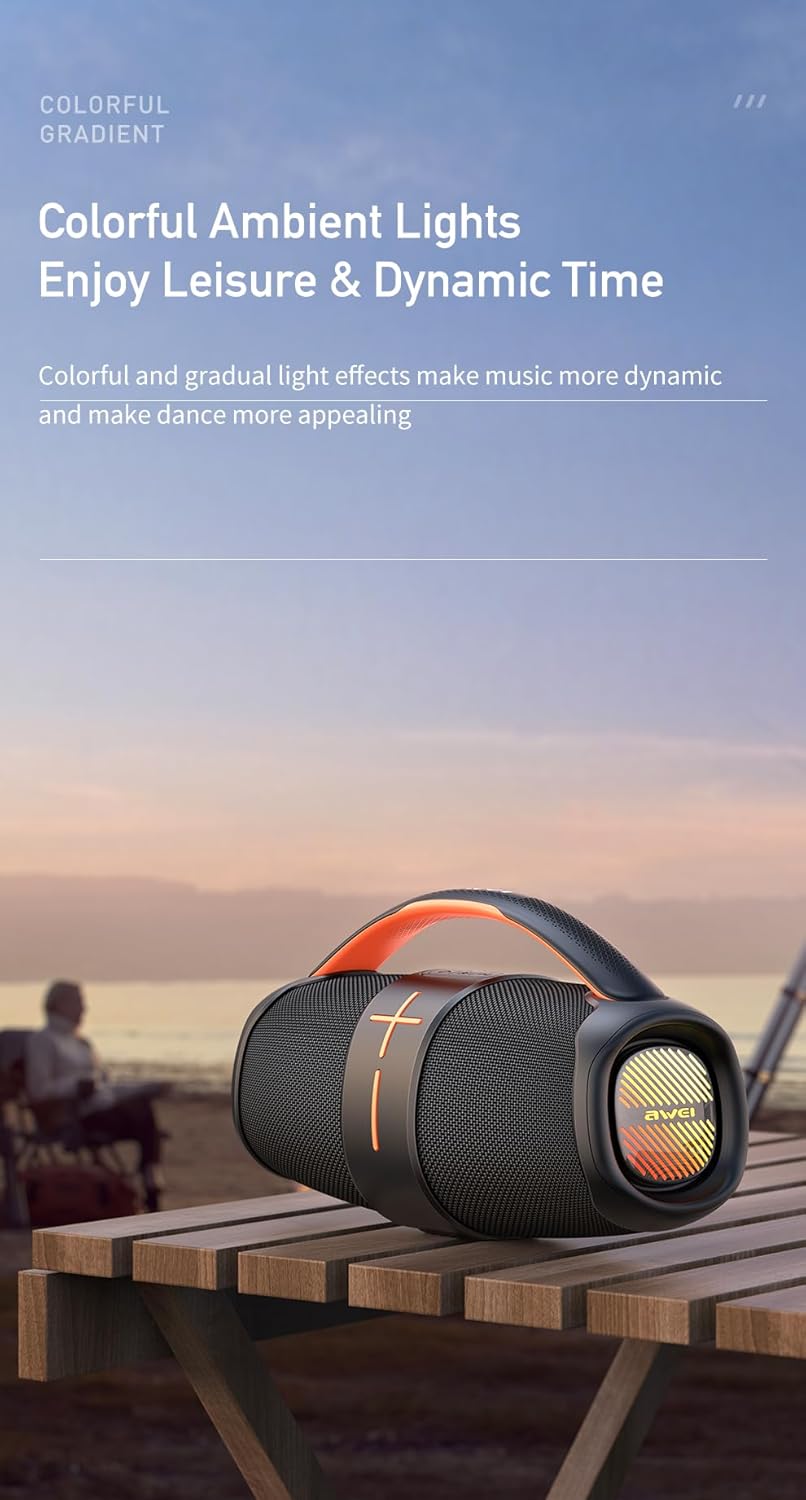
Figure 4.1: The Awei Y887 speaker displaying its colorful ambient lighting effects, enhancing the visual experience during use.
5. Maintenance
5.1 Cleaning
- Ensure the speaker is powered off before cleaning.
- Use a soft, dry, lint-free cloth to wipe the exterior surfaces.
- For stubborn dirt, slightly dampen the cloth with water. Do not use harsh chemicals, abrasive cleaners, or solvents.
- Avoid getting moisture into any ports.
5.2 Waterproof Considerations
- The Awei Y887 is designed to be waterproof. However, ensure all port covers are securely closed before exposure to water.
- Do not submerge the speaker in water for extended periods or at depths beyond its rated capacity.
- After exposure to water, wipe the speaker dry before charging to prevent damage to the charging port.
5.3 Storage
- Store the speaker in a cool, dry place away from direct sunlight and extreme temperatures.
- If storing for an extended period, charge the battery to approximately 50% every few months to maintain battery health.
6. Troubleshooting
If you encounter issues with your Awei Y887 speaker, refer to the following common problems and solutions:
| Problem | Possible Cause | Solution |
|---|---|---|
| Speaker does not power on. | Low battery. | Charge the speaker for at least 30 minutes. |
| No sound. | Volume too low; incorrect mode; device not connected. | Increase speaker and device volume. Ensure correct mode (Bluetooth, AUX, MP3). Re-pair Bluetooth device. |
| Cannot pair via Bluetooth. | Speaker not in pairing mode; device Bluetooth off; interference. | Ensure speaker is in Bluetooth pairing mode. Turn device Bluetooth off/on. Move closer to speaker. Forget device and re-pair. |
| TWS pairing fails. | Speakers already connected to another device; incorrect pairing procedure. | Ensure both speakers are disconnected from other devices. Follow TWS pairing steps precisely (Section 3.4). |
| MP3 playback not working. | Incorrect mode; unsupported file format; faulty USB/Micro-SD. | Ensure speaker is in MP3 mode. Check if files are in MP3 format. Try a different USB drive or Micro-SD card. |
7. Specifications
The following are the technical specifications for the Awei Y887 Portable Speaker:
| Feature | Specification |
|---|---|
| Model Name | Awei Y887 |
| Manufacturer | Awei |
| Product Dimensions | 11 x 27 x 18 cm |
| Item Weight | 1.2 kg |
| Connectivity Technology | Bluetooth 5.3 |
| Speaker Maximum Output Power | 10 Watts |
| Audio Output Mode | Surround |
| Mounting Type | Tabletop |
| Material | ABS, Acrylonitrile Butadiene Styrene |
| Speaker Type | Outdoor |
| Special Features | Waterproof, Multiple LED Modes, TWS, AUX, MP3 Player |
| Compatible Devices | MP3 Player, Bluetooth-enabled devices |
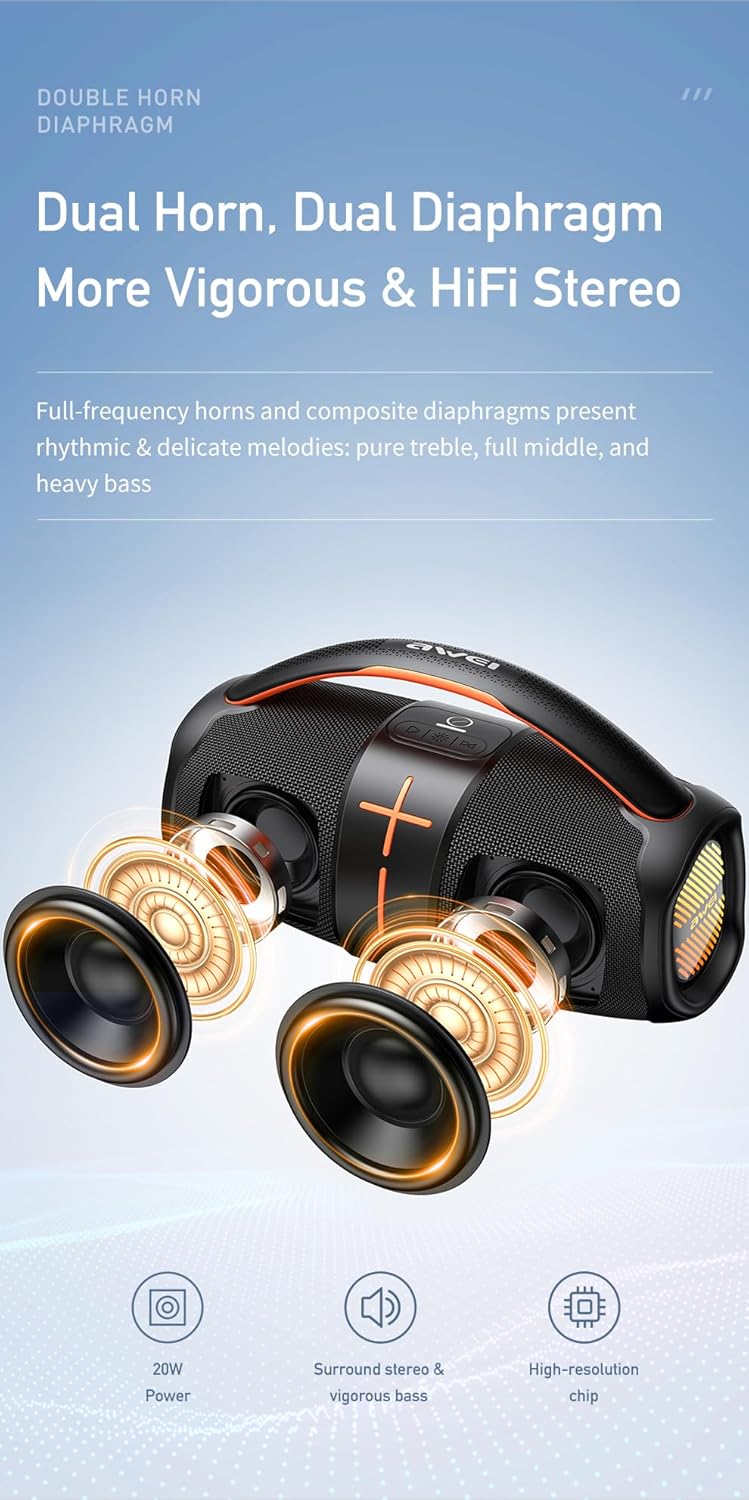
Figure 7.1: Diagram illustrating the internal dual horn and dual diaphragm design of the Awei Y887 speaker, contributing to its stereo sound and vigorous bass output.

Figure 7.2: Image detailing the battery specifications of the Awei Y887 speaker, showing a 3600mAh Li-polymer battery, approximately 4 hours charging time, and 4-6 hours of play time.
8. Warranty and Support
For warranty information and customer support, please refer to the documentation provided with your purchase or contact the retailer/manufacturer directly. Keep your proof of purchase for warranty claims.
Manufacturer: Awei


