
Introduction
Welcome to the user manual for your Black Shark S1 Classic Smartwatch. This guide provides essential information on setting up, operating, maintaining, and troubleshooting your device to ensure optimal performance and longevity. Please read this manual thoroughly before using your smartwatch.
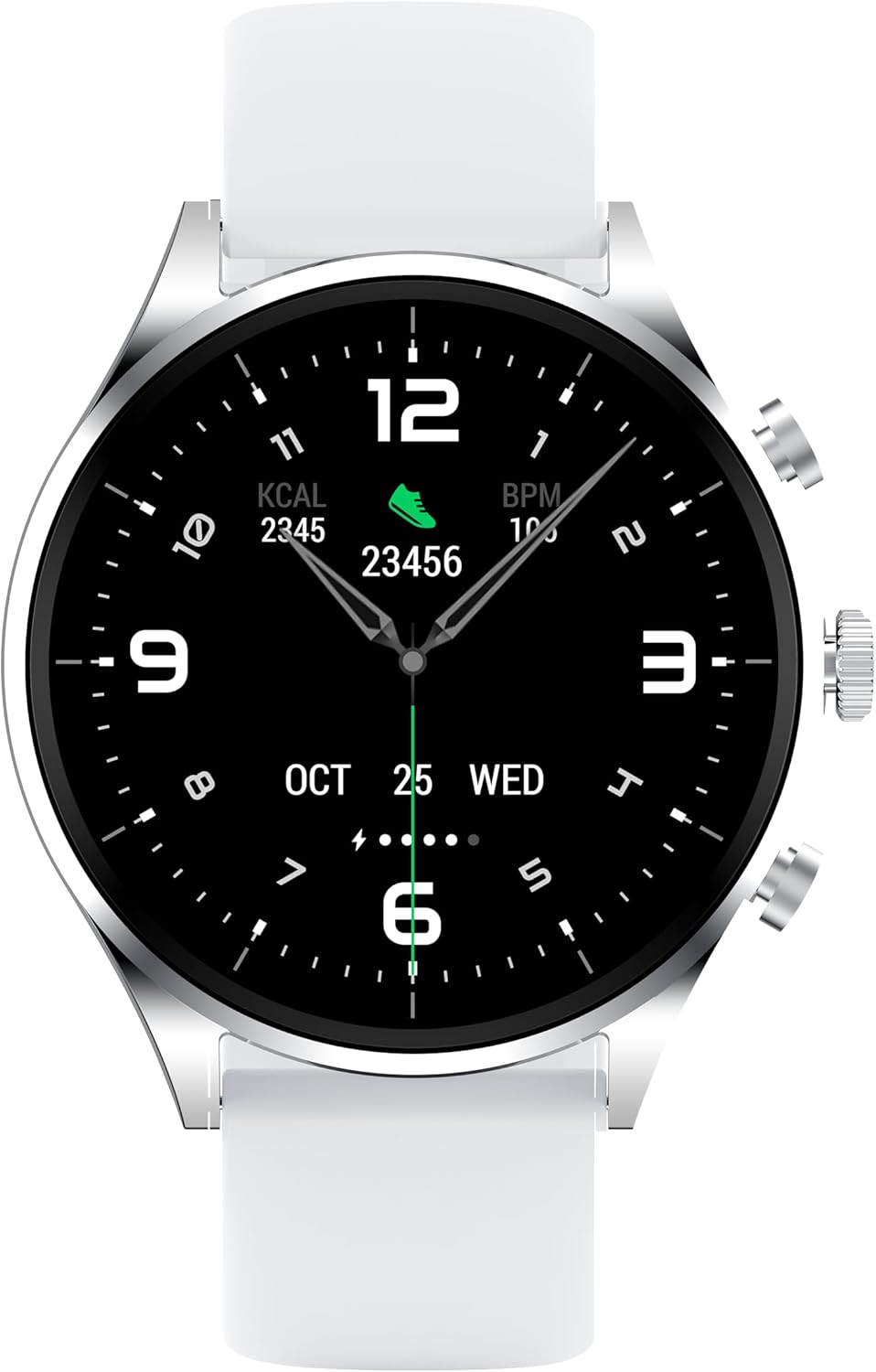
Image: Front view of the Black Shark S1 Classic Smartwatch, showcasing its 1.43-inch AMOLED display and silver casing.
What's in the Box
Upon unboxing your Black Shark S1 Classic Smartwatch, verify that all components are present:
- Black Shark S1 Classic Smartwatch
- Charging Cable
- User Manual (this document)
Setup
1. Charging the Smartwatch
Before initial use, fully charge your smartwatch. Connect the magnetic charging cable to the charging pins on the back of the watch and plug the USB end into a compatible power adapter (not included) or a computer's USB port.

Image: Rear view of the Black Shark S1 Classic Smartwatch, highlighting the charging pins and sensors.
2. Powering On/Off
- Power On: Press and hold the power button (usually the top right button) until the Black Shark logo appears.
- Power Off: Press and hold the power button, then select "Power Off" on the screen.
3. Pairing with Your Smartphone
- Download the official Black Shark Health App from your smartphone's app store (iOS App Store or Google Play Store).
- Open the app and create an account or log in.
- Ensure Bluetooth is enabled on your smartphone.
- In the app, navigate to "Add Device" or "Pair Device" and select "Black Shark S1 Classic" from the list of available devices.
- Follow the on-screen prompts on both your phone and smartwatch to complete the pairing process. A confirmation message will appear once successfully paired.
Operating the Smartwatch
Navigation
- Touchscreen: Swipe left/right, up/down to navigate through menus and notifications. Tap to select.
- Side Buttons: The smartwatch features multiple side buttons. Typically, one button serves as a power/home button, while others may be customizable shortcuts for sports modes or specific functions. Refer to the app for button customization.
Key Features
- 1.43'' AMOLED Display: Provides clear and vibrant visuals for all information.
- 100+ Sports Modes: Track various activities. Access these modes via the main menu or a dedicated button.
- Bluetooth Calling: Make and receive calls directly from your watch when connected to your smartphone.
- Gaming Health Monitoring Mode: Specialized tracking for gaming sessions.
- Health Monitoring: Includes heart rate tracking, sleep monitoring, and other health metrics.
- Notifications: Receive alerts for calls, messages, and app notifications from your paired smartphone.

Image: The Black Shark S1 Classic Smartwatch worn on a wrist, demonstrating its comfortable fit and display visibility.
Maintenance
Cleaning Your Smartwatch
Regular cleaning helps maintain the appearance and functionality of your device.
- Wipe the screen and body with a soft, lint-free cloth.
- For stubborn marks, slightly dampen the cloth with water. Avoid using harsh chemicals or abrasive materials.
- Clean the charging pins periodically to ensure good contact with the charger.
Water Resistance (IP68)
The Black Shark S1 Classic Smartwatch is IP68 rated, meaning it is resistant to dust and can withstand immersion in water up to 1.5 meters for up to 30 minutes. It is suitable for daily use, including hand washing and light rain. However, it is not recommended for swimming, diving, or high-pressure water activities.
Battery Care
- To prolong battery life, avoid extreme temperatures.
- Charge the device regularly, but avoid leaving it fully charged or fully depleted for extended periods.
- The smartwatch offers up to 12 days of battery life under typical usage conditions.
Troubleshooting
| Problem | Possible Cause | Solution |
|---|---|---|
| Smartwatch won't turn on. | Low battery; device frozen. | Charge the smartwatch for at least 30 minutes. If still unresponsive, perform a forced restart by holding the power button for 10-15 seconds. |
| Cannot pair with smartphone. | Bluetooth off; app issue; device not discoverable. | Ensure Bluetooth is on. Restart both smartwatch and phone. Clear app cache or reinstall the app. Make sure the smartwatch is in pairing mode. |
| Notifications not received. | App permissions; Bluetooth disconnected; Do Not Disturb mode. | Check app notification permissions on your phone. Ensure Bluetooth connection is stable. Disable Do Not Disturb mode on the watch and phone. |
| Inaccurate health data. | Improper fit; sensor obstruction. | Ensure the watch is worn snugly on your wrist, not too tight or too loose. Clean the sensors on the back of the watch. |
Specifications
| Feature | Detail |
|---|---|
| Model Name | Black Shark S1 Classic Smartwatch |
| Item Model Number | BLACK SHARK S1 Classic |
| Display | 1.43 inches AMOLED |
| Battery Life | Up to 12 Days (typical usage) |
| Water Resistance | IP68 |
| Connectivity | Bluetooth |
| Dimensions | 2.11 x 1.93 x 0.48 inches |
| Item Weight | 5.3 ounces |
| Manufacturer | Black Shark |
| First Available Date | November 30, 2023 |
Warranty and Support
For warranty information and customer support, please refer to the official Black Shark website or contact their customer service directly. Keep your purchase receipt as proof of purchase for warranty claims.
Online Support: www.blackshark.com/global/support