
Introduction
This manual provides detailed instructions for the safe and efficient operation of your Retevis P1 Superheterodyne Digital Two-Way Radio. Please read this manual thoroughly before using the device to ensure proper function and to prevent damage.
The Retevis P1 is a professional-grade digital two-way radio designed for reliable communication in various environments. It features a superheterodyne receiver for clear audio, long-range capabilities with a built-in relay function, and compatibility with both analog and digital communication systems.
Package Contents
Verify that all items listed below are included in your package:
- P1 walkie talkie (x2)
- Antenna (x2)
- Desktop charger (x2)
- Data cable (x1)
- 2500mAh battery (x2)

The package contains two P1 walkie-talkies, two antennas, two desktop chargers, one data cable, and two 2500mAh batteries. A user manual is also included.
Setup
1. Battery Installation
- Align the battery with the back of the radio.
- Slide the battery into place until it clicks securely.
- To remove, press the release latch (if present) and slide the battery off.

The image displays the back of the Retevis P1 radio and its detachable 2500mAh Lithium-Ion battery. The battery connects via gold-plated contacts. The radio's dimensions are approximately 1.33"D x 2.18"W x 4.92"H, and it weighs about 1.14 lbs.
2. Antenna Attachment
Screw the antenna clockwise onto the connector at the top of the radio until it is finger-tight. Do not overtighten.
3. Charging the Battery
The radio uses a 2500mAh Lithium-Ion battery. Charge the battery using the provided desktop charger or directly via the USB-C port on the radio.
- Desktop Charger: Place the radio (with battery installed) into the desktop charging cradle. Ensure the charging indicator light illuminates.
- USB-C Charging: Connect the data cable to the USB-C port on the radio and to a compatible USB power source.
A full charge provides approximately 14 hours of continuous working time and up to 46 hours of standby time.

This image shows the Retevis P1 radio docked in its desktop charging unit, connected to a wall adapter. This is one method for recharging the radio's battery.

The illustration highlights the 2500mAh battery's capacity, offering 14 hours of working time and 46 hours of standby time. It also indicates the presence of a USB-C charging port for convenience.
Operating Instructions
1. Power On/Off and Volume Control
- Power On: Rotate the power/volume knob clockwise until you hear a click.
- Power Off: Rotate the power/volume knob counter-clockwise until you hear a click.
- Volume Adjustment: Rotate the power/volume knob to adjust the listening volume.
2. Channel Selection
The Retevis P1 supports 256 channels. Use the channel selector knob at the top of the radio to choose your desired channel. Ensure all radios in your group are on the same channel for communication.
3. Transmitting and Receiving
- To Transmit: Press and hold the Push-to-Talk (PTT) button on the side of the radio. Speak clearly into the microphone.
- To Receive: Release the PTT button. The radio will automatically receive transmissions on the selected channel.
4. Analog and Digital Mode Compatibility
The P1 radio operates in both analog and digital modes, allowing compatibility with various two-way radio systems, including Motorola solutions (70cm band). This feature enables seamless communication with other analog or digital walkie-talkies.

This image illustrates the Retevis P1's ability to communicate in both digital and analog modes, making it compatible with a wide range of existing radio systems like RT81, RT29, and Motorola solutions.

The diagram shows the Retevis P1 radio positioned between a digital mode radio and an analog mode radio, with arrows indicating its capability to transmit and receive in both modes.
5. Single/Group/All Call Functions
The P1 radio supports flexible communication options:
- Single Call: Direct communication with a specific radio.
- Group Call: Communication with a predefined group of radios.
- All Call: Broadcast message to all radios within range.

This diagram visually explains the single call (one-to-one), group call (one-to-many within a group), and all call (broadcast to all) functionalities of the radio.
6. Emergency Alarm
In emergency situations, the radio features an emergency alarm function to alert others. Refer to the full user manual for specific instructions on activating and configuring the emergency alarm.

The image shows the Retevis P1 radio alongside a flashing red emergency light, indicating its emergency alarm capability, useful for lone workers or in critical situations.

This illustration highlights the radio's utility for lone workers and its emergency alarm function, designed to provide safety in potentially hazardous work environments.
7. Record Function
The DMR walkie-talkie supports recording up to 260 hours of conversations. This feature is useful for reviewing critical details or for training purposes. Consult the full user manual for instructions on activating and managing recordings.

The image shows the radio with a play icon and a sound wave graphic, representing its ability to record and play back up to 260 hours of audio.
8. Long Range and Built-in Relay Function
The P1 radio is designed for long-range communication, especially in large commercial environments. Its high-power design ensures strong signal penetration. The built-in single frequency relay (SFR) function extends the communication distance effectively, allowing for stable and smooth transmission and reception over greater areas.

This diagram illustrates how one Retevis P1 radio can function as a Single Frequency Relay (SFR) to extend the communication range between two other radios, enabling communication even when direct line-of-sight is obstructed.

The image shows three radios with signal waves connecting them, highlighting the built-in relay function that extends the talk range for stable and long-term transmission and reception.
9. Secure Communication
The Retevis P1 supports advanced encryption standards including ARC4, AES128, and AES256. These features ensure secure and private conversations, preventing unauthorized listening.

This image displays the Retevis P1 radio with a prominent shield and padlock icon, symbolizing its strong compatibility and secure communication capabilities, including support for ARC4, AES128, and AES256 encryption.

The diagram shows two radios communicating with encryption protocols like AES256, ARC4, and AES128 ensuring secure transmission.
Maintenance
- Cleaning: Use a soft, damp cloth to clean the radio's exterior. Do not use harsh chemicals or solvents.
- Battery Care: Avoid fully discharging the battery frequently. Store the radio and battery in a cool, dry place when not in use for extended periods.
- Antenna: Ensure the antenna is securely attached. Do not operate the radio without an antenna.
Troubleshooting
| Problem | Possible Cause | Solution |
|---|---|---|
| Radio does not power on. | Battery is low or not installed correctly. | Charge the battery or re-install it securely. |
| Cannot transmit or receive. | Incorrect channel selected, out of range, or antenna not attached. | Verify channel, move closer to other radios, ensure antenna is secure. |
| Poor audio quality. | Low battery, interference, or radio too far apart. | Charge battery, move away from sources of interference, reduce distance. |
Specifications
| Feature | Detail |
|---|---|
| Item Weight | 1.14 pounds |
| Product Dimensions | 1.33 x 2.18 x 4.92 inches |
| Model Number | P1 |
| Batteries | 2 Lithium Ion batteries required (included) |
| Battery Capacity | 2500mAh |
| Standby Time | 46 hours |
| Continuous Working Time | 14 hours |
| Charging Port | USB-C |
| Number of Channels | 256 |
| Talking Range Maximum | 7 Mile |
| Voltage | 7.4 Volts (DC) |
| Water Resistance Level | Not Water Resistant |
| Special Features | Built-in relay, High power, Record function, Emergency alarm, Superheterodyne digital, Analog/digital mode |
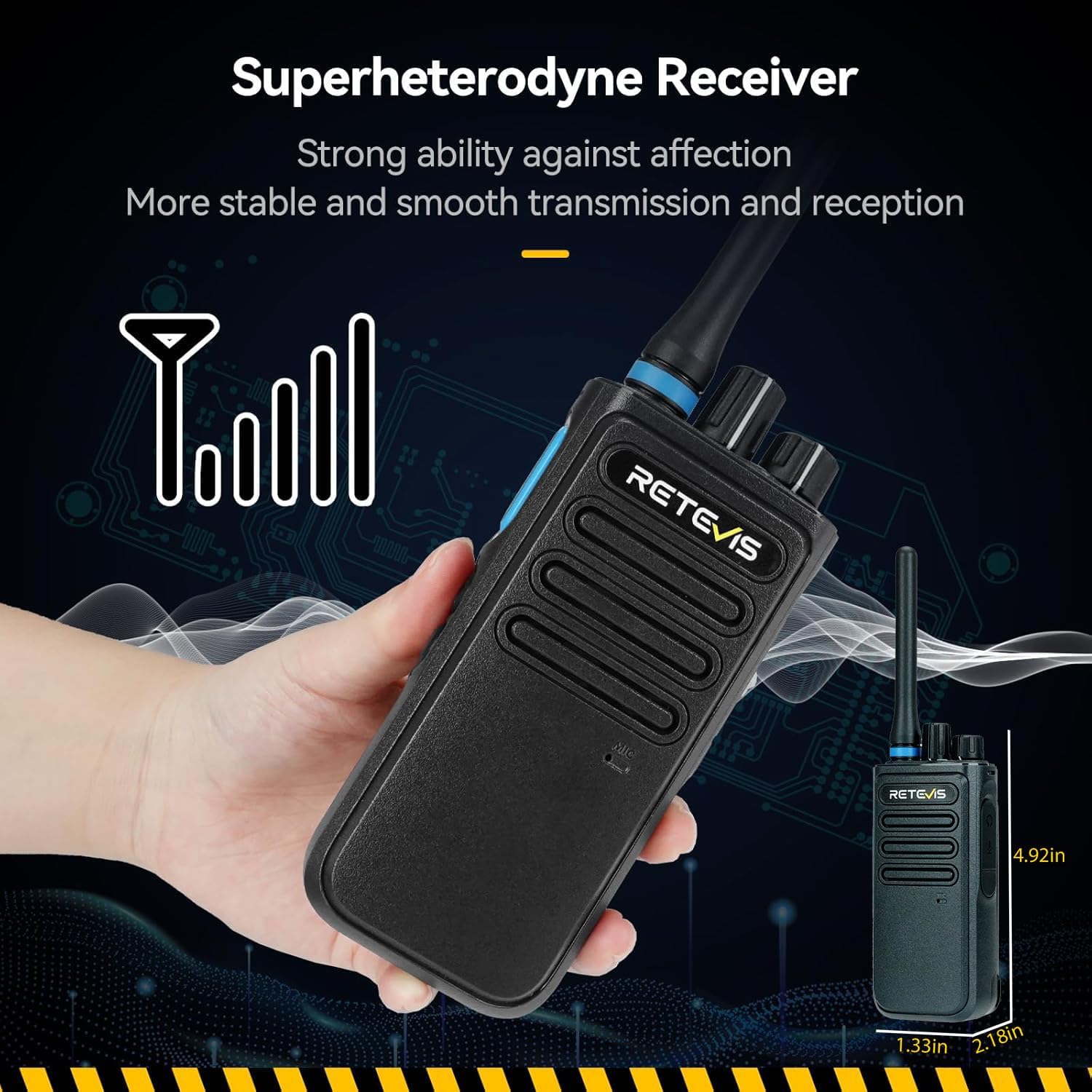
This image shows a hand holding the Retevis P1 radio, with an overlay indicating its compact dimensions, making it suitable for portable use.

The graph visually compares the signal reception quality of the Retevis P1's Superheterodyne Receiver ("our") against other receivers, demonstrating its enhanced stability and smoother transmission and reception by showing a more consistent signal curve.
Warranty and Support
Retevis provides a 2-year warranty for the radio body and a 1-year warranty for accessories. Additionally, there is a 30-day no-reason return policy.
Beyond the warranty period, maintenance services are still offered, with buyers responsible for associated costs.
For support or warranty claims, please contact Retevis customer service via Amazon. Responses are typically provided within 12 hours.
For further assistance, visit the official Retevis store on Amazon: Retevis Store
Important Safety Information
- Do not operate the radio in explosive atmospheres.
- Do not disassemble or modify the radio.
- Use only approved batteries and chargers.
- Keep the radio away from water and moisture (Note: Not Water Resistant).
- Avoid prolonged exposure to direct sunlight or extreme temperatures.


