
1. Introduction
This manual provides detailed instructions for the installation, operation, maintenance, and troubleshooting of your Barlus 5MP Full HD Underwater POE Camera, model SK5F-4PX10. Please read this manual thoroughly before using the product to ensure proper functionality and longevity.
2. Product Features
- Enhanced Video Quality: Features an upgraded Sony sensor and new image enhancement functions. Intelligent filtering reduces green tint in water, balancing video imaging for clearer details. Delivers 5MP Full HD underwater video output.
- Timed On/Off Lights: Includes a 1000-lumen remote-controllable fill light with adjustable infrared and white light. Improves visibility in dark environments. A timer function allows scheduling light activation and deactivation for convenience and efficiency.
- Adjustable Focal Length: Capable of focusing on objects from 5 cm onwards. Features fast focusing speed and software-adjustable focus. Ensures clear focus on objects at various distances, whether close or far.
- Dual Power Mode: Supports both Power over Ethernet (POE) and DC 12V power. A single network cable can provide both power and data transmission. Ideal for fixed underwater installations requiring continuous power without battery concerns.
- Durable Fixed Underwater Camera: Constructed with a marine-grade stainless steel casing and IP68 waterproofing. Offers excellent corrosion resistance and waterproof performance. Suitable for long-term fixed installations in both freshwater and saltwater environments, ensuring stable monitoring.
3. Package Contents
Verify that all items listed below are included in your package. If any items are missing or damaged, please contact your retailer.
- Barlus Underwater POE Camera (SK5F-4PX10)
- Power Adapter
- USB Flash Drive (containing instructions and software)
- Mounting Accessories

Image 3.1: Contents of the Barlus Underwater POE Camera package, showing the camera unit, power adapter, and connection cable.
4. Setup and Installation
4.1 Power Connection
The camera supports two power modes: Power over Ethernet (POE) and DC 12V. Choose the method suitable for your installation.
- POE Connection: Connect a POE-enabled Ethernet cable directly to the camera's network port. This single cable provides both power and data.
- DC 12V Connection: Connect the provided power adapter to the camera's DC input port, then plug the adapter into a standard power outlet. Connect a separate Ethernet cable for data transmission.
4.2 Mounting the Camera
The camera is designed for fixed underwater installation. Use the included mounting accessories to secure the camera in your desired location. Ensure the mounting surface is stable and can support the camera's weight.

Image 4.1: The Barlus camera shown with its integrated mounting bracket, ready for fixed installation.
4.3 Software Installation
Insert the provided USB flash drive into your computer. Install the necessary software for camera configuration, viewing, and focus adjustment. Refer to the instructions on the USB drive for detailed software installation steps.
5. Operating Instructions
5.1 Motorized Focusing
The camera features a motorized lens for precise focus adjustment. Use the control software on your computer to adjust the focal length. This allows for clear imaging of objects from 5 cm to several meters away.

Image 5.1: An underwater scene demonstrating the camera's motorized focusing, highlighting its ability to achieve sharp images of subjects like a ray.
5.2 Intelligent Lighting System
The camera is equipped with an intelligent lighting system, including both infrared and white fill lights. These lights can be controlled remotely via the software.
- Automatic Mode: Lights adjust automatically based on environmental conditions.
- Manual Mode: Manually turn the lights on or off.
- Timer Mode: Set specific times for the lights to turn on and off.

Image 5.2: The camera's intelligent lighting system illuminating a dark underwater scene, demonstrating its effectiveness in low-light conditions.
5.3 Image Enhancement
The camera features advanced image enhancement capabilities to provide clearer and more vibrant underwater footage. This includes filtering out green tints common in aquatic environments and backlight compensation.

Image 5.3: A side-by-side comparison illustrating the improved clarity, detail, and color reproduction achieved with the camera's upgraded imaging technology.
5.4 Viewing and Sharing
The camera supports various viewing and sharing options, including RTSP/RTMP protocols. You can view live feeds on compatible devices such as personal computers and laptops. The video aspect ratio is switchable.
Image 5.4: Example of viewing live underwater footage on a laptop and smartphone, demonstrating the ease of monitoring and potential for sharing.
6. Maintenance
6.1 Cleaning
Regularly inspect the camera lens and housing for any marine growth, dirt, or debris. Gently clean the lens with a soft, lint-free cloth and fresh water. Avoid abrasive materials or harsh chemicals that could damage the lens or housing.
6.2 Durability and Water Resistance
The Barlus camera features a marine-grade stainless steel casing and IP68 waterproofing, ensuring excellent resistance to corrosion and water ingress. It is designed for long-term fixed installations in both freshwater and saltwater environments.
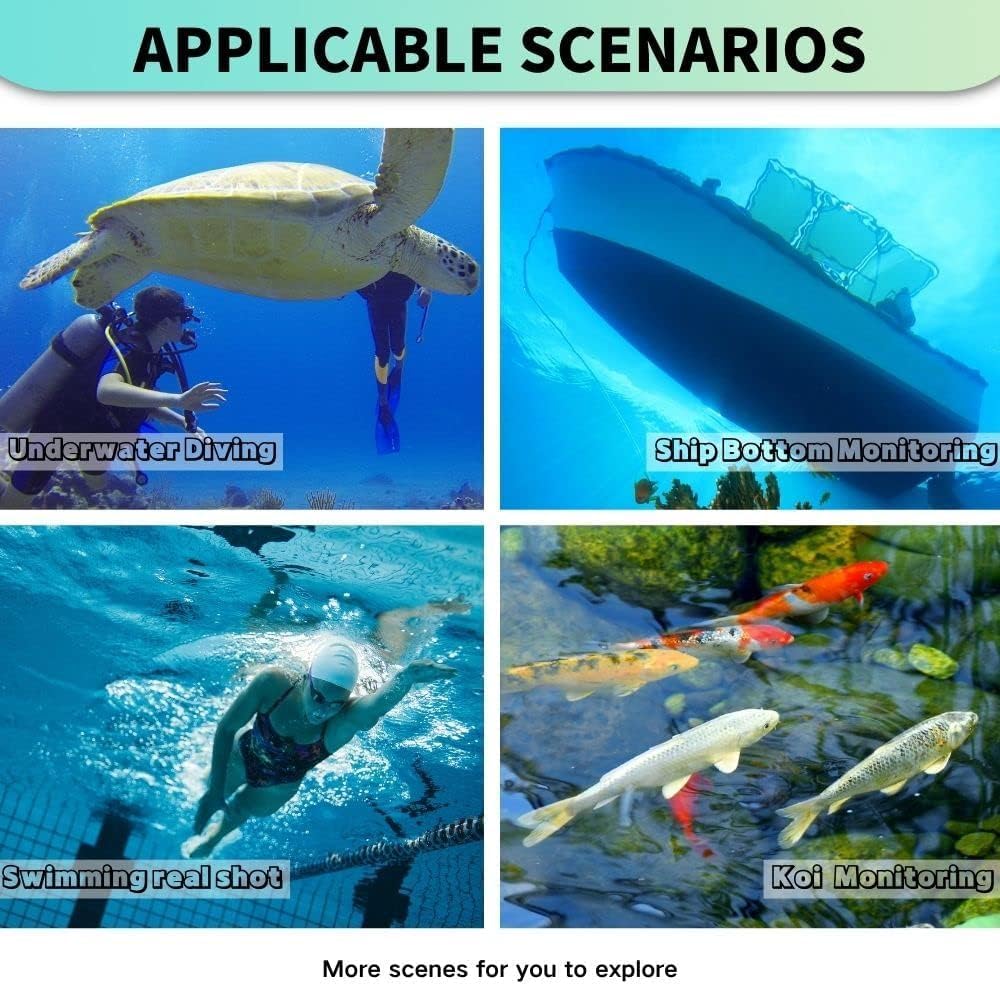
Image 6.1: The camera submerged in water, illustrating its robust waterproof construction and suitability for depths up to 50 meters.
7. Troubleshooting
If you encounter issues with your camera, refer to the following common problems and solutions:
| Problem | Possible Cause | Solution |
|---|---|---|
| No image/video feed | Power issue, network cable disconnected, software not running. | Check power connection (POE or DC 12V). Ensure Ethernet cable is securely connected. Verify that the viewing software is running and configured correctly. |
| Blurry image | Incorrect focus setting, dirty lens. | Adjust the focus using the control software. Clean the camera lens gently with a soft cloth and fresh water. |
| Lights not working | Light mode setting, power issue. | Check the light control settings in the software (Automatic, Manual, Timer). Ensure the camera is receiving adequate power. |
| Poor image quality (color distortion) | Environmental factors, software settings. | Ensure image enhancement features are enabled in the software. The camera's intelligent filtering should compensate for green tints. |
8. Technical Specifications
| Feature | Specification |
|---|---|
| Brand | Barlus |
| Item Model Number | SK5F-4PX10 |
| Photo Sensor Technology | CMOS |
| Video Recording Resolution | 2592p (5MP Full HD) |
| Video Capture Format | MP4 |
| Supported Audio Format | MP3, AAC |
| Connectivity Technology | Ethernet (POE support) |
| Special Feature | Motorized Focus |
| Optical Zoom | 1.0x |
| Optical Sensor Size | 1/2.8-inch |
| Water Resistance Level | IP68 (Waterproof) |
| Image Stabilization | No (Digital Image Stabilizer) |
| Lens Type | Wide Angle |
| Focus Type | Fixed Focus (Software Adjustable) |
| Effective Still Resolution | 5 Megapixels |
| Shooting Modes | Underwater |
| Image Aspect Ratio | 16:9 |
| Supported Image Format | JPEG |
| Exposure Control Type | Automatic |
| Compatible Devices | Personal Computer, Laptop |
| Model Name | KF |
| Box Contents | Camera Body and Accessories |
| Batteries Included | No |
| Maximum Display Resolution | 2592p |
| Zoom Type | Optical |
| Package Dimensions | 28 x 27 x 11 cm; 2.8 kilograms |
| Country of Origin | China |
9. Warranty and Support
Warranty information for your Barlus Underwater POE Camera is typically provided with your purchase documentation. Please refer to the warranty card or contact your retailer for specific details regarding warranty coverage and duration.
For technical support or further assistance, please consult the contact information provided on the USB flash drive included with your product or visit the official Barlus website.


