
Introduction
This instruction manual provides detailed guidance for assembling and operating your BLOKEES Transformers Classic Class Bumblebee Model Kit. Designed for individuals aged 12 and above, this kit allows you to construct a highly poseable Bumblebee action figure with ease.
Important Safety Information:
- WARNING: CHOKING HAZARD - Small parts. Not for children under 3 years.
- Standalone batteries for lighting pose a risk to small children. For individuals aged 12 and above, please install batteries under the supervision of a guardian.
- After disassembling, dispose of or recycle batteries properly.

Image: The fully assembled BLOKEES Transformers Classic Class Bumblebee Model Kit, showcasing its detailed design and poseability.
What's Included
Please verify that all components listed below are present in your package before beginning assembly:
- Model Kit (unassembled parts for Bumblebee figure)
- Display Base
- Instruction Manual
- Battery (for glowing features)
- Weapon Accessory
- Replaceable Gesture parts (may vary by figure)
- Stickers for the display base
- Battery replacement instructions
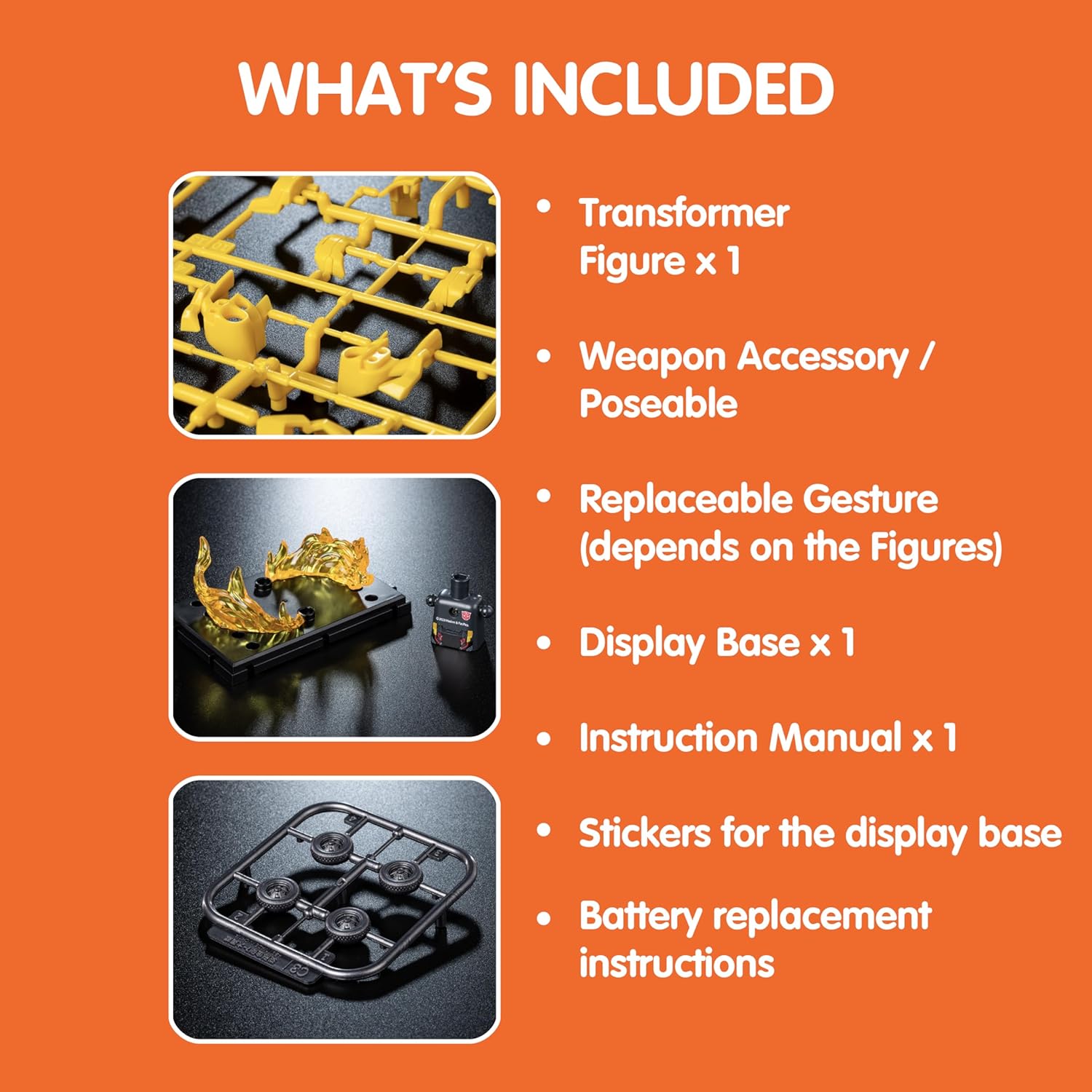
Image: A visual representation of the items included in the BLOKEES Transformers Classic Class Bumblebee Model Kit, such as the unassembled figure parts, weapon, display base, and instruction manual.
Setup & Assembly
The BLOKEES Bumblebee Model Kit is designed for snap-together assembly, requiring no glue, brushes, or cutters. Follow the detailed illustrations in the included instruction manual for step-by-step guidance.
- Prepare Your Workspace: Ensure a clean, well-lit area. Lay out the instruction manual and the plastic runners containing the parts.
- Identify Parts: Refer to the manual's part identification section. Each part is labeled on the plastic runners.
- Detach Parts: Carefully detach each part from its runner. Twist or gently pull to remove. Avoid using excessive force to prevent damage.
- Assemble Sections: Follow the manual's sequence to assemble individual sections (e.g., head, arms, legs, torso). Parts are designed to snap together securely.
- Install Battery (for glowing features): Locate the designated battery compartment, typically in the head or chest. Insert the provided battery, ensuring correct polarity. Refer to the specific battery replacement instructions included.
- Attach Accessories: Connect the weapon accessory and any replaceable gesture parts as desired.
- Final Assembly: Join all assembled sections to form the complete Bumblebee figure.
- Apply Stickers: Use the provided stickers to enhance the display base or figure details as shown in the manual.
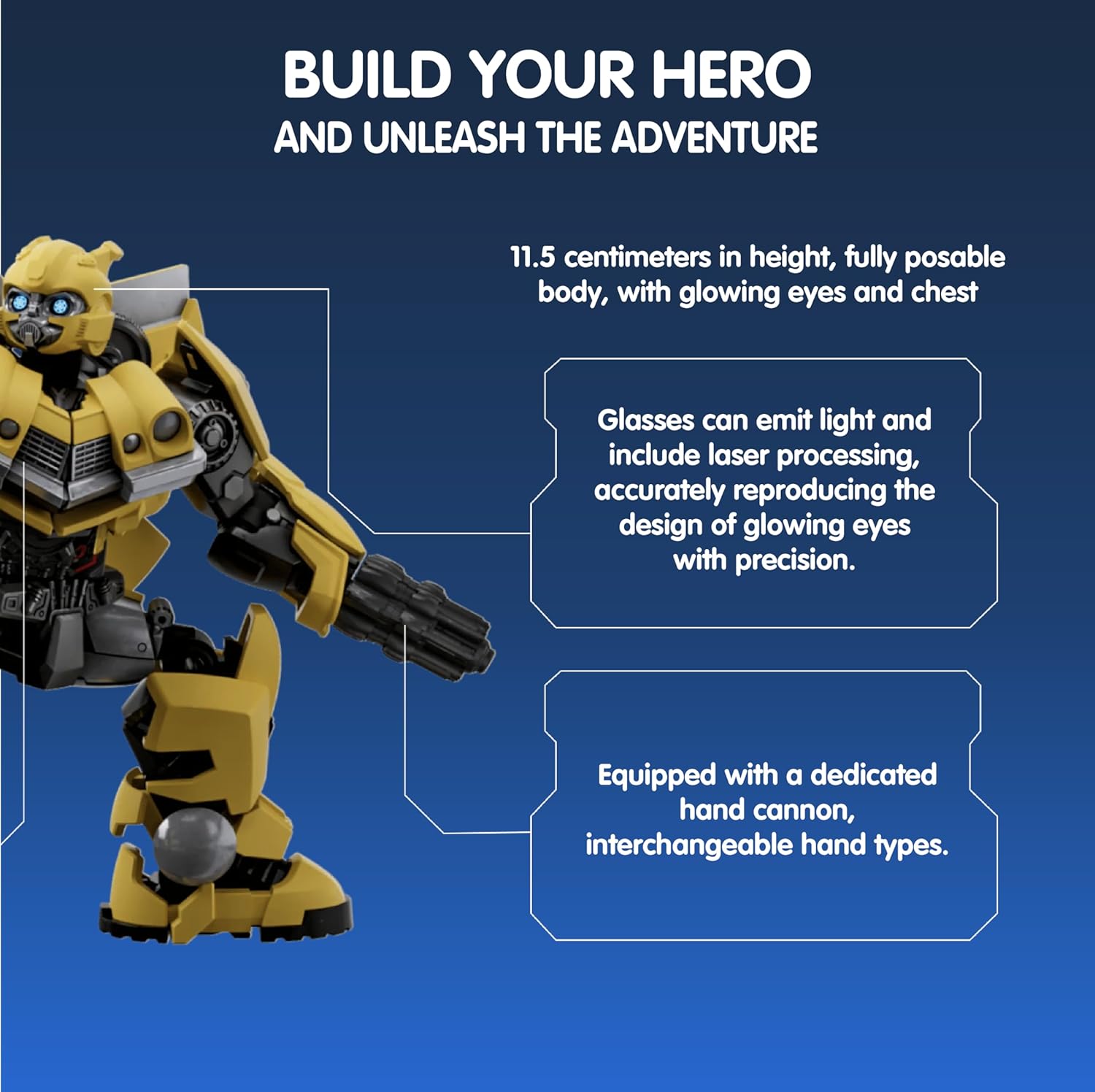
Image: Close-up view of the Bumblebee model, highlighting features like glowing eyes and a hand cannon, with text indicating its 11.5 cm height and fully poseable body.
Operating Instructions
Your BLOKEES Bumblebee Model Kit features over 20 points of articulation and glowing elements for dynamic display and interaction.
- Poseability: Gently manipulate the joints to position your Bumblebee figure in various stances. The 20+ points of articulation allow for a wide range of dynamic poses.
- Activating Glowing Features: The figure's eyes and chest are designed to emit light. Activate these features by pressing the designated button or switch, typically located on the back of the head or torso. Refer to the specific instructions for exact location and operation.
- Weapon and Accessories: Attach and detach the hand cannon and other interchangeable parts as desired to customize your figure's appearance and pose.
- Display Base: Use the provided display base to securely hold your figure in an upright position, enhancing its presentation.
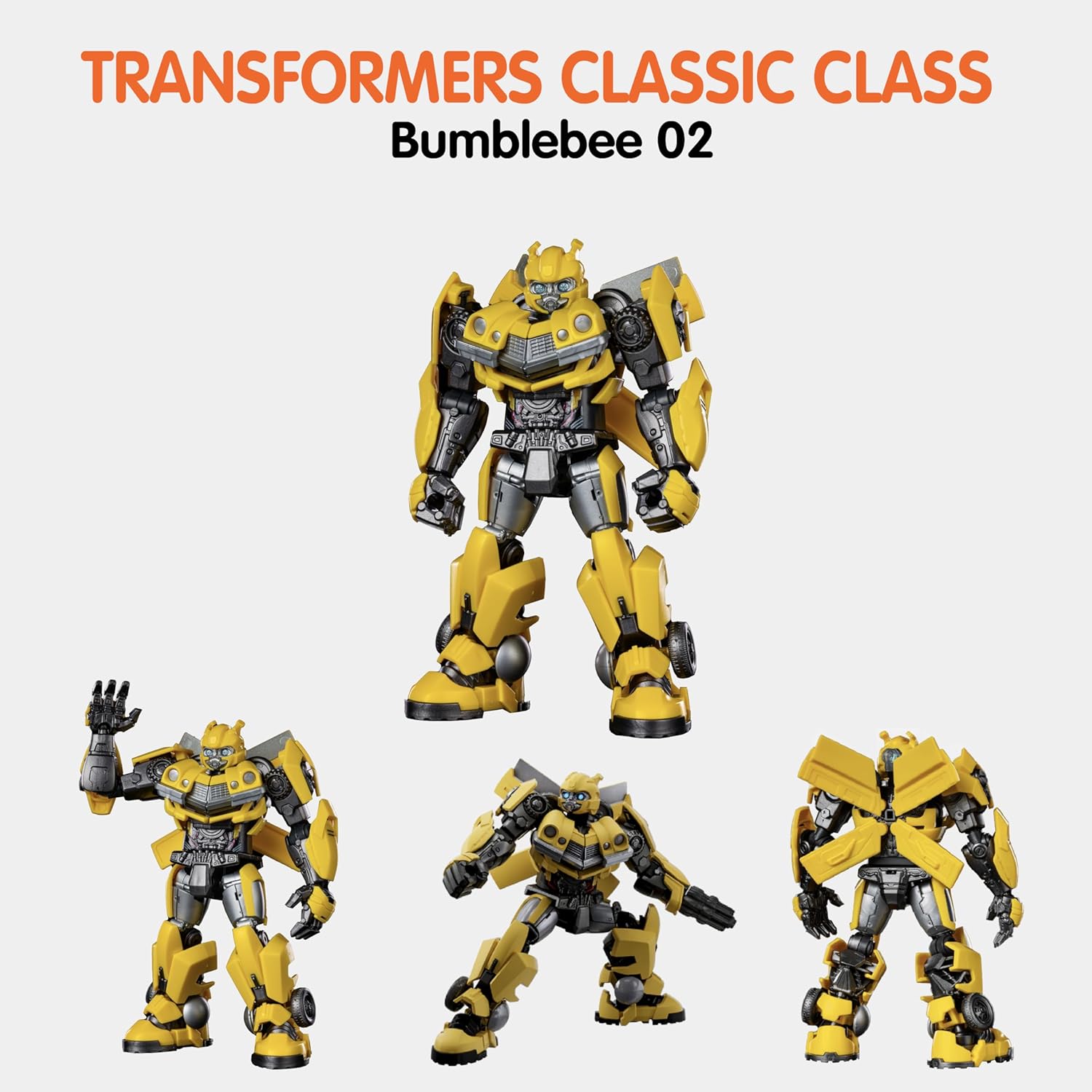
Image: Four different dynamic poses of the BLOKEES Transformers Classic Class Bumblebee figure, demonstrating its extensive articulation.

Image: A close-up of the Bumblebee figure with its eyes illuminated, showcasing the glowing feature.
Maintenance
Proper care will ensure the longevity and appearance of your Bumblebee model kit.
- Cleaning: Use a soft, dry cloth to gently wipe dust from the figure. For stubborn dirt, lightly dampen the cloth with water and mild soap, then wipe dry immediately. Avoid harsh chemicals or abrasive materials.
- Storage: Store the figure in a cool, dry place away from direct sunlight and extreme temperatures to prevent material degradation or discoloration.
- Battery Replacement: When the glowing features dim or stop working, replace the battery according to the specific instructions provided with your kit. Ensure proper disposal of used batteries.
Troubleshooting
If you encounter any issues with your model kit, refer to the following common solutions:
| Problem | Possible Cause | Solution |
|---|---|---|
| Parts do not snap together easily. | Incorrect part orientation or excess plastic on connection points. | Verify part orientation with the manual. Gently remove any excess plastic from the connection points. Do not force parts. |
| Glowing features do not activate. | Battery incorrectly installed, depleted, or switch is off. | Check battery polarity. Replace battery if depleted. Ensure the activation switch is in the "ON" position. |
| Figure is unstable on the display base. | Figure not properly seated on the base or an uneven surface. | Ensure the figure's feet are firmly attached to the pegs on the display base. Place the base on a flat, stable surface. |
Specifications
| Feature | Detail |
|---|---|
| Product Dimensions | 4.53 x 3.54 x 4.53 inches (assembled figure) |
| Item Weight | 7.8 ounces |
| Model Number | 71142 |
| Recommended Age | 12 years and up |
| Material | High-quality ABS Plastic |
| Joints | 20+ movable joints |
| Special Features | Glowing eyes and chest (battery included) |
| Assembly | Snap-together, no glue or tools required |

Image: A graphic displaying key product specifications including material, type, item series, recommended age, parts quantity, and features.
Warranty & Support
BLOKEES is committed to providing high-quality products. While specific warranty details are not provided in this manual, please retain your proof of purchase for any potential warranty claims.
For further assistance, missing parts, or technical support, please visit the official BLOKEES website or contact their customer service department. Contact information can typically be found on the product packaging or the brand's official online presence.
Manufacturer: BLOKEES

