
Khptop Y80
Khptop Y80 Motorcycle Intercom User Manual
Model: Y80
Introduction
Thank you for choosing the Khptop Y80 Motorcycle Intercom. This device is designed to provide clear and reliable communication for riders, featuring Bluetooth 5.3, CVC noise reduction, and IP67 waterproof rating. Please read this manual carefully before use to ensure proper operation and maintenance.
Package Contents
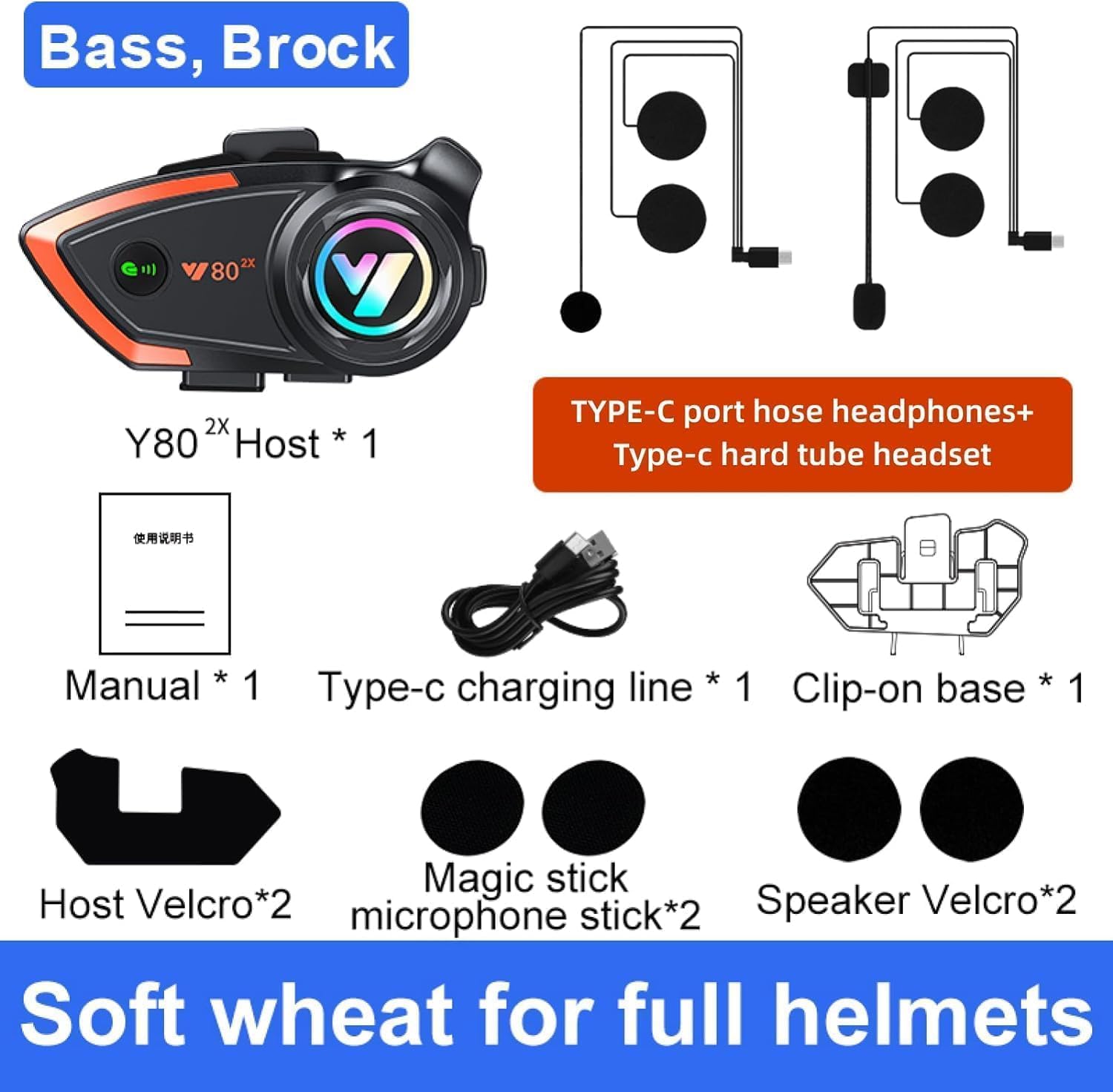
The package includes all necessary components for installation and use. You should find the main Y80 intercom unit, two types of microphones (soft and hard tube), a Type-C charging cable, a clip-on base for helmet mounting, Velcro pads for the host unit, and Velcro pads for both the microphone and speakers.
- 1 x Khptop Y80 Motorcycle Intercom Host
- 1 x Soft Microphone (for full-face helmets)
- 1 x Hard Tube Microphone (for open-face helmets)
- 1 x Type-C Charging Cable
- 1 x Clip-on Base
- 2 x Host Velcro Pads
- 2 x Microphone Velcro Pads
- 2 x Speaker Velcro Pads
- 1 x User Manual
- Installation Accessories Package
Setup and Installation
1. Charging the Device
Before first use, fully charge the Y80 intercom. Connect the provided Type-C charging cable to the device and a USB power source. The charging indicator will show the charging status. A full charge takes approximately 2 hours.
2. Installing on Helmet
Choose the appropriate microphone for your helmet type (soft for full-face, hard for open-face). Attach the speakers and microphone inside your helmet using the provided Velcro pads. Ensure the speakers are positioned directly over your ears for optimal sound quality. Mount the main intercom unit to the side of your helmet using the clip-on base. Ensure it is securely fastened.

The Khptop Y80 intercom is designed for easy installation on most motorcycle helmets. The image illustrates the compact size of the unit when mounted, ensuring it does not obstruct vision or add significant bulk. Proper placement is crucial for both comfort and performance.
Operating Instructions
1. Power On/Off
- Power On: Press and hold the Power button for 3 seconds until the indicator light flashes.
- Power Off: Press and hold the Power button for 3 seconds until the indicator light turns off.
2. Bluetooth Pairing
- Ensure the Y80 is powered off.
- Press and hold the Power button for 5 seconds until the indicator light flashes red and blue alternately, indicating pairing mode.
- On your mobile phone or other Bluetooth device, search for "Y80" in the Bluetooth settings.
- Select "Y80" to connect. Once connected, the indicator light will flash blue slowly.
3. Intercom Function (2-Person)
The Y80 supports 2-person intercom communication up to 500 meters (optimal conditions). To initiate intercom:
- Ensure both Y80 units are powered on and not connected to any other Bluetooth devices.
- On one unit, press the Intercom button once. The unit will search for another Y80.
- On the second unit, press the Intercom button once to accept the connection.
- Once connected, both riders can communicate.

The Khptop Y80 allows for clear two-way communication between two riders, enhancing safety and convenience during rides. The system is designed for stable connections, even when traveling, ensuring reliable communication for both intercom and phone calls.
4. Music Playback and Phone Calls
- Music Playback: After pairing with your phone, music will play automatically. Use the Volume Up/Down buttons to adjust volume.
- Answering Calls: The Y80 supports automatic answering of incoming calls after a few rings. You can also press the Multi-function button once to answer.
- Ending Calls: Press the Multi-function button once to end a call.
- Voice Assistant: Press the Multi-function button twice to activate your phone's voice assistant (Siri, Google Assistant).
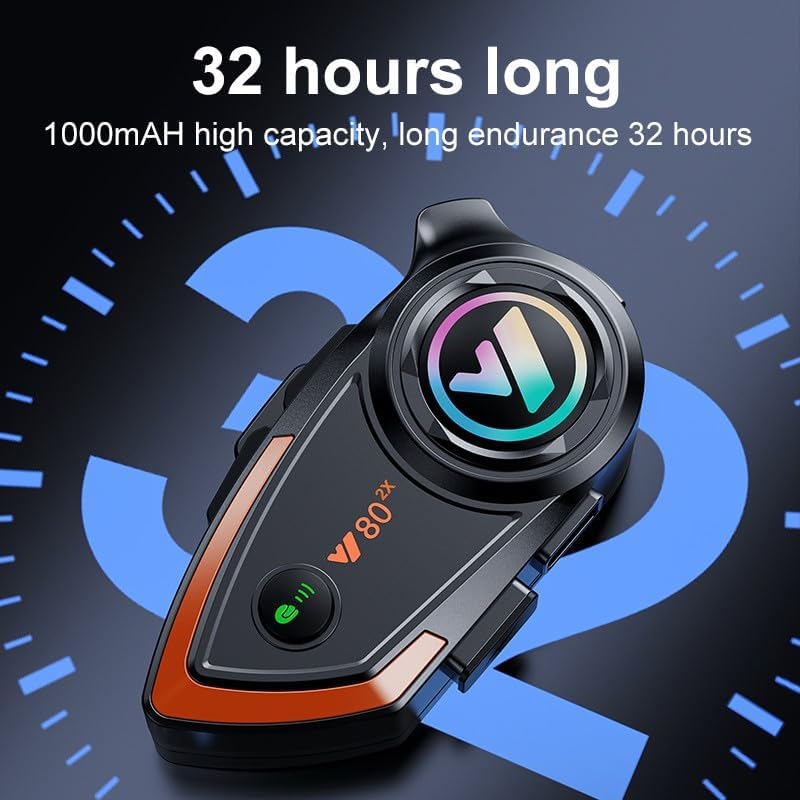
The Y80 features a 1000mAh high-capacity battery, providing up to 32 hours of continuous talk or music playback time, and approximately 600 hours of standby time. This extended battery life ensures reliable performance for long rides without frequent recharging.
5. CVC Noise Reduction

The Y80 incorporates CVC DSP dual intelligent noise reduction filter technology. This advanced feature effectively reduces background noise, such as wind and engine sounds, ensuring clear voice calls and audio quality even when riding at high speeds (over 100 km/h). This allows for a more pure and uninterrupted listening and communication experience.
Maintenance and Care
- Cleaning: Wipe the device with a soft, damp cloth. Do not use harsh chemicals or abrasive cleaners.
- Water Resistance: The Y80 is IP67 rated for water resistance. While it can withstand rain and splashes, avoid submerging it in water for extended periods.
- Storage: Store the device in a cool, dry place when not in use. Avoid extreme temperatures.
- Battery Care: To prolong battery life, charge the device regularly and avoid fully discharging it for long periods.

The IP67 deep water resistance of the Khptop Y80 ensures protection against dust and rain, making it suitable for various weather conditions. This robust design helps maintain stable performance and extends the lifespan of the device by preventing ingress of environmental elements.
Troubleshooting
| Problem | Possible Cause | Solution |
|---|---|---|
| Device does not power on. | Low battery. | Charge the device for at least 2 hours. |
| Cannot pair with phone. | Device not in pairing mode; Bluetooth off on phone. | Ensure device is in pairing mode (flashing red/blue). Turn on phone's Bluetooth and search again. |
| Intercom connection unstable or not working. | Out of range; interference; incorrect pairing. | Ensure both units are within 500m. Re-pair both intercom units. Avoid strong electromagnetic interference. |
| Poor sound quality / Noise. | Microphone/speakers not positioned correctly; high wind noise. | Adjust speaker and microphone placement. The CVC noise reduction helps, but extreme wind can still affect quality. |
Specifications
- Model: Y80
- Intercom Distance: 500 meters (2-person intercom)
- Battery: 1000mAh Li-ion rechargeable battery
- Talk Time: Up to 32 hours
- Standby Time: Approximately 600 hours
- Charging Time: 2 hours
- Bluetooth Version: Bluetooth 5.3
- Material: Plastic
- Waterproof Level: IPX67
- Headphone Interface: Type-C
- Noise Reduction: CVC DSP dual intelligent noise reduction filter
- Frequency Range: 20 Hz - 20,000 Hz
- Impedance: 32 ohms
Warranty and Support
Khptop products come with a standard warranty. For specific warranty details, please refer to the warranty card included in your package or contact Khptop customer support. If you encounter any issues with your headset, please contact us through the Amazon purchase center, and we will respond within 12 hours.
For further assistance, please visit the official Khptop website or contact our customer service team.
Related Documents - Y80
 |
Y80 Bluetooth Helmet Communication System User Manual This manual provides instructions for the Y80 Bluetooth helmet communication system, covering features like power on/off, music playback, call handling, EQ modes, and charging. |
 |
Y80 2X Intercom Version User Manual User manual for the Y80 2X helmet wireless earphone, detailing its features, operation, and specifications for intercom and music functions. |
 |
Y80 Motorcycle Helmet Bluetooth Headset Quick Instruction Manual Concise guide to operating the Y80 Motorcycle Helmet Bluetooth Headset, covering features like phone connectivity, music playback, EQ modes, voice assistant, and charging. |
 |
Y80 True Wireless Stereo Earbuds User Manual This document provides detailed information on the Y80 True Wireless Stereo Earbuds, including specifications, pairing instructions, operation guides, and precautions for use. It covers product features, functionality, and FCC compliance. |
 |
XINOWY Y80-2X Motorcycle Helmet Intercom Bluetooth Headset Quick Start Guide Quick start guide for the XINOWY Y80-2X motorcycle helmet intercom system. Learn how to pair, connect Bluetooth, use phone features, music, intercom, and voice assistant. |
Ask a question about this manual
Ask about setup, troubleshooting, compatibility, parts, safety, or missing instructions. Manuals+ will review the question and use this page’s manual context to help answer it.