
Introduction
Thank you for choosing the Seiko QHP011B Alarm Clock. This analog alarm clock features a silent sweep second hand, selectable alarm sounds (two melodies or a beep), a snooze function, and adjustable alarm volume. Its compact design with a wood-grain plastic finish makes it suitable for various indoor settings, including bedrooms and children's rooms. Please read this manual carefully before use to ensure proper operation and longevity of your clock.
Safety Information
- Keep the clock away from direct sunlight, extreme temperatures, and high humidity.
- Avoid dropping the clock or subjecting it to strong impacts.
- Do not attempt to disassemble or repair the clock yourself. Refer to qualified service personnel.
- Dispose of used batteries according to local regulations.
- Keep batteries out of reach of children.
Package Contents
Please check that all items are present in the package:
- Seiko QHP011B Alarm Clock
- User Manual (this document)
Note: Batteries are not included and must be purchased separately.
Setup
Battery Installation
The Seiko QHP011B requires three (3) AA batteries for operation.
- Locate the battery compartment cover on the back of the clock.
- Slide or unclip the cover to open the compartment.
- Insert three new AA batteries, ensuring the correct polarity (+ and -) as indicated inside the compartment.
- Replace the battery compartment cover securely.
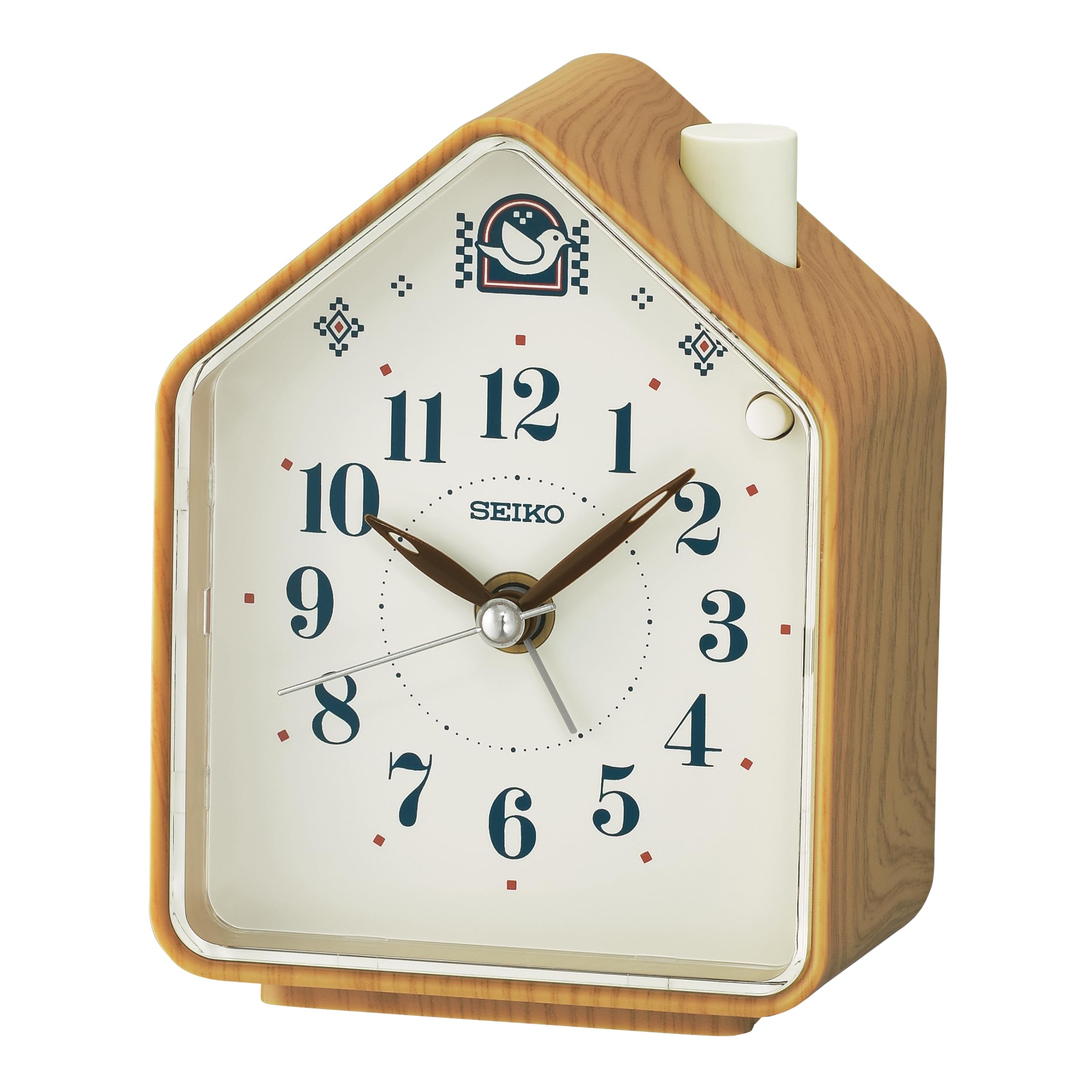
Figure 1: Front view of the Seiko QHP011B Alarm Clock. This image displays the clock's analog face, featuring clear hour and minute markers, a silent sweep second hand, and a separate small dial for setting the alarm time. The clock has a wood-grain plastic finish.
Operating Instructions
Setting the Time
To set the current time:
- Locate the Time Setting Knob on the back of the clock.
- Rotate the knob in either direction until the hour and minute hands display the correct time.
Setting the Alarm
To set the alarm time:
- Locate the Alarm Setting Knob on the back of the clock.
- Rotate the knob until the alarm hand points to your desired alarm time.
- Locate the Alarm ON/OFF Switch (usually a small slide switch) on the back or side of the clock. Slide it to the "ON" position to activate the alarm.
Selecting Alarm Sound
The QHP011B offers a choice of alarm sounds: two melodies or a traditional beep. Locate the Alarm Sound Selector Switch (if present, typically on the back) and slide it to your preferred setting.
Snooze Function
When the alarm sounds, press the Snooze Button (usually a large button on top of the clock). The alarm will temporarily stop and sound again after a few minutes (typically 5-10 minutes). To turn off the alarm completely, slide the Alarm ON/OFF switch to the "OFF" position.
Adjusting Alarm Volume
The alarm volume can be adjusted. Locate the Volume Control Dial (if present, typically on the back) and rotate it to increase or decrease the alarm sound level to your preference.
Silent Second Hand
This clock features a silent sweep second hand, ensuring a quiet environment free from ticking sounds, which is ideal for bedrooms.
Maintenance
Cleaning
To clean the clock, wipe it gently with a soft, dry cloth. Do not use abrasive cleaners, solvents, or chemical sprays, as these may damage the finish or internal components.
Battery Replacement
When the clock's display becomes dim, the alarm weakens, or the clock stops functioning, it is time to replace the batteries. Follow the battery installation steps outlined in the "Setup" section. Always replace all three AA batteries at the same time with new ones.
Troubleshooting
- Clock not working: Ensure batteries are inserted correctly with the proper polarity. Replace old batteries with new ones.
- Alarm not sounding: Check if the Alarm ON/OFF switch is in the "ON" position. Verify the alarm time is set correctly. Ensure batteries are not depleted.
- Alarm too quiet/loud: Adjust the Volume Control Dial on the back of the clock.
- Inaccurate timekeeping: Replace batteries. If the issue persists, contact customer support.
Specifications
| Feature | Description |
|---|---|
| Model Number | QHP011B |
| Dimensions (L x W x H) | 11.1 x 3.81 x 8.6 cm (approximately 4.37 x 1.5 x 3.39 inches) |
| Weight | 170 grams (approximately 0.37 lbs) |
| Material | Plastic with wood-grain finish |
| Display Type | Analog |
| Power Source | 3 x AA Batteries (not included) |
| Special Features | Silent sweep second hand, Selectable alarm (2 melodies/beep), Snooze, Adjustable alarm volume |
| Intended Use | Indoor (Bedroom, Children's Room) |
Warranty and Support
Seiko Clocks products are manufactured to high-quality standards. For information regarding warranty coverage, please refer to the warranty card included with your purchase or visit the official Seiko Clocks website. For technical support or service inquiries, please contact Seiko Clocks customer service through their official channels.


