
Raddy RF886
Raddy RF886 Portable Shortwave Radio User Manual
Model: RF886 | Brand: Raddy
Introduction
Thank you for choosing the Raddy RF886 Portable Shortwave Radio. This compact and versatile digital radio offers a wide range of reception capabilities, including AM, FM, Shortwave (SW), and VHF bands. Equipped with Bluetooth connectivity, dual antennas, and essential emergency features like a flashlight and SOS function, the RF886 is designed for both everyday listening and outdoor adventures. This manual provides detailed instructions to help you set up, operate, and maintain your radio for optimal performance.
Safety Information
- Do not expose the radio to extreme temperatures, direct sunlight, or high humidity.
- Avoid dropping or subjecting the radio to strong impacts.
- Keep the radio away from water and other liquids. If it gets wet, power it off immediately and allow it to dry completely before use.
- Do not attempt to disassemble or modify the radio. This will void the warranty and may cause damage.
- Use only the specified charging cable and power adapter (if applicable) to charge the device.
- Dispose of the battery according to local regulations. Do not incinerate.
- Keep out of reach of children.
Package Contents
Please check the package to ensure all items are present and in good condition:
- Raddy RF886 Portable Shortwave Radio
- USB-C Charging Cable
- 3-meter External Wire Antenna
- User Manual (this document)

Image: The Raddy RF886 radio shown with its USB-C charging cable and the 3-meter external wire antenna, illustrating the complete package contents.
Product Overview
Familiarize yourself with the various parts and controls of your Raddy RF886 radio.

Image: Front view of the Raddy RF886 radio, displaying its digital screen, control buttons, speaker grille, and extended telescopic antenna. The external wire antenna is also shown next to the radio.
Key Features:
- Digital Display: Shows frequency, time, battery level, and other indicators.
- Telescopic Antenna: For FM, SW, and VHF reception.
- External Antenna Port: For connecting the included 3M wire antenna for enhanced reception.
- Control Buttons: Power, Lock, Time/Set, Memory/Scan, Band, Channel Up/Down.
- Speaker: Integrated speaker for audio output.
- USB-C Charging Port: For recharging the internal battery.
- Headphone Jack: For private listening.
- Flashlight: Built-in LED light for illumination.
- SOS Function: Emergency alert feature.

Image: The Raddy RF886 radio being held in a hand, illustrating its compact and portable size (124mm x 67mm x 29mm, weighing 150g).
Setup
1. Charging the Battery
The Raddy RF886 is equipped with a built-in rechargeable Lithium-ion battery. Before first use, fully charge the radio.
- Locate the USB-C charging port on the side or bottom of the radio.
- Connect the provided USB-C cable to the radio's charging port.
- Connect the other end of the USB-C cable to a standard USB power adapter (not included) or a computer's USB port.
- The charging indicator on the display will show charging status. Once fully charged, the indicator will change or turn off.
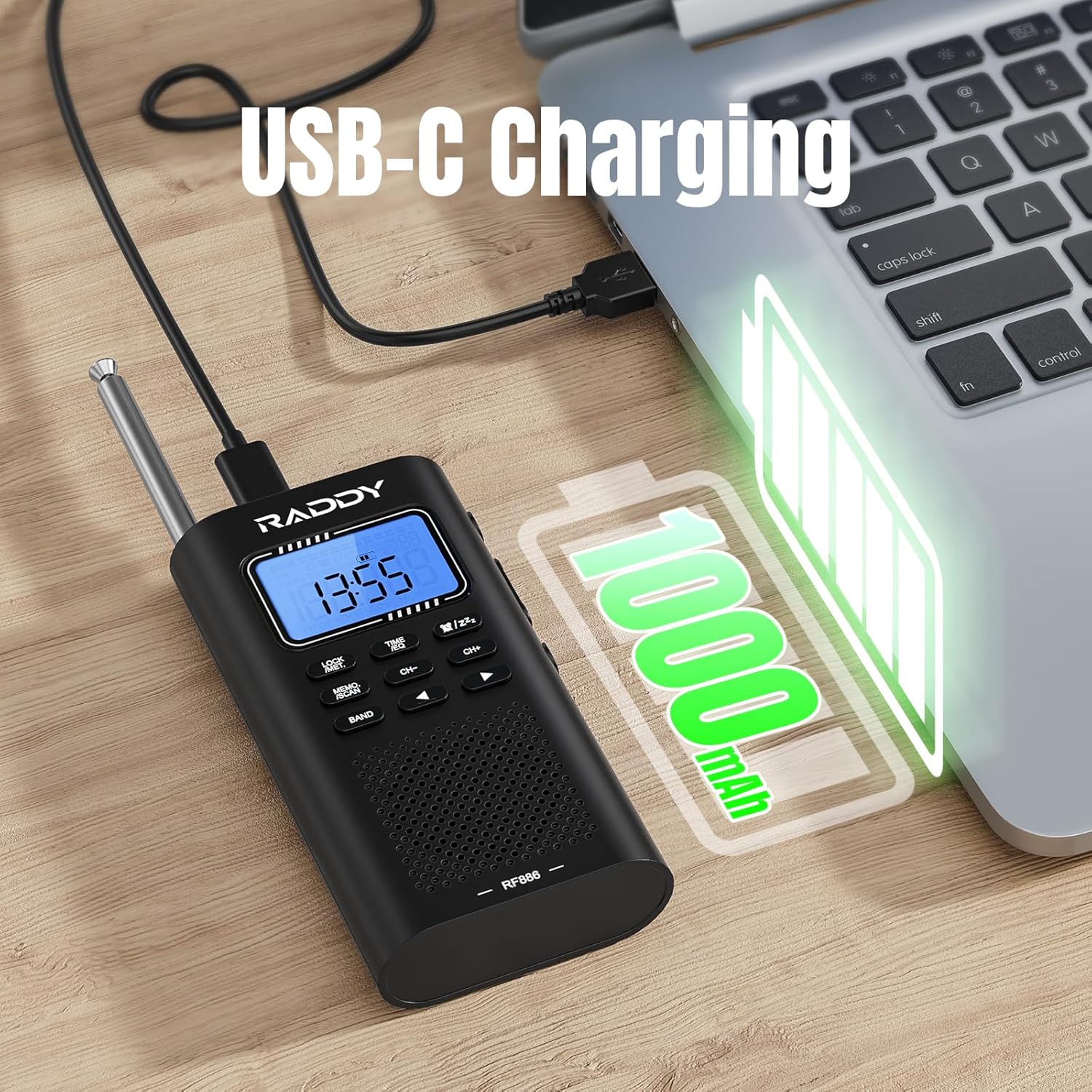
Image: The Raddy RF886 radio connected to a laptop via its USB-C port for charging, with a battery icon indicating a 1000mAh capacity.
2. Antenna Setup
The RF886 features both an integrated telescopic antenna and support for an external wire antenna to optimize reception across different bands.
- Telescopic Antenna: For FM, SW, and VHF reception, extend the telescopic antenna fully for best results. Adjust its direction to improve signal strength.
- External Wire Antenna: For enhanced Shortwave (SW) reception, connect the provided 3-meter external wire antenna to the dedicated antenna port on the radio. Extend the wire antenna as much as possible, ideally hanging it vertically or horizontally in an open area, away from metal objects.
- AM Reception: The radio uses a built-in ferrite bar antenna for AM reception. No external antenna is typically needed for AM. Rotate the radio for optimal AM signal.
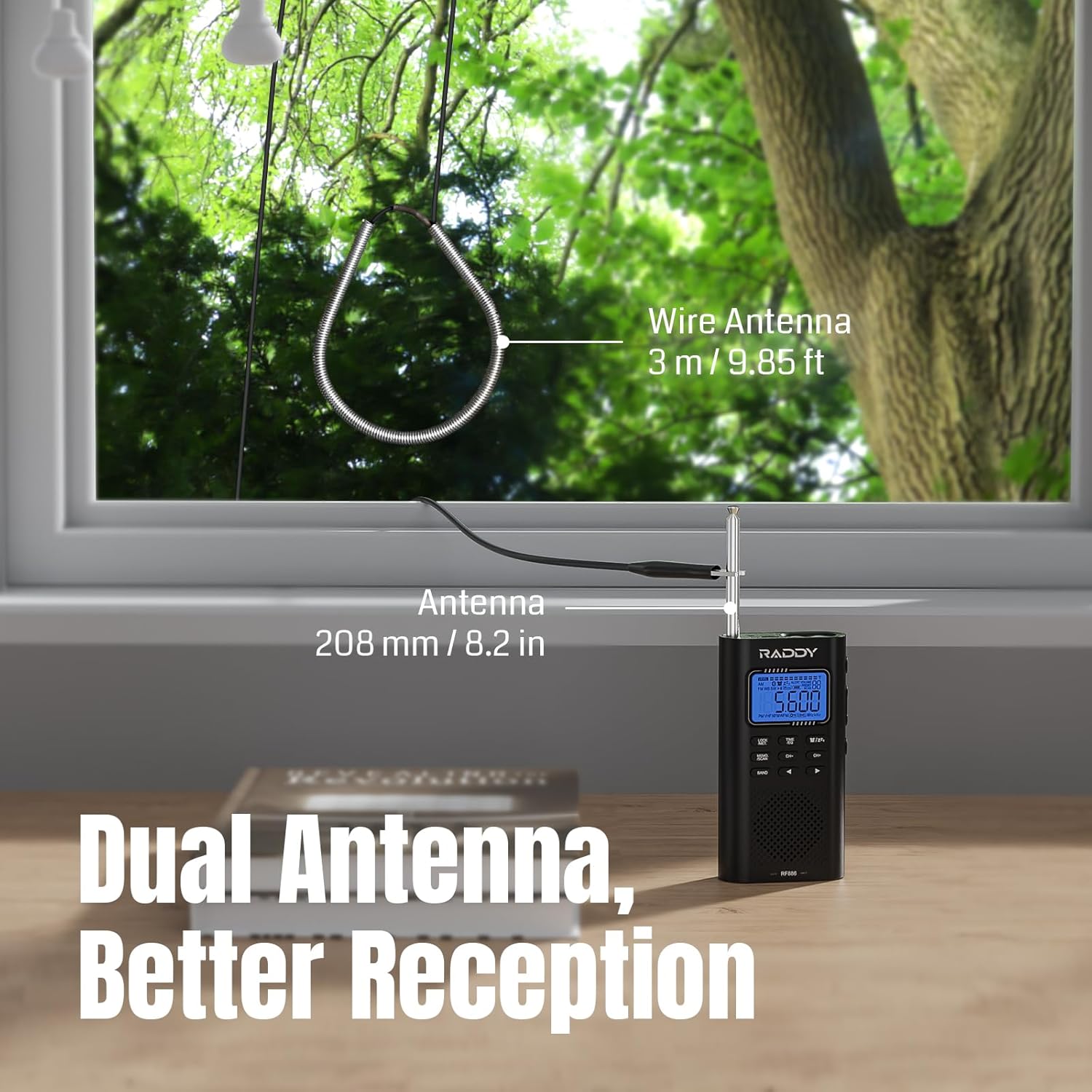
Image: The Raddy RF886 radio positioned near a window, demonstrating the use of both its 208mm (8.2 inch) telescopic antenna and the connected 3-meter (9.85 ft) external wire antenna for improved signal reception.
Operating Instructions
1. Power On/Off
Press and hold the POWER button to turn the radio on or off.
2. Band Selection
Press the BAND button repeatedly to cycle through the available frequency bands: AM, FM, Shortwave (SW), and VHF.

Image: The Raddy RF886 radio displaying its multi-band reception capabilities, including AM, FM, Shortwave (SW), and VHF bands.
3. Tuning and Station Storage
The RF886 offers precise digital tuning and multiple ways to find and save your favorite stations.
- Manual Tuning: Use the CH+ and CH- buttons to manually adjust the frequency. A short press will fine-tune, while a long press will scan to the next strong station.
- Auto Search & Store: Press and hold the MEMO./SCAN button to initiate an automatic scan. The radio will search for and store all strong stations within the current band. Up to 396 stations can be stored.
- Manual Store: To manually save a station, tune to the desired frequency, then short press the MEMO./SCAN button. The display will show a memory location. Use CH+ or CH- to select a memory slot, then press MEMO./SCAN again to confirm.
- Recalling Stored Stations: In radio mode, short press the MEMO./SCAN button, then use CH+ or CH- to navigate through your saved stations.
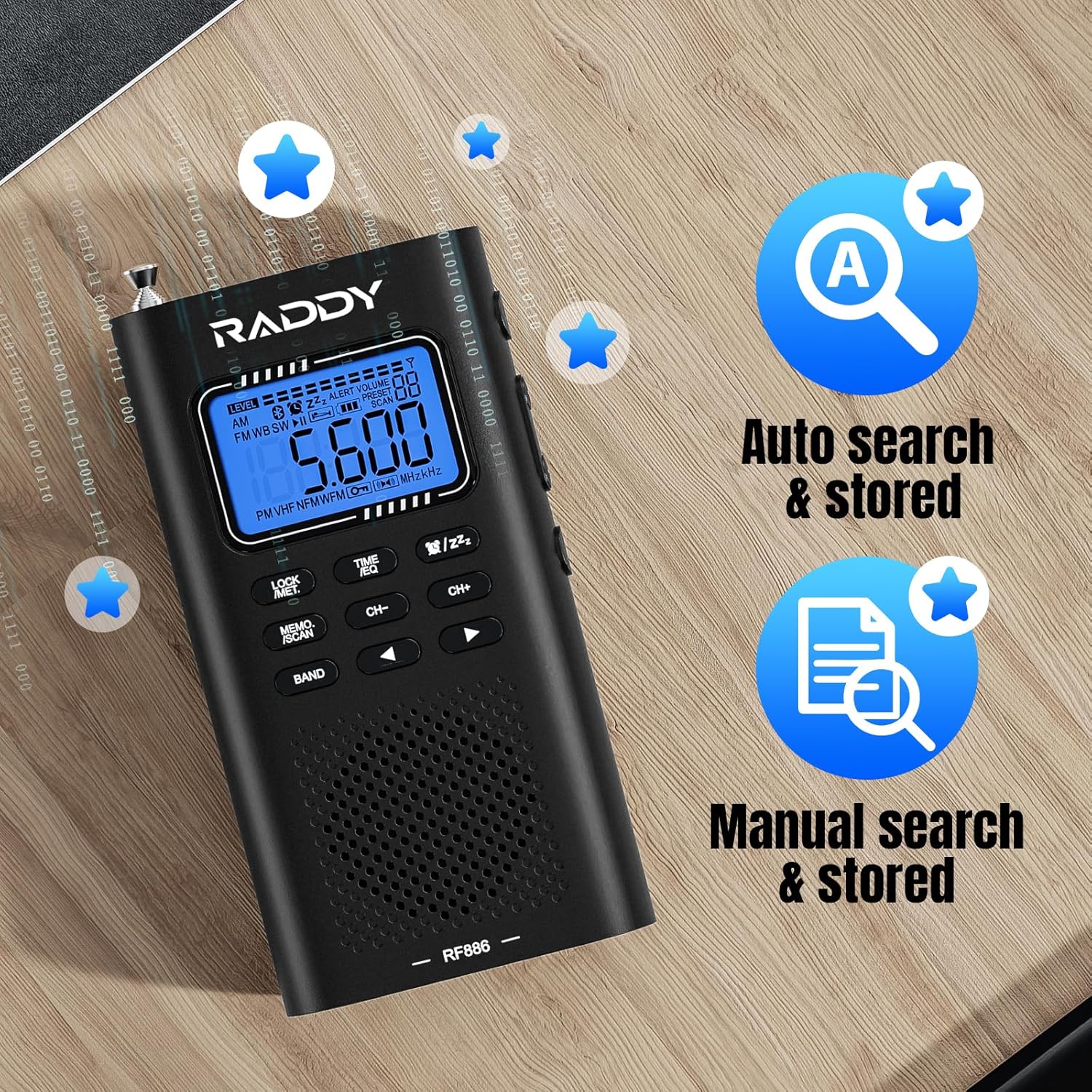
Image: The Raddy RF886 radio's display, highlighting its auto search and store function (icon A) and manual search and store function (icon with document and magnifying glass).
4. Bluetooth (BT) Connection
The RF886 can function as a Bluetooth speaker, allowing you to play audio from your smartphone or other Bluetooth-enabled devices.
- Turn on the radio.
- Press the BAND button until "BT" mode is displayed. The radio will enter pairing mode, indicated by a flashing Bluetooth icon.
- On your Bluetooth device (e.g., smartphone), enable Bluetooth and search for "Raddy RF886" in the list of available devices.
- Select "Raddy RF886" to pair. Once connected, the Bluetooth icon on the radio's display will become solid, and you will hear a confirmation tone.
- You can now play audio from your device through the radio's speaker.
- In BT mode, you can also connect headphones for private listening and select from six different sound effects.

Image: The Raddy RF886 radio wirelessly connected to a smartphone via Bluetooth 5.0, demonstrating its capability to play music from the phone.
5. Headphone Use
Plug standard 3.5mm headphones into the headphone jack for private listening. The internal speaker will automatically mute.
6. Flashlight and SOS Function
The RF886 includes a built-in flashlight and an SOS alarm for emergency situations.
- Flashlight: Short press the dedicated flashlight button (refer to product diagram if available) to turn the flashlight on or off.
- SOS Alarm: Long press the SOS button (refer to product diagram if available) to activate the loud emergency alarm and flashing light. Press again to deactivate.
7. Setting Time and Alarm
The radio features a built-in clock and alarm function.
- Setting Time: Press and hold the TIME/SET button. Use CH+ and CH- to adjust hours and minutes. Press TIME/SET again to confirm each setting.
- Setting Alarm: In time display mode, short press the TIME/SET button to enter alarm setting mode. Use CH+ and CH- to set the alarm time. Press TIME/SET to confirm. You can also select the alarm source (e.g., buzzer or last played radio station).
- Sleep Timer: The radio may include a sleep timer function. Consult the on-screen prompts or quick guide for activation, typically by pressing a dedicated sleep button or a combination of buttons.
Maintenance
- Cleaning: Wipe the radio with a soft, dry cloth. Do not use abrasive cleaners, solvents, or strong chemicals, as they may damage the surface.
- Storage: When not in use for extended periods, store the radio in a cool, dry place, away from direct sunlight and extreme temperatures.
- Battery Care: To prolong battery life, avoid fully discharging the battery frequently. Recharge the radio at least once every three months if not used regularly.
Troubleshooting
| Problem | Possible Cause | Solution |
|---|---|---|
| Radio does not turn on. | Battery is depleted. | Charge the radio using the USB-C cable. |
| Poor radio reception. | Antenna not extended or positioned correctly; weak signal area. | Fully extend the telescopic antenna. Connect and properly position the external wire antenna for SW. Rotate the radio for AM. Try moving to a different location. |
| Bluetooth not connecting. | Radio not in BT pairing mode; device too far; device already connected to another BT device. | Ensure radio is in BT mode. Make sure your device's Bluetooth is on and within range. Disconnect from other BT devices. Try restarting both the radio and your BT device. |
| No sound from speaker. | Volume too low; headphones connected; radio muted. | Increase volume. Disconnect headphones. Check if radio is muted. |
| Buttons are unresponsive. | Key lock function is active. | Press the LOCK button to unlock the keypad. |
Specifications
| Feature | Detail |
|---|---|
| Brand | Raddy |
| Model Number | RF886 |
| Color | Black |
| Connectivity Technology | Bluetooth |
| Special Features | Integrated AM antenna, Integrated clock, Integrated flashlight, Portable, Rechargeable |
| Compatible Devices | Headphones, Earphones, MP3 Player, Smartphone, Laptop, Speaker, Tablet |
| Battery Composition | Lithium-ion |
| Rechargeable Battery | Yes |
| Product Dimensions | 124 x 67 x 29 mm (4.9 x 2.6 x 1.1 inches) |
| Tuning Technology | AM FM VHF SW |
| Supported Radio Bands | AM, FM, Shortwave |
| Power Source | Rechargeable battery |
| Included Components | Owner's Manual |
Warranty and Support
For warranty information and technical support, please refer to the official Raddy website or contact their customer service directly. Details are typically available on the product packaging or the manufacturer's official online resources.
Manufacturer: Raddy
Country of Origin: China
Spare Parts Availability: Information unavailable
Software Updates Guaranteed Until: Information not available
Related documentsRF886


Ask a question about this manual
Ask about setup, troubleshooting, compatibility, parts, safety, or missing instructions. Manuals+ will review the question and use this page’s manual context to help answer it.