1. Introduction
This manual provides detailed instructions for the installation, operation, and maintenance of your ANNKE AP-I91DG0102-V1 PoE Surveillance Camera. This camera offers advanced security features including 12MP UHD resolution, intelligent AI detection for people and vehicles, and versatile night vision capabilities. Please read this manual thoroughly before using the product to ensure proper setup and optimal performance.
2. What's in the Box
Verify that all components are present in your package:
- 1 x ANNKE PoE Camera
- 1 x Waterproof Lid
- 1 x Ethernet Cable (1 meter / 3.3 feet)
- 1 x User Manual
- 1 x Mounting Screw Bag
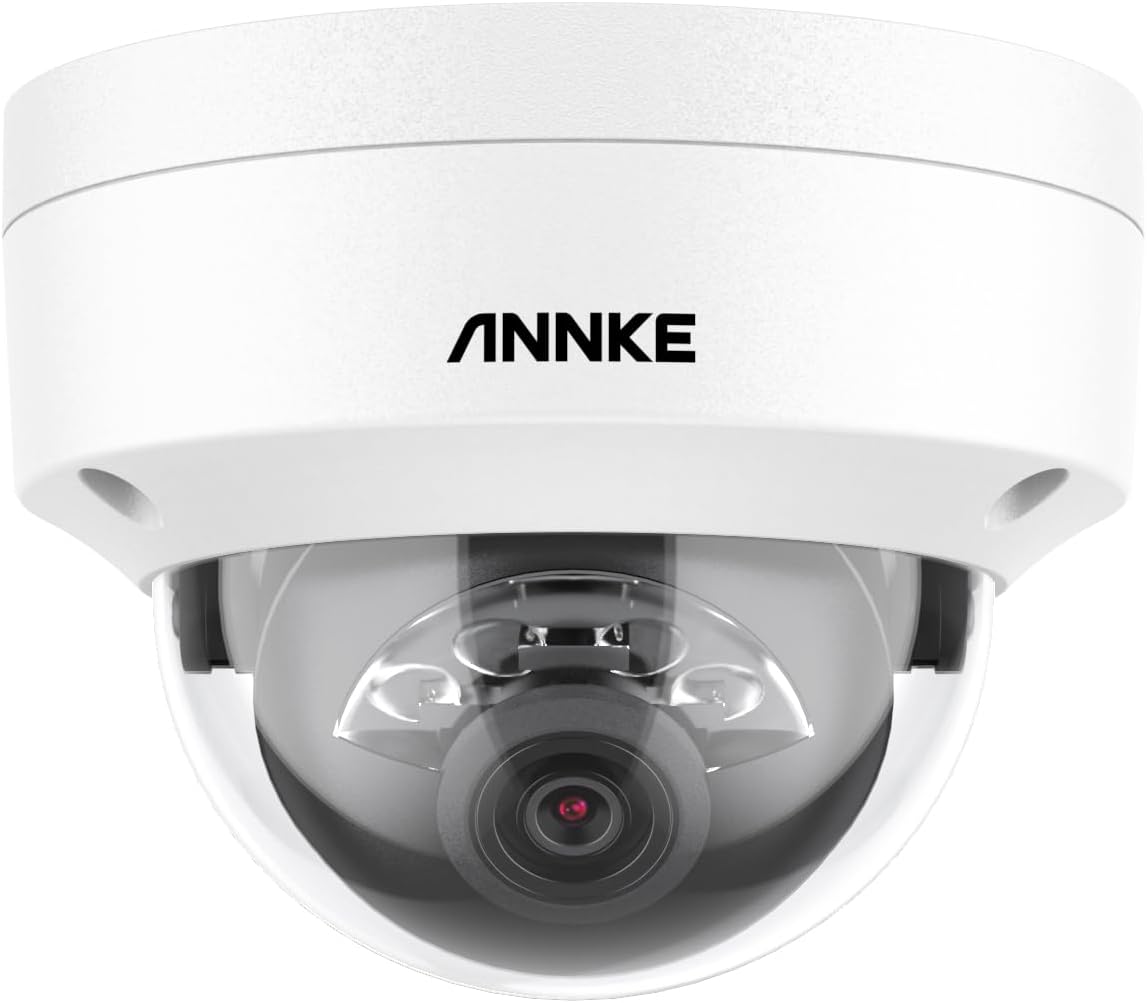
Image: ANNKE PoE Surveillance Camera (Dome Form Factor)

Image: ANNKE PoE Camera, a key component of the package.

Image: Included 1-meter Ethernet cable for connectivity.

Image: Waterproof lid for protecting cable connections.

Image: The user manual for detailed instructions.
3. Product Overview
The ANNKE AP-I91DG0102-V1 is a robust PoE (Power over Ethernet) surveillance camera designed for both indoor and outdoor security. It features a durable plastic and metal construction with an IP67 water resistance rating, ensuring reliable operation in various environmental conditions.
Key Features:
- 12MP UHD Resolution: Captures ultra-high-definition video at 4096 x 3072 pixels, providing exceptional detail.
- Dual Light Night Vision: Offers both infrared (IR) night vision up to 100 feet and color night vision, which can be triggered by person/vehicle detection in low-light conditions (down to 0.005 lux).
- AI Person & Vehicle Detection: Advanced AI algorithms accurately distinguish between people and vehicles, significantly reducing false alarms.
- Built-in Microphone: Enables audio recording for comprehensive surveillance.
- H.265+ Video Encoding: Efficient compression technology to save storage space and bandwidth.
- IP67 Weatherproof: Designed to withstand dust and harsh weather conditions.
- Flexible Storage: Supports local storage via a MicroSD card (up to 512GB, not included) and NVR (Network Video Recorder) storage.
- Smart Search & Playback: Quickly find important video clips and access the camera remotely via the ANNKE app.
Camera Components Diagram:
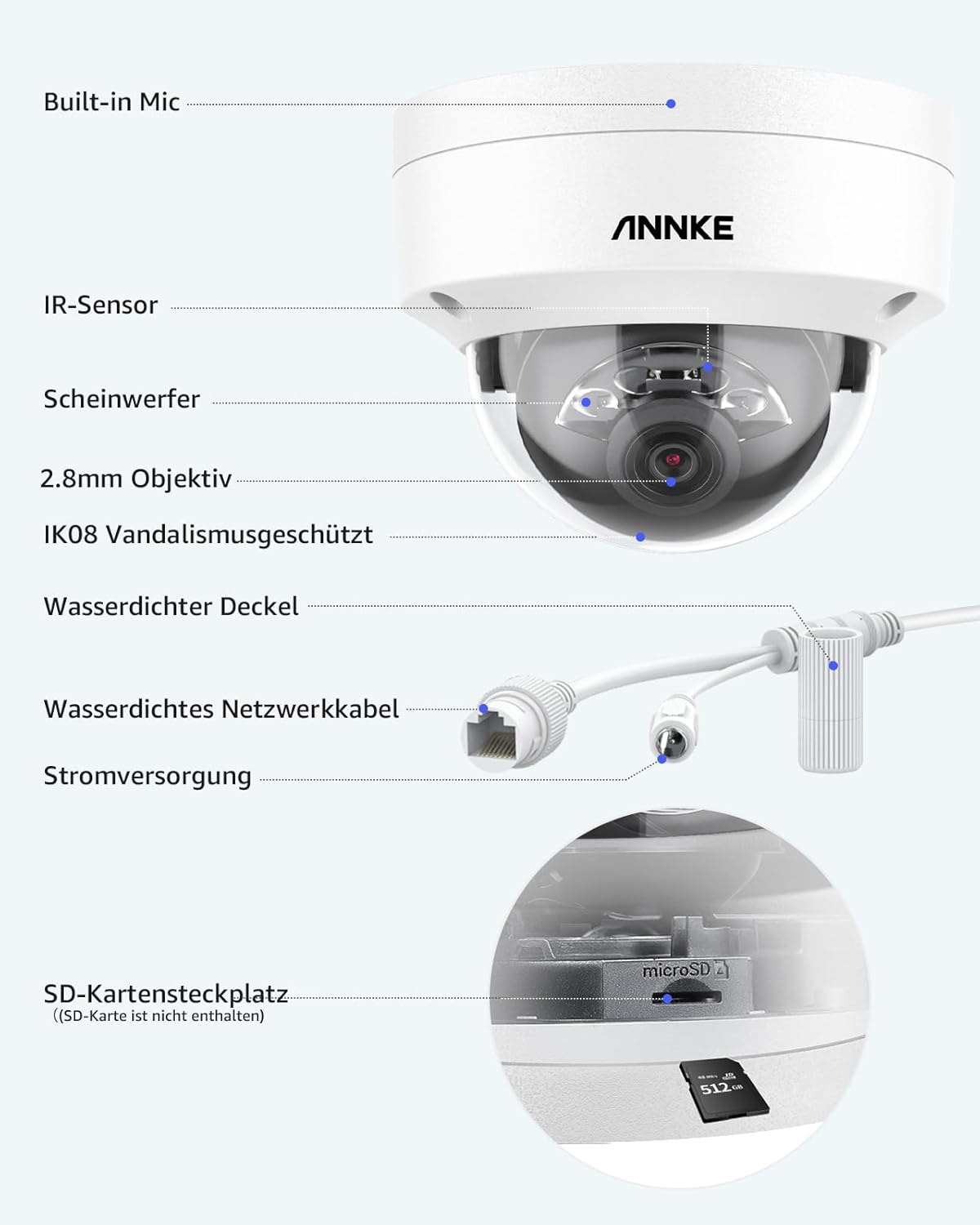
Image: Detailed diagram showing the camera's components, including the built-in mic, IR sensor, spotlight, 2.8mm lens, IK08 vandal-proof rating, waterproof lid, waterproof network cable, power supply, and SD card slot.
Visual Features:

Image: Banner highlighting the 12MP UHD resolution and Dual Light capabilities of the security IP camera.

Image: A backyard scene demonstrating the 12MP (4096x3072) Ultra HD resolution.

Image: Illustration of the three night vision modes: 100ft Color Night Vision, 100ft IR Night Vision, and AI-triggered Color Mode for person/vehicle detection.

Image: Demonstrates AI detection of a person and a vehicle, showing how false alarms are reduced.

Image: Illustrates the privacy masking feature, allowing users to block out private areas from surveillance.

Image: Comparison showing H.265+ video encoding uses significantly less storage space than H.264.
4. Setup
4.1 Mounting the Camera
The ANNKE AP-I91DG0102-V1 camera supports wall mounting. Use the included screw bag for secure installation. Ensure the mounting surface is strong enough to support the camera's weight.
- Choose a suitable location for optimal surveillance coverage, considering the camera's 100-foot night vision range.
- Mark the drilling points using the camera's base as a template.
- Drill pilot holes and insert wall anchors if necessary.
- Secure the camera base to the wall using the provided screws.
- Adjust the camera angle as needed.
4.2 Connecting the Camera (PoE)
This is a Power over Ethernet (PoE) camera, meaning both power and data are transmitted through a single Ethernet cable.
- Connect one end of the included Ethernet cable to the camera's network port.
- Attach the waterproof lid to protect the Ethernet connection from environmental elements.
- Connect the other end of the Ethernet cable to a PoE-enabled NVR, PoE switch, or PoE injector.
- Ensure your NVR or network device is powered on. The camera will power up automatically.
Note: While the product specifications mention Wi-Fi as a wireless communication technology, this camera primarily uses wired PoE for reliable power and data transmission. Wi-Fi might be for app connectivity or specific models, but for this PoE model, a wired connection is standard.
5. Operating the Camera
5.1 Initial Configuration and App Access
To access and configure your camera, download the ANNKE app on your smartphone or tablet. Follow the in-app instructions to add your camera to your account. This will allow for remote viewing, playback, and settings adjustments.
5.2 Night Vision Modes
The camera offers flexible night vision options:
- Infrared (IR) Night Vision: Provides clear black and white images in complete darkness up to 100 feet.
- Color Night Vision: Achieves color images in very low light conditions (above 0.005 lux).
- AI-Triggered Color Night Vision: When a person or vehicle is detected in standard IR night vision mode, the camera can automatically switch to color mode to capture more detail.
You can switch between these modes via the ANNKE app or NVR interface.
5.3 AI Person and Vehicle Detection
The camera's advanced AI detection minimizes false alarms by accurately identifying people and vehicles. When an event is detected, you will receive notifications through the ANNKE app.
- Configure detection zones and sensitivity settings within the ANNKE app or NVR.
- Set up notification preferences to receive alerts for specific events.
5.4 Smart Search and Playback
The smart search feature allows you to quickly locate specific events in your recorded footage.
- Access the playback function through the ANNKE app or your connected NVR.
- Filter recordings by event type (e.g., person detection, motion detection) or time to find relevant clips efficiently.
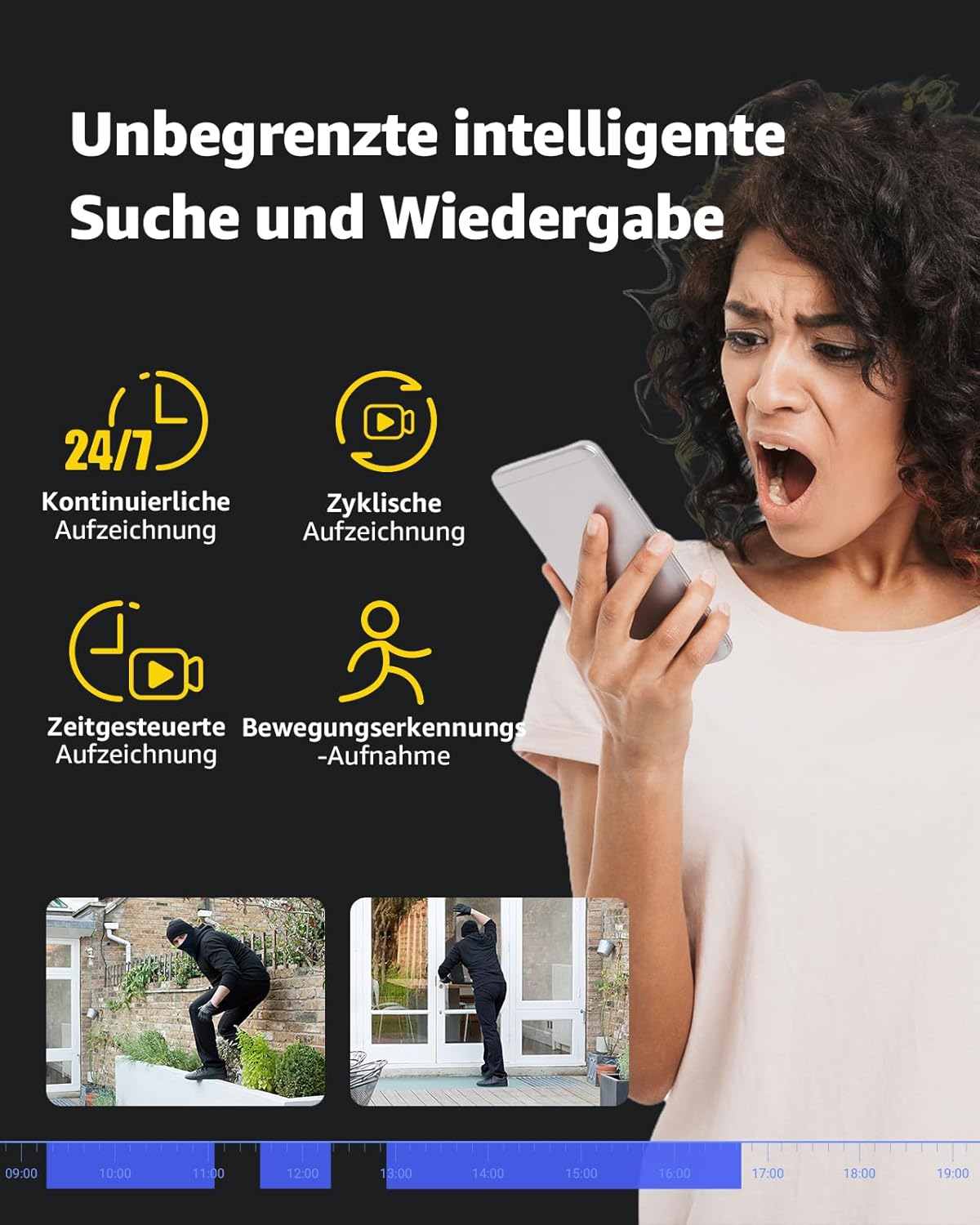
Image: Interface demonstrating smart search and playback features, including continuous, cyclic, timed, and motion-triggered recording options.
5.5 Storage Options
The camera supports two primary storage methods:
- MicroSD Card: Insert a MicroSD card (up to 512GB, not included) into the camera's dedicated slot for local storage. The camera supports automatic overwriting of old footage when the card is full.
- NVR Storage: For extended recording and multi-camera setups, connect the camera to an ANNKE NVR. This allows for centralized management and storage.
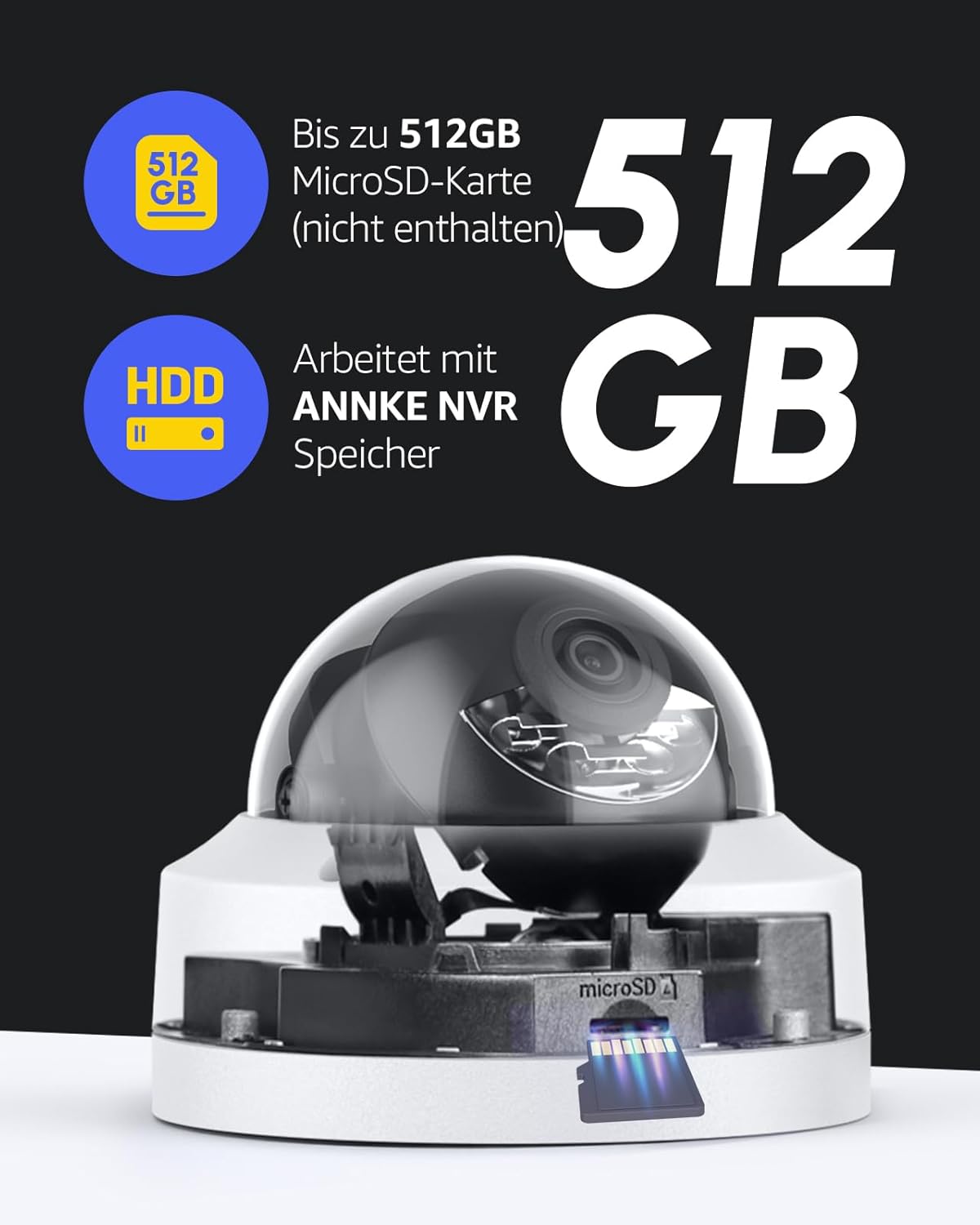
Image: Visual representation of MicroSD card storage (up to 512GB) and compatibility with ANNKE NVR systems.
6. Maintenance
Regular maintenance ensures the longevity and optimal performance of your camera.
- Cleaning: Gently wipe the camera lens and body with a soft, damp cloth. Avoid using harsh chemicals or abrasive materials that could scratch the lens or housing.
- Firmware Updates: Periodically check for firmware updates through the ANNKE app or official website to ensure your camera has the latest features and security patches.
- Cable Inspection: Regularly inspect the Ethernet cable and connections for any signs of wear or damage, especially if installed outdoors. Ensure the waterproof lid is securely in place.
- Storage Management: If using a MicroSD card, periodically review footage and ensure sufficient space is available, or verify that the auto-overwrite function is working as intended.
7. Troubleshooting
This section addresses common issues you might encounter with your ANNKE PoE camera.
7.1 No Power/No Image
- Check PoE Connection: Ensure the Ethernet cable is securely connected to both the camera and a PoE-enabled device (NVR, switch, injector).
- Verify PoE Source: Confirm that your NVR, PoE switch, or injector is powered on and functioning correctly.
- Cable Integrity: Inspect the Ethernet cable for any damage. Try a different cable if available.
7.2 Cannot Access Camera via App
- Network Connection: Ensure your smartphone/tablet has a stable internet connection.
- Camera Status: Verify the camera is powered on and connected to the network.
- App Version: Make sure your ANNKE app is updated to the latest version.
- Re-add Camera: If issues persist, try removing the camera from the app and re-adding it according to the initial setup instructions.
7.3 Frequent False Alarms
- Adjust Sensitivity: Reduce the motion detection sensitivity in the ANNKE app or NVR settings.
- Configure Detection Zones: Define specific areas for detection and exclude irrelevant zones (e.g., public roads, swaying trees).
- AI Detection: Ensure AI person/vehicle detection is enabled to filter out non-human/vehicle movements.
7.4 Poor Night Vision Quality
- Clean Lens: Ensure the camera lens is clean and free from dust or smudges.
- Obstructions: Check for any objects (e.g., spiderwebs, leaves) blocking the camera's view or IR illuminators.
- Lighting Conditions: For color night vision, ensure there is some ambient light (above 0.005 lux). In complete darkness, IR night vision will be black and white.
7.5 Camera is Not 360° (Fixed Dome)
Please note that the ANNKE AP-I91DG0102-V1 is a fixed dome camera. It does not have pan, tilt, or zoom (PTZ) capabilities. The viewing angle is fixed once installed, though you can manually adjust its orientation during installation. If you require a camera with 360° rotation, this model is not suitable.
8. Specifications
| Model Name | AP-I91DG0102-V1 |
| Video Recording Resolution | 12MP (4096 x 3072) |
| Effective Video Resolution | 12 Megapixels |
| Frame Rate | 15 Frames per Second |
| Night Vision Range | 100 Feet |
| Connectivity Technology | Wired (PoE) |
| Connectivity Protocol | ONVIF |
| Power Source | Power Cable (PoE) |
| Voltage | 6 Volts |
| Power Consumption | 12 Watts |
| Indoor/Outdoor Use | Outdoor |
| Water Resistance Level | IP67 (Impermeable) |
| Form Factor | Dome |
| Material | Plastic and Metal |
| Item Dimensions (L x W x H) | 15 x 14 x 15 cm (5.9 x 5.5 x 5.9 inches) |
| Weight | 500 Grams (1.1 lbs) |
| Special Features | Night vision, H.265+ video encoding, Person detection, Vehicle detection, Siren alarm, Audio recording, Auto-overwrite, Motion detector |
| Storage Support | MicroSD card (up to 512GB, not included), NVR |
| Compatible Devices | TVs, Cameras, Laptops, Personal Computers, Smartphones, Tablets |
9. Warranty and Support
For warranty information and technical support, please refer to the official ANNKE website or contact their customer service directly. Details regarding product registration, warranty claims, and support resources can typically be found on the manufacturer's official support pages.
Manufacturer: ANNKE
ASIN: B0CQS4G99X


