
1. Introduction
Thank you for purchasing the 4DRC Y2 RC Car. This 1:12 scale control stunt car is designed for exciting off-road adventures, featuring a 2.4Ghz radio system and dual control modes, including an innovative gesture controller. It offers a unique driving experience with its ability to perform 360-degree silky stunt drifts and flexible sideways walking. This manual provides essential information for safe operation, setup, maintenance, and troubleshooting to ensure you get the most out of your RC car.

Image: The 4DRC Y2 RC Car, a 1:12 scale model, showcasing its sleek design and size when held by an individual.
2. Product Overview
The 4DRC Y2 RC Car is equipped with advanced features for dynamic play:
- 2.4GHz Radio System: Allows multiple vehicles to race side by side without interference.
- Dual Control Modes: Includes a traditional smart remote control and a new gravity gesture remote control for intuitive, one-handed operation.
- Advanced Mobility: Features powerful 4WD and unique tire design enabling 360° rotating drift, high-speed forward/backward movement, and flexible sideways walking.
- Interactive Features: Cool lights, dynamic sound, and steam spray function (requires water).
- Long Play Time: Powered by a 900mAh rechargeable battery, providing approximately 80+ minutes of driving fun.

Image: Close-up of the 4DRC Y2 RC Car highlighting its all-direction stunt wheels, anti-collision design, and a port for adding water for the steam spray function.
3. Setup
3.1 Battery Installation and Charging
The 4DRC Y2 RC Car comes with 2 Lithium Ion batteries. Ensure they are fully charged before first use.
- Car Battery: Insert the provided 900mAh rechargeable battery into the car's battery compartment. Connect it securely.
- Charging: Use the included USB charging cable to charge the car's battery. A full charge provides approximately 80+ minutes of play.
- Remote Control Batteries: The smart remote control requires AA batteries, and the gesture controller requires AAA batteries (batteries for remotes are not included and must be purchased separately). Insert them according to the polarity markings.
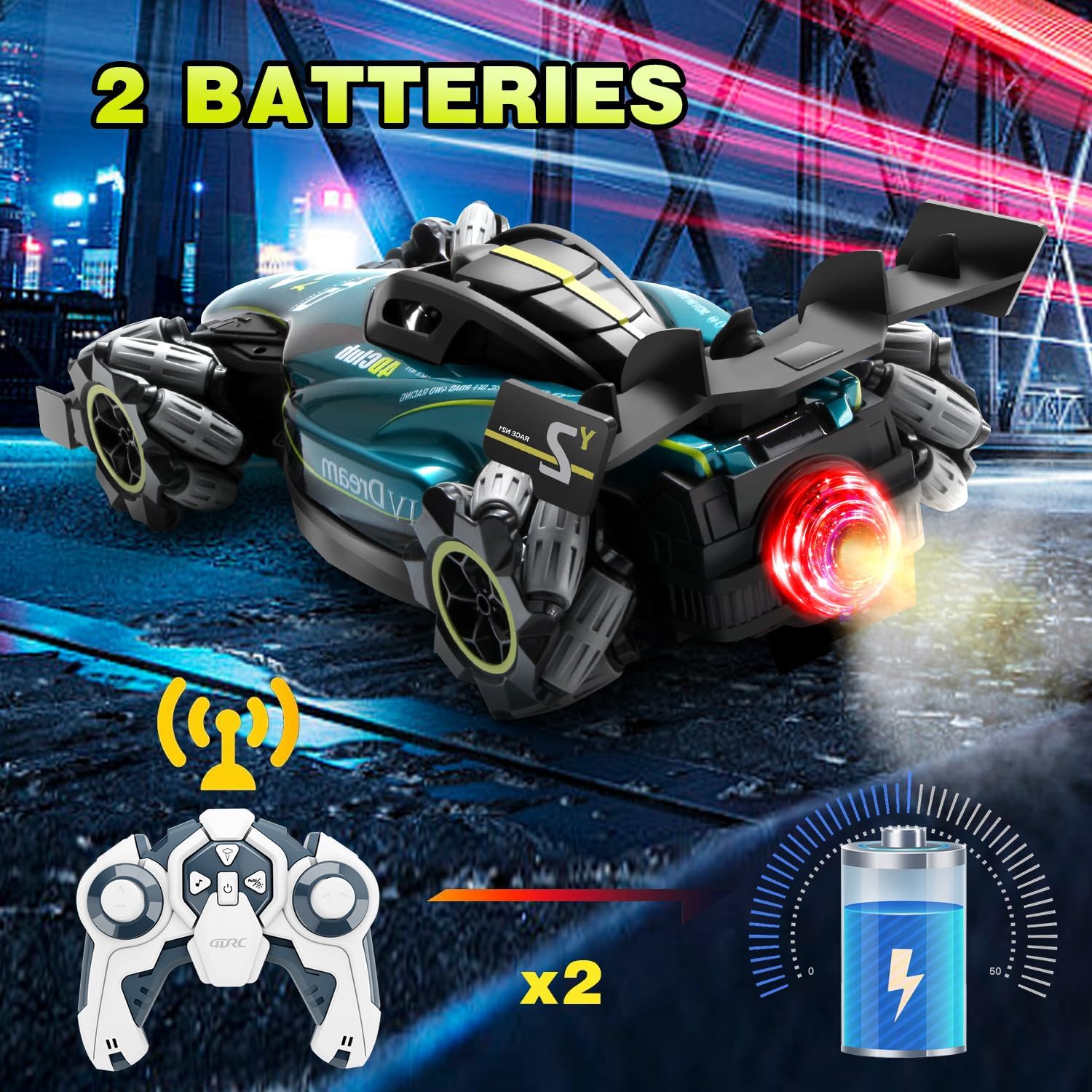
Image: The 4DRC Y2 RC Car with its traditional remote control, illustrating the inclusion of two batteries for extended play time.
3.2 Pairing the Controller
Turn on the RC car and then the remote control. The indicator lights on both devices will flash and then become solid once paired. This indicates a successful connection.
4. Operating Instructions
The 4DRC Y2 RC Car offers versatile control and exciting maneuvers.
4.1 Smart Remote Control
Use the traditional remote for precise control over speed and direction. The full-size proportional throttle allows for gradual acceleration, making it suitable for both beginners and experienced users.

Image: The 4DRC Y2 RC Car demonstrating various speed modes and the gesture controller, highlighting its responsive control.
4.2 Gesture Controller
Wear the gesture controller on your hand and use palm movements to control the car. This provides an immersive and intuitive driving experience.
4.3 Stunt Features
- 360° Rotating Drift: Utilize the unique wheel design to perform impressive spins and drifts.
- Sideways Walking: The all-direction stunt wheels allow the car to move directly sideways, adding a new dimension to RC car play.
- Steam Spray: Add a small amount of water to the designated port on the car to activate the cool steam spray effect.
- Dynamic Sound & Lights: The car features integrated dynamic sound effects and cool LED lights for an enhanced experience, day or night.

Image: The 4DRC Y2 RC Car demonstrating its "side running" capability, showcasing its unique lateral movement.

Image: The 4DRC Y2 RC Car illustrating its interactive features: steam spray from the rear, dynamic sound, and cool LED lights.
4.4 Official Product Video
Video: An official demonstration of the 4DRC Y2 RC Car, showcasing its F1 spray, fine details, cool spray effects, dynamic music, dual remote control options, simultaneous racing without interference, lateral drift capabilities, flexible control, and 360-degree rotation.
5. Maintenance
Proper maintenance will extend the life of your 4DRC Y2 RC Car:
- Cleaning: After use, gently wipe the car with a dry cloth to remove dust and debris. Avoid using water or harsh chemicals.
- Storage: Store the car and controllers in a cool, dry place away from direct sunlight and extreme temperatures. Remove batteries from controllers if storing for extended periods.
- Battery Care: Do not overcharge or completely drain the car's battery. Follow charging instructions carefully.
6. Troubleshooting
If you encounter issues with your 4DRC Y2 RC Car, refer to the following common solutions:
| Problem | Possible Cause | Solution |
|---|---|---|
| Car does not respond to controller. | Low battery in car or controller; not paired; out of range. | Charge car battery; replace controller batteries; re-pair devices; operate within range. |
| Car moves slowly or erratically. | Low car battery; interference; obstructed wheels. | Charge car battery; move to an area with less interference; clear any obstructions from wheels. |
| Steam spray not working. | No water added; low battery. | Add distilled water to the water tank; ensure car battery is charged. |
7. Specifications
| Feature | Detail |
|---|---|
| Product Dimensions | 14.57 x 4.72 x 4.33 inches |
| Item Weight | 2 pounds |
| Model Number | Y2 |
| Manufacturer Recommended Age | 8 years and up |
| Batteries | 2 Lithium Ion batteries (included for car) |
| Control Frequency | 2.4GHz |
| Drive System | 4WD |
8. Warranty and Support
4DRC stands behind the quality of its products. If you have any questions about the 4DRC Y2 RC Car, its operation, or require technical assistance, please contact our customer service. We are committed to providing excellent support to ensure your satisfaction.
For assistance, please refer to the contact information provided with your purchase or visit the official 4DRC website.


