
ARCCAPTAIN HSH-G999-Cyber
ARCCAPTAIN HSH-G999-Cyber Auto Darkening Welding Helmet Instruction Manual
Comprehensive instruction manual for the ARCCAPTAIN HSH-G999-Cyber Auto Darkening Welding Helmet, covering setup, operation, maintenance, and specifications for optimal performance in ARC, TIG, and MIG welding.
Introduction
Thank you for choosing the ARCCAPTAIN HSH-G999-Cyber Auto Darkening Welding Helmet. This manual provides essential information for the safe and effective use, maintenance, and troubleshooting of your new welding helmet. Please read it thoroughly before operation.
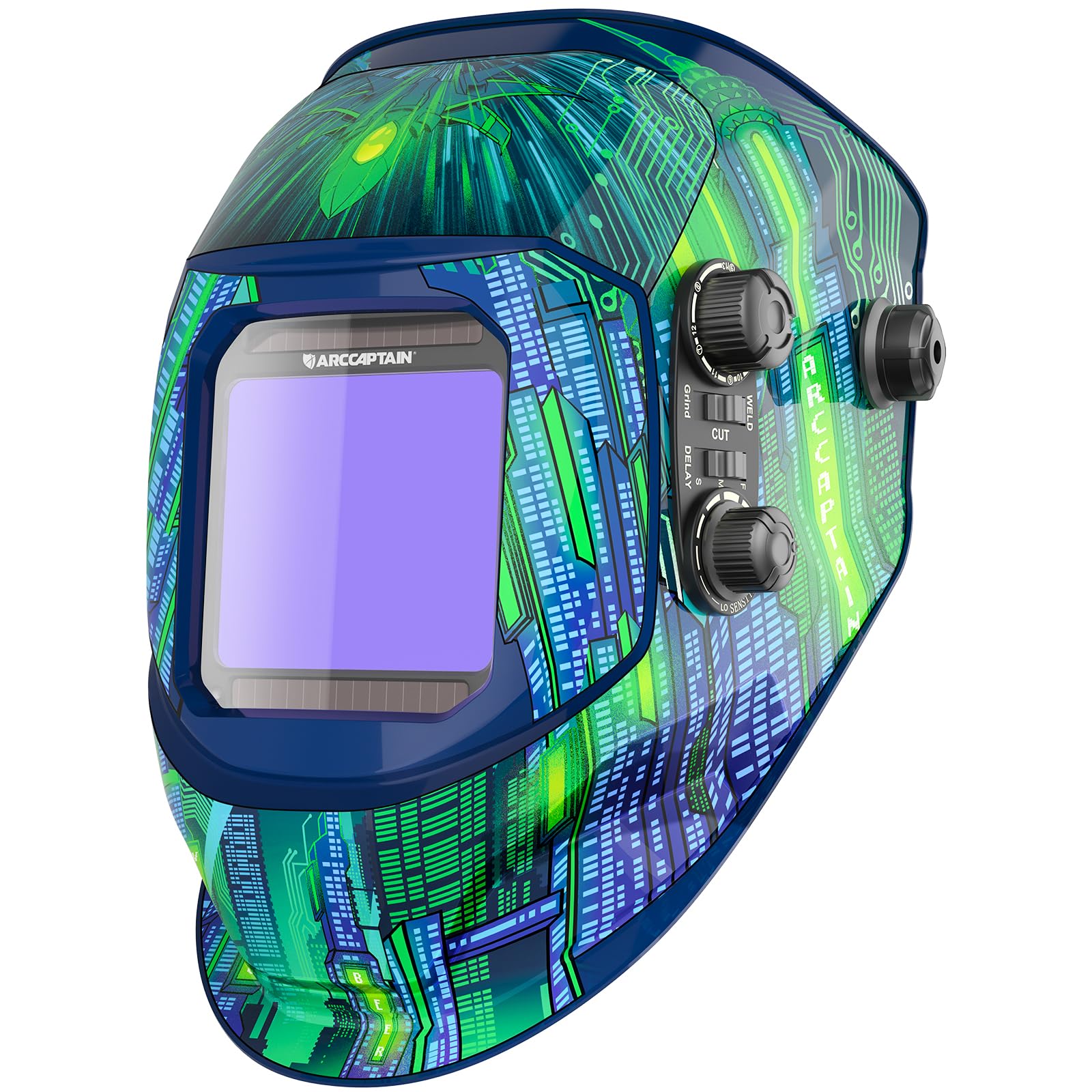
Figure 1: ARCCAPTAIN HSH-G999-Cyber Auto Darkening Welding Helmet (Cyber City Design)
Safety Precautions
Always prioritize safety when welding. This helmet is designed to protect your eyes and face from harmful radiation and sparks during welding, cutting, and grinding operations. However, it is crucial to follow all safety guidelines:
- Ensure the helmet is properly adjusted and fits securely before use.
- Inspect the helmet and lenses for any damage before each use. Replace damaged parts immediately.
- Do not use the helmet if the auto-darkening function is not working correctly.
- Always wear appropriate personal protective equipment (PPE) in addition to the welding helmet.
- Avoid direct exposure to welding arc without proper eye protection.
Package Contents
Verify that all items are included in your package:
- 1 x ARCCAPTAIN Welding Helmet (HSH-G999-Cyber)
- 1 x ARCCAPTAIN Storage Bag
- 1 x Replaced Lithium Battery (CR2450)
- 3 x Replacement Lenses
- 1 x User Manual

Figure 2: ARCCAPTAIN Storage Bag

Figure 3: CR2450 Lithium Battery

Figure 4: Replacement Lenses
Setup
1. Battery Installation
The helmet comes with a pre-installed CR2450 lithium battery. Ensure it is properly seated. A replacement battery is included for future use.
2. Headgear Adjustment
Adjust the headgear for a comfortable and secure fit. The dynamically adjustable headgear with breathable padding reduces pressure points, even during extended use.

Figure 5: Adjustable headgear for optimal comfort and fit.
The headgear allows for angle adjustment up to 130 degrees, providing flexibility and durability.
3. Protective Film Removal
Before first use, remove the protective film from both sides of the auto-darkening lens.
Operating Instructions
The ARCCAPTAIN HSH-G999-Cyber helmet features intuitive controls for various welding and cutting applications.
1. Mode Selection (Weld/Cut/Grind)
Use the mode switch on the side of the helmet to select your desired operation:
- Weld Mode: For ARC, TIG, and MIG welding. Provides shades DIN9-13.
- Cut Mode: For plasma cutting. Provides shades DIN5-9.
- Grind Mode: For grinding tasks. The lens remains in light state (DIN4) to act as a face shield.

Figure 6: Side controls for mode selection, shade, sensitivity, and delay.

Figure 7: Visual representation of Grind, Cut, and Weld modes with corresponding DIN shades.
2. Shade Adjustment (DIN5-13)
Rotate the "SHADE" knob to select the appropriate shade level for your welding process. The helmet offers a wide shade range from DIN5 to DIN13.
3. Sensitivity Adjustment
Adjust the "SENSITIVITY" knob to control how responsive the auto-darkening filter is to the welding arc. Higher sensitivity is suitable for low-amp TIG welding, while lower sensitivity is better for bright ambient light conditions.
4. Delay Adjustment
The "DELAY" switch allows you to set the time it takes for the lens to return to its light state after the arc stops. Options typically include Fast, Medium, and Slow. This helps prevent eye fatigue from residual glow.
5. True Color Technology
Experience enhanced clarity and natural color perception with the helmet's 1/1/1/1 optical clarity lens and advanced true-color technology. This vastly improves your vision, allowing for efficient and precise work.

Figure 8: Comparison of True Color filter view versus a normal filter.

Figure 9: Details on the Upgraded 3.0 True Color lens, highlighting optical clarity and eye protection.
6. Magnifying Lens Compatibility
The helmet is designed to be compatible with magnifying lenses for users who require additional visual assistance.

Figure 10: Helmet design showing compatibility with magnifying lenses.
7. Product Video Overview
Video 1: Official ARCCAPTAIN Auto Darkening Welding Helmet with Large Screen overview, demonstrating key features and adjustments.
Maintenance
1. Cleaning the Helmet
Clean the helmet shell with mild soap and water. Avoid harsh chemicals that may damage the material or finish.
2. Lens Replacement
Regularly inspect the inner and outer protective lenses for scratches or damage. Replace them as needed to maintain optimal visibility and protection. Replacement lenses are included in your package.
3. Battery Replacement
The helmet is solar-powered with a CR2450 replacement lithium battery. If the auto-darkening function becomes unreliable, replace the battery. The battery supports long-lasting working time (up to 5 years) and is eco-friendly.
Troubleshooting
If you encounter issues with your welding helmet, refer to the following common problems and solutions:
- Lens not darkening:
- Check if the battery is correctly installed and has sufficient charge. Replace if necessary.
- Ensure the arc sensors are clean and unobstructed.
- Verify that the helmet is in "Weld" or "Cut" mode, not "Grind" mode.
- Adjust sensitivity settings to a higher level.
- Poor visibility:
- Clean the inner and outer protective lenses.
- Replace scratched or damaged protective lenses.
- Adjust the shade level to suit the welding process.
- Helmet feels uncomfortable:
- Re-adjust the headgear straps and tension knobs for a better fit.
- Ensure the padding is correctly positioned.
Specifications
| Manufacturer | ARCCAPTAIN |
| Part Number | HSH-G999 |
| Item Model Number | LY800F |
| Item Weight | 1.1 pounds |
| Product Dimensions | 7.09 x 8.66 x 7.87 inches |
| Batteries | 1 Lithium Metal battery required (included) |
| Size | One size and adjustable |
| Color | Blue (Cyber City Design) |
| Style | HSH-G999-Cyber |
| Material | Polypropylene (PP) and Polyamide (PA) |
| Certification | ANSI/ISEA Z87.1-2010, CSA Z94.3, DIN EN 175, DIN EN 379 |
| Included Components | 1 x ARCCAPTAIN Storage Bag, 1 x Replaced Lithium Battery, 1x Welding helmet, 3 x Replacement Lens |
| Optical Clarity | 1/1/1/1 |
| Viewing Screen Size | 3.94" x 3.66" |
| Arc Sensors | 4 |
| Switching Time | 1/10000s |
| Light State Shade | DIN4 |
| Dark State Shade | DIN5-9/9-13 |
Warranty & Support
Your ARCCAPTAIN HSH-G999-Cyber Welding Helmet comes with a 180-day Warranty from the date of purchase.
For technical support, warranty claims, or additional product information, please visit the official ARCCAPTAIN store or contact customer service.
Official ARCCAPTAIN Store: ARCCAPTAIN Store
Related documentsHSH-G999-Cyber


Ask a question about this manual
Ask about setup, troubleshooting, compatibility, parts, safety, or missing instructions. Manuals+ will review the question and use this page’s manual context to help answer it.