
Introduction
Thank you for choosing Linkind Solar Spotlights. This manual provides essential information for the safe and efficient use of your new outdoor lighting system. Please read these instructions carefully before installation and retain them for future reference. These solar spotlights are designed to provide bright, reliable illumination for your garden, pathways, and outdoor spaces, featuring two operational modes and a durable, weatherproof design.
Package Contents
- 3 x Linkind Solar Spotlights
- 3 x Ground Stakes
- 6 x Wall Mount Screws and Anchors
- 1 x User Manual
Setup Instructions
Before initial use, ensure the solar panel receives at least 8-10 hours of direct sunlight for a full charge.
1. Ground Installation
- Connect the ground stake to the bottom of the spotlight unit.
- Choose a location with ample direct sunlight. Insert the assembled spotlight firmly into the ground.
- Adjust the angle of the solar panel to maximize sun exposure and the lamp head to direct light as desired. The lamp head can rotate vertically up to 135 degrees. Ensure the rotary knob is tightened to secure the head.

Figure 1: Ground stake installation and product dimensions (210mm / 8.9 inches in height).
2. Wall Installation
- Detach the ground stake if it is already attached.
- Select a suitable wall location that receives direct sunlight for the solar panel.
- Use the provided screws and anchors to securely mount the spotlight to the wall.
- Adjust the angle of the solar panel and lamp head for optimal performance and lighting direction.

Figure 2: Example of wall-mounted solar spotlights providing illumination.
Operating Instructions
Power On/Off and Mode Selection
The solar spotlight features a power button, typically located on the back or underside of the solar panel unit. To operate, ensure the unit is fully charged.
- To Power On/Off: Press and hold the power button for approximately 3-5 seconds until the light activates or deactivates.
- To Change Modes: While the light is off, press and hold the button for 5 seconds to cycle between the two operating modes.
Operating Modes
Your Linkind Solar Spotlights offer two distinct operating modes to suit different seasonal needs and preferences:
- Efficiency Mode: This mode focuses on maximum brightness (800 lm) and is ideal for summer months when solar charging efficiency is high.
- Energy-Saving Mode: This mode provides longer operating times by reducing brightness, making it suitable for winter or periods with lower solar charging efficiency.

Figure 3: Illustration of the two seasonal working modes.
Automatic Operation
Once powered on and a mode is selected, the spotlights will automatically turn on at dusk and turn off at dawn, utilizing their built-in light sensor.
Charging Indicator
A green indicator light will illuminate when the solar spotlight is actively charging, providing visual confirmation of power intake.

Figure 4: Internal components and charging process, including the charging indicator.
Maintenance
Regular maintenance ensures optimal performance and longevity of your solar spotlights.
- Cleaning: Periodically wipe the solar panel with a soft, damp cloth to remove dust, dirt, leaves, or snow. A clean panel ensures maximum sunlight absorption and charging efficiency.
- Inspection: Check the physical condition of the spotlights and stakes regularly. Ensure all connections are secure and there is no damage to the housing or solar panel.
- Battery Care: While the battery is designed for durability, prolonged periods of low sunlight (e.g., during winter) may reduce its charge. Ensure the unit receives adequate sunlight whenever possible.
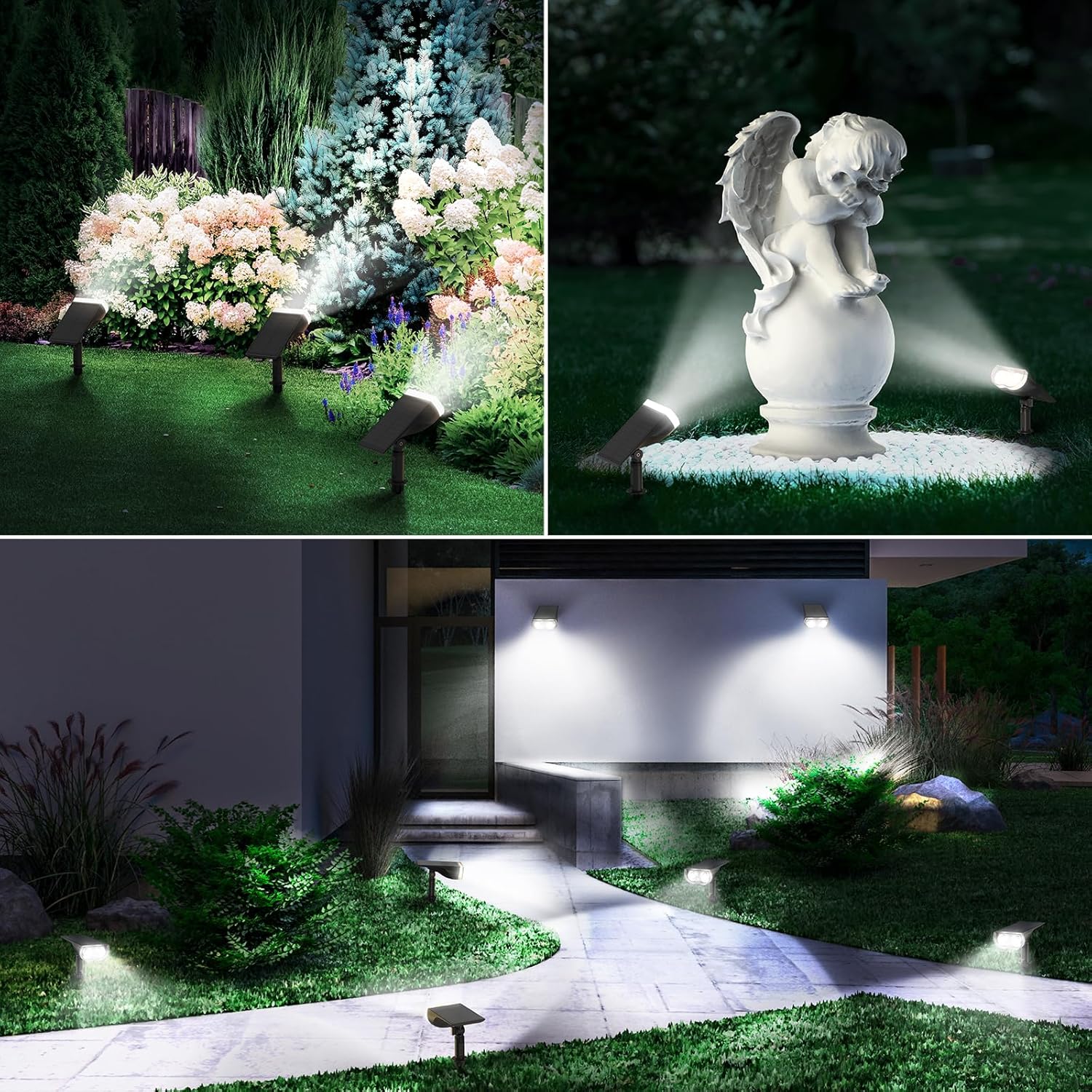
Figure 5: The IP67 waterproof design ensures durability against various weather conditions.
Troubleshooting
If your solar spotlight is not functioning as expected, please refer to the following common issues and solutions:
- Light does not turn on at night:
- Ensure the power button is pressed and the light is in an active mode.
- Verify the solar panel is receiving sufficient direct sunlight during the day (8-10 hours recommended).
- Check if the solar panel is dirty or obstructed. Clean it if necessary.
- Ensure there are no strong light sources (e.g., streetlights, other outdoor lights) near the solar panel at night, as this may prevent the light sensor from activating the spotlight.
- Light is dim or runtime is short:
- The solar panel may not be receiving enough direct sunlight. Reposition the unit or clear any obstructions.
- The solar panel may be dirty. Clean it thoroughly.
- The unit might be in Energy-Saving Mode. Switch to Efficiency Mode if brighter illumination is desired and charging conditions allow.
- Battery performance can be affected by extreme temperatures.
- Light flickers:
- This could indicate a low battery charge. Allow the unit to charge for a full day in direct sunlight.
- Check for loose connections or damage.
Product Specifications
| Model Number | LL1800151 |
| Light Output | 800 Lumens (Max) |
| Color Temperature | 6500K Daylight White |
| Number of LEDs | 60 |
| Beam Angle | 110° |
| Battery | 3.7V/1500mAh Li-ion (S-grade) |
| Solar Panel | Monocrystalline Silicon PET (72 cm², >30% conversion) |
| Waterproof Rating | IP67 |
| Material | ABS, PC |
| Operating Temperature | -20°C to 45°C |
| Installation Type | Ground Stake or Wall Mount |
| Product Dimensions (L x W x H) | 11.2 x 6 x 10 cm (approximate, per unit) |
Warranty Information
Linkind provides a manufacturer's warranty for this product. For detailed information regarding warranty coverage, terms, and conditions, please refer to the official Linkind website or contact customer support directly. Please retain your proof of purchase for warranty claims.
Customer Support
For any questions, technical assistance, or support regarding your Linkind Solar Spotlights, please contact our customer service team:
- Email: support@linkind.com (Example)
- Website: www.linkind.com (Example)
Please have your model number (LL1800151) and purchase details ready when contacting support.
Safety Information
- Do not attempt to disassemble or modify the product. This may void the warranty and pose safety risks.
- Keep the product away from open flames or extreme heat sources.
- Ensure the ground stake is securely inserted to prevent the spotlight from falling.
- Do not stare directly into the light source, as it may cause eye discomfort.
- Dispose of the product and its battery responsibly according to local regulations.


