
Introduction
The ULTIMEA Poseidon E40 is a state-of-the-art smart projector designed to deliver an immersive home cinema experience. Featuring 4K decoding, native 1080P resolution, and a powerful 1000 ANSI Lumens brightness, it ensures clear and vibrant images. With integrated Android TV 11.0, including Netflix certification, and robust audio capabilities, the Poseidon E40 offers seamless entertainment and smart functionality.

Figure 1: ULTIMEA Poseidon E40 Smart Projector with remote control.
What's in the Box
- 1 x ULTIMEA Poseidon E40 Projector Android TV 11.0 with NETFLIX
- 1 x HD Cable (3.9ft/1.2m)
- 1 x AV Cable (3.2ft/1m)
- Remote Control
- 1 x Power Supply
Product Overview and Features
Brightness and Resolution
The Poseidon E40 boasts 1000 ANSI Lumens brightness and native 1080P resolution with 4K decoding support, ensuring a clear and sharp image with excellent color and detail. This high brightness allows for comfortable viewing even in environments with some ambient light.

Figure 2: The projector offers 1000 ANSI Lumens brightness and 4K decoding capabilities for a vivid display.
Smart Features (Android TV 11.0)
Equipped with official Android TV 11.0 authorization and Netflix certification, the projector provides seamless access to over 10,000 apps including HBO MAX, Hulu, Disney+, and Prime Video. The built-in Google Play Store and Google Assistant offer intuitive control and a vast content library.
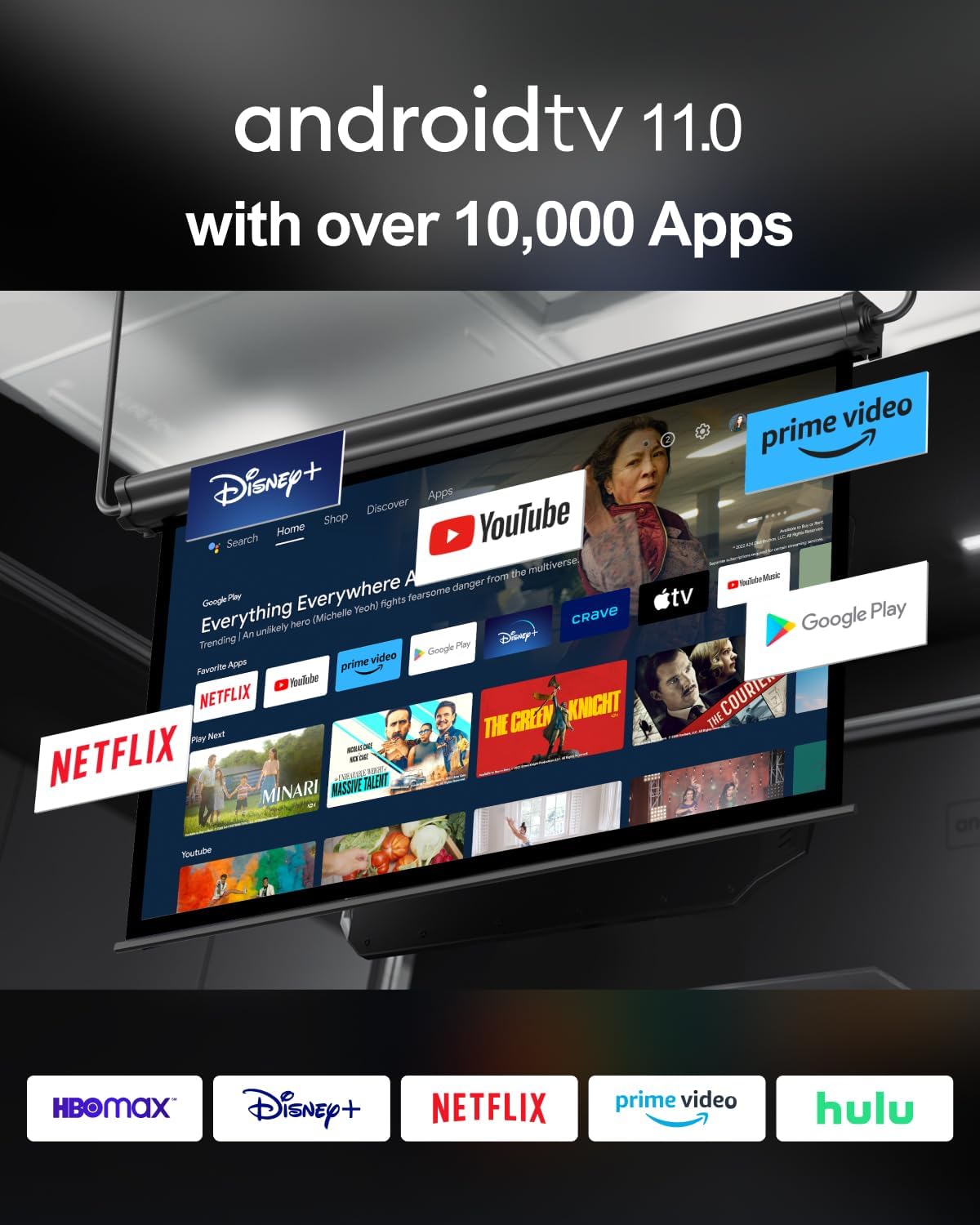
Figure 3: Access a wide range of streaming applications and smart features through Android TV 11.0.
Audio Capabilities
The Poseidon E40 features dual 10W speakers and an independent bass radiator, delivering clear sound and deep bass. With Dolby Audio support, the audio remains in sync and clear, enhancing the visual performance.
Auto-Correction Technology
Integrated ToF (Time of Flight) technology automatically adjusts focus for the best viewing experience. The USPAA system enables intelligent obstacle avoidance and intelligent screen alignment, ensuring a perfectly framed image without manual adjustments.

Figure 4: Intelligent auto-correction features like ToF and USPAA ensure optimal image quality.
Design and Portability
The projector features a portable metal handle that serves both as a carrying handle and a stand, allowing for elevated projection angles from 10° to 40°. Its midnight blue design and high-transparency acrylic panel offer a sophisticated aesthetic. The fully enclosed optical design protects against dust, ensuring long-term image quality.

Figure 5: The integrated handle provides both portability and a convenient stand for flexible placement.
Setup Guide
Unboxing and Initial Setup
Upon unboxing, you will find the projector, remote control, HD cable, AV cable, and power supply. The projector is securely packed. For initial setup, connect the power supply, turn on the projector, and follow the on-screen prompts to select your language, connect to your Wi-Fi network, and log into your Google account. The system will guide you through the necessary steps.
Connecting Remote Control
The remote control needs to be paired with the projector for full functionality, including voice search. Hold the remote near the projector and press the Home and Back keys simultaneously for about 10 seconds to initiate pairing.
Projection Settings
Access projection settings by pressing the dedicated projector icon button on the remote. Here you can:
- Projection Mode: Select between Desktop Front, Desktop Rear, Ceiling Front, and Ceiling Rear projection modes.
- Zoom In/Out: Adjust the image size.
- Focus Settings: Enable or disable auto-focus, and perform picture calibration for optimal clarity.
- Keystone Settings: Enable automatic correction, auto keystone with movement, intelligent screen alignment, and intelligent obstacle avoidance. Calibration settings are also available for fine-tuning.
Operating Instructions
Navigating Android TV
The projector runs on a stock Android TV system. The home screen provides quick access to pre-installed apps like Netflix, YouTube, and Prime Video. You can also visit the Google Play Store to download additional applications.
Connecting External Devices
The projector supports various input sources:
- HDMI: Connect external devices like laptops, gaming consoles, or Blu-ray players.
- USB: Play media directly from USB storage devices.
- AV: Connect older devices using the provided AV cable.
Bluetooth Speaker Mode
The Poseidon E40 can function as an external Bluetooth speaker for your smartphone or other devices. To activate this mode, go back to the home screen and select the Bluetooth icon at the top. The projector will then enter Bluetooth speaker mode, allowing you to stream audio.
Maintenance
To ensure the longevity and optimal performance of your ULTIMEA Poseidon E40 projector, regular maintenance is recommended:
- Lens Cleaning: Gently wipe the projector lens with a soft, lint-free cloth. Avoid abrasive materials or harsh chemicals.
- Ventilation: Ensure the ventilation windows at the front and back of the projector are clear of obstructions to prevent overheating.
- Dust Removal: Periodically clean the exterior of the projector with a dry, soft cloth to remove dust buildup.
- Storage: When not in use for extended periods, store the projector in a cool, dry place away from direct sunlight and extreme temperatures.
Troubleshooting
Here are solutions to common issues you might encounter:
- Blurry Image: Check focus settings. Use the remote's focus adjustment buttons (F+ or F-) for fine-tuning. Ensure the projector is placed on a stable, flat surface.
- Distorted Image (Keystone): If the image appears trapezoidal, access Projection Settings > Keystone Settings. Enable automatic correction or manually adjust if needed.
- No Sound: Verify the volume level on the projector and the connected source. Check audio output settings. If using external speakers, ensure they are properly connected via Bluetooth or the 3.5mm audio jack.
- No Wi-Fi/Bluetooth Connection: Ensure the projector is within range of your Wi-Fi router or Bluetooth device. Restart the projector and try connecting again.
- Apps Not Working/Slow Performance: Ensure a stable internet connection. Try restarting the projector. If issues persist, consider restoring factory settings (note: this will erase personal data).
Specifications
| Feature | Specification |
|---|---|
| Brand | ULTIMEA |
| Model Number | U0340 |
| Brightness | 1000 ANSI Lumens |
| Display Resolution | Native 1920 x 1080 Pixels (4K Support) |
| Operating System | Official Android 11.0 Authorisation with NETFLIX Certification |
| Audio | 2 x 10W Speakers, Independent Bass Radiator, Dolby Audio |
| Connectivity | WiFi (5.8GHz + 2.4GHz Dual-Band), Bluetooth 5.3, HDMI, USB, 3.5 mm audio |
| Special Features | ToF Technology, Intelligent Obstacle Avoidance, Intelligent Screen Alignment, Versatile Handle Design, Fully Enclosed Optical Design |
| Item Weight | 6.93 pounds |
| Product Dimensions | 8.27 x 6.69 x 11.02 inches |
Warranty and Support
ULTIMEA is committed to providing excellent customer service. Your Poseidon E40 projector comes with a worry-free warranty. For any pre-sale consultation, technical support, or warranty claims, please contact ULTIMEA customer service. They offer 7/24 service to assist you with any inquiries or issues.
For more information and support, visit the official ULTIMEA Store: ULTIMEA Store on Amazon