
1. Introduction
Thank you for choosing the HomeRunPet HC15 Ultra Quiet Pet Vacuum. This device is designed to provide an efficient and quiet solution for grooming your pets and managing pet hair in your home. It features powerful suction and a range of specialized attachments to ensure a clean and comfortable experience for both you and your pet. Please read this manual thoroughly before use to ensure proper operation and maintenance.
2. Safety Information
- Always ensure the power cord is undamaged before plugging in the device.
- Do not operate the vacuum with wet hands or in wet environments.
- Keep the device out of reach of children and pets when not in use.
- Do not attempt to vacuum liquids or flammable materials.
- Unplug the device before cleaning or performing any maintenance.
- Use only HomeRunPet approved attachments and replacement parts.
- If the device malfunctions or is damaged, discontinue use immediately and contact customer support.
3. Package Contents
Verify that all items are present in the package:
- HomeRunPet HC15 Pet Vacuum Unit
- Flexible Hose
- Grooming Clipper Attachment
- Deshedding Brush Attachment
- Slicker Brush Attachment
- Nozzle Attachment
- Cleaning Brush Attachment
- Crevice Tool Attachment
- 6 x Guard Combs (3mm, 6mm, 9mm, 12mm, 16mm, 19mm)
- 6 x Filter Pads
- User Manual

This image displays the complete HomeRunPet HC15 pet grooming vacuum kit, including the main vacuum unit, hose, and several grooming and cleaning attachments.
4. Setup
- Unpack Components: Carefully remove all items from the packaging.
- Connect Hose: Insert one end of the flexible hose into the designated port on the main vacuum unit until it clicks securely into place.
- Attach Grooming Tool: Select the desired grooming or cleaning attachment and connect it to the other end of the flexible hose. Ensure it is firmly attached.
- Check Filter Pad: Open the dust cup and ensure a filter pad is correctly installed. Refer to the 'Maintenance' section for filter replacement instructions.
- Power Connection: Plug the power cord into a standard electrical outlet.
5. Operating Instructions
5.1 General Operation
- Power On: Press the power button on the main unit to turn on the vacuum.
- Adjust Suction: Use the suction control buttons (if available on your model) to adjust the vacuum power according to your pet's comfort and grooming needs. The device operates at a low noise level of 45dB for a quieter experience.
- Grooming: Gently move the chosen attachment over your pet's coat. The vacuum will collect loose hair directly into the dust cup.
- Power Off: Press the power button again to turn off the vacuum after use.

A close-up of a pet being groomed with the vacuum, highlighting the device's ultra-quiet operation at 45dB, designed for a calm grooming experience.

An internal view graphic demonstrating the powerful 12,000 Pa suction capability of the HomeRunPet HC15, ensuring effective hair removal.
5.2 Using the Grooming Clipper
- Attach Clipper: Connect the grooming clipper attachment to the hose.
- Select Guard Comb: Choose one of the six guard combs (3mm, 6mm, 9mm, 12mm, 16mm, 19mm) and securely attach it to the clipper blade.
- Power On Clipper: Use the independent switch on the clipper to activate it.
- Adjust Speed: If available, use the speed setting switch on the clipper to adjust the blade speed.
- Clipping: Carefully clip your pet's hair, ensuring the vacuum is on to collect the trimmed hair. The pet-safe blade features rounded corners to prevent hair jams and overheating.
- Power Off Clipper: Turn off the clipper using its independent switch after use.

This image shows the reliable clipper attachment in action, featuring an independent switch and a speed setting switch for precise grooming control.

A detailed view of the pet-safe blade, emphasizing its rounded corners to prevent hair jams and overheating, along with six included guard combs for various lengths.
6. Maintenance
6.1 Emptying the Dust Cup
- Ensure the vacuum is turned off and unplugged.
- Press the release button to detach the dust cup from the main unit.
- Empty the collected pet hair and debris into a waste bin.
- Reattach the dust cup securely to the main unit.
6.2 Cleaning Attachments
- Remove attachments from the hose.
- Use the provided cleaning brush or a soft cloth to remove any trapped hair or debris from the attachments.
- For stubborn dirt, attachments can be rinsed with water. Ensure they are completely dry before reattaching or storing.
6.3 Filter Pad Replacement
The filter pad helps capture fine particles, sand, and dust for fresher air. Replace the filter pad regularly (approximately every 1-3 months depending on usage) to maintain optimal performance.

This image displays a pack of six replacement filter pads specifically designed for the HomeRunPet HC15 grooming kit vacuum.
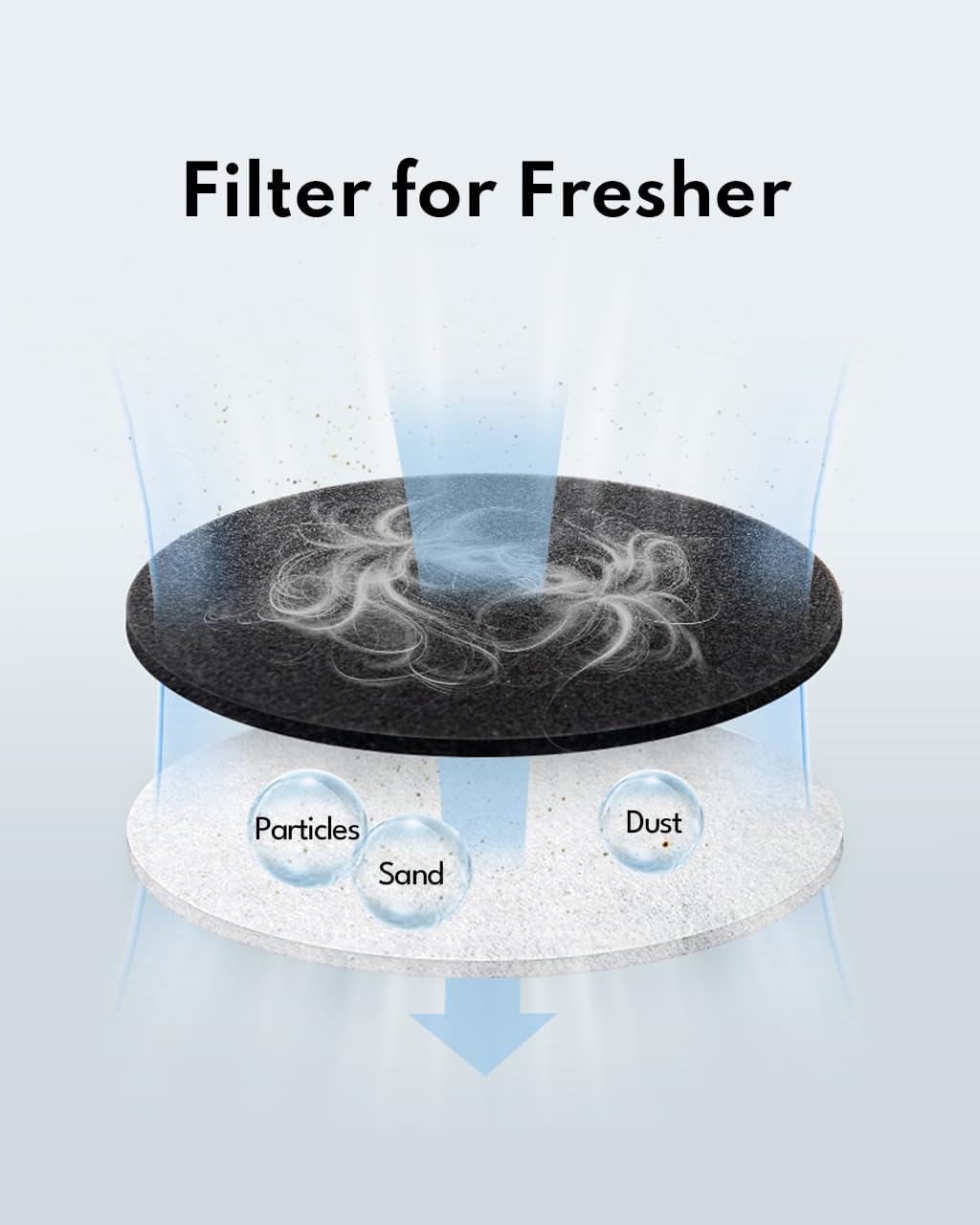
An illustrative diagram showing how the filter effectively captures particles, sand, and dust, contributing to fresher air during grooming.
- Step 1: Ensure the vacuum is off and unplugged. Lift the dustbin and detach it from the main unit.
- Step 2: Carefully remove the used filter pad from the dustbin.
- Step 3: Insert a new HomeRunPet HC15 compatible filter pad into the dustbin, ensuring it sits flat and covers the filter area.
- Step 4: Reattach the dustbin to the main unit until it locks into place.

A two-step visual guide demonstrating how to replace the filter pad: first, lift and detach the dustbin, then remove the old filter pad.
7. Troubleshooting
| Problem | Possible Cause | Solution |
|---|---|---|
| Vacuum does not turn on. | Not plugged in; power outlet issue; device malfunction. | Ensure power cord is securely plugged in. Test the outlet with another device. If problem persists, contact support. |
| Low suction power. | Dust cup full; filter clogged; hose/attachment blockage. | Empty dust cup. Replace filter pad. Check hose and attachments for blockages and clear them. |
| Clipper not cutting effectively. | Blade dull; hair jammed in blade; guard comb incorrectly attached. | Clean blade thoroughly. Ensure guard comb is properly seated. If blade is dull, consider replacement (contact support). |
| Unusual noise during operation. | Blockage in hose/unit; motor issue. | Turn off and unplug. Check for and remove any blockages. If noise persists, contact customer support. |
8. Specifications
- Model: HC15
- Brand: HomeRunPet
- Suction Power: Up to 12,000 Pa
- Noise Level: Approximately 45dB
- Dust Cup Capacity: 1.85 Liters
- Included Components: 6 grooming/cleaning attachments, 6 guard combs, 6 filter pads
- Power Source: Corded Electric
9. Warranty and Support
HomeRunPet products are manufactured with high-quality standards. For warranty information, technical support, or any questions regarding your HomeRunPet HC15 Ultra Quiet Pet Vacuum, please refer to the warranty card included with your purchase or visit the official HomeRunPet website. You may also contact our customer service team for assistance.
Online Support: Visit the HomeRunPet Store on Amazon


