
Sofucor 48K006 BK DC BK 50 S S31
Sofucor 48 Inch Smart Ceiling Fan User Manual
Model: 48K006 BK DC BK 50 S S31
1. Introduction
This manual provides comprehensive instructions for the installation, operation, and maintenance of your Sofucor 48 Inch Smart Ceiling Fan. Please read this manual thoroughly before installation and retain it for future reference. This smart ceiling fan is designed for both indoor and outdoor use (not directly exposed to rain) and offers multiple control options including remote, app, and voice commands.
2. Safety Information
To reduce the risk of electric shock, fire, or injury to persons, always follow these basic safety precautions:
- Ensure the power is turned off at the circuit breaker before installation or maintenance.
- All wiring must be in accordance with national and local electrical codes.
- The fan must be mounted with a minimum of 7 feet (2.1 meters) clearance from the floor to the fan blades.
- Do not operate the fan with damaged wiring or if it has been dropped or damaged in any way.
- Do not insert objects into the path of the fan blades while the fan is operating.
- This fan is suitable for damp locations but should not be directly exposed to water.
3. Package Contents
Verify that all components listed below are included in your package:
- Fan Motor Housing
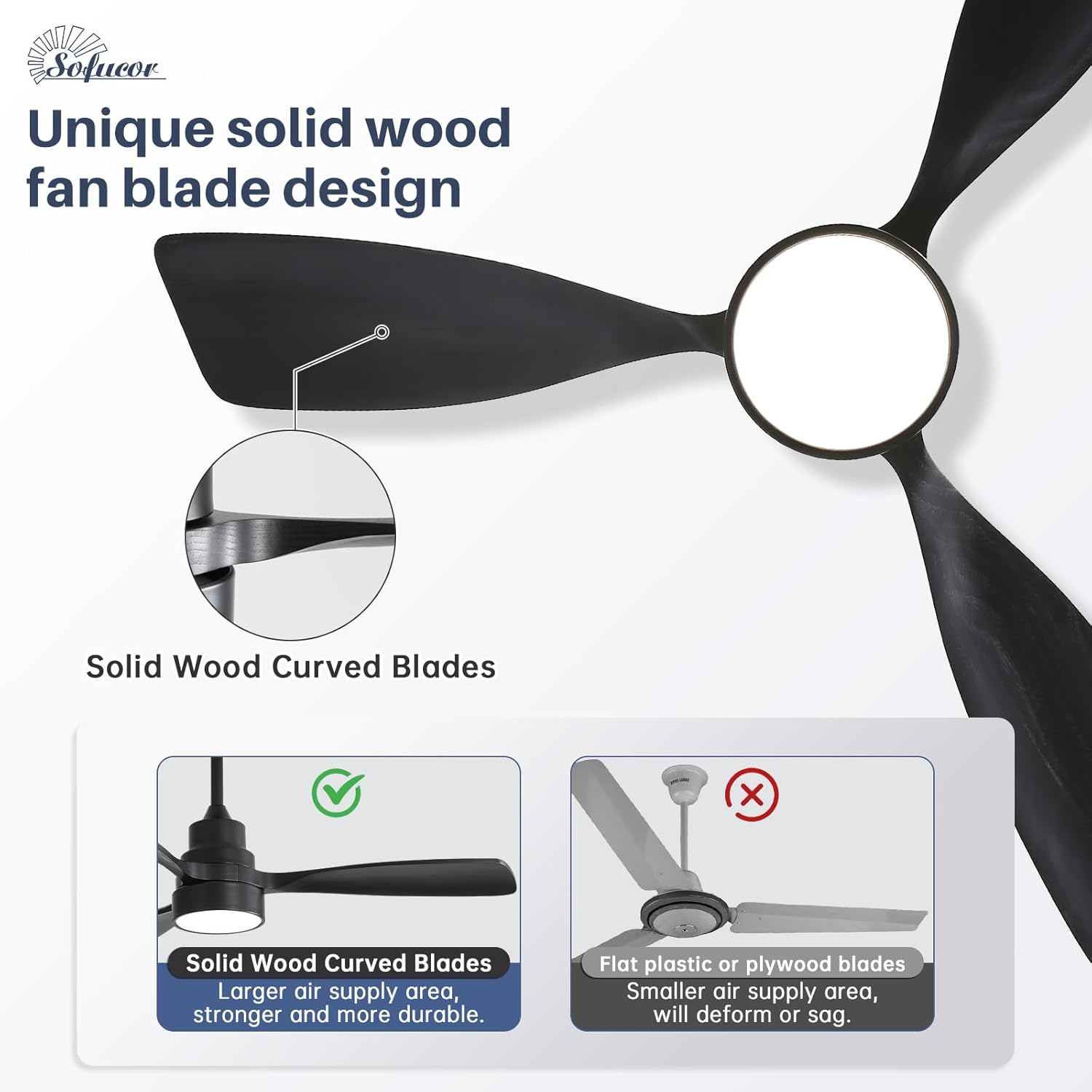
- 3 Solid Wood Fan Blades
- Light Kit (Integrated LED)
- Remote Control
- Wire Whip
- 3 Downrods (5-inch, 10-inch, 24-inch)
- Mounting Bracket and Hardware
- User Manual
4. Setup and Installation
4.1 Pre-Installation Checklist
- Ensure the electrical box is securely attached to the building structure and can support the fan's weight.
- Turn off power at the main circuit breaker to prevent electrical shock.
- Unpack all components and inspect for any damage.
4.2 Mounting Options
The Sofucor ceiling fan offers versatile installation options to suit various ceiling types, including flat ceilings and sloped ceilings up to 15 degrees. This flexibility ensures proper airflow and aesthetic integration in your space.

This image illustrates the fan's adaptability for both flat and sloped ceiling installations, highlighting the different downrod lengths available (5, 10, and 24 inches) to achieve optimal fan height and performance for rooms up to 16x16 feet.
4.3 Downrod Selection
Three downrod lengths are provided (5-inch, 10-inch, and 24-inch) to accommodate different ceiling heights and preferences. Choose the appropriate downrod to ensure the fan blades are at least 7 feet from the floor for safety and optimal air circulation.
4.4 Wiring and Assembly
Follow the detailed wiring diagrams and assembly instructions provided in the separate installation guide included with your fan. Ensure all connections are secure and properly insulated. Professional installation is recommended if you are not familiar with electrical wiring.
5. Operating Instructions
5.1 Control Methods
Your Sofucor Smart Ceiling Fan offers three convenient ways to control its functions: the included remote control, the dedicated Smart Life mobile application, and voice commands via Alexa or Google Home.

This visual guide demonstrates the three primary ways to operate your fan: using voice commands with smart assistants, controlling via the intuitive mobile app, or utilizing the included remote control, which can also be conveniently mounted on a wall.
5.2 Remote Control Operation
The included remote control allows for direct operation of the fan and light. Buttons are clearly labeled for fan on/off, light on/off, fan speed adjustment, light brightness, light color temperature, and fan direction reversal. The remote can be mounted on a wall for easy access.
5.3 Smart App Control (Smart Life App)
Download the 'Smart Life' app from your device's app store. Follow the in-app instructions to pair your fan with your Wi-Fi network. Once connected, the app provides full control over all fan functions, including precise adjustments for light color temperature, brightness, 6 wind speed levels, and setting the timer function.
5.4 Voice Control (Alexa/Google Home)
Integrate your Sofucor smart fan with Amazon Alexa or Google Home for hands-free operation. Enable the 'Smart Life' skill/action in your smart assistant's app and link your account. You can then use voice commands such as "Alexa, turn on the fan" or "Hey Google, set fan speed to 3."
5.5 Fan Speed Adjustment
The fan features a high-performance DC motor with 6 precise speed settings, allowing you to customize airflow from a gentle breeze to powerful cooling. Adjust the speed using the remote or the app to suit your comfort needs.
This image demonstrates the fan's six adjustable speed levels, ranging from a gentle breeze suitable for sleeping (Levels 1-2) to a strong wind for active environments (Levels 5-6), ensuring personalized comfort.
5.6 Lighting Control
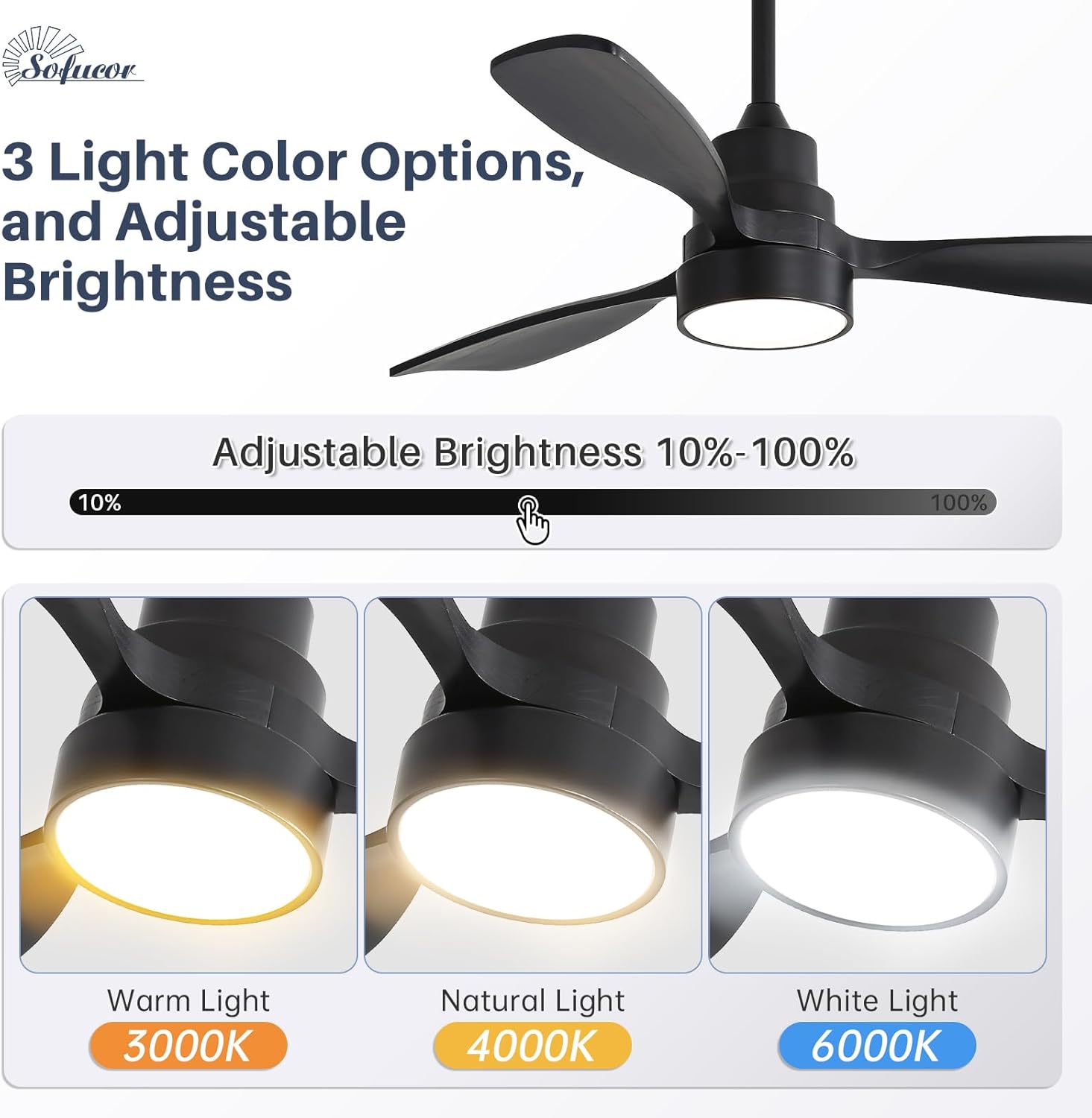
The integrated LED light kit offers full adjustability. You can dim the light from 10% to 100% brightness and choose from three color temperatures: Warm White (3000K), Natural White (4000K), and Cool White (6000K). This allows you to set the perfect ambiance for any activity.
This graphic illustrates the fan's lighting capabilities, including adjustable brightness from 10% to 100% and three distinct color temperature options: 3000K for warm ambiance, 4000K for natural light, and 6000K for cool white illumination.
5.7 Reversible Function
The fan features a reversible DC motor, allowing for year-round comfort. In summer, the fan blades rotate counter-clockwise to create a downward airflow, providing a cooling effect. In winter, the blades rotate clockwise to circulate warm air trapped near the ceiling, distributing it evenly throughout the room.

This diagram visually explains the fan's reversible function, demonstrating how it creates a cooling downward airflow in summer and an upward airflow to circulate warm air in winter, optimizing comfort throughout the year.
5.8 Timer Function
Utilize the timer function to set the fan to automatically turn off after a specified period. Available timer settings typically include 1, 2, 4, or 8 hours. This feature is ideal for use during sleep or when leaving a room.

This image highlights the fan's convenient timing function, allowing users to set automatic shutdowns for 1, 2, 4, or 8 hours, perfect for ensuring comfort while sleeping or during other activities.
6. Maintenance
6.1 Cleaning
To maintain the appearance and performance of your fan, regularly dust the blades and motor housing with a soft, lint-free cloth. For deeper cleaning, use a mild, non-abrasive cleaner. Always ensure the fan is turned off and power is disconnected before cleaning.
6.2 Blade Care
The solid wood blades are durable but should be handled with care. Avoid using harsh chemicals or abrasive materials that could damage the finish. Periodically check that all blade screws are tight to prevent wobbling and noise.
7. Troubleshooting
If you encounter any issues with your Sofucor Smart Ceiling Fan, refer to the table below for common problems and their solutions. If the problem persists, contact customer support.
| Problem | Possible Cause | Solution |
|---|---|---|
| Fan does not turn on. | No power, remote battery low, loose wiring. | Check circuit breaker, replace remote battery, verify wiring connections. |
| Light does not turn on. | No power, light setting off, LED board issue. | Check power, ensure light is on via remote/app, contact support for LED board replacement. |
| Remote control not responding. | Low battery, signal obstruction, pairing issue. | Replace remote battery, remove obstructions, re-pair remote with fan. |
| App connectivity issues. | Incorrect Wi-Fi password, network interference, fan not in pairing mode. | Verify Wi-Fi credentials, ensure fan is within Wi-Fi range, follow app pairing instructions carefully. |
| Fan wobbles or makes noise. | Loose mounting, unbalanced blades, loose screws. | Ensure mounting bracket is secure, check blade balance, tighten all screws. |
8. Specifications
| Feature | Detail |
|---|---|
| Brand | Sofucor |
| Model Name | 48K006 BK DC BK 50 S S31 |
| Fan Size | 48 Inch |
| Color | Black blades+Matte Black body+3 Downrods |
| Blade Material | Solid Wood |
| Number of Blades | 3 |
| Motor Type | DC Motor |
| Control Method | App, Remote, Voice (Alexa/Google) |
| Light Source | Integrated LED (Dimmable, 3000K/4000K/6000K) |
| Noise Level | 30 dB |
| Indoor/Outdoor Usage | Indoor, Outdoor (Damp Rated) |
| Voltage | 120 Volts (DC) |
| Item Weight | 12.8 pounds |
| Product Dimensions | 25"D x 12"W x 9"H |
| Certification | ETL/FCC Certified |
9. Warranty and Support
Sofucor stands behind the quality of its products. Your 48 Inch Smart Ceiling Fan comes with a lifetime warranty for the motor and a 3-year protection for other parts. This ensures peace of mind regarding the longevity and performance of your fan.
For any technical assistance, installation questions, or warranty claims, our dedicated 24/7 tech support team is available to assist you. Please refer to the contact information provided on the product packaging or visit the official Sofucor store for support.

This image summarizes Sofucor's commitment to customer satisfaction, detailing the lifetime motor warranty, 3-year warranty for other parts, logistics loss compensation, and round-the-clock customer service.
Visit the Sofucor Store for more information and product registration.
Related documents48K006 BK DC BK 50 S S31


Ask a question about this manual
Ask about setup, troubleshooting, compatibility, parts, safety, or missing instructions. Manuals+ will review the question and use this page’s manual context to help answer it.