
Acmount P120
Acmount P120 Portable Car Battery Jump Starter User Manual
Model: P120
1. Product Overview
The Acmount P120 is a powerful and versatile portable car battery jump starter designed to provide reliable starting power for a wide range of vehicles. It also functions as a portable power bank and features an integrated LED flashlight for emergency situations.
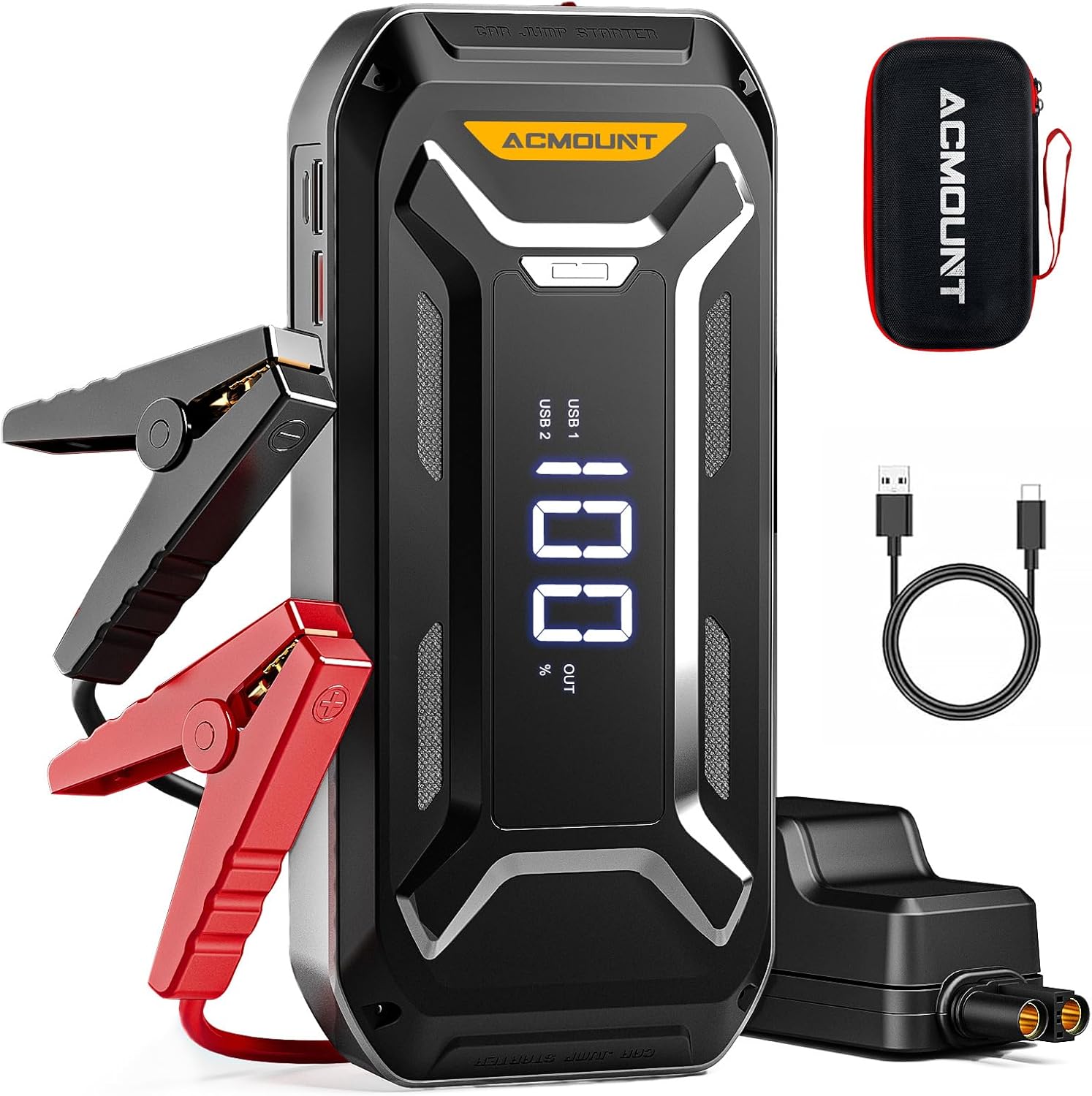
Image 1.1: The Acmount P120 Jump Starter, smart jump cables, USB Type-C charging cable, and storage case.
This device is capable of delivering 6000A peak current, suitable for all gas engines and diesel engines up to 10.0L. Its robust design ensures performance in extreme temperatures, from -4°F to 140°F.

Image 1.2: The Acmount P120 Jump Starter's compatibility with various engine types and its 6000A peak current.
2. What's in the Box
Upon unpacking your Acmount P120 Jump Starter, please verify that all the following items are included:
- 1 × Acmount 6000A Jump Starter
- 1 × Extended Smart Jumper Cable
- 1 × USB-A to USB-C Charging Cable
- 1 × EVA Carrying Case
- 1 × User Manual (this document)

Image 2.1: All items included in the Acmount P120 Jump Starter package.
3. Safety Information
Read all safety warnings and instructions before using this product. Failure to follow the warnings and instructions may result in electric shock, fire, and/or serious injury.
3.1 General Safety Precautions
- Do not expose the jump starter to rain or wet conditions.
- Do not operate the jump starter if it has received a sharp blow, been dropped, or otherwise damaged.
- Do not disassemble the jump starter. Refer all servicing to qualified service personnel.
- Keep out of reach of children.
- Ensure proper ventilation during use and charging.
3.2 Intelligent Safety Protections
The Acmount P120 is equipped with 10 intelligent protection systems to ensure safe operation:

Image 3.1: Visual representation of the 10 safety features, including spark-proof, reverse charge, reverse polarity, AI software monitoring, over current, over load, over charge, over voltage, short circuit, and high/low temperature protection.
- Spark-Proof Protection: Prevents sparks during connection.
- Reverse Charge Protection: Protects against current flowing back into the jump starter.
- Reverse Polarity Protection: Alerts and protects if clamps are connected incorrectly.
- AI Software Monitoring: Continuously monitors and optimizes performance.
- Over Current Protection: Prevents damage from excessive current.
- Over Load Protection: Shuts down if overloaded.
- Over Charge Protection: Prevents battery overcharging.
- Over Voltage Protection: Protects against voltage surges.
- Short Circuit Protection: Automatically disconnects in case of a short circuit.
- High and Low-Temperature Protection: Ensures safe operation within specified temperature ranges.
4. Setup and Charging
Before first use, fully charge the Acmount P120 Jump Starter. It is recommended to charge the device every 3-6 months to maintain optimal battery health, even when not in use.
4.1 Initial Charging
- Connect the provided USB-A to USB-C charging cable to the USB-C input port on the jump starter.
- Connect the other end of the USB cable to a compatible USB wall adapter (not included) or a car charger.
- The LCD display will show the charging progress. Charge until the display indicates 100%.
A full charge can take several hours depending on the power source. The device holds charge for up to 24 months when not in use.

Image 4.1: The large smart screen displaying the battery level and operational status.
5. Operating Instructions
5.1 Jump Starting a Vehicle
Ensure the jump starter is sufficiently charged (above 50% is recommended for optimal performance).
- Connect Smart Jumper Cables: Insert the blue plug of the smart jumper cables into the 12V jump start port on the Acmount P120. Ensure a firm connection.
- Connect to Car Battery: Attach the red (+) clamp to the positive (+) terminal of the car battery. Attach the black (-) clamp to the negative (-) terminal of the car battery.
- Check Indicator: Observe the indicator light on the smart jumper cable. A solid green light indicates a correct connection and readiness to jump start. If a red light or alarm sounds, check connections for reverse polarity or other issues.
- Start Vehicle: Once the green light is solid, start your vehicle's engine.
- Remove Cables: After the engine starts, immediately remove the smart jumper cables from the car battery terminals, then disconnect the blue plug from the jump starter.
If the vehicle does not start on the first attempt, wait at least 30 seconds before trying again. Do not attempt more than 3 consecutive jump starts without allowing the unit to cool down.

Image 5.1: The Acmount P120 Jump Starter connected to a car battery, ready to provide starting power.
5.2 Using as a Portable Power Bank
The Acmount P120 features a 26,800mAh capacity and multiple USB output ports for charging electronic devices.
- Connect your device's USB charging cable to one of the USB output ports on the jump starter.
- The jump starter will automatically begin charging your device. The LCD screen will show 'OUT' and the current battery percentage.
- Disconnect your device once charging is complete.
It includes dual USB ports (one fast-charge) and a USB-C port for efficient charging.

Image 5.2: The Acmount P120 functioning as a portable power bank, charging multiple devices.
5.3 LED Light Function
The integrated LED flashlight offers three modes for various situations:
- To Turn On/Off: Press and hold the power button for 3 seconds to turn the flashlight on or off.
- To Change Modes: Briefly press the power button to cycle through modes: Flashlight (steady light), Strobe (rapid flashing), and SOS (Morse code for distress).

Image 5.3: The LED light on the Acmount P120, illustrating its three operational modes.
6. Maintenance and Storage
6.1 Charging Frequency
To prolong the lifespan of the internal battery, it is recommended to fully charge the Acmount P120 every 3-6 months, even if it has not been used. This prevents deep discharge and maintains battery health.
6.2 Cleaning
Wipe the unit with a dry, soft cloth. Do not use harsh chemicals or abrasive materials.
6.3 Storage
- Store the jump starter in its carrying case in a cool, dry place.
- Avoid direct sunlight and extreme temperatures.
- Keep away from flammable materials.
7. Troubleshooting
| Problem | Possible Cause | Solution |
|---|---|---|
| Vehicle does not start. | Low charge on jump starter. Incorrect cable connection. Vehicle battery completely dead. Smart cable protection activated. | Ensure jump starter is fully charged. Verify red clamp to positive, black to negative. Check smart cable indicator for solid green. Use the 'BOOST' function if available (refer to specific device instructions for 'BOOST' button location and usage). Disconnect and reconnect cables, wait 30 seconds before retrying. |
| Smart cable indicator is red or beeping. | Reverse polarity connection. Short circuit detected. Over-temperature. | Immediately disconnect clamps and reconnect correctly. Check for any metal-to-metal contact between clamps or battery terminals. Ensure clamps are securely attached. Allow the unit to cool down before attempting to use again. |
| Jump starter not charging devices. | Jump starter battery low. Incorrect cable or port used. Device not compatible. | Recharge the jump starter. Ensure correct USB output port and cable are used. Verify device compatibility with USB charging standards. |
| LCD display not working. | Unit is off or battery is completely drained. | Press the power button to turn on. Recharge the unit. |
8. Specifications
| Feature | Detail |
|---|---|
| Brand | Acmount |
| Model | P120 |
| Peak Output Current | 6000 Amps |
| Engine Compatibility | All Gas Engines / Up to 10.0L Diesel Engines |
| Battery Type | Lithium Ion (1 included) |
| Power Bank Capacity | 26,800mAh |
| USB Output 1 | 5V/2.1A (Standard Charging) |
| USB Output 2 | 5V/2.4A, 9V/2A, 12V/1.5A (High-Speed Charging) |
| USB-C Input | 5V/2A or 9V/2A (Standard & Fast Charging) |
| Operating Temperature | -4°F to 140°F (-20°C to 60°C) |
| Item Weight | 2.66 pounds |
| Package Dimensions | 9.76 x 5.39 x 4.29 inches |

Image 8.1: UL Test Report for the Jump Starter, indicating compliance with safety standards.
9. Warranty and Support
The Acmount P120 Jump Starter comes with a 24-Month Warranty. For any questions regarding the product, technical support, or warranty claims, please contact Acmount customer service. You will receive a satisfactory solution.

Image 9.1: The Acmount P120 Jump Starter is backed by a 24-month warranty.
Related documentsP120


Ask a question about this manual
Ask about setup, troubleshooting, compatibility, parts, safety, or missing instructions. Manuals+ will review the question and use this page’s manual context to help answer it.