Introduction
Thank you for choosing the IKT X08 Bluetooth Earbuds. This manual provides essential information for setting up, operating, and maintaining your earbuds. Please read it carefully before use to ensure optimal performance and longevity of your device.
Package Contents
Please check the package for the following items:
- 2 x IKT X08 Bluetooth Earbuds
- 1 x Portable Charging Case
- 3 x Pairs of Silicone Ear Tips (Sizes S/M/L)
- 1 x USB-C Charging Cable
- 1 x User Manual
Product Overview
The IKT X08 Bluetooth Earbuds feature advanced audio technology and a comfortable design for an enhanced listening experience.

Image: IKT X08 Bluetooth Earbuds and Charging Case.
Key Features:
- Enhanced Bass: 14.2mm dynamic drivers with 85% bass boost.
- Extended Battery Life: Up to 8 hours on a single charge, 50 hours total with charging case.
- Clear Calls: 4 built-in microphones with ENC (Environmental Noise Cancellation) for 90% background noise reduction.
- Advanced Connectivity: Bluetooth 5.3 for stable connection and low latency (0.06s).
- Comfortable Fit: Ultra-lightweight (3.8g per earbud) with three sizes of silicone ear tips.
- Water Resistance: IPX7 waterproof rating, resistant to sweat and rain.
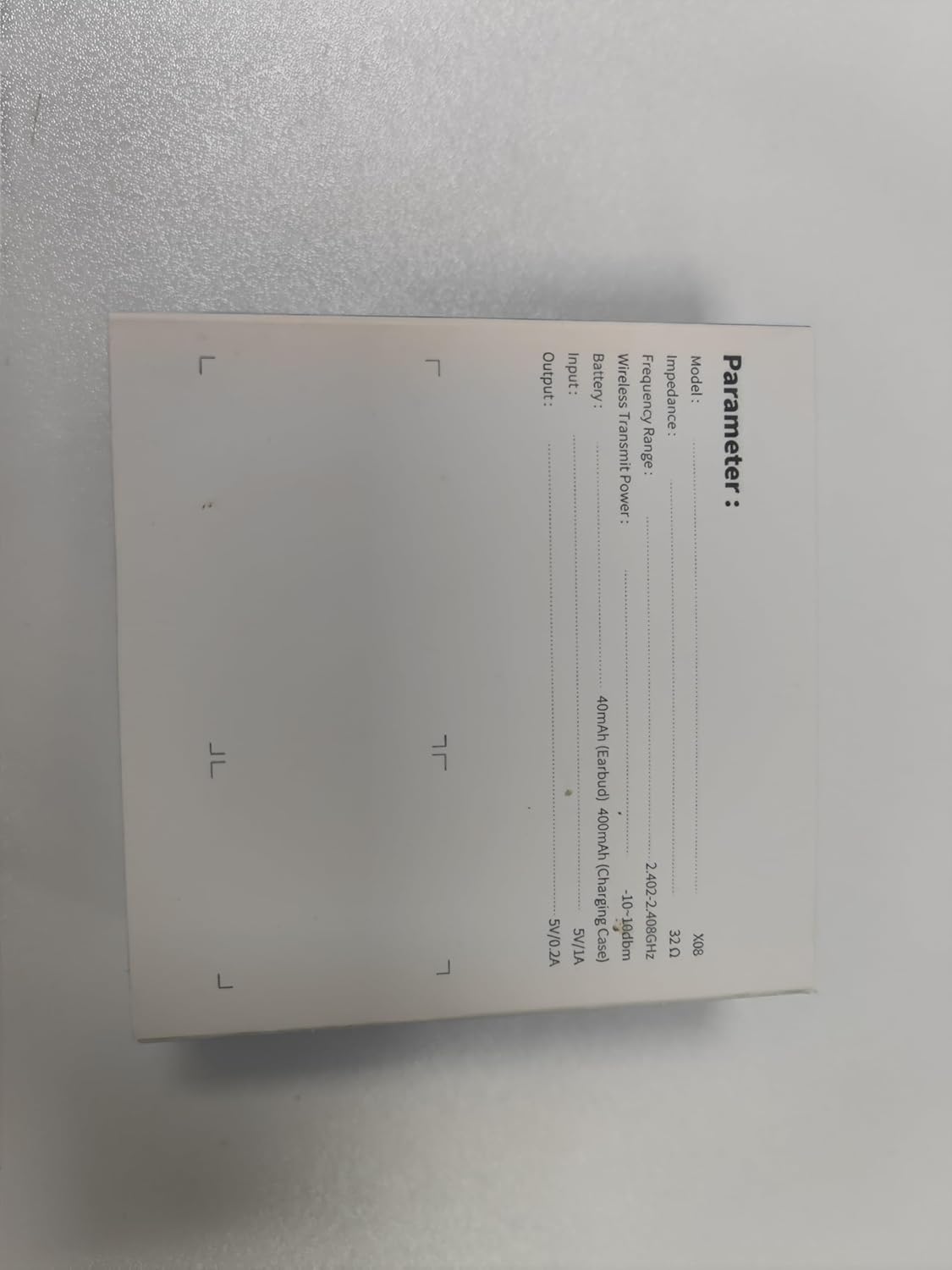
Image: Exploded view of the 14.2mm dynamic driver, highlighting the components responsible for enhanced bass.
Setup
1. Initial Charge
Before first use, fully charge the earbuds and the charging case. Connect the USB-C cable to the charging port on the case and a power source. The LED display on the case will show the charging status.

Image: The charging case with earbuds inside, showing the LED display indicating battery levels for the case and individual earbuds.
2. Pairing with Your Device
- Ensure the earbuds are in the charging case and the case has power.
- Open the charging case. The earbuds will automatically enter pairing mode.
- On your device (smartphone, tablet, etc.), go to Bluetooth settings.
- Search for available devices and select "X08" from the list.
- Once connected, you will hear a confirmation tone, and the earbuds will be ready for use.
The earbuds support Bluetooth 5.3 for a fast and stable connection. They are compatible with most iOS and Android devices.

Image: The IKT X08 earbuds in their charging case next to a smartphone displaying its Bluetooth settings, showing the earbuds connected.
Operating the Earbuds
Touch Controls
The IKT X08 earbuds feature intuitive touch controls on each earbud. The functions are as follows:
| Action | Left Earbud (L) | Right Earbud (R) |
|---|---|---|
| Play/Pause | 2 Clicks | 2 Clicks |
| Next Track | Hold 2s | Hold 2s |
| Answer/End Call | 2 Clicks | 2 Clicks |
| Reject Call | Hold 2s | Hold 2s |
| Activate Voice Assistant (Siri) | 3 Clicks | 3 Clicks |
| Volume Up | 1 Click | N/A |
| Volume Down | N/A | 1 Click |
| Power On | Hold 2s | Hold 2s |
| Power Off | Hold 5s | Hold 5s |

Image: Visual guide to the smart touch controls on the IKT X08 earbuds, detailing actions for calls, music, and voice assistant.
Making Calls
The IKT X08 earbuds are equipped with 4 ENC noise-cancelling microphones, designed to reduce up to 90% of background noise during calls, ensuring clear communication.
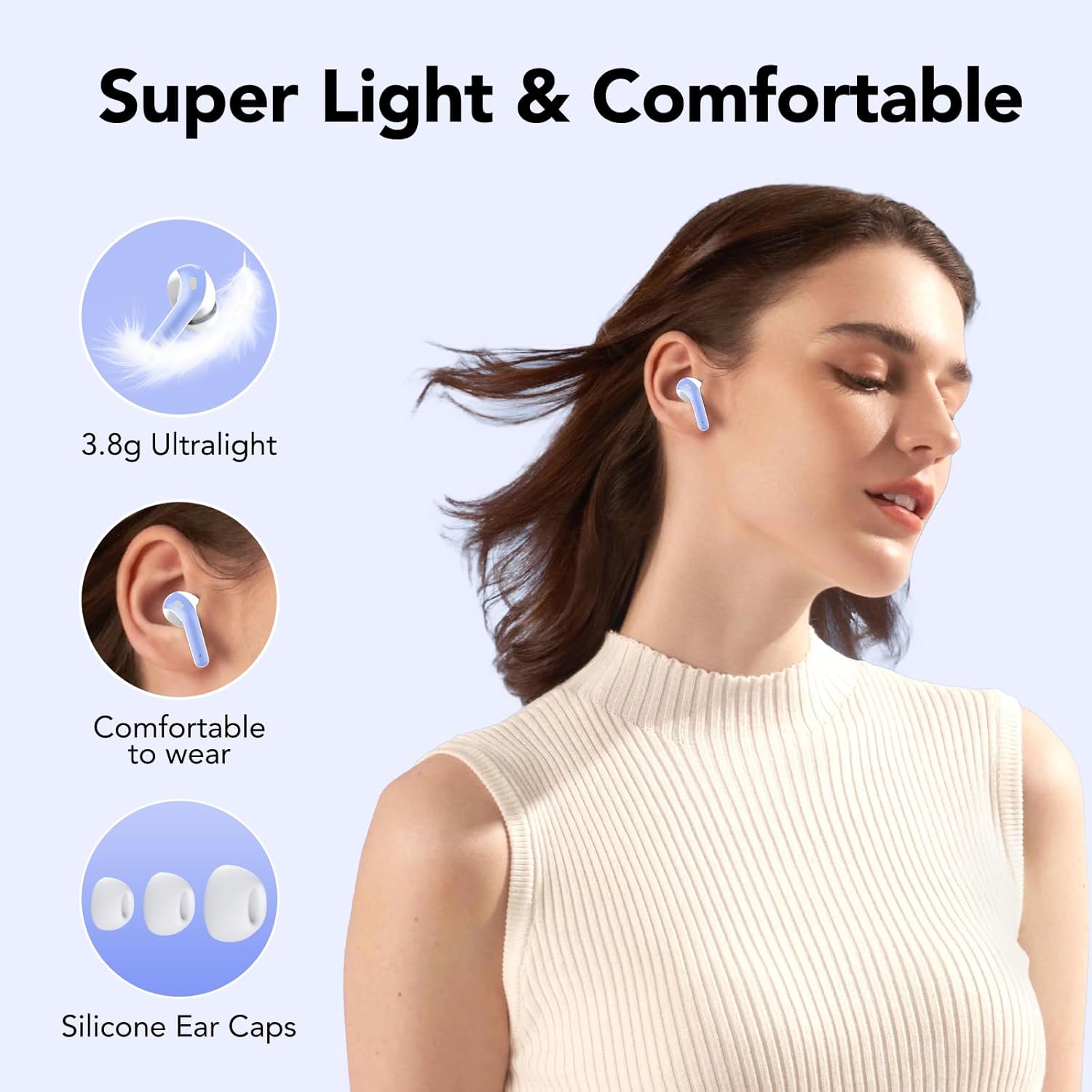
Image: A person using the IKT X08 earbuds for a call, with an overlay illustrating the 90% background noise reduction provided by ENC technology.
Charging
The earbuds provide approximately 8 hours of playback on a single charge. The portable charging case extends the total listening time to up to 50 hours.
Charging the Earbuds
Place the earbuds into the charging case. They will automatically begin charging. The LED display on the case will show the individual earbud battery levels.
Charging the Case
Connect the provided USB-C cable to the charging port on the case and a compatible USB power adapter (not included). The LED display will indicate the charging progress of the case.

Image: A graphic illustrating the battery life of the IKT X08 earbuds, showing 8 hours for a single charge and 50 hours with the charging case.
Maintenance
Cleaning
- Regularly clean the earbuds and charging case with a soft, dry, lint-free cloth.
- Remove ear tips and clean them with mild soap and water if necessary, ensuring they are completely dry before reattaching.
- Gently clean the charging contacts on both the earbuds and the case to ensure proper charging.
Water Resistance (IPX7)
The IKT X08 earbuds are IPX7 waterproof, meaning they are resistant to sweat and rain. However, they are not designed for swimming or prolonged submersion. After exposure to sweat or rain, wipe the charging pins with a dry cloth to prevent corrosion.

Image: The IKT X08 earbuds shown with water splashing, demonstrating their IPX7 water resistance against sweat and rain.
Storage
When not in use, store the earbuds in their charging case to protect them and keep them charged. Store the device in a cool, dry place away from extreme temperatures.
Troubleshooting
- Earbuds not pairing: Ensure both earbuds are in the charging case, close the lid, then open it again to re-enter pairing mode. Check your device's Bluetooth settings to ensure it's searching for new devices.
- Only one earbud working: Place both earbuds back into the charging case, close the lid, and then open it again. This often resets the connection between the two earbuds. If the issue persists, try resetting the earbuds (refer to the full manual if available for specific reset instructions).
- No sound: Check the volume level on both your device and the earbuds. Ensure the earbuds are properly connected to your device.
- Charging issues: Clean the charging contacts on both the earbuds and the case. Ensure the USB-C cable is securely connected and the power source is functional.
- Poor call quality: Ensure the microphones are not obstructed. Try moving to a quieter environment to reduce background noise.
Specifications
Here are the technical specifications for the IKT X08 Bluetooth Earbuds:
| Feature | Detail |
|---|---|
| Model Name | X08 |
| Connectivity Technology | Wireless (Bluetooth 5.3) |
| Ear Placement | In-Ear |
| Form Factor | In-Ear |
| Impedance | 140 Ohms |
| Noise Control | Hybrid Noise Reduction (ENC for calls) |
| Special Features | Built-in Microphone, Wireless |
| Control Method | Touch |
| Water Resistance Level | IPX7 (Waterproof) |
| Item Weight | 40 Grams (total) |
| Charging Time | Approx. 2 hours |
| Battery Type | Lithium-ion |
| Compatible Devices | Devices supporting Bluetooth 5.3 or earlier |
| Material | Plastic, Plastic or Aluminum |

Image: The product packaging displaying technical parameters and specifications for the IKT X08 earbuds.
Warranty and Support
IKT products are designed for reliability and performance. For specific warranty details, please refer to the warranty card included in your package or contact IKT customer support directly.
Customer Support
If you encounter any issues or have questions regarding your IKT X08 Bluetooth Earbuds, please contact our customer support team. Contact information can typically be found on the product packaging or the official IKT website.


