
INKBIRDPLUS 1100ML Smart Portable Dehumidifier (Model: B0CQNCW287)
INKBIRDPLUS 1100ML Smart Portable Dehumidifier User Manual
Model: B0CQNCW287
Product Overview
The INKBIRDPLUS 1100ML Smart Portable Dehumidifier is designed to efficiently remove excess moisture from small spaces, creating a more comfortable and healthy environment. Utilizing advanced semiconductor condensation technology, this compact unit is ideal for bedrooms, bathrooms, offices, and other areas prone to high humidity.
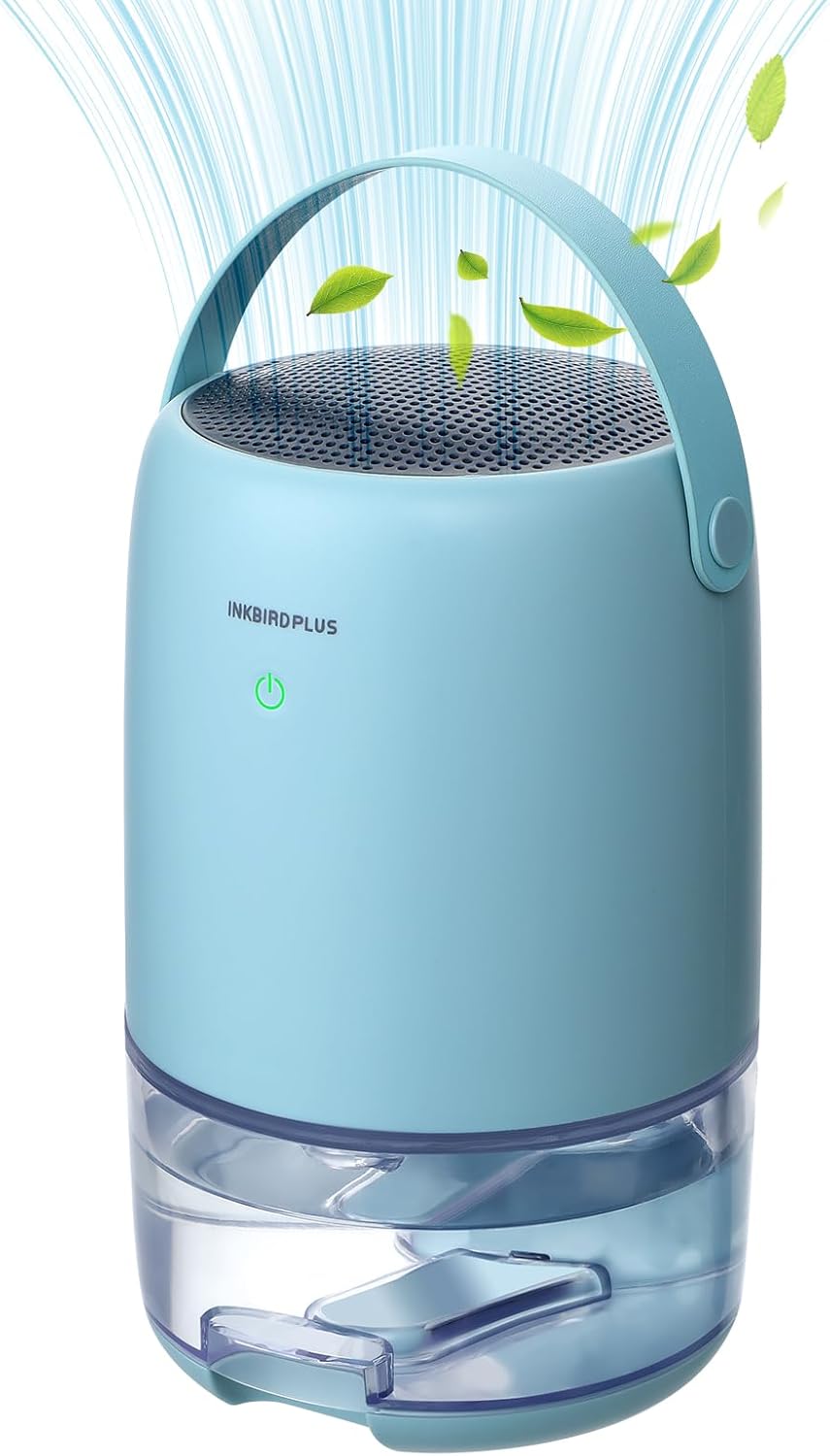
Figure 1: The INKBIRDPLUS 1100ML Smart Portable Dehumidifier, illustrating its compact design and air circulation capabilities.
Key Features
- Efficient Dehumidification: Absorbs up to 9.5 ounces (270 ml) of moisture per day under optimal conditions (30°C, 80% humidity).
- Compact Design: Features an 1100ml water tank, suitable for continuous dehumidification in areas up to 3,000 cubic feet.
- Dual Operating Modes: Includes a 'Working Mode' for efficient moisture reduction and a 'Quiet Mode' operating at less than 30dB, ideal for sleeping or reading environments.
- 7-Color LED Night Light: Built-in night light with seven alternating colors, allowing users to lock their preferred color.
- Portable: Small size and integrated handle belt for easy relocation between rooms.
- Auto Shut-off: Automatically powers off when the water tank is full, indicated by a flashing red light, ensuring safe operation.
Important Safety Instructions
To ensure safe operation and prolong the lifespan of your dehumidifier, please read and adhere to the following safety guidelines:
- Always place the dehumidifier on a stable, level surface to prevent tipping and water spillage.
- Do not block the air inlet or outlet. Maintain at least 10 cm (4 inches) of clear space around the unit for proper airflow.
- Ensure the power cord is not damaged, pinched, or placed under heavy objects.
- Do not operate the unit with wet hands or in extremely wet environments where water may splash onto the device.
- Unplug the dehumidifier from the power outlet before cleaning, moving, or performing any maintenance.
- Keep the device out of reach of children and pets.
- Do not attempt to repair or disassemble the unit yourself. Contact qualified service personnel for assistance.
- Use only the provided power adapter with the unit.
Setup
Unpacking
- Carefully remove the dehumidifier and all packaging materials from the box.
- Inspect the unit for any signs of damage during transit. If damaged, do not operate and contact customer support.
- Remove any protective films or stickers from the unit.
Placement
For optimal performance, place the dehumidifier in an area with high humidity, such as a bedroom, bathroom, closet, or office. Ensure the unit is placed on a flat, stable surface.

Figure 2: Recommended placement areas for the dehumidifier to effectively manage humidity in different living spaces.
Avoid placing the unit directly next to heat sources, in direct sunlight, or in areas with excessive dust or debris. Ensure adequate space around the unit for air circulation.
Operating Instructions
Powering On/Off
The dehumidifier features a simple one-button operation:
- Plug the power adapter into a suitable electrical outlet.
- Press the power button once to turn the unit ON. The indicator light will illuminate.
- Press the power button again to turn the unit OFF.
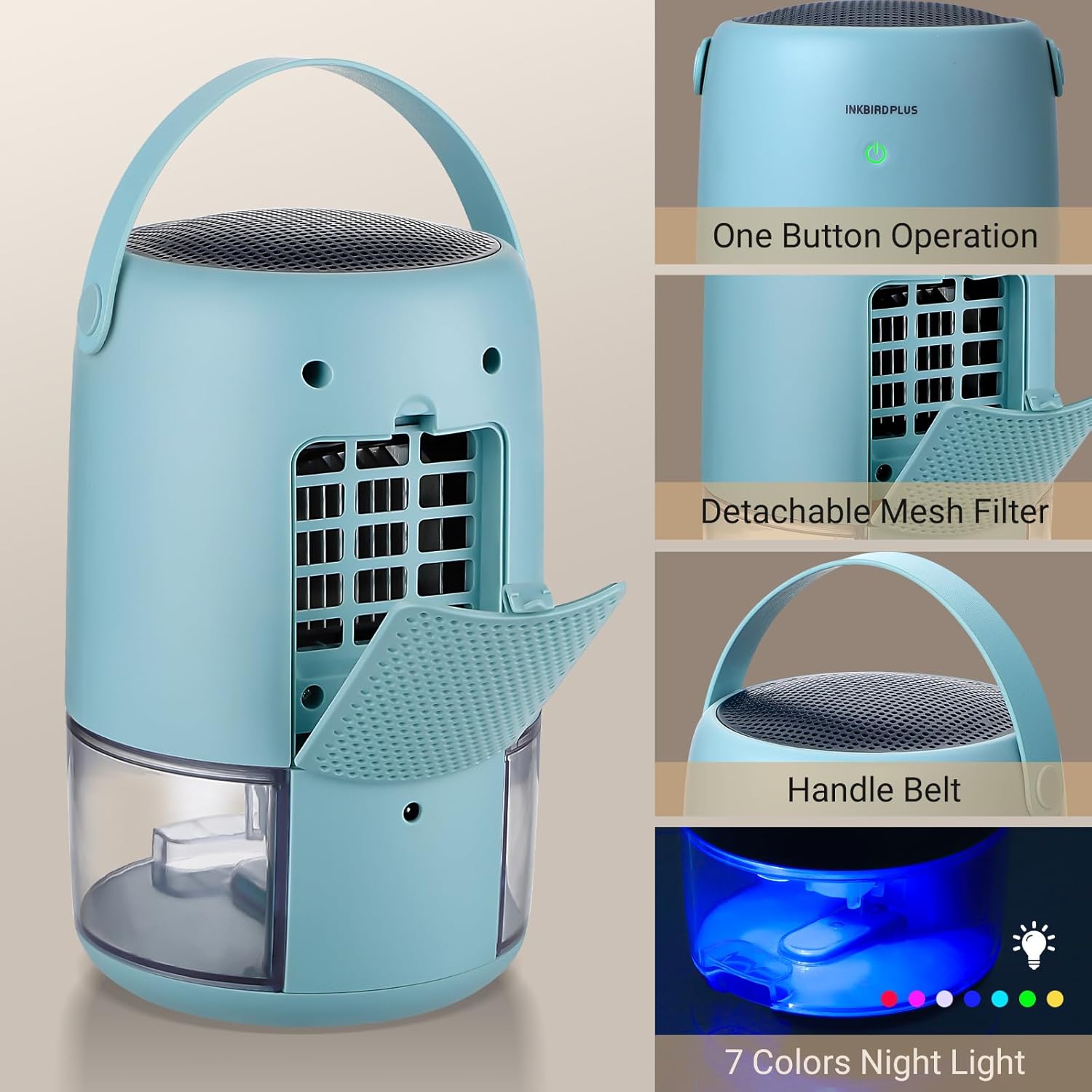
Figure 3: The power button for one-touch operation, along with other key features like the handle and filter access.
Operating Modes
The dehumidifier offers two distinct operating modes:
- Working Mode: Provides efficient and fast dehumidification. This mode is suitable for quickly reducing humidity levels in a room.
- Quiet Mode: Operates with ultra-low noise (less than 30dB), making it ideal for use in bedrooms, nurseries, or offices where quiet operation is essential.

Figure 4: Visual representation of the dehumidifier's Working Mode for efficiency and Sleep Mode for quiet operation.
Night Light Function
The integrated LED night light offers a choice of seven colors:
- When the unit is on, the night light will cycle through seven colors automatically.
- Press the power button a second time (while the unit is on) to pause the color cycle and lock the current color.
- Press the power button a third time to turn off the night light while the dehumidifier continues to operate.

Figure 5: The dehumidifier's night light function, offering a range of colors to enhance ambiance.
Water Tank Full Indicator and Auto Shut-off
For safety and convenience, the dehumidifier is equipped with an automatic shut-off feature:
- When the 1100ml water tank reaches its maximum capacity, the dehumidifier will automatically power off.
- A red indicator light will flash to alert you that the tank is full and needs to be emptied.
- The unit will resume operation once the water tank has been emptied and reinserted correctly.

Figure 6: Visual indicators for normal operation (blue light) and full water tank (red flashing light) with auto shut-off.
Maintenance
Regular maintenance ensures the efficient and long-lasting performance of your dehumidifier.
Emptying the Water Tank
- When the red indicator light flashes, the water tank is full.
- Gently pull out the water tank from the bottom of the unit.
- Carefully pour out the collected water into a sink or drain.
- Rinse the water tank with clean water if necessary. Do not use harsh detergents or abrasive cleaners.
- Slide the empty water tank back into the dehumidifier until it clicks securely into place. The unit will resume operation.
Cleaning the Dehumidifier
- Always unplug the unit before cleaning.
- Wipe the exterior of the dehumidifier with a soft, damp cloth. Do not use abrasive cleaners, solvents, or harsh chemicals.
- Ensure no water enters the internal components of the unit.
Filter Maintenance
The dehumidifier is equipped with a detachable mesh filter to prevent dust and debris from entering the unit. Regular cleaning of the filter is recommended for optimal performance.
Figure 7: The location of the detachable mesh filter for easy access and cleaning.
- Unplug the dehumidifier.
- Locate the mesh filter cover on the back of the unit and open it.
- Gently remove the mesh filter.
- Clean the filter using a soft brush or a vacuum cleaner to remove accumulated dust. For heavier buildup, rinse the filter under running water.
- Ensure the filter is completely dry before reinserting it into the unit.
- Close the filter cover securely.
Troubleshooting Guide
If you encounter any issues with your dehumidifier, please refer to the following table for common problems and solutions.
| Problem | Possible Cause | Solution |
|---|---|---|
| Dehumidifier does not turn on. | No power supply. Water tank is full or not properly inserted. | Ensure the power adapter is securely plugged into a working outlet. Empty the water tank and ensure it is correctly reinserted. |
| No water collected or low collection. | Humidity level is too low. Air inlet/outlet blocked. Room temperature is too low. | The unit will collect less water in lower humidity environments. Ensure there is clear space around the unit. Optimal operation is at 20-30°C (68-86°F). |
| Unit is noisy. | Unit is not on a level surface. Filter is dirty. | Place the unit on a flat, stable surface. Clean the mesh filter. |
| Red light flashing, but tank is not full. | Water tank not properly seated. | Remove and reinsert the water tank, ensuring it is securely in place. |
If the problem persists after attempting these solutions, please contact customer support for further assistance.
Technical Specifications
| Specification | Detail |
|---|---|
| Brand | INKBIRDPLUS |
| Model | B0CQNCW287 |
| Dehumidification Capacity | Up to 9.5 ounces (270 ml) per day (at 30°C, 80% RH) |
| Water Tank Capacity | 1100 ml |
| Coverage Area | Up to 3,000 cubic feet (approx. 300 sq ft) |
| Noise Level | Less than 30dB (Quiet Mode) |
| Product Dimensions | 19 x 19 x 31 cm (7.5 x 7.5 x 12.2 inches) |
| Item Weight | 1.56 kg (3.44 lbs) |
| Power | 40W (Nominal) |
| Special Features | Portable, 7-Color LED Night Light, Auto Shut-off |

Figure 8: Detailed dimensions and key performance specifications of the dehumidifier.
Warranty Information and Customer Support
For information regarding the product warranty, please refer to the warranty card included in your product packaging or visit the official INKBIRDPLUS website. The warranty typically covers manufacturing defects for a specified period from the date of purchase.
If you require technical assistance, have questions about product operation, or need to report an issue, please contact INKBIRDPLUS customer support through their official channels. Be prepared to provide your product model number (B0CQNCW287) and proof of purchase.
For the most up-to-date contact information, please visit the INKBIRDPLUS store on Amazon or their official brand website.
Ask a question about this manual
Ask about setup, troubleshooting, compatibility, parts, safety, or missing instructions. Manuals+ will review the question and use this page’s manual context to help answer it.