
1. Introduction
This manual provides essential information for the safe and efficient operation of your OMTech 60W CO2 Laser Engraver, Model SH-G570. Please read all instructions carefully before operating the machine. Proper understanding and adherence to these guidelines will ensure optimal performance and longevity of your laser engraver.
2. Safety Guidelines
Operating a CO2 laser engraver involves potential hazards. Always prioritize safety to prevent injury or damage to the equipment. This device is a Laser Class 2 product with 0.827 mW output power.
- Eye Protection: Always wear appropriate laser safety glasses when operating the machine. Never look directly into the laser beam.
- Ventilation: Ensure adequate ventilation to remove fumes and smoke generated during engraving and cutting. Use the integrated air assist and an external exhaust system.
- Material Compatibility: Only engrave or cut materials approved for CO2 lasers. Avoid materials that produce toxic fumes or are highly flammable.
- Fire Safety: Keep a fire extinguisher nearby. Never leave the machine unattended during operation.
- Electrical Safety: Ensure the machine is properly grounded and connected to a suitable power supply. Avoid operating in wet conditions.
- Emergency Stop: Familiarize yourself with the location and operation of the emergency stop button.
- Safe Observation: Utilize the flame-resistant viewing window to monitor the engraving process safely.
3. Setup
Follow these steps to set up your OMTech 60W CO2 Laser Engraver:
- Unpacking: Carefully remove the laser engraver and all accessories from its packaging. Inspect for any shipping damage.
- Placement: Place the machine on a stable, level surface in a well-ventilated area. Ensure sufficient space around the machine for operation and maintenance.
- Water Chiller Connection: Connect the included water chiller (e.g., CW-5200) to the laser tube according to the chiller's instructions. Ensure the chiller is filled with distilled water and operating correctly to maintain optimal laser tube temperature.
- Exhaust System: Connect the exhaust fan and ducting to the machine and vent it outdoors or to a suitable filtration system.
- Air Assist: Connect the air assist pump to the machine. This helps prevent flare-ups and keeps the lens clean during operation.
- Power Connection: Connect the power cable to the machine and then to a grounded electrical outlet.
- Computer Connection: Connect the laser engraver to your computer using a USB cable or Ethernet cable.
- Software Installation: Install the LightBurn software on your computer. Follow the software's installation guide for proper setup and configuration.
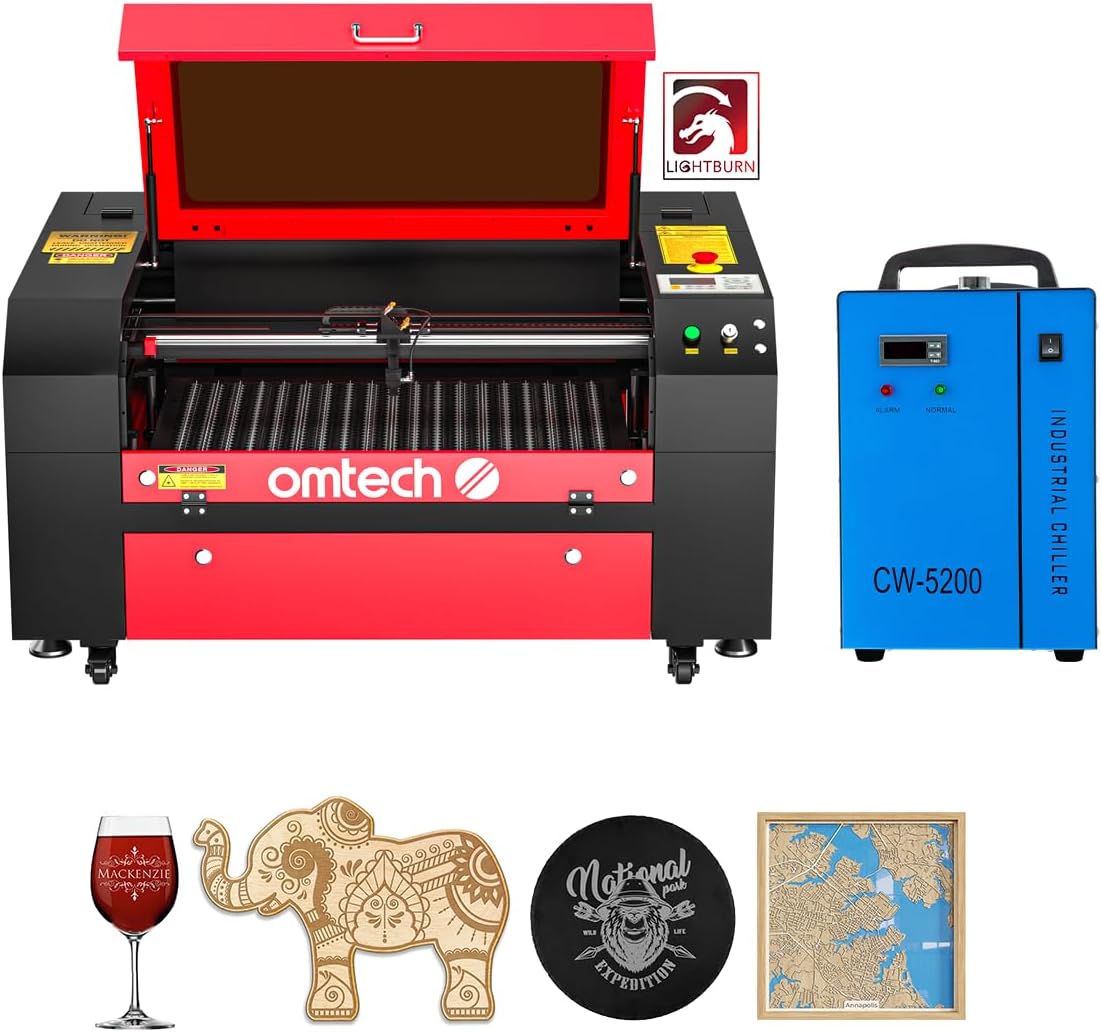
Figure 3.1: OMTech 60W CO2 Laser Engraver in a workshop setting, ready for operation. The machine is red and black, with a water chiller visible on the right.

Figure 3.2: The OMTech CW-5200 Water Chiller, an essential component for maintaining the laser tube's temperature during operation.
4. Operating Instructions
Operating your laser engraver involves preparing your design, setting machine parameters, and monitoring the process.
- Material Loading: Place your material onto the honeycomb or aluminum blade bed. Secure it to prevent movement during engraving. The 20"x28" (500x700 mm) work area accommodates most projects. Use the four-way pass-through doors for larger and longer items.
- Motorized Workbed Adjustment: Use the motorized workbed to adjust the height for proper focus. This ensures optimal engraving and cutting quality for various material thicknesses.
- Design Preparation (LightBurn):
- Import or create your design in LightBurn.
- Set the appropriate layer parameters (speed, power, DPI) based on your material and desired effect.
- Utilize LightBurn's features for image processing, such as dithering or halftone settings for photo engraving.
- Focus Adjustment: Perform a focus test to ensure the laser beam is precisely focused on the material surface.
- Start Engraving/Cutting: Initiate the job from LightBurn. Monitor the process through the flame-resistant viewing window.

Figure 4.1: The motorized workbed allows for easy height adjustment to focus on materials of varying thicknesses.

Figure 4.2: The laser engraver features dual engraving beds (honeycomb and aluminum blade) with a 20"x28" work area. Four-way pass-through doors facilitate working with larger items.

Figure 4.3: The flame-resistant viewing window allows for safe observation of the engraving process.
Video 4.1: Tutorial on how to laser engrave a photo with a CO2 Laser Engraver. This video demonstrates the process of preparing an image and using the laser for photo-realistic engraving.
Video 4.2: Demonstration of laser engraving and cutting on acrylic mirror for a DIY project. This video showcases material-specific techniques and results.
5. Maintenance
Regular maintenance ensures the longevity and consistent performance of your laser engraver.
- Lens and Mirror Cleaning: Regularly clean the laser lens and mirrors with specialized lens cleaning solution and wipes to maintain beam quality.
- Workbed Cleaning: Clean the honeycomb and aluminum blade beds frequently to remove debris and residue, which can affect engraving quality and fire safety.
- Water Chiller Maintenance: Check the water level and quality in the chiller regularly. Replace distilled water as needed to prevent algae growth and ensure efficient cooling.
- Air Assist System: Inspect the air assist nozzle and tubing for blockages or damage.
- Exhaust System: Clean the exhaust fan and ducting to ensure efficient smoke and fume extraction.
- Laser Tube Lifespan: The high-performance DC tube delivers 60W of power for up to 1,000 hours of usage and doubles its lifespan when consistently used at lower settings. Monitor its performance and replace when necessary.

Figure 5.1: The high-performance DC laser tube, offering a high-efficiency laser beam with a lifespan of up to 2000 hours under optimal conditions.
6. Troubleshooting
Here are some common issues and their potential solutions:
- Uneven Engraving/Cutting:
- Check material flatness on the workbed.
- Verify laser focus is correctly set for the material thickness.
- Ensure mirrors and lens are clean and properly aligned.
- Weak Laser Output:
- Confirm laser power settings in LightBurn are appropriate for the material.
- Check water chiller temperature; overheating can reduce laser power.
- Inspect the laser tube for any visible damage or signs of aging.
- Machine Not Responding:
- Verify all power connections and ensure the machine is turned on.
- Check USB/Ethernet cable connection to the computer.
- Restart LightBurn software and the laser engraver.
- Excessive Smoke/Fumes:
- Ensure the exhaust fan is operating at full capacity and ducts are clear.
- Verify air assist is active and properly directed at the engraving/cutting point.
7. Specifications
| Feature | Detail |
|---|---|
| Brand | OMTech |
| Model Number | SH-G570 |
| Laser Power | 60W CO2 DC Tube |
| Work Area | 20" x 28" (500 x 700 mm) |
| Max. Engraving Speed | 600 mm/s (23.6 ips) |
| Max. Engraving Depth | 0.4" (10 mm) on non-metallic materials |
| Workbed | Motorized Autolift, Honeycomb & Aluminum Blade Beds |
| Pass-Through | Four-way pass-through doors |
| Connectivity | USB Cable, Ethernet Cable, USB Flash Drive, Offline |
| Software Compatibility | LightBurn (included), CorelDRAW, AutoCAD |
| Item Weight | 223 pounds |
| Product Dimensions | 48.8 x 34.3 x 26.4 inches |
| Laser Class | Class 2, 0.827 mW output power |

Figure 7.1: Key specifications of the OMTech 60W CO2 Laser Engraver.
8. Warranty
For detailed warranty information regarding your OMTech 60W CO2 Laser Engraver, please refer to the official OMTech website or the warranty card included with your product. Warranty terms and conditions may vary.
9. Support
Should you require technical assistance, have questions about operation, or need to order replacement parts, please contact OMTech customer support. You can find contact information and additional resources on the official OMTech website: OMTech Store.
Video 9.1: An overview of OMTech laser engravers, highlighting their suitability for various users and applications. This video provides general information about the brand's product range.


