
AcclaFit KM15
AcclaFit Smart Watch KM15 User Manual
Model: KM15
Introduction
Thank you for choosing the AcclaFit Smart Watch KM15. This manual provides essential information for setting up, operating, and maintaining your new smartwatch. The KM15 is designed to enhance your daily life with its comprehensive fitness tracking, smart communication features, and stylish design. Please read this manual thoroughly to ensure optimal performance and longevity of your device.

Image: The AcclaFit Smart Watch KM15, showcasing its main display with time, date, weather, and activity data, alongside a smaller inset showing an incoming call notification.
What's in the Box
Upon opening your AcclaFit Smart Watch KM15 package, please verify that all the following items are included:
- AcclaFit Smart Watch (KM15)
- User Manual
- Watch Band
- Charging Cable
Setup
1. Charging the Device
Before first use, fully charge your AcclaFit Smart Watch KM15. Connect the provided charging cable to the charging port on the back of the watch and plug the USB end into a compatible power adapter (not included) or a computer's USB port.

Image: Close-up view of the back of the AcclaFit Smart Watch, highlighting the charging contacts and the optical heart rate sensor.
2. Installing the FitPro App
To unlock the full potential of your smartwatch, download and install the "FitPro" app on your smartphone. The app is compatible with Android 5.0+ and iOS 9.2+ smart phones.
- Scan the QR code provided in the watch's packaging or on the watch screen (if available) to download the app.
- Alternatively, search for "FitPro" in your smartphone's app store (Google Play Store for Android, Apple App Store for iOS).
- You can also visit the official FitPro download page: FitPro Download

Image: A smartphone displaying the FitPro app interface, with a QR code and text indicating compatibility with Android 5.0+ and iOS 9.2+.
3. Pairing with Your Smartphone
- Ensure Bluetooth is enabled on your smartphone.
- Open the FitPro app and follow the on-screen instructions to add your device.
- Select "KM15" or the corresponding device name from the list of available Bluetooth devices.
- Confirm the pairing request on both your watch and smartphone.
Operating the Smart Watch
Basic Navigation
- Touch Screen: The 2.01-inch HD full touch screen allows for intuitive navigation. Swipe left, right, up, or down to access different functions and menus.
- Side Button: Press the side button to wake the screen, return to the home screen, or access the main menu.

Image: A person's wrist wearing the AcclaFit Smart Watch, demonstrating the large, clear touch screen display.
Call & Music Control
The KM15 features a built-in microphone and speaker, enabling direct call management and music control from your wrist.
- Making/Receiving Calls: After connecting to your phone via the FitPro app, you can make or receive calls directly on the watch.
- Music Playback: Control music playback on your smartphone or play music directly through the watch speaker.

Image: A split image showing the AcclaFit Smart Watch with music playback controls on one side and a phone call interface on the other, demonstrating its communication and entertainment features.
Smart Features & Notifications
Stay connected and informed with smart alerts and convenient features:
- Notifications: Receive alerts for SMS, social media apps (Twitter, Facebook, Messenger, Viber, etc.).
- Multimedia Control: Manage media playback on your phone.
- Brightness Adjustment: Adjust screen brightness for optimal viewing.
- Weather Updates: Get real-time weather information.
- Remote Camera Control: Use your watch as a remote shutter for your phone's camera.
- Sedentary Reminders: Get alerts to move after periods of inactivity.
- Alarm & Stopwatch: Utilize built-in alarm and stopwatch functions.
- Find My Phone: Locate your misplaced smartphone using the watch.

Image: A collage of images showing the AcclaFit Smart Watch displaying incoming calls, social media notifications, and a user interacting with the watch on their wrist.
Fitness & Health Monitoring
The KM15 is equipped with advanced sensors to help you monitor your health and fitness progress.
Multiple Sport Modes
With over 140+ sport modes, the smartwatch tracks your heart rate, distance, calories burned, and total activity time in real-time, helping you optimize your workout rhythm and achieve fitness goals more effectively.
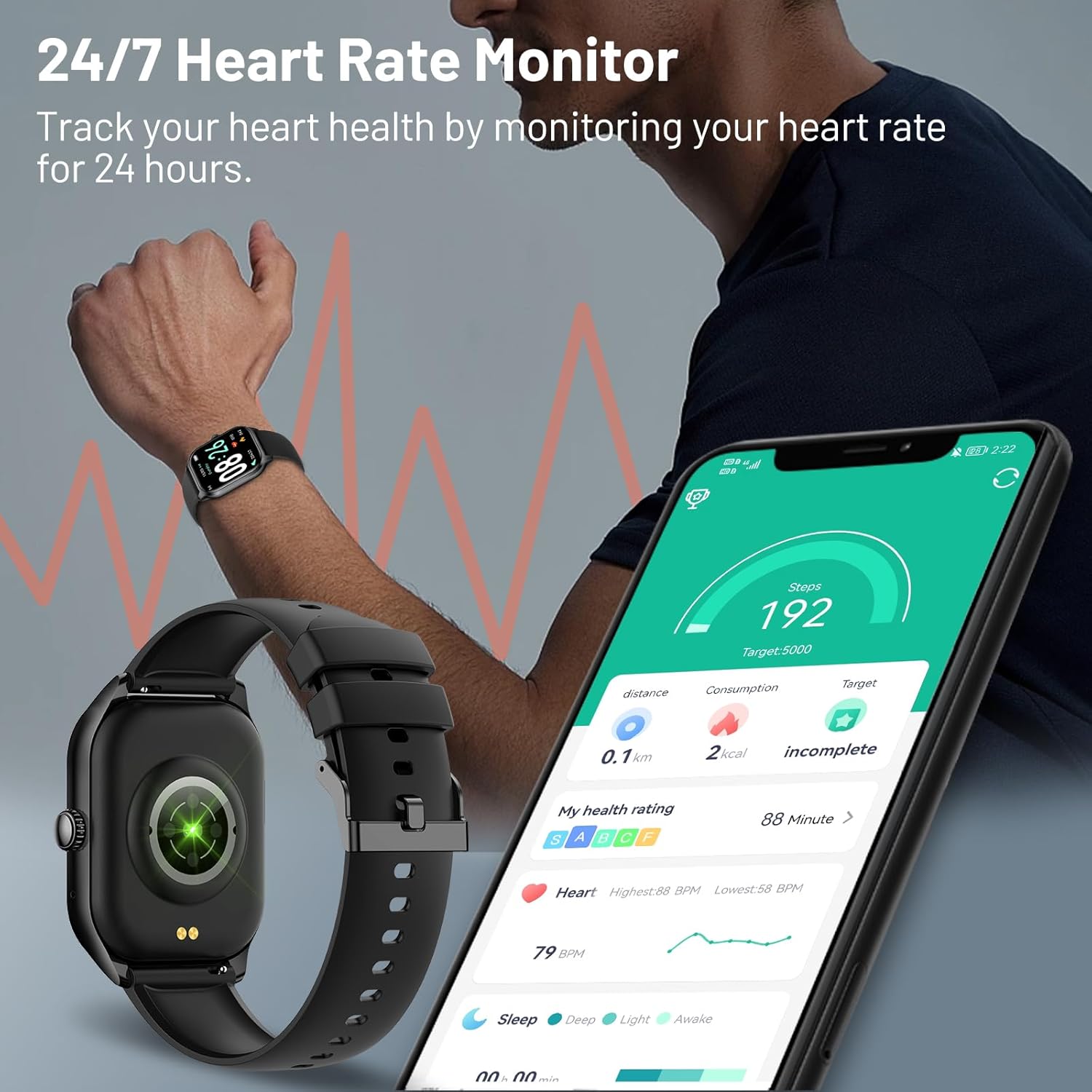
Image: The AcclaFit Smart Watch screen showing a list of sports modes, including Tennis, Volleyball, Football, and Badminton, with a background image of people exercising.

Image: A man running outdoors, with icons representing various sports activities like running, basketball, cycling, and football, emphasizing the watch's multiple sports modes.
24/7 Heart Rate Monitor
Track your heart health by continuously monitoring your heart rate for 24 hours. Get deep insights into your health, including notifications if you have an irregular rhythm or an unusually high or low heart rate.

Image: A man wearing the AcclaFit Smart Watch, which displays heart rate data. A smartphone in the foreground shows detailed health metrics, including steps, distance, and heart rate graphs.

Image: Three close-up views of the AcclaFit Smart Watch screen, showing real-time readings for heart rate, blood pressure, and blood oxygen saturation (SpO2).
Blood Oxygen Detection
The watch supports real-time blood oxygen detection. Drowsiness and fatigue after high-intensity exercise or work can be signs of insufficient oxygen in the body. Raise your wrist to detect the blood oxygen level and help you adjust your state in time.

Image: The AcclaFit Smart Watch worn on a wrist, with a smartphone displaying the FitPro app's blood oxygen (SpO2) monitoring interface, showing current and historical readings.
Sleep Monitoring
The KM15 can monitor your sleep stages (deep sleep, light sleep, awake time) to help you understand your sleep cycles and track the quality of your rest. Set a schedule on your wrist to turn sleep mode on automatically to mute smartphone notifications and stop your screen from turning on at night.

Image: A woman sleeping comfortably, with the AcclaFit Smart Watch on her wrist displaying sleep duration and a graph of sleep stages.
Customization
Personalize your AcclaFit Smart Watch KM15 to match your style and preferences.
Custom Watch Faces
Choose from over 100 customizable watch faces available through the FitPro app. You can even upload your own photos to create a personalized watch face.

Image: The AcclaFit Smart Watch showcasing its large, high-resolution display with a vibrant dolphin image as a watch face, alongside smaller examples of other customizable watch faces.

Image: A close-up of the AcclaFit Smart Watch displaying a custom watch face with a family photo, illustrating the personalization feature.
Maintenance
Water Resistance (IP68)
The KM15 is equipped with IP68 waterproof technology. You can wear it while swimming, washing your hands, or showering. It is designed to cope with common water contact in daily life.
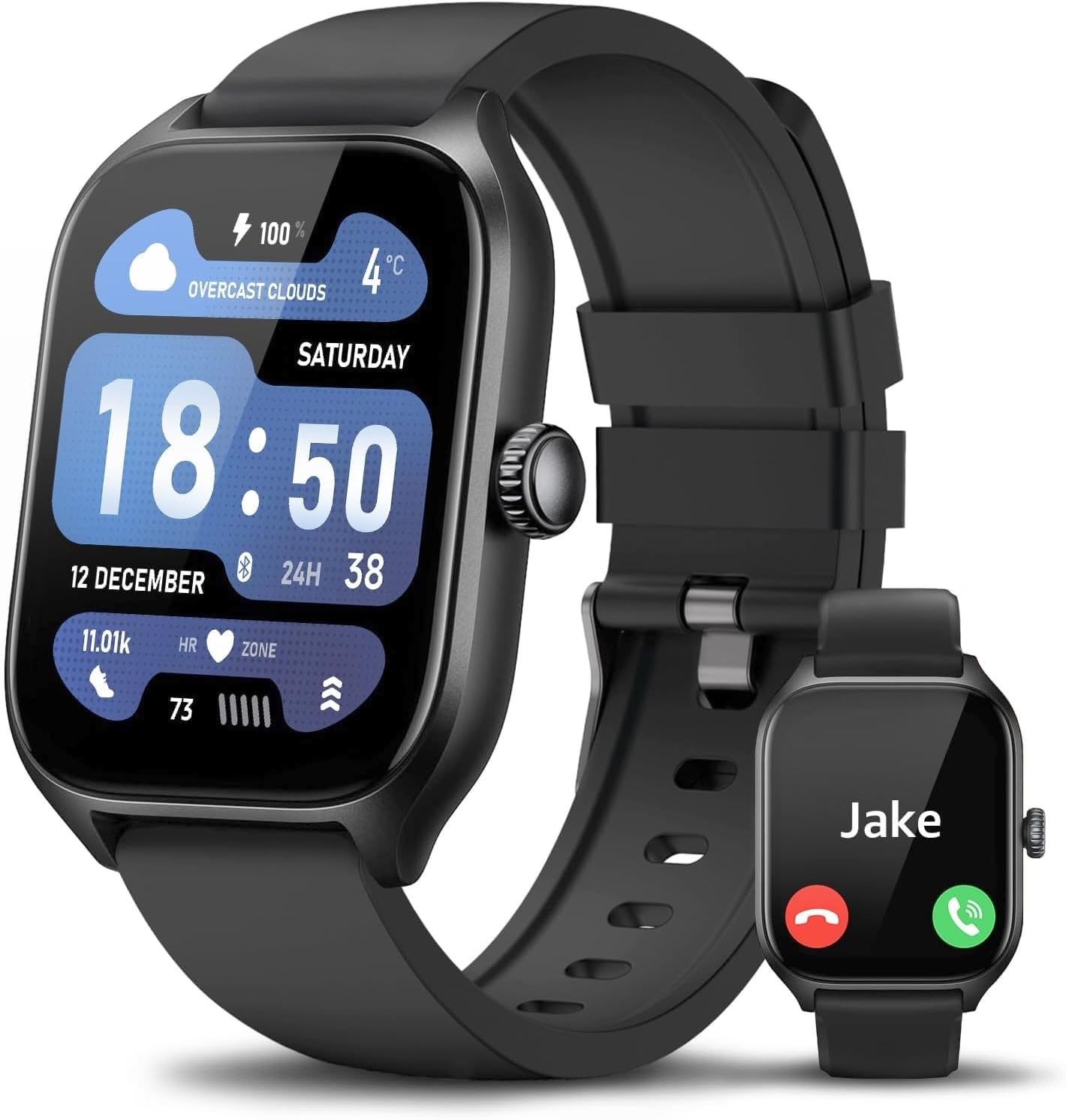
Image: The AcclaFit Smart Watch partially submerged in water, with text indicating "IP68 Wasserdicht" (IP68 Waterproof) and icons for swimming and other water activities.

Image: A person's hand wearing the AcclaFit Smart Watch submerged in a swimming pool, illustrating its IP68 waterproof capability.
Cleaning and Care
- Wipe the watch and strap regularly with a soft, damp cloth.
- Avoid using harsh chemicals or abrasive materials.
- Ensure the charging contacts are clean and dry before charging.
Troubleshooting
If you encounter issues with your AcclaFit Smart Watch KM15, please refer to the following common solutions:
| Problem | Possible Solution |
|---|---|
| Watch not turning on/charging | Ensure the charging cable is securely connected to both the watch and a power source. Check if the charging contacts are clean. Try a different USB port or power adapter. |
| Cannot pair with smartphone | Ensure Bluetooth is enabled on your phone and the watch is within range. Restart both the watch and your phone. Clear the Bluetooth cache on your phone. Make sure the FitPro app is updated to the latest version. |
| Inaccurate health data (HR, Steps) | Ensure the watch is worn snugly on your wrist, not too tight or too loose. Clean the sensor on the back of the watch. Calibrate the app if there's an option. Note that smartwatches are not medical devices and readings are for reference only. |
| Notifications not appearing | Check notification permissions for the FitPro app in your phone's settings. Ensure the app is running in the background. Verify that notifications are enabled within the FitPro app for specific applications. |
| Short battery life | Reduce screen brightness. Turn off unnecessary features like continuous heart rate monitoring if not needed. Limit the number of active notifications. |
Specifications
| Feature | Detail |
|---|---|
| Model Number | KM15 |
| Screen Size | 2.01 Inches |
| Display Type | HD Full Touch Screen |
| Connectivity | Bluetooth |
| Water Resistance | IP68 |
| Battery | 1 C battery (included), Lithium Ion composition |
| Memory Storage Capacity | 128 MB |
| Operating System | Wear OS 3.0 |
| Compatible App | FitPro (Android 5.0+ / iOS 9.2+) |
| Product Dimensions | 26 x 4.5 x 1 cm; 90 g |
| Manufacturer | AcclaFit |
| Country of Origin | China |
Warranty and Support
For warranty information or technical support, please contact AcclaFit customer service through the contact details provided in your product packaging or on the official AcclaFit website. Please retain your proof of purchase for warranty claims.
Guaranteed software updates until: unknown.
Related documentsKM15

Ask a question about this manual
Ask about setup, troubleshooting, compatibility, parts, safety, or missing instructions. Manuals+ will review the question and use this page’s manual context to help answer it.