
BN-LINK BNQ-W02
BN-LINK Programmable Sprinkler Timer User Manual
Model: BNQ-W02
Introduction
Thank you for choosing the BN-LINK Programmable Sprinkler Timer. This digital water timer is designed to automate your garden, lawn, or yard irrigation, providing convenience and water conservation. Its user-friendly interface, rain delay feature, and durable construction make it an essential tool for efficient watering. Please read this manual carefully to ensure proper setup and operation.

Image: Front view of the BN-LINK Programmable Sprinkler Timer, showing its large LCD display and control dial.
Setup
1. Battery Installation
The timer requires two (2) AAA alkaline batteries (not included). Locate the battery compartment on the back of the unit. Slide the battery cover off, insert the batteries according to the polarity indicators (+/-), and then securely close the cover. A low battery prompt will appear on the display when replacement is needed.
2. Connecting the Timer
Attach the timer to your outdoor faucet by screwing it onto the spigot. Ensure the connection is tight to prevent leaks. A built-in metal filter is included to prevent dust and debris from entering your irrigation system. If the connection is not tight enough, the use of additional thread seal tape is recommended for a more secure fit. Then, connect your garden hose to the bottom outlet of the timer.

Image: The BN-LINK Sprinkler Timer connected to an outdoor faucet, displaying the current time on its screen.
3. Setting the Clock
Turn the control dial to the "SET CLOCK" position. Use the "+" and "-" buttons to adjust the current time. Press "OK" to confirm each setting (hour, minute, AM/PM). Once the clock is set, turn the dial to "ON" to save the time.
Video: An official BN-LINK video demonstrating the setup and programming of the irrigation timer.
Operating Instructions
1. Programming Watering Schedules
The timer allows for flexible scheduling with dual cycle modes:
- Set Start Time: Turn the dial to "START TIME". Use "+" and "-" to set your desired watering start time. Press "OK" to confirm.
- Set Watering Duration ("HOW LONG"): Turn the dial to "HOW LONG". Adjust the duration from 1 minute up to 3 hours and 59 minutes using "+" and "-". Press "OK" to confirm.
- Set Watering Frequency ("HOW OFTEN"): Turn the dial to "HOW OFTEN". Select the frequency from hourly (1-12 hours) to weekly (1-7 days). Press "OK" to confirm.
After setting all parameters, turn the dial to "ON" to activate the programmed schedule.
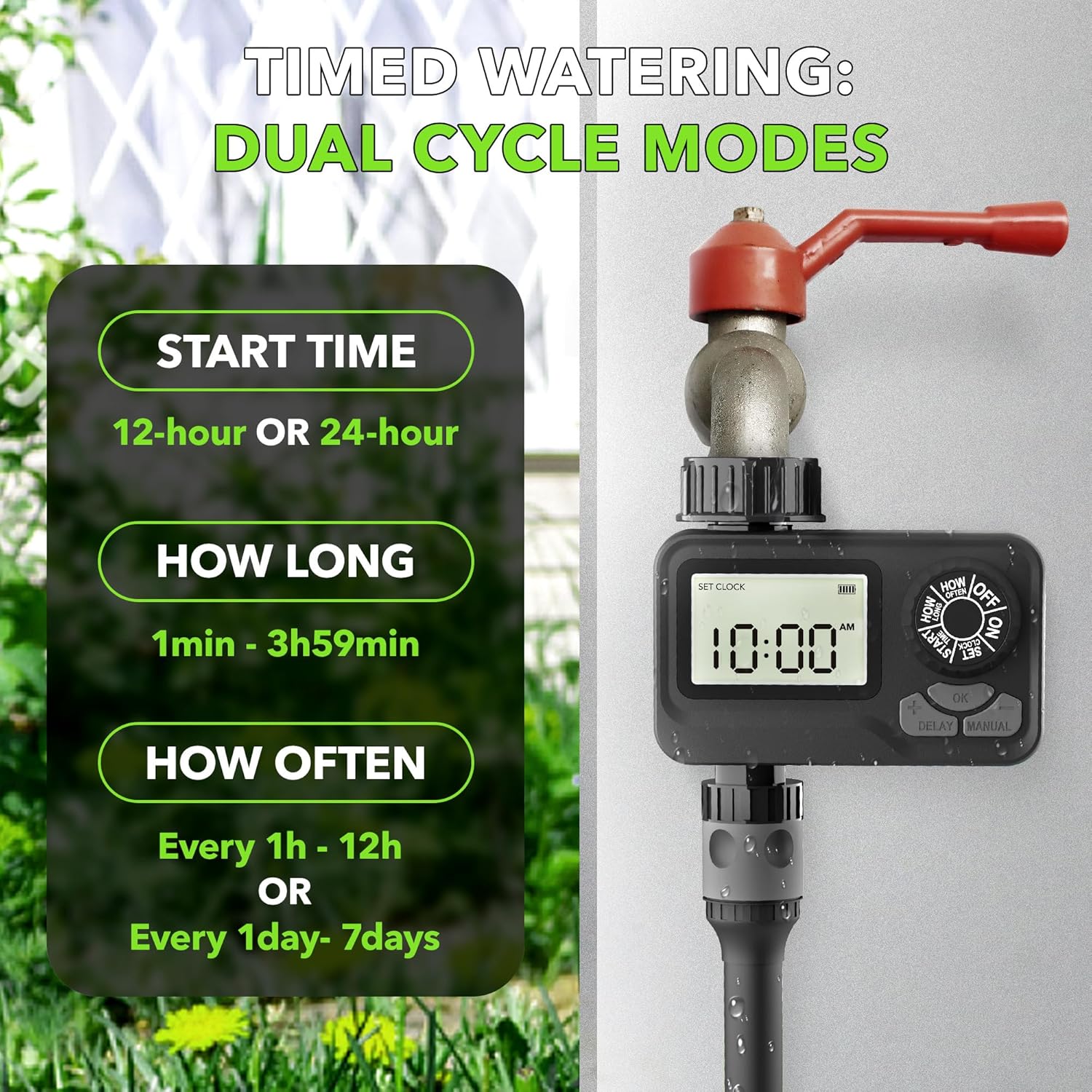
Image: Diagram illustrating the timed watering dual cycle modes, showing options for start time, duration (1min-3h59min), and frequency (every 1h-12h or every 1day-7days).

Image: Visual guide detailing the four steps for easy automated irrigation setup: Set Current Time, Set Start Time, Set Watering Duration, and Set Watering Frequency.
2. Rain Delay Feature
To conserve water during rainy periods, you can pause your watering schedule for 24, 48, or 72 hours. With the dial on "ON", press and hold the "DELAY" button for 3-5 seconds. The screen will show "24H". Use "+" or "-" to select the desired delay duration (24H, 48H, or 72H). Press "OK" to confirm the delay. The timer will automatically resume its programmed schedule after the selected delay period. To cancel the rain delay, press and hold the "DELAY" button again for 3-5 seconds.

Image: The sprinkler timer displaying "42H" for rain delay, with icons indicating 24h, 48h, and 72h delay options.

Image: Step-by-step instructions for activating the Rain Delay feature, including turning the dial to ON, pressing DELAY, adjusting the time, and confirming.
3. Manual Mode
For immediate, on-demand watering without affecting your programmed schedule, use the Manual Mode. With the dial on "ON", press the "MANUAL" button. Use "+" and "-" to set the desired manual watering duration from 1 minute up to 8 hours. Press "OK" to start manual watering. To stop manual watering, press "MANUAL" again or turn the dial to "OFF".

Image: A family enjoying manual watering with a hose, demonstrating that the timer allows for temporary use without altering programmed schedules.
Maintenance
Battery Replacement
When the low battery indicator appears on the LCD display, replace the two AAA alkaline batteries promptly. When battery levels are low, the valve automatically shuts to prevent water waste, while preserving pre-set programs.
Cleaning the Filter
The timer is equipped with a built-in metal filter to prevent debris from entering the unit. Periodically check and clean this filter to ensure optimal water flow and prevent clogs in your irrigation system.
Leak Prevention
Ensure the connection between the water timer and the faucet is always tight. If leaks occur, check the rubber washer inside the connector and consider using additional thread seal tape for a more secure fit.

Image: Visual representation of the timer's durable features, including leak-proof design, UV-proof materials, and corrosion resistance, along with a 360-degree rotatable connector.

Image: Detailed view of the timer's internal features, highlighting the low power safeguard with memory, the built-in mesh filter, and the enhanced protection design with a rubber sealing ring for the battery compartment and display screen.
Troubleshooting
- Timer not turning on or display is blank: Check if the batteries are inserted correctly and have sufficient charge. Replace with new AAA alkaline batteries if necessary.
- Water leakage from connections: Ensure all connections (faucet to timer, timer to hose) are tightened securely. Check the rubber washers for proper seating and condition. Using thread seal tape can help create a better seal.
- Timer not watering at scheduled times: Verify that the clock is set correctly and that the start time, duration, and frequency are programmed as desired. Ensure the dial is set to "ON" after programming. Check battery level.
- Watering duration is shorter than programmed: The maximum programmable duration is 3 hours and 59 minutes. If you require longer watering, you may need to manually restart the cycle or adjust your schedule to multiple shorter cycles.
- Timer not responding to buttons: Remove and reinsert batteries to reset the unit. If the issue persists, contact customer support.
Specifications
| Feature | Detail |
|---|---|
| Brand | BN-LINK |
| Model Number | BNQ-W02 |
| Color | Black |
| Material | Plastic |
| Product Dimensions | 1.9"D x 4.3"W x 2.6"H |
| Screen Size | 1.9 Inches |
| Power Source | 2 AAA Alkaline Batteries (not included) |
| Watering Duration | 1 minute to 3 hours 59 minutes |
| Watering Frequency | Every 1-12 hours or Every 1-7 days |
| Rain Delay Options | 24, 48, or 72 hours |
| Manual Watering Duration | 1 minute to 8 hours |
| Item Weight | 8.8 ounces |
| UPC | 810079583034 |

Image: The BN-LINK Sprinkler Timer with its dimensions labeled: 4.1 inches (height), 2.5 inches (width), and 1.6 inches (depth).
Warranty and Support
Your purchase includes a 1-year warranty. For any questions, technical assistance, or support, please contact our responsive USA customer service team. We offer unlimited technical support to ensure your satisfaction with the BN-LINK Programmable Sprinkler Timer.
Ask a question about this manual
Ask about setup, troubleshooting, compatibility, parts, safety, or missing instructions. Manuals+ will review the question and use this page’s manual context to help answer it.