
SYLVOX 15.6 inch Kitchen Smart TV
SYLVOX 15.6 inch Kitchen Smart TV User Manual
Model: 15.6 inch Kitchen Smart TV
1. Introduction
This user manual provides comprehensive instructions for the SYLVOX 15.6 inch Kitchen Smart TV. It covers setup, operation, maintenance, and troubleshooting to ensure optimal performance and user experience. Please read this manual thoroughly before using the product.
Product Overview
The SYLVOX 15.6 inch Kitchen Smart TV is designed for versatile use in kitchen environments, offering entertainment and smart functionalities. Its compact and foldable design allows for various installation options, including under-cabinet and wall mounting. Featuring a 1080P Full HD display, Google TV with voice assistant, built-in speakers, and multiple connectivity options, it provides a high-quality viewing and interactive experience.
2. Safety Information
Always adhere to the following safety guidelines to prevent electric shock, fire, or damage to the device:
- Ensure the power supply voltage matches the product's requirements.
- Do not expose the TV to rain or moisture.
- Avoid blocking ventilation openings to prevent overheating.
- Do not attempt to repair the device yourself. Refer all servicing to qualified personnel.
- Keep the TV away from direct sunlight and heat sources.
3. What's in the Box
Verify that all components are present upon unboxing:
- 15.6 inch Smart TV
- Adapter
- Remote Control
- User's Manual
- Remote control base
- Fixed Fittings
- Batteries (for remote control)

Image: All items included in the SYLVOX 15.6 inch Kitchen Smart TV package, including the TV, remote, adapter, and mounting accessories.
4. Setup and Installation
Mounting Options
The SYLVOX Kitchen TV offers flexible installation to suit your space:
- Under-Cabinet Mounting: The TV features a foldable bracket that allows it to be neatly tucked away under kitchen cabinets when not in use. It can fold from 0-90 degrees.
- Wall Mounting: For a fixed position, the TV can be mounted on a wall. The bracket allows for horizontal adjustment of ±45 degrees.
- Table Placement: The TV can also be placed on a countertop or table using its integrated stand.

Image: The SYLVOX Kitchen TV shown with its foldable bracket extended, ready for under-cabinet or wall mounting.

Image: Diagram illustrating the dimensions of the SYLVOX Kitchen TV, including screen size and overall unit measurements.

Image: Side view of the SYLVOX Kitchen TV, highlighting its slim profile and the dimensions of the mounting bracket.

Image: Rear view of the SYLVOX Kitchen TV, displaying the various input and output ports available for connectivity.
Connecting Power
Connect the provided adapter to the TV's power input and then plug it into a standard electrical outlet. Ensure the connection is secure.
5. Operating Instructions
Remote Control
The SYLVOX Kitchen TV comes with a Bluetooth remote control featuring voice control capabilities. Insert the provided batteries into the remote control before first use.
- Power Button: Turns the TV on or off.
- Navigation Pad: Use the directional arrows and center 'OK' button to navigate menus and select options.
- Voice Control Button: Press and hold to activate the voice assistant for commands and searches.
- Volume Buttons: Adjust the audio volume.
- Channel Buttons: Change TV channels (if connected to an antenna/cable).
- App Shortcut Buttons: Dedicated buttons for popular streaming services like Netflix and YouTube.
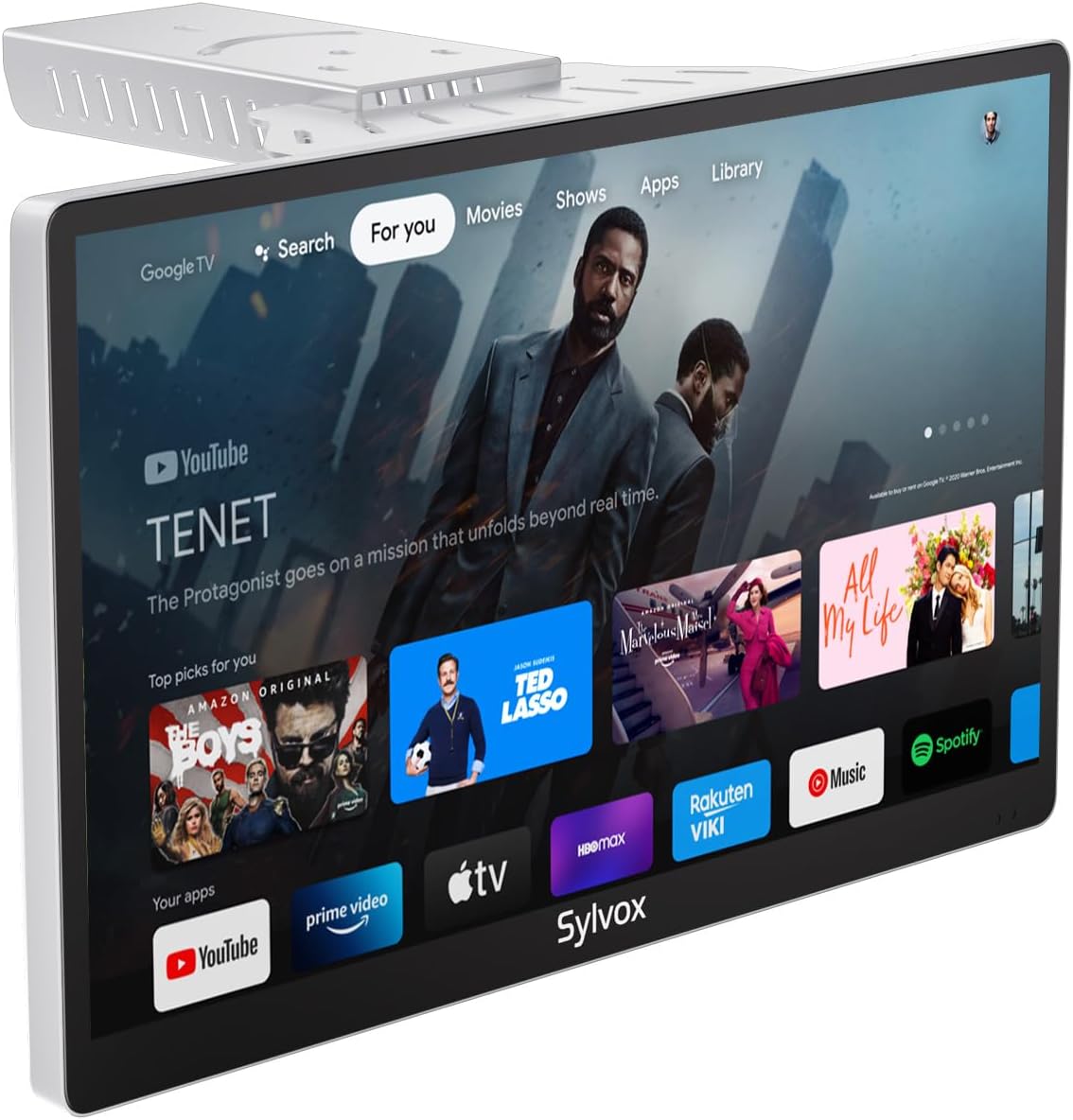
Image: The SYLVOX Kitchen TV screen showing the Google TV interface with various streaming app icons.
Google TV Interface
The TV runs on Google TV, providing access to a vast library of content and applications. The main interface offers personalized recommendations and easy access to your installed apps.
- For You: Personalized content recommendations.
- Live: Access to live TV channels (requires antenna or compatible service).
- Apps: Browse and launch installed applications.
- Library: Access your purchased or rented content.
Connectivity
The TV supports various connectivity options:
- Wi-Fi: Connect to your home wireless network for internet access and streaming.
- Bluetooth: Pair with external audio devices like headphones or speakers.
- Chromecast Built-in: Cast content directly from your smartphone or tablet to the TV.
- HDMI Ports: Connect external devices such as gaming consoles, Blu-ray players, or set-top boxes.
- USB Ports: Play media files from USB drives.
- Coaxial Antenna Input: Connect an antenna for over-the-air broadcast channels.

Image: A user casting content from a smartphone to the SYLVOX Kitchen TV, demonstrating the built-in Chromecast feature.
6. Maintenance and Care
- Cleaning: Use a soft, dry cloth to clean the screen and exterior. For stubborn marks, slightly dampen the cloth with water. Avoid harsh chemicals or abrasive materials.
- Ventilation: Ensure adequate airflow around the TV to prevent overheating. Do not cover ventilation slots.
- Storage: If storing the TV for an extended period, disconnect it from power and store it in a cool, dry place.
7. Troubleshooting
| Problem | Possible Cause | Solution |
|---|---|---|
| No Power | Power cable not connected; Outlet not working. | Check power cable connection; Try a different outlet. |
| No Picture | Incorrect input source; Loose HDMI/antenna cable. | Select correct input source; Secure cable connections. |
| No Sound | Volume too low or muted; External audio device issue. | Increase volume/unmute; Check external audio connections. |
| Remote Not Responding | Batteries dead; Remote not paired. | Replace batteries; Re-pair remote control (refer to Google TV pairing instructions). |
| Wi-Fi Connection Issues | Incorrect password; Router too far; Network issue. | Verify password; Move TV closer to router; Restart router. |
8. Specifications
| Feature | Detail |
|---|---|
| Brand | SYLVOX |
| Model | 15.6 inch Kitchen Smart TV |
| Screen Size | 15.6 Inches |
| Display Technology | LED |
| Resolution | 1080p Full HD |
| Refresh Rate | 60 Hz |
| Operating System | Google TV |
| Special Features | Google TV, Foldable bracket, Under-cabinet/Wall mountable, Lightweight, Voice Remote Control, Chromecast Built-in, Built-in Speakers |
| Connectivity | Ethernet, Wireless, WiFi, Bluetooth, HDMI, USB |
| Item Weight | 6.25 pounds |
| Product Dimensions | 1.4 x 14.28 x 8.76 inches |
| On-mode power consumption | 16.0 watts |
| Energy consumption (annual) | 23040 Watt-hours per year |
9. Warranty and Support
SYLVOX offers the following support for your product:
- 12-month free defect protection: Covers manufacturing defects for one year from the date of purchase.
- Free returns for quality issues: If the product has quality-related issues, free returns are available.
- 30-day hassle-free returns: Returns for any reason are accepted within 30 days, requiring original packaging.
For further assistance, please refer to the official SYLVOX website or contact customer support.
10. Product Videos
Watch these official product videos for visual guides and demonstrations:
No official seller videos are available for embedding at this time.
Related documents15.6 inch Kitchen Smart TV


Ask a question about this manual
Ask about setup, troubleshooting, compatibility, parts, safety, or missing instructions. Manuals+ will review the question and use this page’s manual context to help answer it.