1. Product Overview
The OLTEANP 4000 Watts Pure Sine Wave Inverter is designed to efficiently convert 12V DC power to 110V AC power, providing stable and clean electricity for a wide range of electronics and home appliances. This inverter is suitable for various applications including RV camping, road trips, van life, and emergency power during outages. It features multiple AC outlets, USB and Type-C ports, and a remote control with an LCD screen for convenient monitoring and operation.
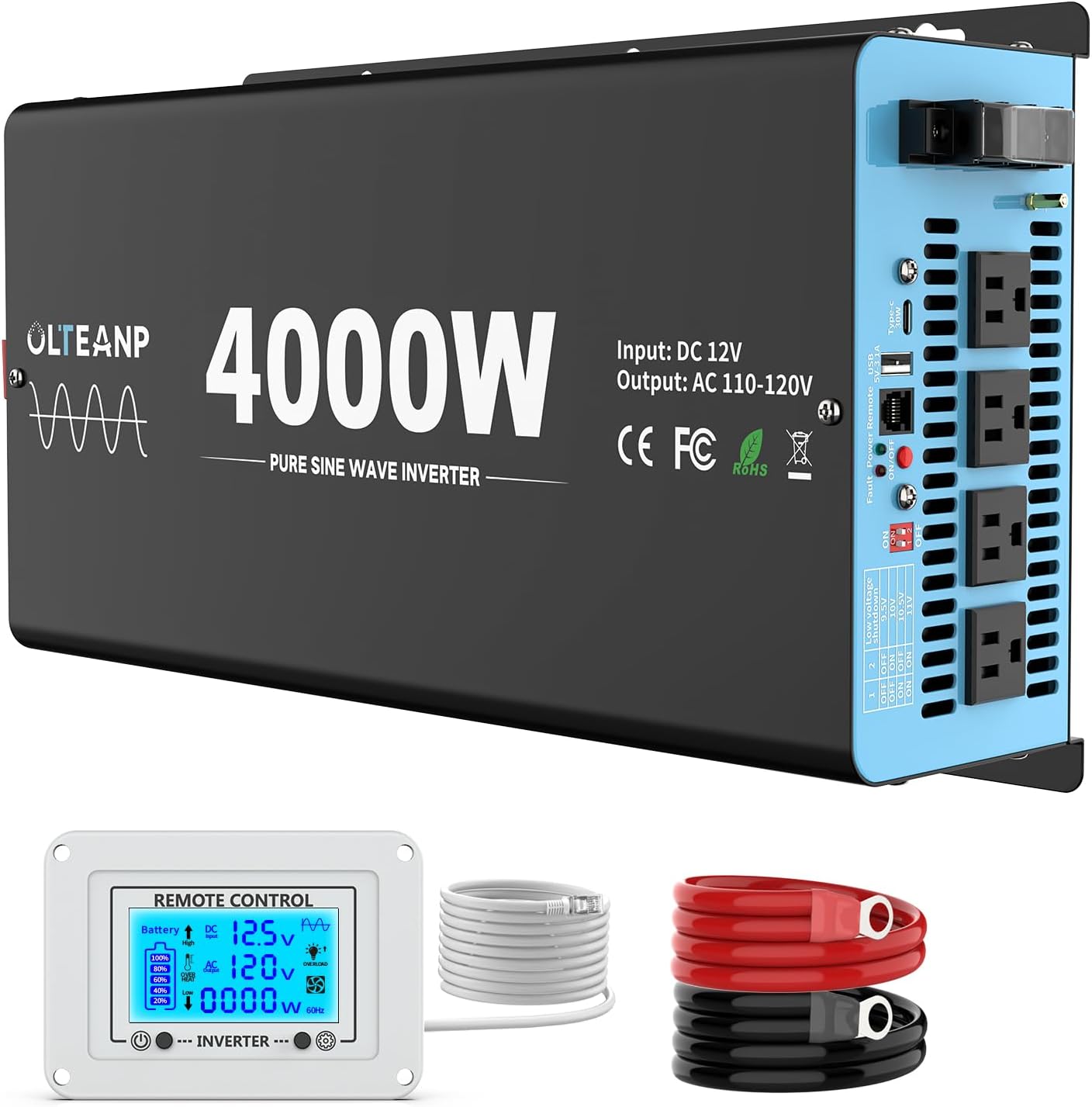
Figure 1: OLTEANP 4000W Pure Sine Wave Inverter with included remote control and battery cables.
2. Safety Information
Please read all safety instructions carefully before operating the inverter. Failure to follow these instructions may result in electric shock, fire, or serious injury.
- Ensure proper ventilation around the inverter to prevent overheating.
- Do not expose the inverter to water, rain, or excessive moisture.
- Connect the inverter only to a 12V DC power source.
- Always connect the inverter to the battery before connecting any AC loads.
- Ensure all connections are secure and properly insulated to prevent short circuits.
- This pure sine inverter is equipped with a professional spark-free protection circuit that automatically halts output when power is not properly connected or when a circuit is shorted. This advanced feature ensures that sparks and potential hazards are prevented, guaranteeing the safety of both you and your devices.
- The inverter includes multiple protections: High-Voltage Protection, Overload Protection, High-Temperature Protection, Low Voltage Protection, and Short-Circuit Protection.
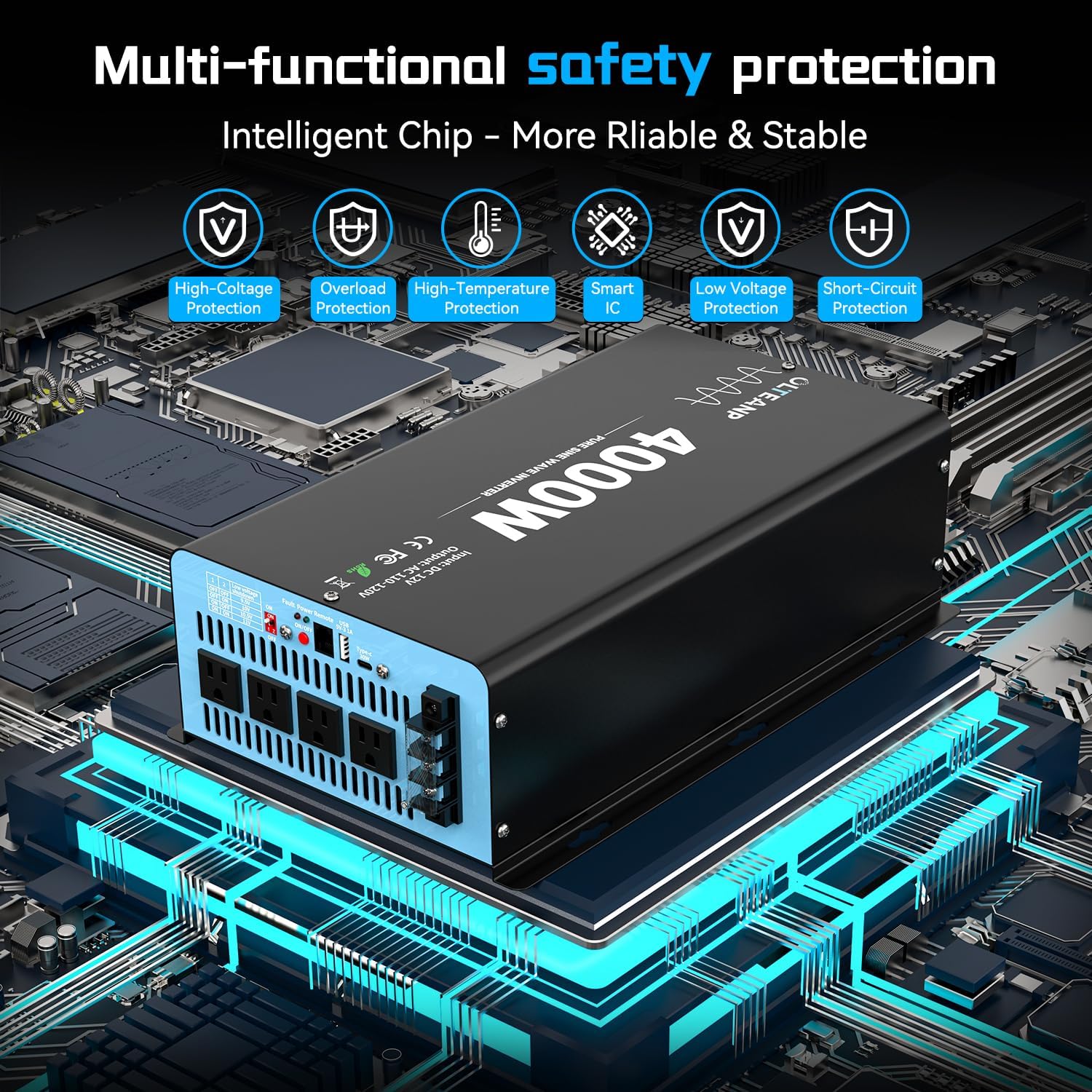
Figure 2: Multi-functional safety protections including high-voltage, overload, high-temperature, low voltage, and short-circuit protection.
3. What's in the Box
Upon opening the package, please verify that all components are present and undamaged:
- 1 x OLTEANP 4000W Pure Sine Wave Inverter
- 1 x Remote Controller with LCD Screen
- 1 x Set of Battery Cables (Red for Positive, Black for Negative)
- 1 x User Manual (This document)
- Additional accessories (e.g., wrench, small wires)
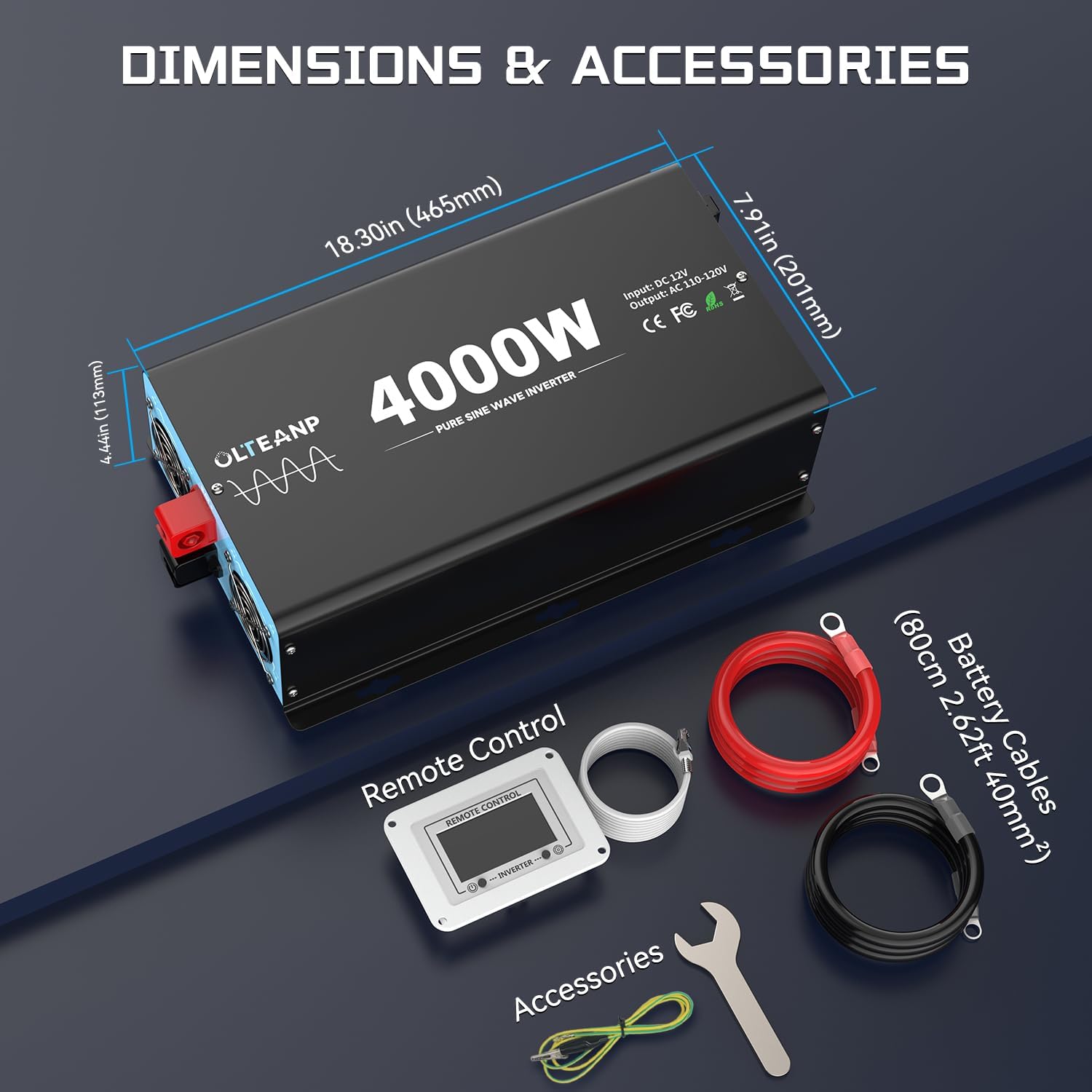
Figure 3: Package contents and dimensions of the 4000W inverter.
4. Product Features
- 4000W Pure Sine Wave Output (8000W Peak Power): Provides stable, high-quality current suitable for sensitive electronics, ensuring smooth operation without buzzing sounds.
- Adjustable Input Voltage Function (9.5V-11V): New upgraded feature for enhanced compatibility with lithium batteries, reducing battery draw and extending battery life. (Note: Adjust voltage when inverter is off).
- Remote Controller with LCD Display: Allows for easy monitoring of inverter status, battery settings, and troubleshooting through flashing symbols.
- Multiple Output Ports: Equipped with 4 AC Outlets, 1 x 5V/3.1A USB Port, and 1 x 30W Type-C Port for charging and powering various devices.
- Intelligent Cooling Fan: Two cooling fans automatically turn on when needed, operating with low noise to prevent overheating.
- Spark-Free Protection Circuit: Automatically halts output if power is improperly connected or a short circuit occurs, enhancing safety.
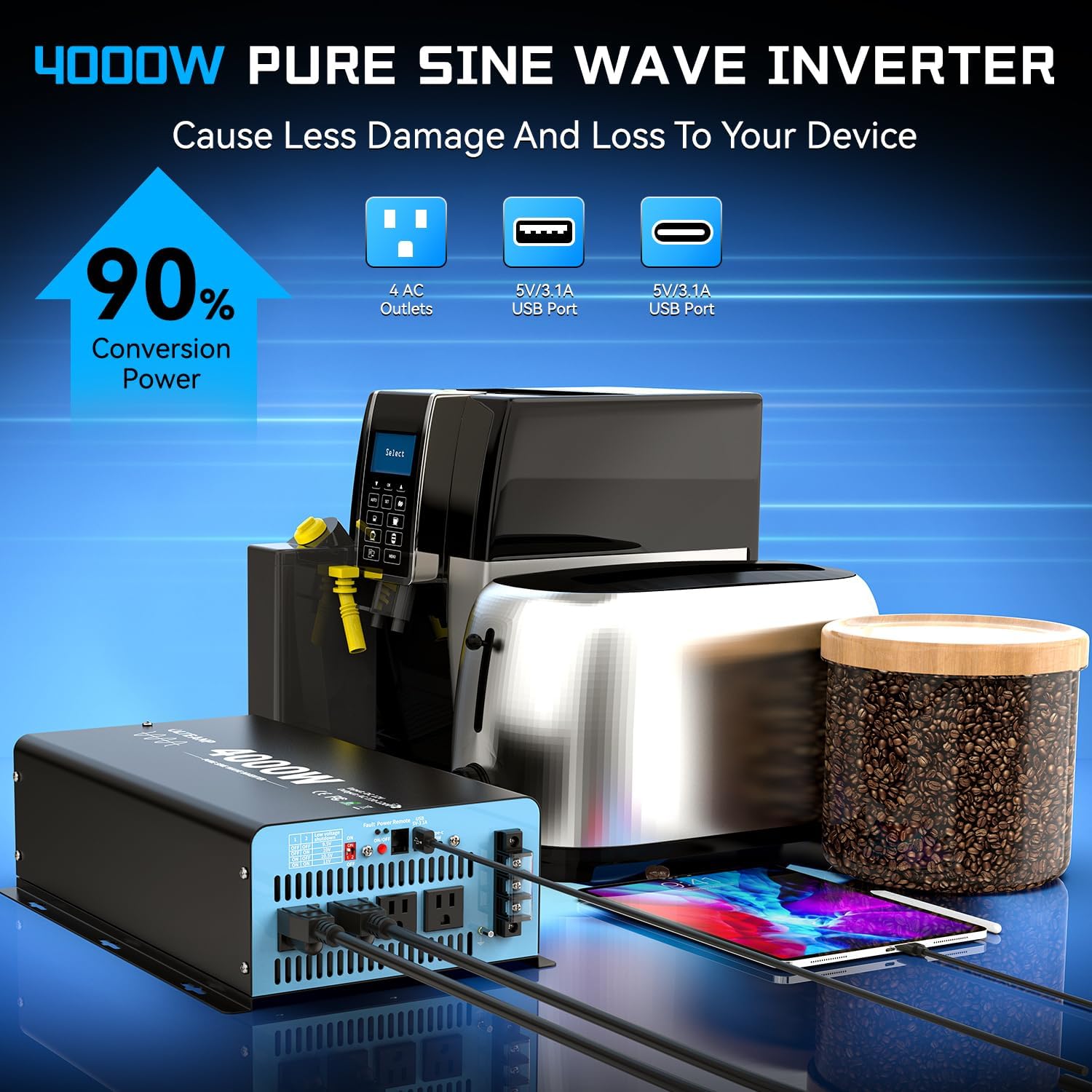
Figure 4: High conversion efficiency and multiple output ports for various devices.
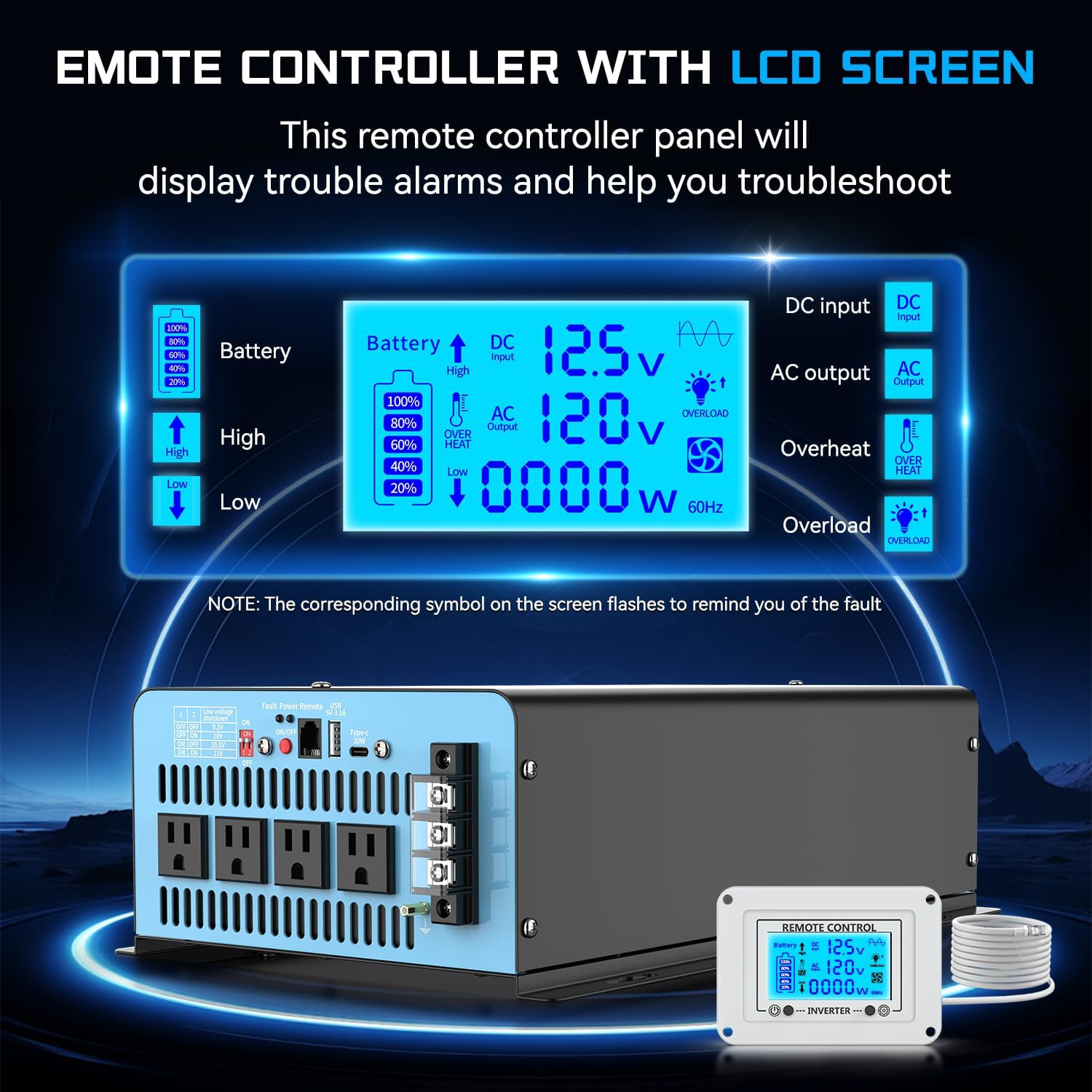
Figure 5: Remote controller LCD display providing real-time status and fault indications.
5. Setup and Installation
Proper installation is crucial for the safe and efficient operation of your inverter. Follow these steps carefully:
- Mounting the Inverter:
Choose a dry, well-ventilated location away from direct sunlight, heat sources, and flammable materials. Securely mount the inverter using appropriate screws through the mounting tabs. Ensure there is sufficient space around the unit for airflow.
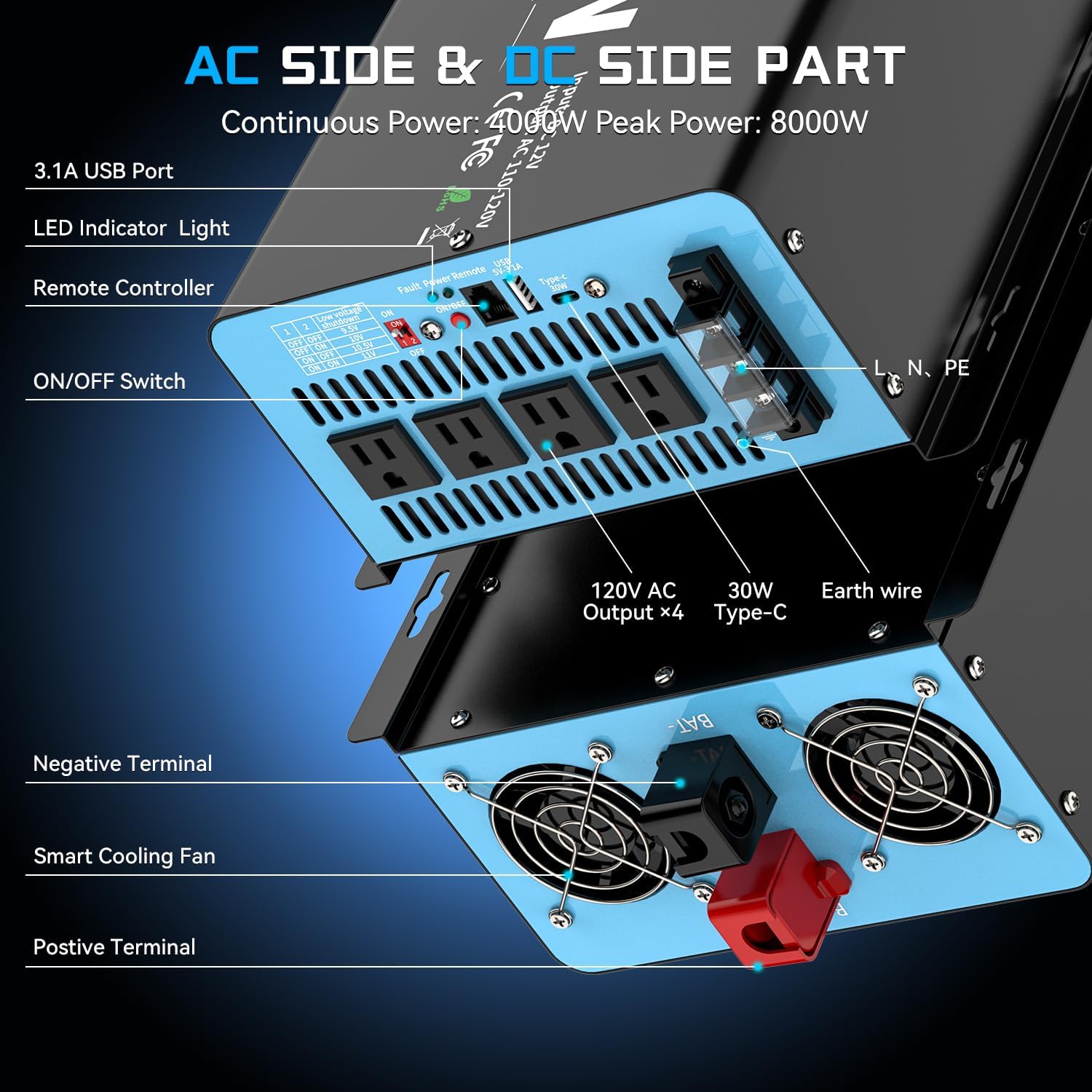
Figure 6: AC Side & DC Side Part overview, showing terminals and cooling fans.
- Connecting to Battery:
Use the provided battery cables. Connect the red cable to the positive (+) terminal of the inverter and the positive (+) terminal of your 12V battery. Connect the black cable to the negative (-) terminal of the inverter and the negative (-) terminal of your 12V battery. Ensure connections are tight and secure.
- Grounding the Inverter:
Connect the inverter's grounding terminal to a proper earth ground. This helps absorb interference and ensures stability and reliability.
- Connecting the Remote Control:
Plug the remote control cable into the designated port on the inverter. The remote control allows for convenient operation and monitoring from a distance.
- Adjusting Input Voltage (if necessary):
If using lithium batteries or requiring specific low voltage shutdown settings, adjust the input voltage function (9.5V-11V) using the switches on the inverter. Important: This adjustment must be made when the inverter is turned OFF.
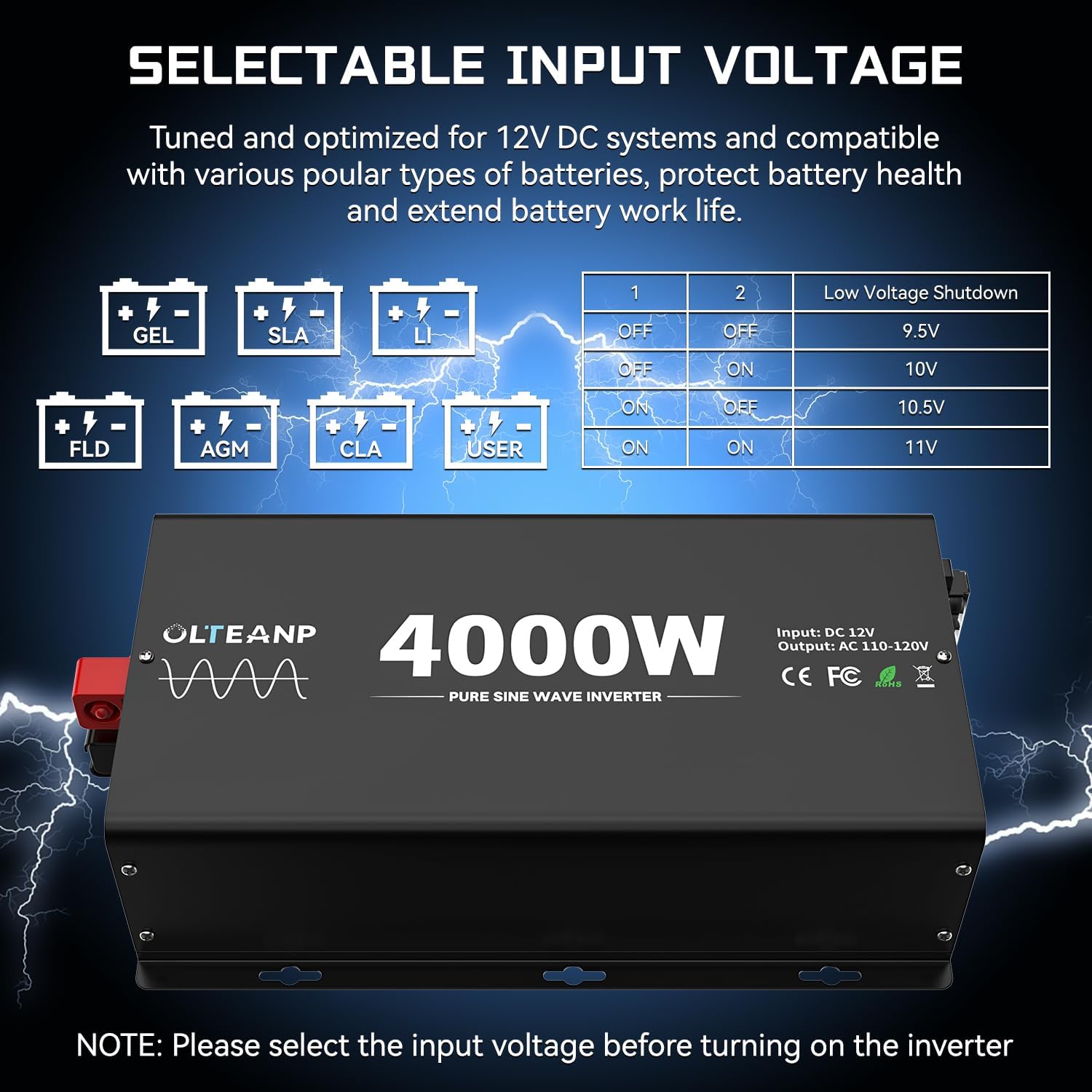
Figure 7: Selectable input voltage settings for various battery types.
Installation Video Guide
Video 1: Official OLTEANP 2024 New Upgraded Pure Sine Wave Inverter overview, demonstrating installation and key features. This video provides a visual guide to setting up and connecting your inverter.
6. Operation
Once installed, operating your OLTEANP inverter is straightforward:
- Powering On:
Ensure all connections are secure. Turn on the inverter using the ON/OFF switch on the unit or the remote control. The LCD display will illuminate, showing current status.
- Monitoring with Remote Control LCD:
The LCD display provides real-time information including battery voltage, AC output voltage, and load wattage. It also communicates problems through flashing symbols (e.g., overload, overheat, low voltage, short circuit).

Figure 8: Remote control LCD screen in use, displaying operational data.
- Connecting Appliances:
Plug your AC appliances into the 4 AC outlets. Use the USB and Type-C ports for charging compatible devices. The 4000-watt pure sine wave power inverter allows you to charge and power smartphones, entertainment devices, small-sized appliances, and other mobile devices, such as floodlights, TVs, freezers, laptops, tablets, water heaters, induction cookers, and hair dryers.
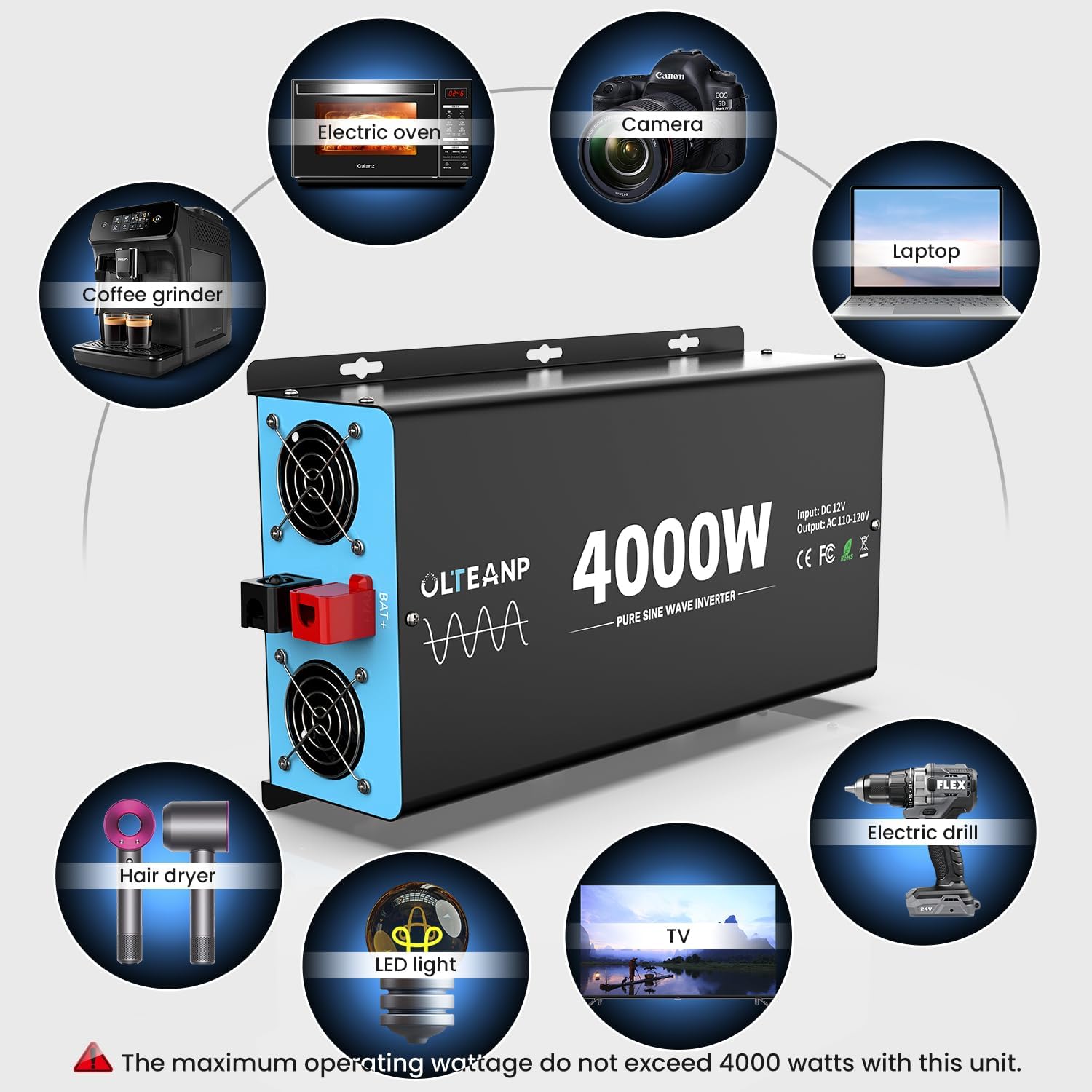
Figure 9: Examples of appliances compatible with the inverter. Ensure total wattage does not exceed 4000W.
- Powering Off:
Before disconnecting, turn off the inverter using the ON/OFF switch. Then, disconnect any connected appliances, followed by the battery cables.
7. Maintenance
Regular maintenance ensures the longevity and optimal performance of your OLTEANP inverter:
- Cleaning: Keep the inverter clean and free from dust and debris. Use a dry, soft cloth for cleaning. Do not use liquid cleaners.
- Ventilation: Periodically check that the cooling fans and vents are clear and unobstructed to ensure proper airflow.
- Connections: Regularly inspect battery cable connections for tightness and corrosion. Clean terminals if necessary.
- Storage: If storing the inverter for an extended period, ensure it is clean, dry, and stored in a cool, well-ventilated area. Disconnect it from the battery.
8. Troubleshooting
The remote controller LCD display is designed to help you troubleshoot common issues. Refer to the flashing symbols on the LCD for specific fault indications.
| Problem | Possible Cause | Solution |
|---|---|---|
| Inverter not turning on | Loose battery connections, low battery voltage, faulty ON/OFF switch. | Check battery cable connections. Recharge or replace battery. Ensure switch is in ON position. |
| No AC output | Overload, short circuit, overheat, low battery voltage. | Reduce load. Check for shorted appliances/cables. Allow inverter to cool down. Recharge battery. Check LCD for specific fault codes. |
| Flashing "Low Voltage" symbol on LCD | Battery voltage is too low. | Recharge the battery immediately. If using lithium batteries, ensure the adjustable input voltage is set correctly. |
| Flashing "Overload" symbol on LCD | Connected appliances exceed inverter's rated power. | Disconnect some appliances to reduce the load. Ensure total continuous wattage does not exceed 4000W. |
| Flashing "Overheat" symbol on LCD | Inverter is too hot. | Ensure proper ventilation. Clear any obstructions from cooling fans. Allow inverter to cool down before resuming operation. |
9. Product Specifications
| Specification | Value |
|---|---|
| Brand | OLTEANP |
| Model Name | TK-4000 |
| Wattage | 4000 watts (Continuous) / 8000 watts (Peak) |
| Input Voltage | 12V DC (Adjustable 9.5V-11V for low voltage shutdown) |
| Output Voltage | 110V AC |
| Output Waveform | Pure Sine Wave |
| AC Outlets | 4 |
| USB Port | 1 x 5V/3.1A |
| Type-C Port | 1 x 30W |
| Product Dimensions | 15.75 x 11.02 x 5.91 inches |
| Item Weight | 16.32 pounds |
| Recommended Uses | Home, Car, Power Outage, Vehicles, Truck, Outdoors, Boat, RV, Trip |
10. Warranty and Support
OLTEANP products are manufactured to the highest quality standards. For warranty information, technical support, or service inquiries, please contact OLTEANP customer service through the retailer's platform or the official OLTEANP website. Please have your model number (TK-4000) and purchase date available when contacting support.
For additional resources and product information, visit the official OLTEANP Store: OLTEANP Store on Amazon.


