
Introduction
Welcome to your new Leipan HM020 2-inch IPS Screen Magnifying Glass. This device is designed to provide enhanced visual magnification for various tasks, featuring a 2-inch IPS screen, white and UV LED lights, and a 32GB TF card for storage. Please read this manual carefully to ensure proper use and maintenance.
Package Contents
- Leipan HM020 Magnifying Glass
- USB Type-C Charging/Data Cable
- 32GB TF (Micro SD) Card
- User Manual (this document)
Product Overview
Familiarize yourself with the components of your Leipan HM020 magnifying glass.
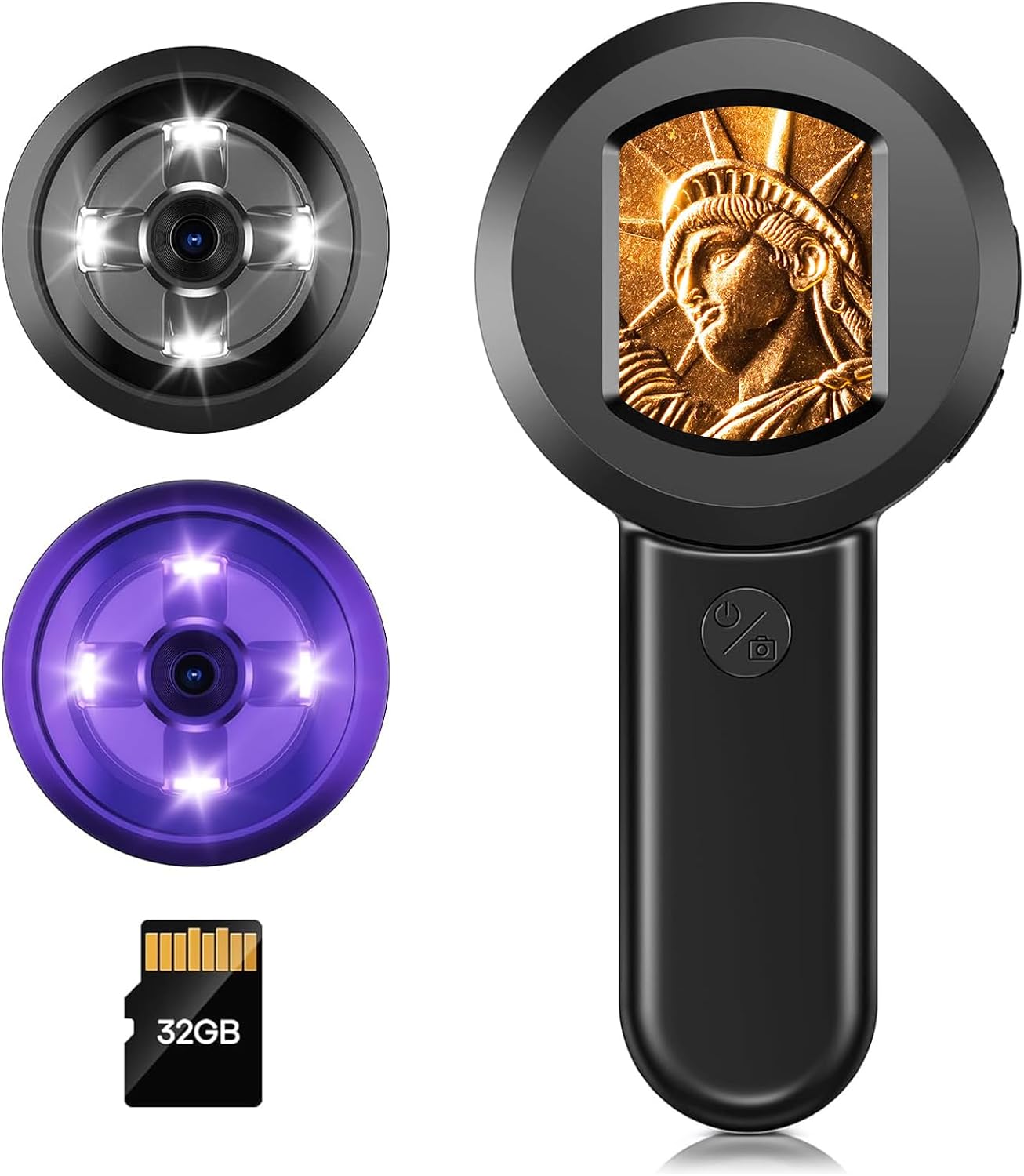
Figure 1: Leipan HM020 Magnifying Glass, illustrating the device, its white and UV light rings, and the included 32GB TF card.

Figure 2: Side view of the device highlighting the Type-C charging port, Reset button, and TF card slot.

Figure 3: Visual representation of the 2.0-inch IPS screen and its wide viewing angle.
Setup
- Charge the Device: Connect the device to a USB power source using the provided Type-C cable. The charging indicator will show the charging status.
- Insert TF Card: Carefully insert the 32GB TF card into the TF card slot until it clicks into place. Ensure the card is oriented correctly.
- Power On: Press and hold the power button (usually marked with a power icon) for a few seconds until the screen illuminates.
Video 1: Demonstrates the initial setup and basic usage of the Leipan HM020, including inserting the memory card and powering on the device.
Operating Instructions
Power On/Off
Press and hold the power button to turn the device on or off.
Adjusting Lights
The device features both white LED lights and UV LED lights. To switch between white light, UV light, or turn lights off, use the dedicated light switch button (often located near the lens or on the side).

Figure 4: The device demonstrating the use of white lights for circuit board inspection and UV lights for banknote authentication.
Magnification and Viewing
Position the lens close to the object you wish to magnify. The 2-inch IPS screen will display the magnified image. The device provides a fixed 30X magnification. Adjust the distance from the object to achieve the clearest view.
Taking Photos
To capture a still image, press the "OK" or camera button (usually a distinct button on the handle). The image will be saved to the inserted TF card.

Figure 5: Capturing a detailed image of a ceramic object using the device's camera function.
Viewing Stored Images
Navigate to the "Photo Album" option in the device's menu (if available) to review captured images directly on the screen.
Connecting to a Computer
The device is compatible with Windows and Mac operating systems. Connect the device to your computer using the Type-C cable. It will typically appear as a removable storage device, allowing you to access photos and videos stored on the TF card.

Figure 6: The magnifying glass connected to a computer, demonstrating its multi-device compatibility for viewing and analyzing magnified images.
Maintenance
- Cleaning: Use a soft, dry cloth to clean the device's body. For the lens and screen, use a specialized lens cleaning cloth and solution to avoid scratches.
- Storage: Store the device in a cool, dry place away from direct sunlight and extreme temperatures.
- Battery Care: To prolong battery life, avoid fully discharging the device frequently. Charge it regularly, even if not in use for extended periods.
- Avoid Drops: The device contains delicate internal components. Avoid dropping it to prevent damage.
Troubleshooting
| Problem | Possible Cause | Solution |
|---|---|---|
| Device does not power on. | Low battery; device malfunction. | Charge the device for at least 2 hours. If it still doesn't turn on, press the reset button with a thin pin. |
| Image is blurry. | Incorrect distance from object; dirty lens. | Adjust the distance between the lens and the object. Clean the lens with a soft cloth. |
| Cannot save photos. | TF card full or not inserted correctly. | Ensure the TF card is properly inserted. Check available space on the card. |
| Lights are not working. | Lights turned off; low battery. | Press the light switch button to cycle through light modes. Charge the device. |
Specifications
- Model: HM020
- Screen: 2-inch IPS Display
- Magnification: 30X
- Lighting: White LED, UV LED
- Storage: 32GB TF Card (included)
- Battery: 500mAh Lithium Ion (included)
- Working Time: Up to 1.5 hours
- Connectivity: USB Type-C (for charging and data transfer)
- Compatibility: Windows, Mac
- Dimensions: 5.4 x 2.62 x 0.1 inches (approx.)
- Weight: 4 ounces (approx.)
- UPC: 746559801964

Figure 7: Illustrates the device's image resolution capability of up to 16MP.

Figure 8: Details the 500mAh rechargeable battery and its approximate 1.5-hour working time.
Warranty and Support
Leipan products are designed for reliability and performance. For warranty information, technical support, or service inquiries, please refer to the contact information provided with your purchase or visit the official Leipan website. Keep your proof of purchase for warranty claims.