
Skullcandy S6KBW-R740
Contents
Skullcandy Grom Wireless Headphones User Manual
Brand: Skullcandy
Introduction
The Skullcandy Grom Wireless Headphones are designed to provide a high-quality audio experience with safety and comfort in mind, especially for younger users. These headphones offer wireless freedom, intuitive controls, and long-lasting battery life, making them ideal for various activities.

Image: Front view of the Skullcandy Grom Wireless Headphones in True Black.
Key Features:
- Volume-Limited and Kid-Safe: Audio is limited to 85 decibels for hearing protection, with an override function for louder environments like air travel.
- Share Audio Port: Allows two users to listen simultaneously by connecting another headphone.
- Extended Battery Life: Up to 45 hours of playback on a single charge, with a rapid charge feature providing 4 hours of playtime from a 10-minute charge.
- AUX Cable Included: Provides a wired listening option for universal compatibility or when battery is low.
- Intuitive Earcup Controls: Simplified controls for managing calls and media directly on the earcup.
- Lightweight and Collapsible Design: Ensures comfort for extended wear and easy portability.
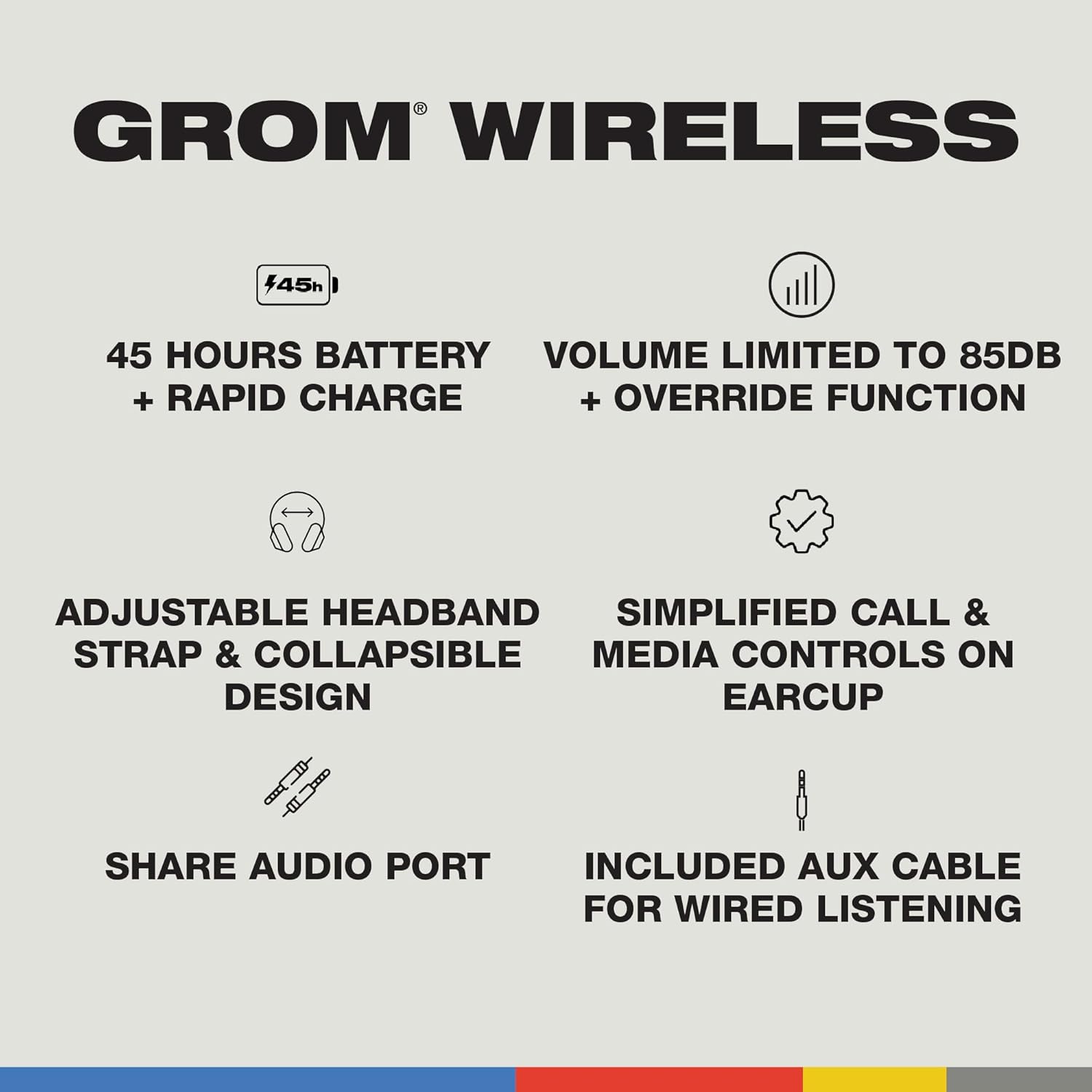
Image: A graphic highlighting the key features of the Grom Wireless headphones, including 45 hours battery, volume limit, adjustable headband, simplified controls, and audio share port.
Setup Guide
1. Charging Your Headphones
Before first use, fully charge your Skullcandy Grom Wireless Headphones. Use the provided USB-C charging cable and connect it to a power source. The LED indicator will show charging status and turn off when fully charged.
- A 10-minute rapid charge provides approximately 4 hours of playback.
- A full charge provides up to 45 hours of playback.
2. Powering On/Off
- To Power On: Press and hold the main power button on the earcup until the LED indicator lights up.
- To Power Off: Press and hold the main power button until the LED indicator turns off.
3. Bluetooth Pairing
- Ensure your headphones are powered off.
- Press and hold the main power button for 5 seconds until the LED indicator flashes blue and red, indicating pairing mode.
- On your device (smartphone, tablet, computer), enable Bluetooth and search for available devices.
- Select "Skullcandy Grom Wireless" from the list.
- Once connected, the LED indicator will turn solid blue.
4. Wired Listening (AUX Cable)
For a wired connection, plug the included 3.5mm AUX cable into the headphone's AUX port and the other end into your audio device. This option works even if the headphone battery is depleted.
Operating Instructions
Earcup Controls:
The Skullcandy Grom Wireless Headphones feature intuitive controls located on the earcup for easy management of audio and calls.
- Play/Pause: Single press the main button.
- Next Track: Double press the main button.
- Previous Track: Triple press the main button.
- Volume Up: Rotate the volume wheel upwards.
- Volume Down: Rotate the volume wheel downwards.
- Answer/End Call: Single press the main button during an incoming call.
- Reject Call: Press and hold the main button for 2 seconds during an incoming call.
- Activate Voice Assistant: Press and hold the main button for 2 seconds (when not on a call).
Volume Limit Override:
The headphones are volume-limited to 85 decibels for child safety. To temporarily override this limit for louder environments (e.g., airplane travel), twist the volume wheel past the normal maximum. This feature should be used with caution and under adult supervision.
Share Audio Port:
The integrated share audio port allows another pair of headphones to connect to the Grom Wireless headphones, enabling two listeners to share audio from a single source. Simply plug a 3.5mm AUX cable from the second pair of headphones into the share port on the Grom Wireless.

Image: A child happily jumping while wearing the Skullcandy Grom Wireless Headphones, demonstrating their comfortable and secure fit during active use.
Product Overview Video:
Video: An official overview of the Skullcandy Grom Kids Wireless Headphones, showcasing their features, design, and ease of use. This video provides a visual guide to the product's capabilities.
Maintenance
Cleaning:
- Gently wipe the earcups and headband with a soft, dry, lint-free cloth.
- Do not use harsh chemicals, cleaning solvents, or strong detergents.
- Avoid getting moisture into any openings.
Storage:
When not in use, store the headphones in a cool, dry place away from extreme temperatures and direct sunlight. The collapsible design allows for compact storage.

Image: The Skullcandy Grom Wireless Headphones shown in their folded, compact state, ideal for storage and travel.
Troubleshooting
| Problem | Possible Cause | Solution |
|---|---|---|
| No power | Battery is depleted. | Charge the headphones using the provided USB-C cable. |
| Cannot pair via Bluetooth | Headphones not in pairing mode; device Bluetooth off; interference. | Ensure headphones are in pairing mode (flashing red/blue). Turn device Bluetooth off and on. Move closer to the device. Forget device on your phone and re-pair. |
| No sound or low volume | Volume too low; incorrect audio source; headphones not connected. | Increase headphone and device volume. Check if headphones are properly paired or AUX cable is fully inserted. Ensure correct audio output is selected on your device. |
| Microphone not working | Microphone muted; incorrect input device selected. | Ensure microphone is not muted on your device or application. Check audio input settings on your device to ensure Skullcandy Grom is selected. |
If issues persist, please refer to the Skullcandy support website or contact customer service for further assistance.
Specifications
| Feature | Detail |
|---|---|
| Model Name | Grom |
| Model Number | S6KBW-R740 |
| Connectivity Technology | Wireless (Bluetooth 5.2) |
| Bluetooth Range | 10 Meters |
| Headphones Jack | 3.5 mm Jack |
| Battery Life | Up to 45 Hours |
| Rapid Charge | 10 minutes for 4 hours playback |
| Volume Limit | 85 dB (with override function) |
| Ear Placement | Over Ear |
| Item Weight | 160 Grams (approx. 5.6 ounces) |
| Material | Plastic, Metal, Rubber |
| Included Components | Headphones, USB-C Charging Cable, 3.5mm AUX Cable, User Manual |
Warranty and Support
The Skullcandy Grom Wireless Headphones come with a 1-year US warranty. This warranty covers manufacturing defects and ensures your product performs as expected under normal use.
For warranty claims, technical support, or additional product information, please visit the official Skullcandy support website or contact their customer service department. Keep your proof of purchase for warranty validation.
Online Support: www.skullcandy.com/support
Documents and downloads
Ask a question about this manual
Ask about setup, troubleshooting, compatibility, parts, safety, or missing instructions. Manuals+ will review the question and use this page’s manual context to help answer it.